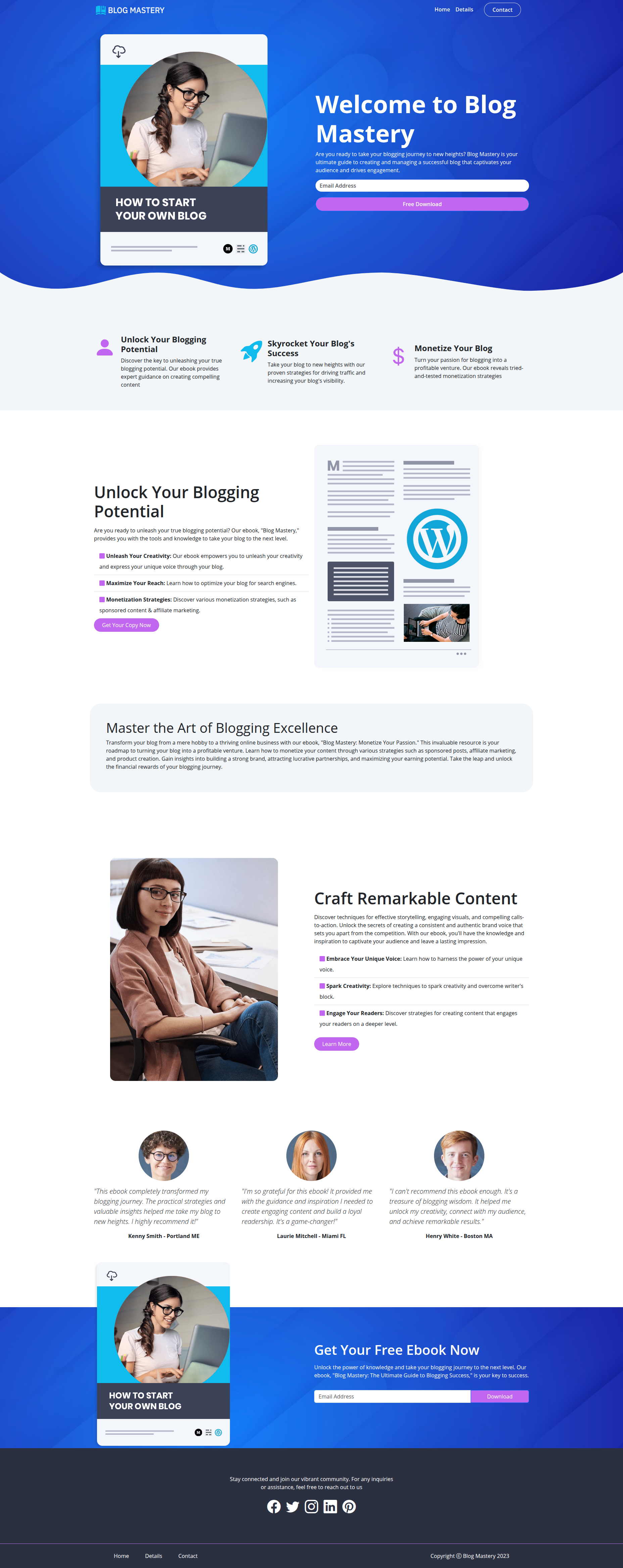
A modern, responsive landing page for promoting the "How to Start Your Own Blog" e-book. Features a clean design focused on conversion optimization and user engagement.
- Responsive Design - Works seamlessly across all devices
- Hero Section - Eye-catching header with clear value proposition
- Feature Highlights - Unlock Potential, Skyrocket Success, Monetize Your Blog
- Educational Content - Blogging strategies and content creation techniques
- Social Proof - Customer testimonials with profile images
- Multiple CTAs - Strategic download buttons throughout the page
- HTML5
- CSS3
- Bootstrap
- JavaScript
E-BOOK/
├── assets/images/
├── css/
│   ├── bootstrap.min.css
│   └── styles.css
├── js/
│   ├── bootstrap.bundle.min.js
│   └── script.js
├── index.html
├── contact.html
└── README.md
- Clone the repository:
git clone https://github.com/MuhammadSohaib-pro/E-Book.git- Navigate to the project:
cd E-Book- Open
index.htmlin your browser or run a local server:
# Python
python -m http.server 8000

# Node.js
npx http-server- Hero Section - Welcome message with e-book preview and email capture
- Icon Features - Three-column benefit highlights
- Content Sections - Detailed blogging strategies
- Testimonials - Six customer reviews
- Download Section - Final CTA with email form
Chrome, Firefox, Safari, Edge (latest versions)
Deploy to GitHub Pages, Netlify, Vercel, or any static hosting service.
Contributions are welcome! Fork the repo and submit a pull request.
- Fork the project
- Create your feature branch (
git checkout -b feature/AmazingFeature) - Commit changes (
git commit -m 'Add AmazingFeature') - Push to branch (
git push origin feature/AmazingFeature) - Open a Pull Request
MIT License - see LICENSE file for details.
Muhammad Sohaib
- GitHub: @MuhammadSohaib-pro
Made with ❤️ for aspiring bloggers | Copyright © Blog Mastery 2025