Repository navigation
Text Extractor
Copy the text in any part of the screen: a picture, a video, a PDF, an app that won't let you select its text. Press Ctrl+Super+T (or Extract text), drag over the text, and copy it. You only pick the area: Archtoys finds the language itself.
It is off until you want it: press Turn on and Archtoys installs the free Tesseract engine from your distribution's own packages (Arch, Fedora, Debian, Ubuntu and their families), with your password. It asks for the password even when Tesseract is already there, so the version is one Archtoys works with. On read-only systems (Fedora Silverblue, SteamOS), install tesseract the way your system installs software, then press Check again.
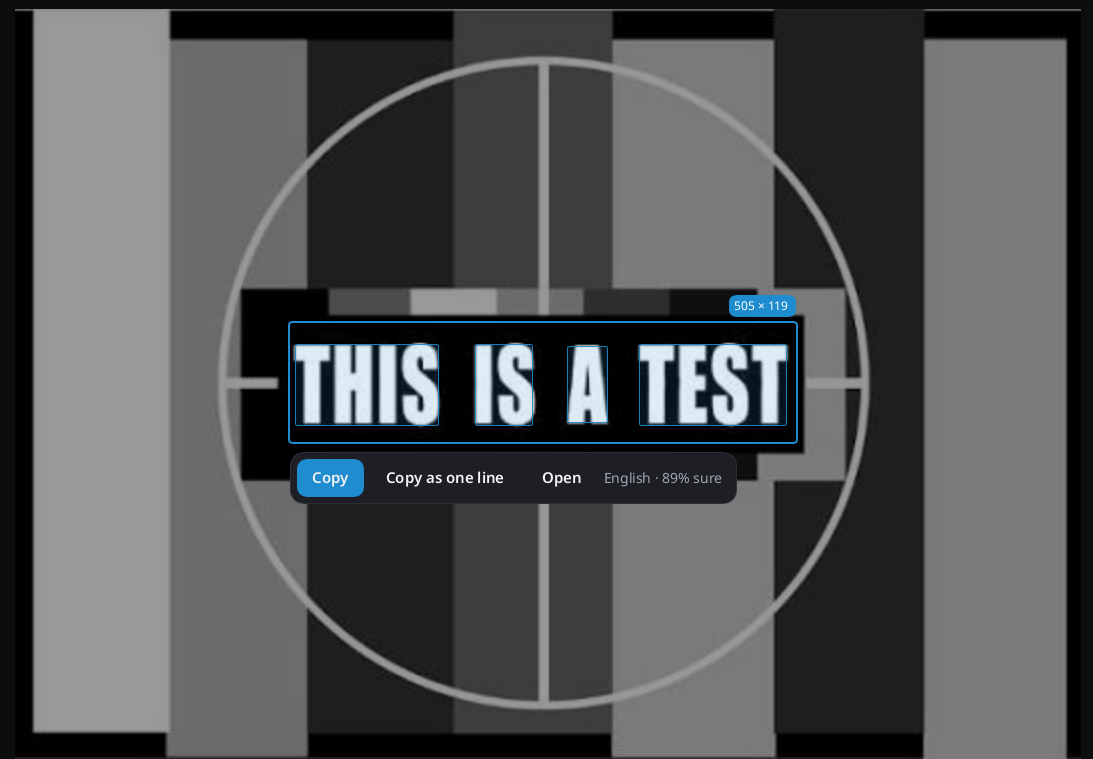
| Text Extractor | Opened from the history |
|---|---|
 |
 |
| To | Do |
|---|---|
| Move the box while you drag | Hold Shift
|
| Nudge it one pixel | The arrow keys (it reads the text again) |
| Copy |
Enter, or Copy on the toolbar. Copy as one line joins the lines. |
| Find which font it's in | Aa Find font on the toolbar (Font finder) |
| Cancel | Esc |
| Copy without the toolbar | Settings → After selecting text → Copy and close |
| Keep Archtoys out of the way | Settings → Stay minimized |
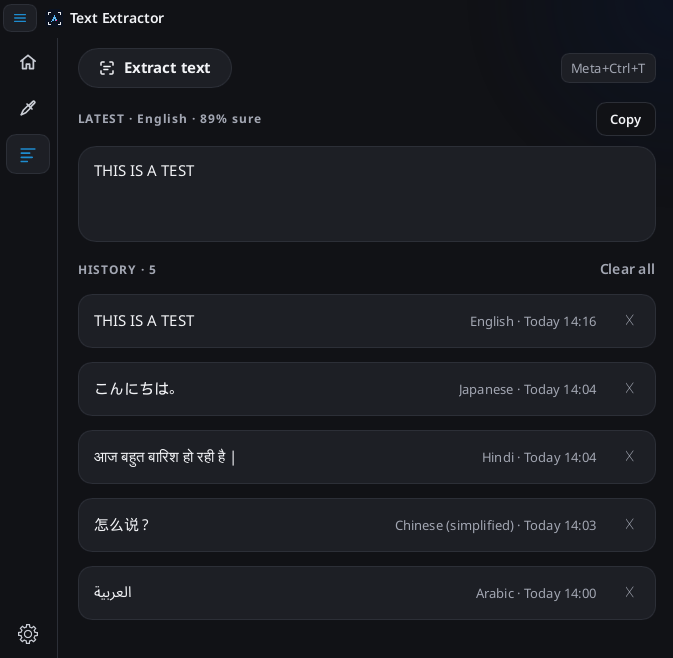
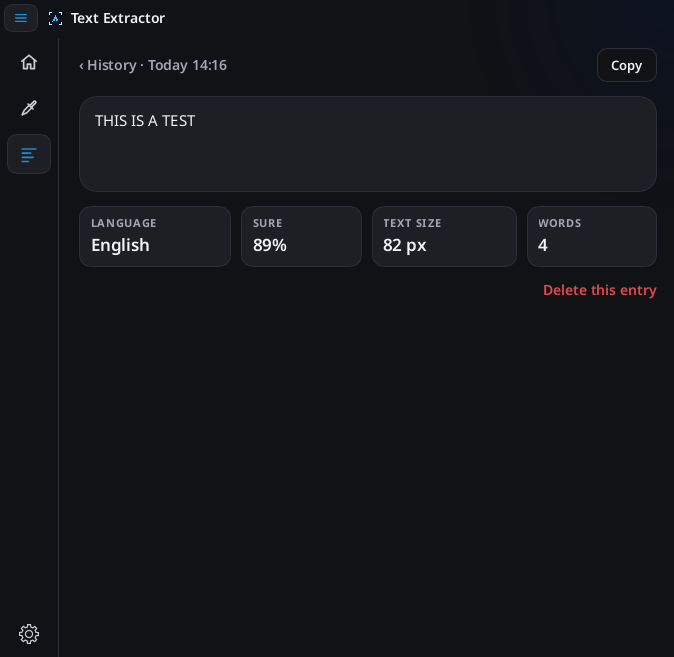
| See or reuse an older text | Click it in the history (the last 500): its language, how sure Archtoys was, the text size and the words. Delete one or all. |
| Extract from a terminal |
archtoys --extract (starts Archtoys if it isn't running) |
English, plus every language Tesseract has. Archtoys reads with English and your own languages first (your system language, keyboard layouts and input methods), and when that isn't sure, with one language of every writing system side by side, and keeps the reading it is surest of. Those languages download once, the first time they're needed (about 32 MB), from Tesseract's own language data on GitHub. Reading the text never needs the internet, and nothing you capture is sent anywhere. Offline, it reads with the languages it already has.
When a reading still isn't sure, Archtoys downloads that language's bigger, more accurate data once (from Tesseract's best data) and reads again. On a slow connection it doesn't wait: you get the quick reading, and the better data is used next time. Faint text (gray on gray, a dimmed label) is made dark on white before it's read, and Georgian, Amharic, Sinhala, Telugu, Kannada, Malayalam, Gujarati, Punjabi and Tibetan are read too. A short line is named by its letters and common words (é and pour say French, ñ and más Spanish), and when nothing gives it away, English.
Tested on 24 languages, from a word to a paragraph, 14 to 64 px, light and dark, bold, colored and compressed: 98% of the text comes back right. English, Spanish, French, German, Portuguese, Italian, Dutch, Turkish, Polish, Indonesian, Russian, Ukrainian, Greek, Arabic, Urdu, Hindi, Bengali, Tamil, Thai, Chinese (simplified and traditional), Japanese and Korean read 93-100% right, Vietnamese and Persian about 94%. Short phrases mixed with English, decorative fonts and very small or blurry text read worse, so check the text before you use it, and please report what it gets wrong.
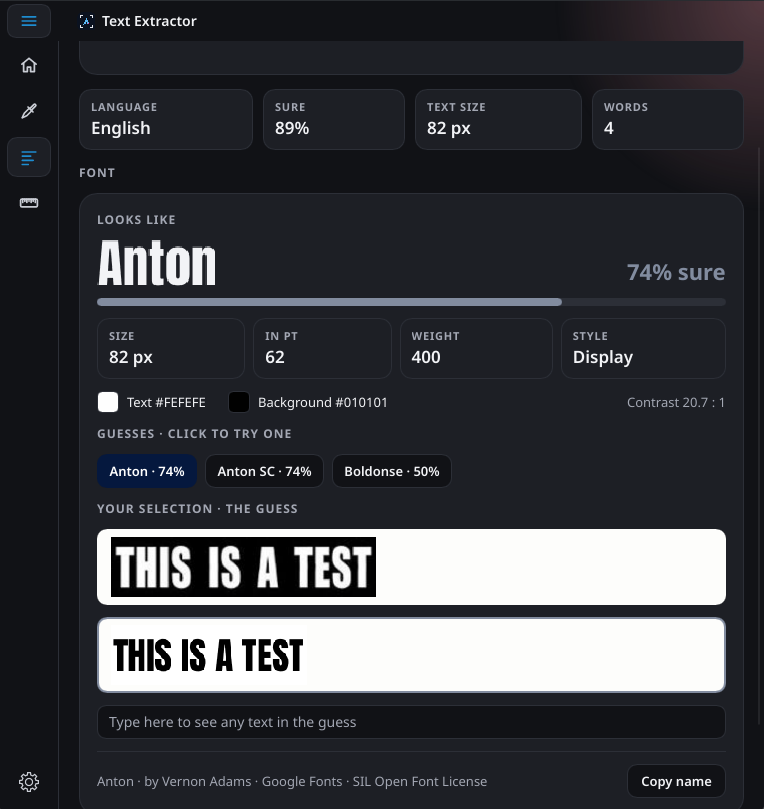
Which font is that? Select the text with Text Extractor and press Aa Find font. Archtoys opens on a new history entry and compares your selection with fonts, word by word: it draws the words it read in each font that could match and keeps the ones that look most alike.
- The fonts on your computer first, every time. That's where most text on your screen comes from, and it needs no download.
- Google Fonts too, if you turn it on. The first time, Archtoys asks. Yes downloads a list of every Google Fonts family (about 10 MB, once), which picks a dozen that could match, and only those fonts are downloaded (usually 2 to 8 MB the first times, less after) from Google Fonts on GitHub. Later searches reuse them. The list is updated monthly in archtoys-font-index and checked (SHA-256) before it's used.
- Your selection never leaves your computer. Only font files are downloaded, and the comparing happens on your computer.
- The answer: the font's name drawn in it and how sure Archtoys is, its size in px and pt, weight and style, the text and background colors with their contrast, up to three guesses to switch between, your selection above the guess, and a box to see any text in the guess. Copy name copies it, Search again reruns it (say, after turning on Google Fonts).
- A font entry keeps a picture of your selection in Archtoys' folder, so it can be searched again. Text-only entries keep none.
- Settings → Font finder: turn Google Fonts on or off, delete the downloaded fonts, or delete the saved pictures (the fonts found stay). Settings → Reduce motion shows the best guess while it searches instead of every font flashing past.
It's a best guess, not a sure answer, and Archtoys says so the first time. Your screen's scaling, its font smoothing and hinting, the text's size, bold or styled text and how much text you select all make it better or worse. Fonts made from the same design (Liberation Sans and Arimo, for example) look the same to it, so the right family is often among the guesses rather than first. Find font is grayed out when the text itself wasn't read surely enough, since it compares the words it read.
Text Extractor uses Tesseract OCR and its language data (Apache-2.0), installed and downloaded on your computer, not built into Archtoys, and whatlang (MIT) to tell languages apart.