Repository navigation
Message Cards
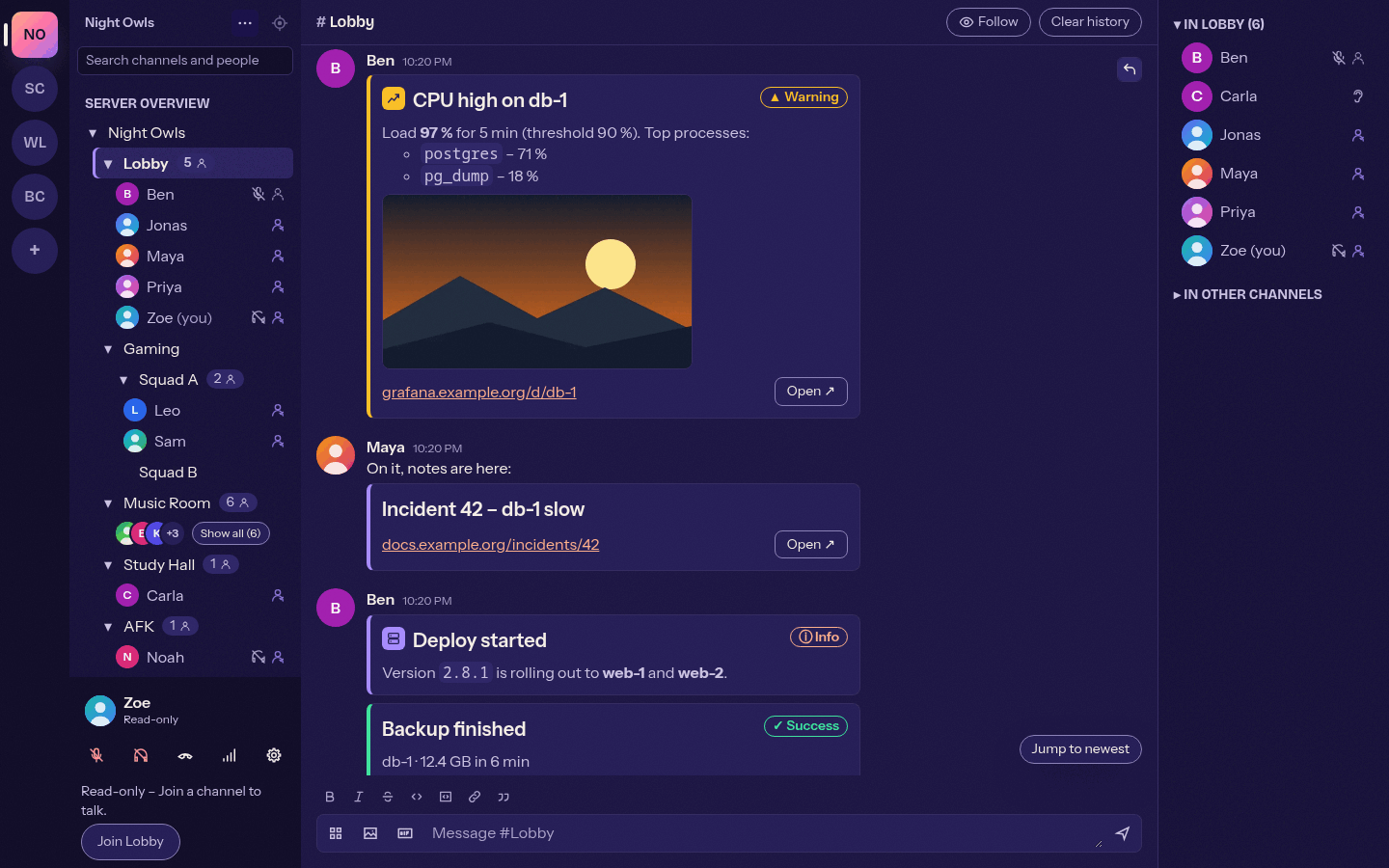
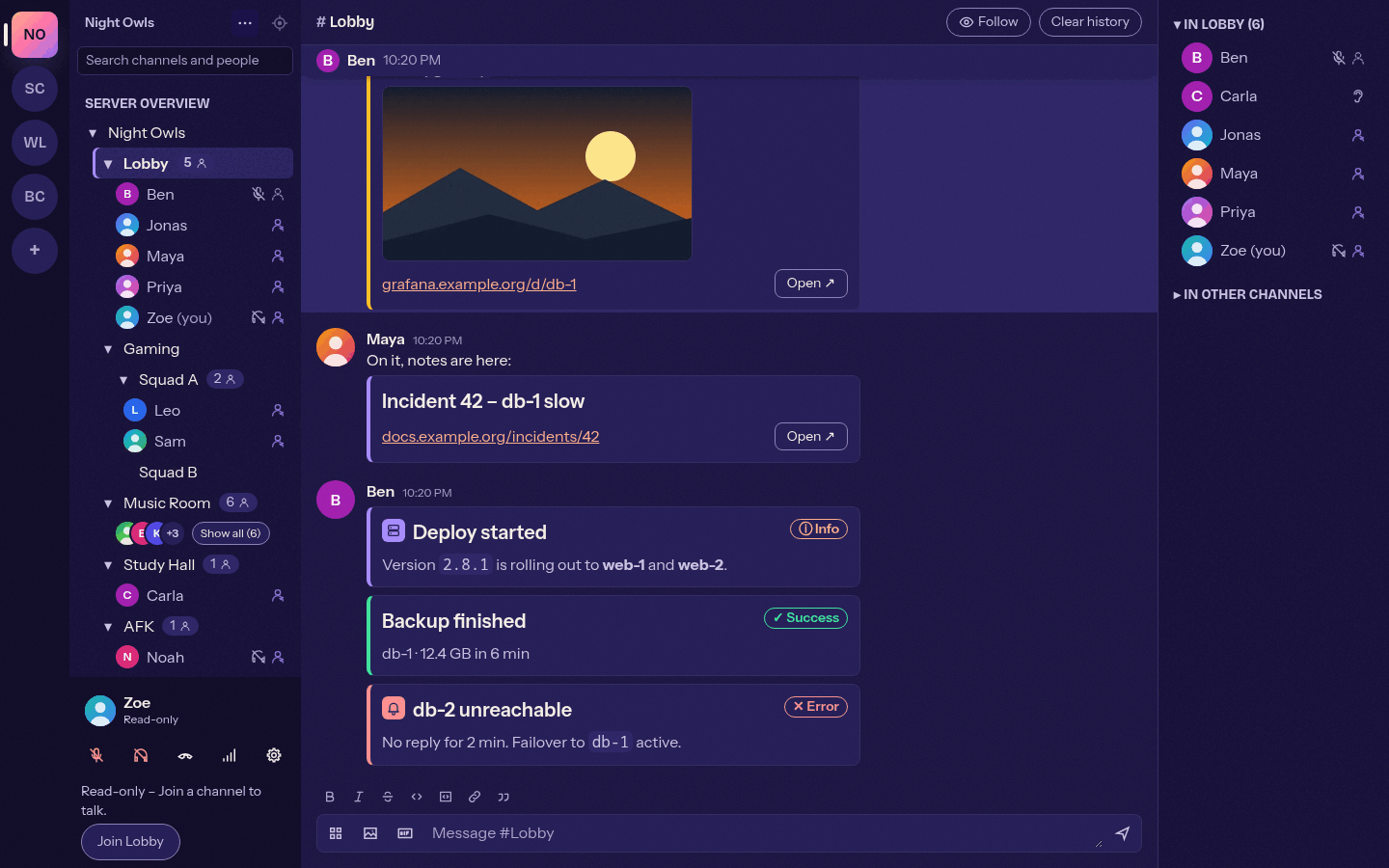
A message card turns a status message (alert, deploy, backup, incident) into a compact card: an accent stripe in the status colour, an icon, a title, chat-formatted text, an optional image (for example a graph) and an optional link (for example a dashboard). Bots are the main senders; people can type the same BB code in the message input. Available since 0.4.3 (issue #72). The full specification is docs/message-cards.md in the repository.
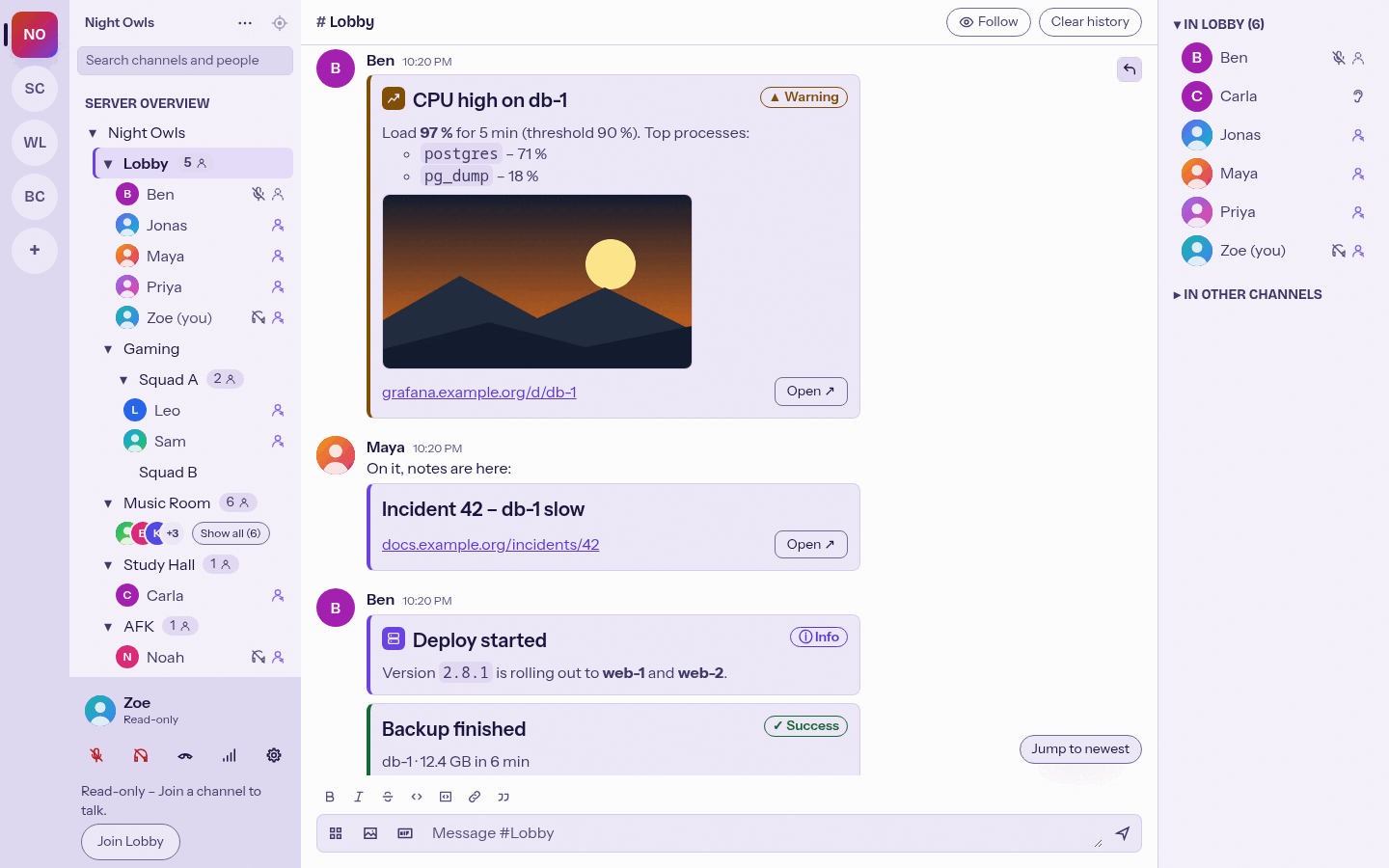
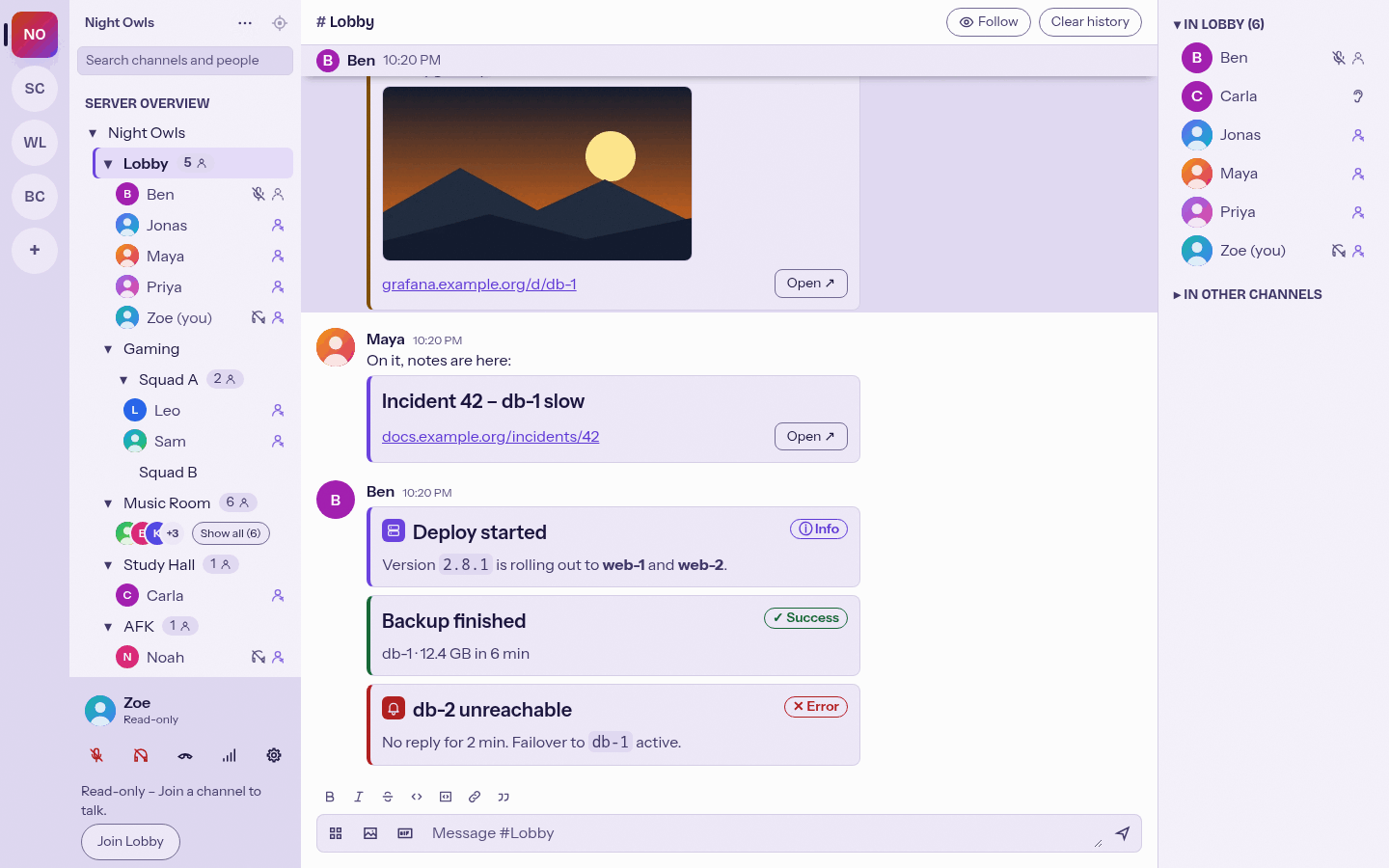
Light versions: cards, status colours.
[card title="CPU high on db-1" color=warning icon=chart image="https://grafana.example.com/render/db-1-cpu.png" url="https://grafana.example.com/d/db-1"]
Load **97 %** for 5 min (threshold 90 %).
[/card]
| Field | Meaning |
|---|---|
title |
One line of plain text. Links to url when both are set. |
| text between the tags | Same formatting as chat (Markdown in the Mumcord input: bold, italic, strike, code, code block, link, quote, lists). |
color |
info, success, warning or error. Without it the stripe uses the theme accent and no status is shown. The status is always shown as text too (for example "Warning"), never by colour alone. |
icon |
One of the built-in icons: info, check, warning, error, bell, chart, server, bot. Icon URLs are not supported (no extra request, no tracking pixel). |
image |
http(s) URL of an image shown under the text. |
url |
http(s) URL shown as a link line plus an "Open" button. |
- Every field is optional, but a card needs a title or a text. An unclosed
[card ...]or a broken attribute (for example a missing closing quote) stays normal chat text. - Values with spaces need double quotes. Tag and attribute names,
colorandiconare not case sensitive. Unknown attributes are ignored; invalid values (an unknown colour or icon, ajavascript:ordata:URL) are dropped. - Several cards in one message are allowed. Text around them shows as normal message text.
- The whole message must fit the server's text message length (5000 characters by default). A message that is too long shows the usual error and is not cut.
Mumble chat messages are HTML. Mumcord sends HTML that reads well in official clients and carries a marker (data-mumcord-card) that only Mumcord recognises. Official clients show the fallback: a bold title line with the status in English (for example [Warning] CPU high on db-1), the text, an Image: link and the URL link. A standard server passes the marker through unchanged. On a server that does not allow HTML, the typed BB code is sent as text, and other Mumcord clients still render it as a card. BB code that arrives as text (typed in an official client or sent raw by a bot) is rendered as a card too.
Bots build exactly the same HTML. The exact format is in docs/message-cards.md. For sending cards through the webhook bot see Mumcord/mumbot#13.
- Images follow the link preview rules: they load only with "Show link previews and embeds" on. The engine fetches them and shows them as an inline picture, so the app window never contacts the image host. Never for private or LAN addresses.
- With previews off, or when the image cannot be loaded, nothing is requested and the image stays a small
Image: ...link. - Links are ordinary chat links: a click opens the system browser. Only
httpandhttpslinks are kept. A card gets no extra link preview for its own URL. - Everything is treated as untrusted input: the title is plain text, the text goes through the chat sanitizers.
- A card is a region named "Card: <title>, "; the status is visible text next to its symbol and the icon is decorative.
- Title link, image, link line and "Open" button are part of the message's tab stop.
- Cards are normal messages:
color=errordoes not count as a mention or play a sound. Search and notifications use the fallback text.