Repository navigation
Packet Inspector
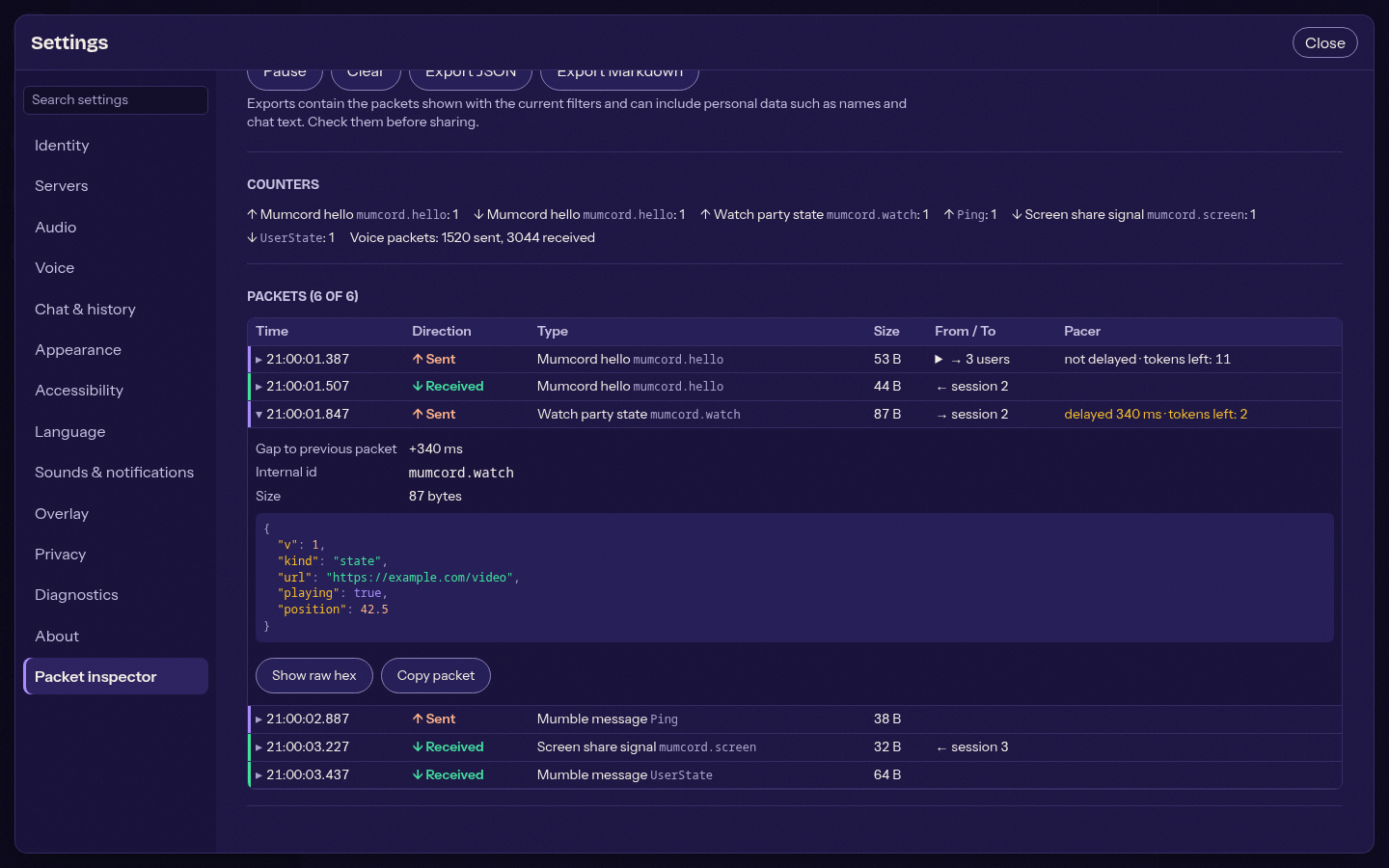
A hidden debugging window that shows the packets Mumcord sends and receives, mainly its own plugin-data messages (Plugin data protocol). It helps to check the protocol in the field, for example why a late joiner did not see a running screen share. Available since 0.4.3 (issue #60); the full description is docs/packet-inspector.md in the repository.
- Open Settings, About.
- Click the version number seven times within a few seconds.
- "Developer tools unlocked" appears and a Packet inspector section is added at the end of the settings list.
The Developer tools switch in that section hides it again, stops the capture and closes the window. The choice is stored on this device only.
Open packet inspector opens the inspector in a window of its own, so it can stay next to the main window while you reproduce a problem. There is never more than one.
- It remembers its size and position, and follows the main window's theme and language.
- Ctrl+W (Cmd+W on macOS) or the close button closes it; Esc does nothing. Quitting Mumcord closes it.
- Capture runs while the developer tools are unlocked, whether the window is open or not.
- The window can only read the capture. Every other command (connecting, sending, settings) is refused for it.
| What | Kept |
|---|---|
| Plugin data, both ways | Type, size, sender or receivers, pacer state, payload |
| Other Mumble control messages, both ways | Type and size only |
| Voice | Counters only |
Chat text, names and comments of standard messages are not kept. The list shows one row per packet with time, direction, type, size, from / to and the pacer state (how long a sent message waited). Click a row for the gap to the previous packet, the decoded content, the raw bytes in hex and Copy packet. Filters (server, direction, type), Pause and Clear act on the list.
- Packets live in memory only, in a ring buffer of the last 2,000 packets for all servers. Nothing is logged or sent anywhere.
- Locking the developer tools or quitting drops everything captured.
- Content leaves the device only when you export it. Export JSON is complete and machine-readable; Export Markdown is readable, for pasting into an issue. Both warn first that they can contain personal data such as names and chat text, so check an export before you post it.