- ComputerCraft 1.6+
- http_enable=true in the ComputerCraft config
- Required for easy installation, alternatively transfer all the files manually
- Advanced Computer
- Advanced Monitors
- Can be any size, at least 4 wide is recommended
- Monitor can be connected on any side or through wired modems
If you haven't done so already, you might want to label the computer first. This'll make sure your hypelist is preserved if you move the computer. To do so, right-click on the computer and type in the following command, followed by Enter:
label set Hypelist
To install the Hypelist, right-click on the computer and type in the following command, followed by Enter:
(tip: pasting the text into the computer using Ctrl-V also works)
pastebin get pwTujieA startup
Then hold Ctrl-R to restart the computer.
If you want to update an existing Hypelist installation, right-click on the computer and hold Ctrl-T to terminate the Hypelist Shell. Then type in the following command, followed by Enter:
update
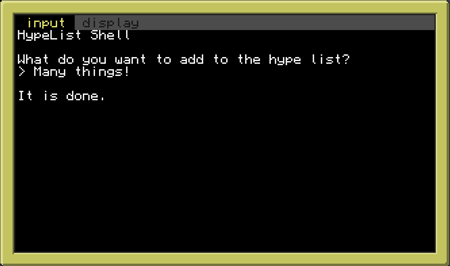
Right-click the computer to access the input panel. Type whatever you want to add to the list and press Enter, or use the Up/Down arrows to edit an existing entry.
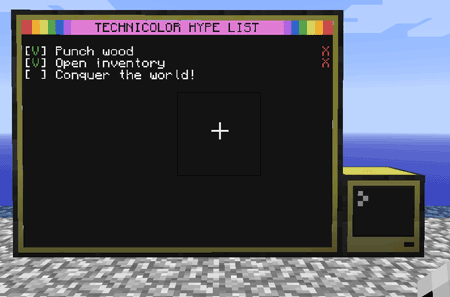
Further interaction with the list is done through the monitor. Right-click the box on the left to mark an item as done. After that a red X will appear on the right side which can be right-clicked to remove the item.
If at any time you add or remove monitors, right-click on the computer and hold Ctrl-R to restart the Hypelist and have it properly use the new size.