Flashing binary release file (.bin) to Speed Checker
- Connect Speed Checker to Computer via USB Firmware Flasher,
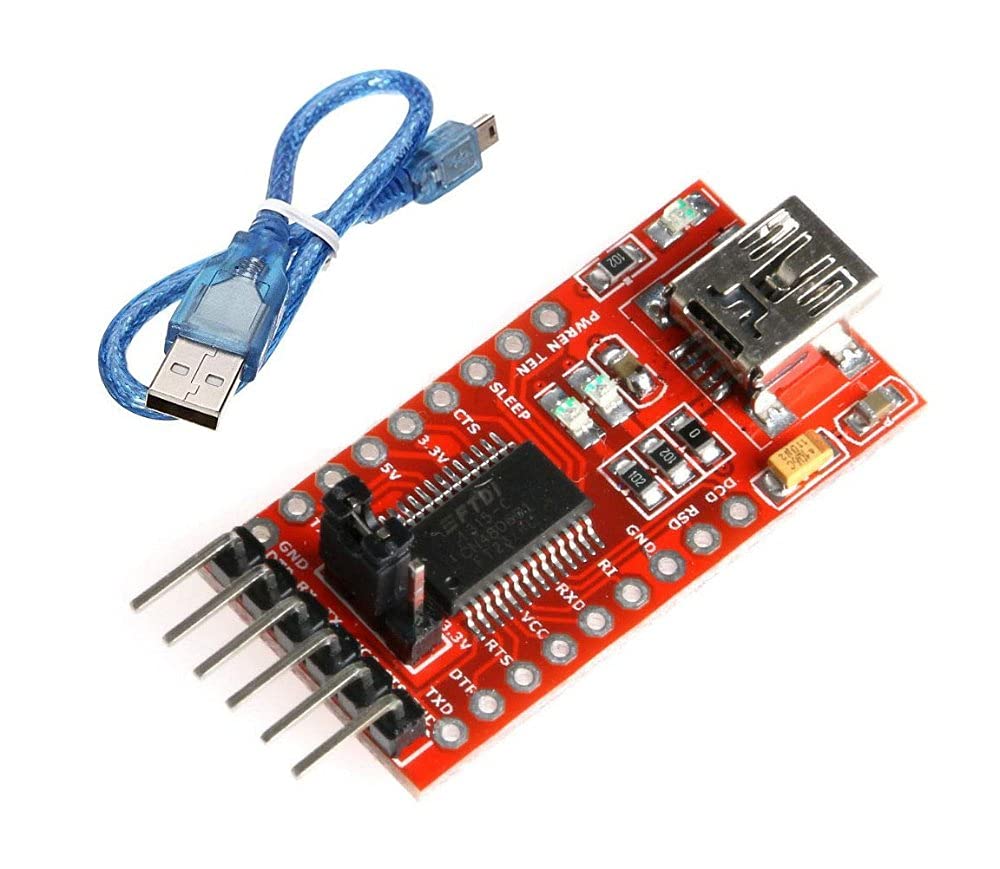
- Download the firmware bin file from the release page. This file looks something like this
MINI4WD_SPEED_CHECKER_vX.X.bin, - Download
Flash Download Toolsfrom https://www.espressif.com/en/support/download/other-tools, - After downloading the file, unzip it and install
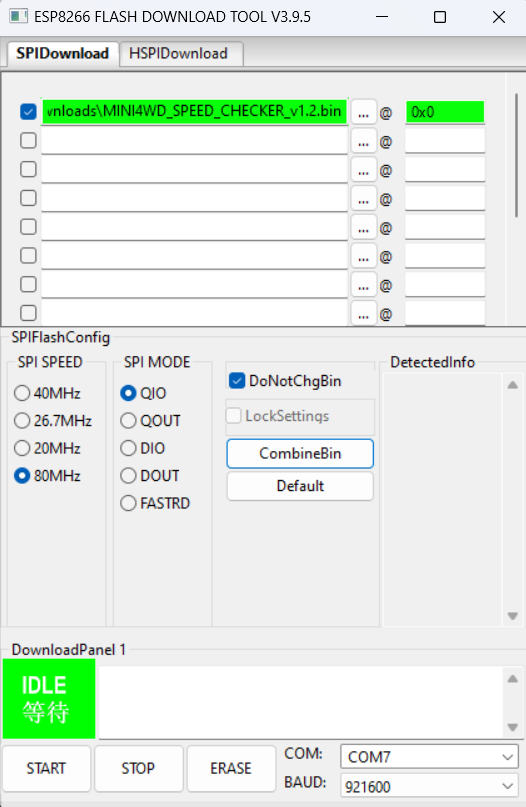
flash_download_tool_X.X.X.exefile by clicking on the first...button, - Under the
SPIDownloadsection select theMINI4WD_SPEED_CHECKER_vX.X.bin, - In the Textfield next to the "
@" char put in this address:0x0, - Than make sure that the file is checked (click on the checkbox),
- Click on the Default button,
- Set SPI Speed to
80Mhz, - Select the COM Port of your Speed Checker USB Flasher (usually it's not COM1),
-
BAUD can be set to
921600, - Verify that everything looks like the picture below,
- click on START.
- Now the firmware will be flashed to the Speed Checker. When the firmware flashing was successful you see FINISH.