QuickSight Dashboards
Amazon QuickSight(QS) is a cloud-scale business intelligence (BI) service that you can use to deliver easy-to-understand insights to the people who you work with, wherever they are. Amazon QuickSight connects to your data in the cloud and combines data from many different sources. In a single data dashboard, QuickSight can include AWS data, third-party data, big data, spreadsheet data, SaaS data, B2B data, and more. As a fully managed cloud-based service, Amazon QuickSight provides enterprise-grade security, global availability, and built-in redundancy. It also provides the user-management tools that you need to scale from 10 users to 10,000, all with no infrastructure to deploy or manage.
To learn more, view the QuickSight User Manual
- JPL (Commercial or GovCloud) Account
- AWS Athena
- AWS QuickSight
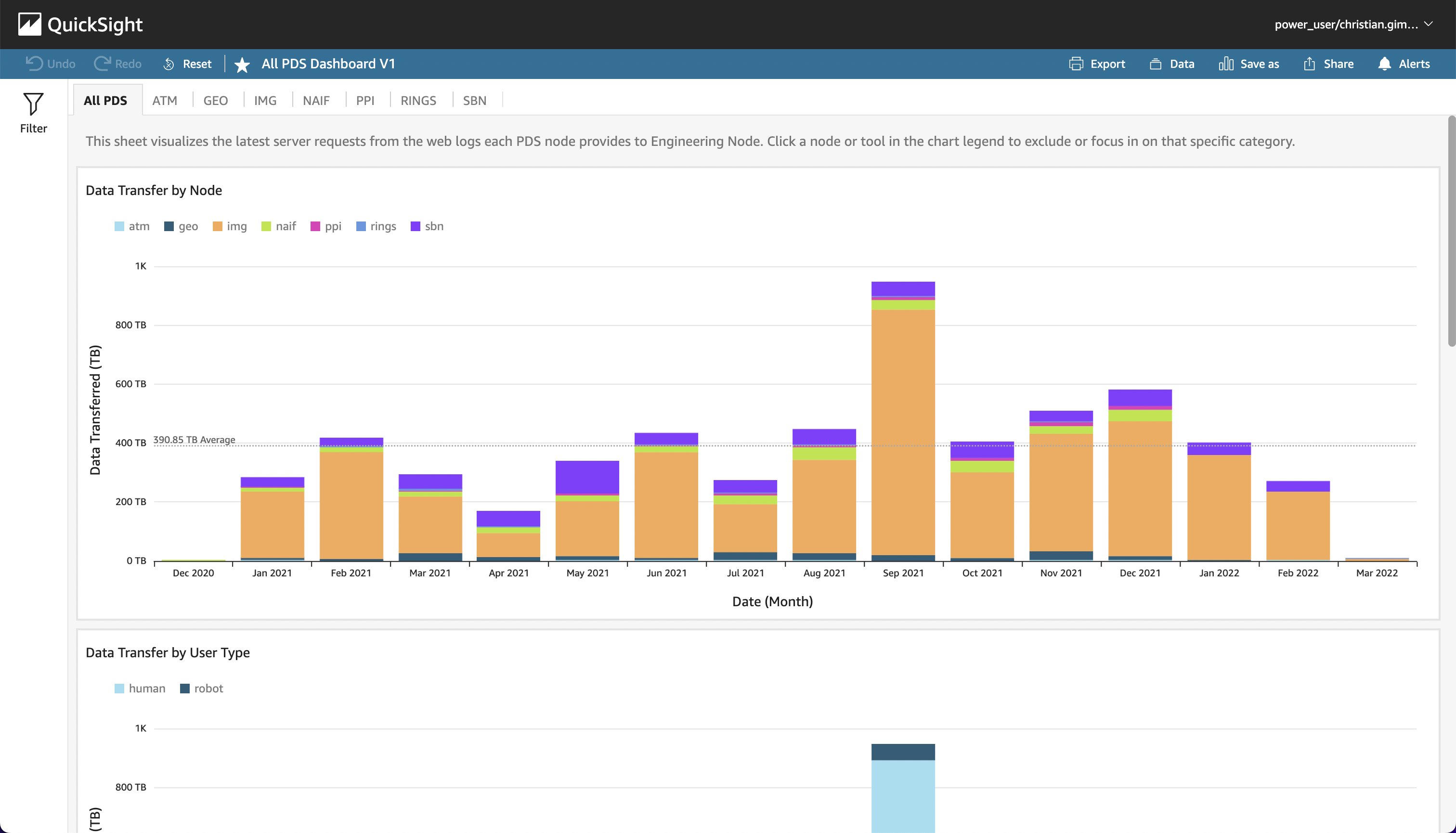
The PDS QuickSight Dashboard references the prd_vw_all_agg dataset imported from AWS Athena. This table aggregates server logs from all the PDS Node sites over the past year (2021).
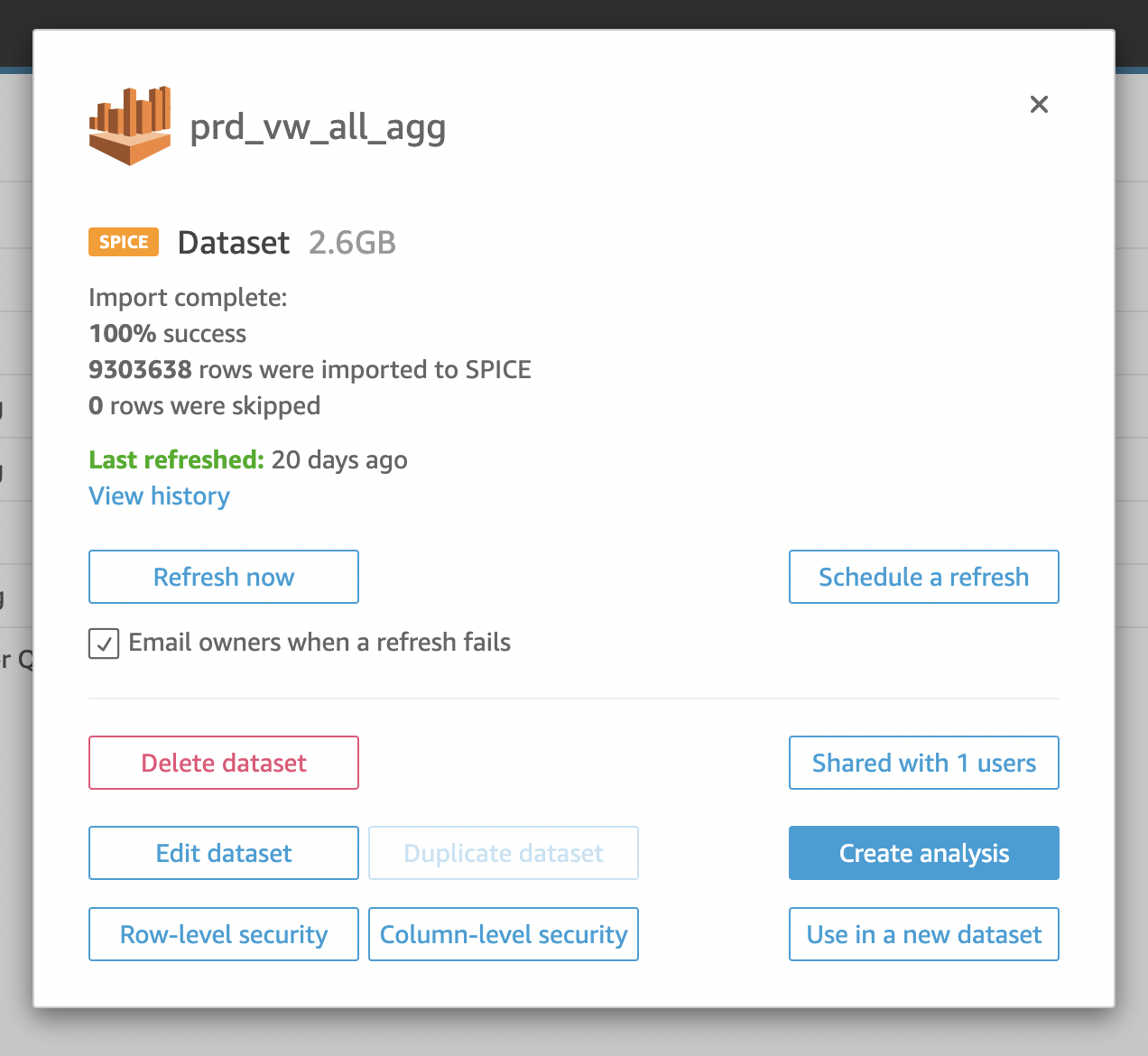
You can schedule refreshes for a dataset in QS so that any updates in AWS will be automatically pushed to the respective dashboard. The following illustration shows this basic workflow:
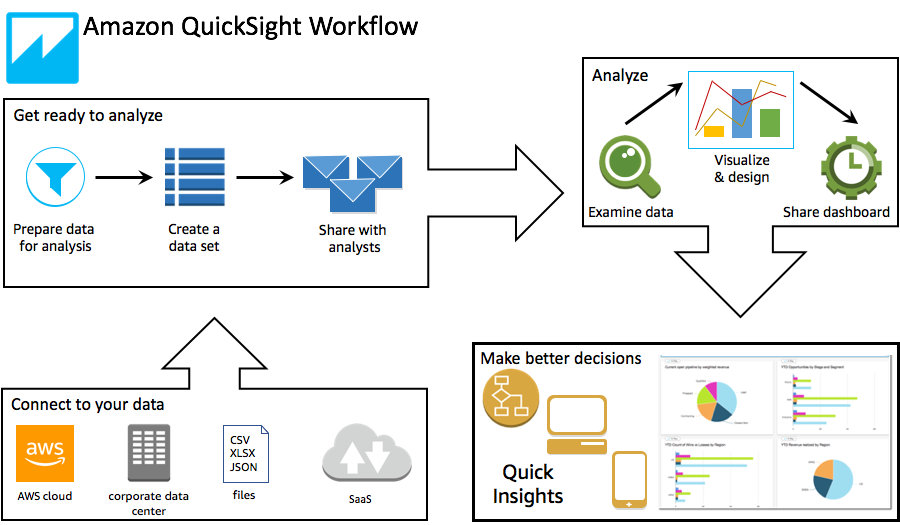
For more info on scheduling refreshes, view the documentation here.
Once you've subscribed to QS and activated your account
Formula used for calculated field with normalized score (gb_score etc.)
(sum(gigabytes) - minOver(sum(gigabytes), [date])) /
(maxOver(sum(gigabytes), [date]) - minOver(sum(gigabytes), [date]))