Using the Examples
Every example lives under File → Examples → ANSITerm in the Arduino IDE after the library is installed.
Basic → Advanced → Buttons → Graphic
                    ↘ ANS files (needs SD card + Mega-class RAM)
Network / ESP examples when you have Wi‑Fi or Ethernet
| Order | Example | What you learn | Extra hardware |
|---|---|---|---|
| 1 | Basic | Colors, box, button | USB only |
| 2 | Advanced | Tables, symbols, animation | USB only; wider window (~70 columns) |
| 3 | Buttons | Menus with keyboard + mouse | USB only; onboard LED |
| 4 | Graphic | Game loop, WASD keys | USB only |
| 5 | ANS files | SD card file list | SD module; best on Mega |
| 6 | Network terminal | UI over TCP | Wi‑Fi or Ethernet |
| 7 | ESP Wi‑Fi control | Dual Serial + network dashboard | ESP32 or ESP8266 |
- Upload first, then open the terminal — do not leave the Serial Monitor open.
- Match the baud rate in the sketch header /
Serial.begin(...). - Prefer a UTF-8 terminal (guide).
- If the screen goes blank after you unplug/replug USB on Leonardo-style boards, many demos redraw automatically.
- Examples that wait for a click also accept Enter or Space where noted.
- Uno / Leonardo — Basic, Advanced, Buttons, Graphic.
- Mega — All of the above plus ANS files (more memory).
- ESP32 / ESP8266 — Network terminal + ESP Wi‑Fi control (and the Serial demos too).
Official compile coverage is listed in the README.
- Open the example.
- Use File → Save As… so you edit a copy in your sketchbook (not the library copy).
- Change colors, text, or button labels.
- Upload and test again.
When you are ready to write your own sketch from scratch, start from Basic or Buttons and keep the pattern: Serial.begin → terminal.begin → draw → read input in a loop.
| Example | Preview |
|---|---|
| BasicExample | 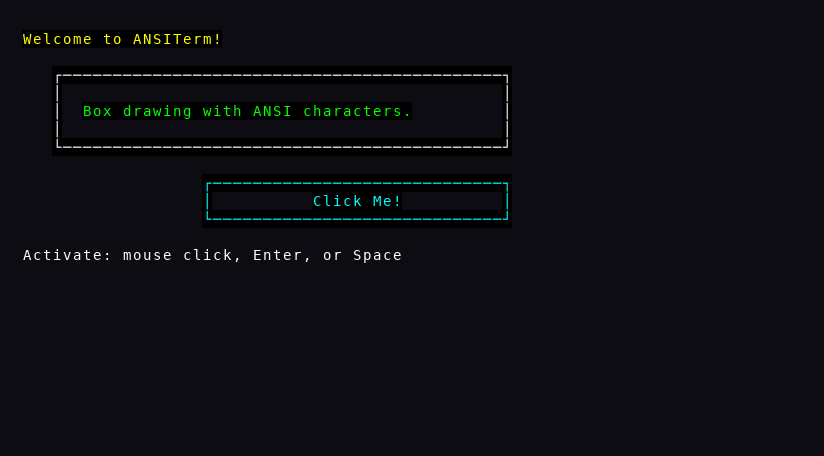 |
| AdvancedExample | 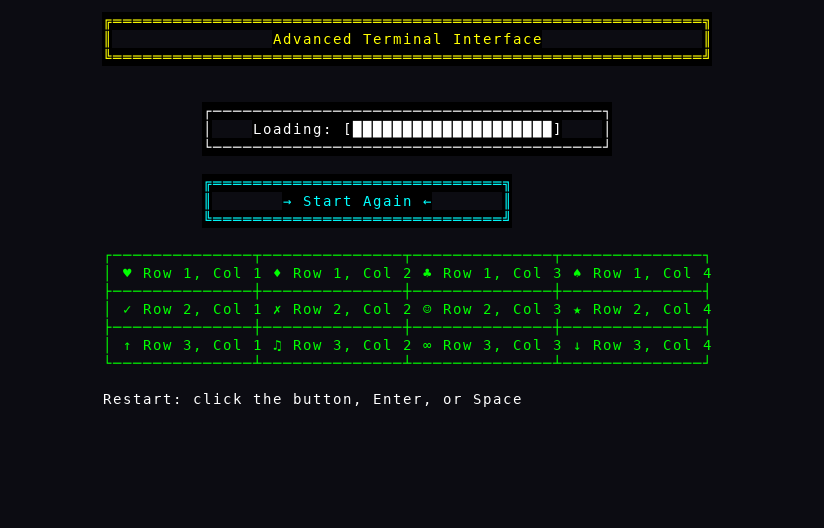 |
| ButtonsExample | 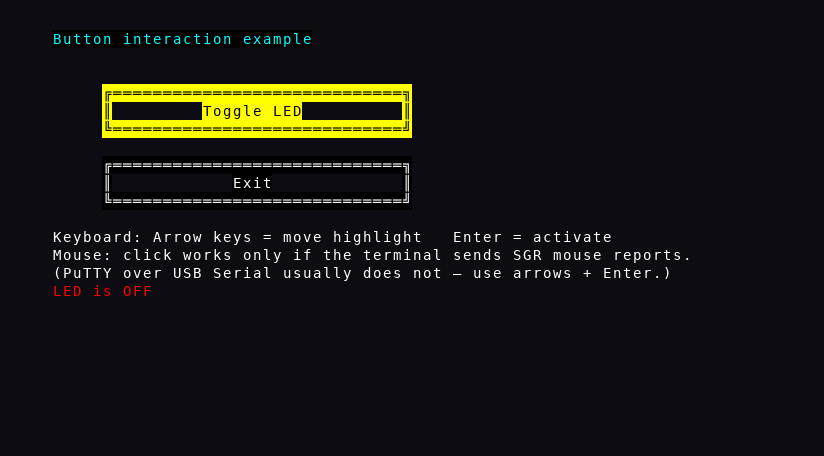 |
| GraphicExample | 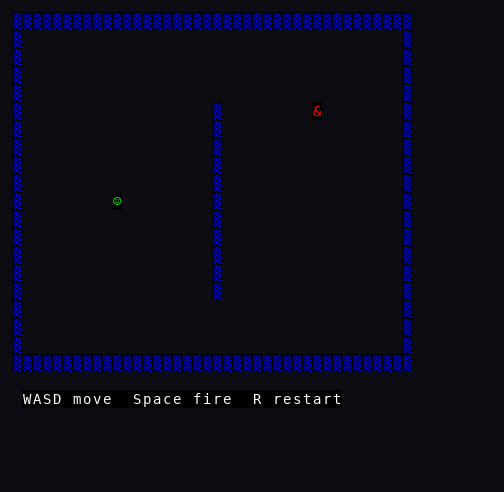 |
| ANSFileExample | 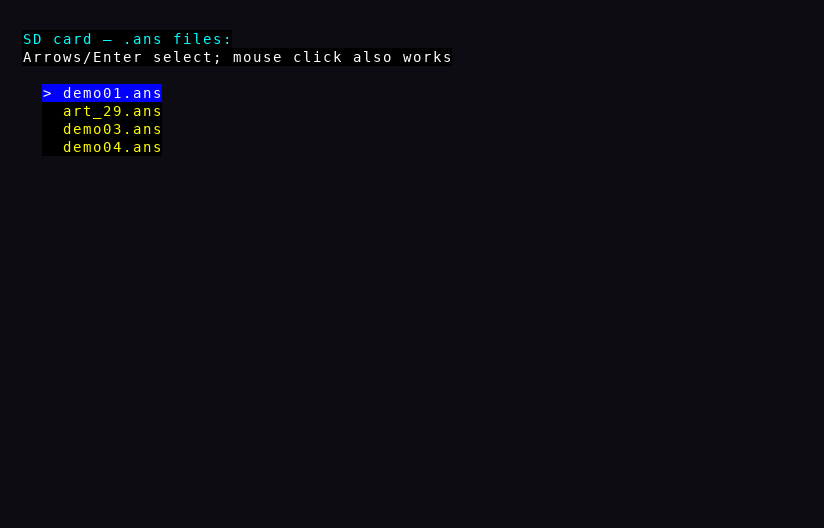 |
| NetworkTerminalExample | 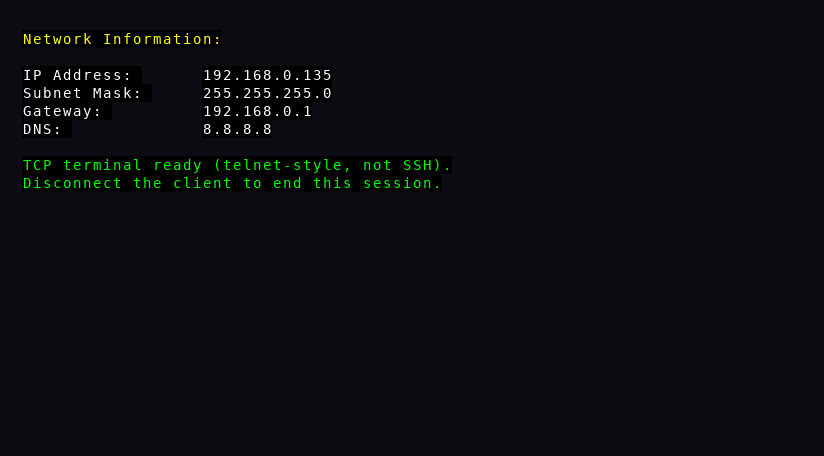 |
| ESPWiFiControlExample | 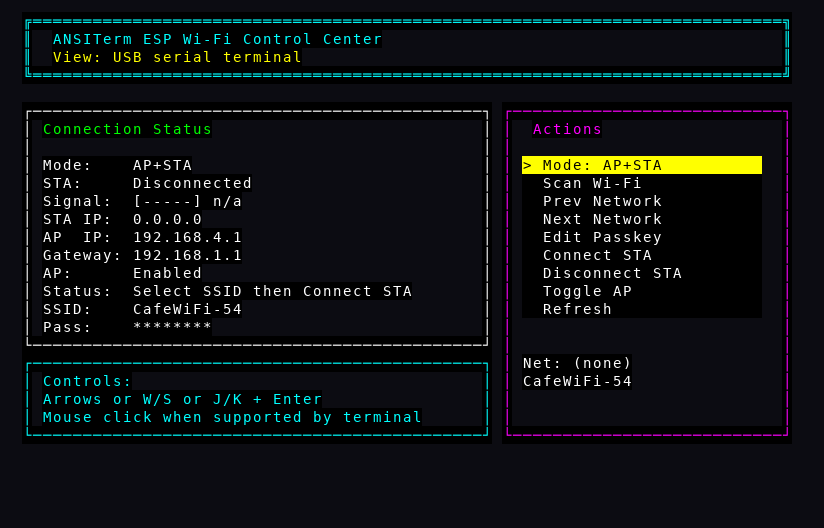 |