Kura v1.2.0

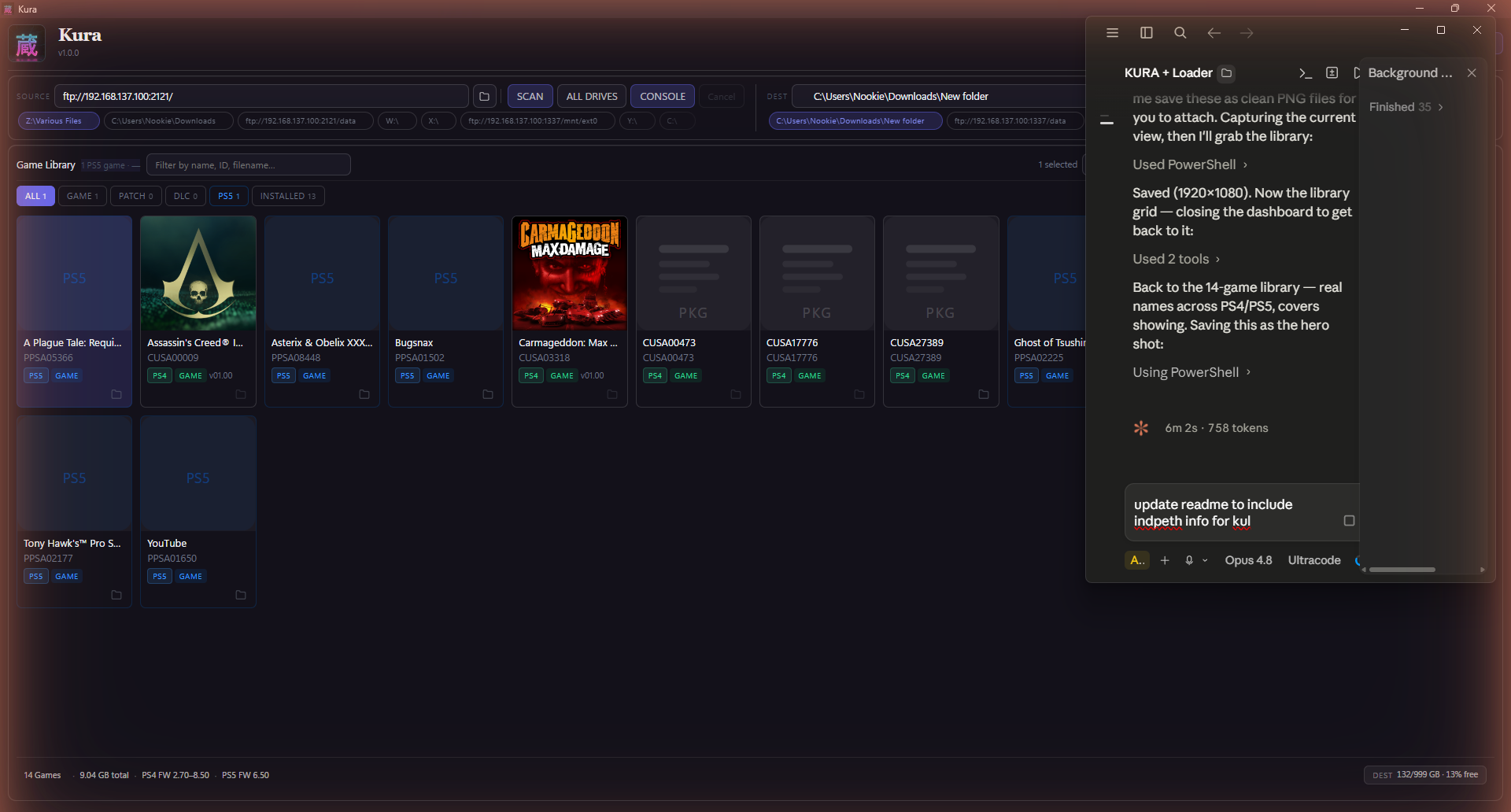
Kura is a free application that scans your drives, identifies every PlayStation game you own, and helps you organise, transfer, and install them — across PS1, PS2, PSP, PS3, PS4, PS5, and PS Vita, in a single library. It reads inside each file for the real title, cover art, and metadata (not the filename), finds duplicates, organises for any console layout, and installs straight to your console.
No installer. No login. No account. Native builds for Windows, macOS (Apple Silicon + Intel), and Linux — plus the kura-loader.elf PS5 payload.
What's new in 1.2.0 — queue control + smarter cleanup
Two new tools on top of the 1.1.1 reliability work.
- Transfer Queue panel. A new Console Tools screen shows any transfers interrupted by a crash or power loss — see what's pending, resume on demand, or clear a stuck queue. (Before, resume was only offered once at startup.)
- Console Cleanup: multi-select + sync report. Tick several safe-to-remove games and delete them in one guarded batch, and a new banner summarises your library-vs-console sync at a glance (on console but not in your library · local but not on console · safe to remove).
Includes everything from 1.1.1 (fully Kura-branded console payload + the fast console-health gate that stops the app freezing when the PS5 is busy) and the seven tools from 1.1.0.
Which file do I download?
- Windows →
kura.exe - macOS · Apple Silicon →
Kura-…-arm64.dmg - macOS · Intel →
Kura-…-x64.dmg - Linux →
Kura-….AppImage - PS5 payload →
kura-loader.elf
macOS first launch: if you see "Kura is damaged and can't be opened", open Terminal and run
xattr -cr /Applications/Kura.apponce — that's just Gatekeeper blocking an unsigned app, not real damage.
Free · portable · no account. Built and maintained by Nookie. If you like it, tell a friend.