Repository navigation
Detection Rules
This page covers the built-in rules in the Burp editions, the severity model, custom rules and the community rule files. For the engine design and scan tiers, see How It Works.
| Type | Count | Runs at | How it matches |
|---|---|---|---|
| Anchored | 133 | All tiers | A fixed token format, such as a known prefix and length |
| Context-gated | 51 | LIGHT and FULL | A generic-looking value that only counts when a vendor keyword appears nearby |
Anchored examples include GitHub tokens (ghp_…), AWS access key IDs (AKIA…), Stripe keys (sk_live_…), Slack tokens (xox…), SendGrid, Twilio, Google API keys and PEM private keys.
Context-gated examples include Azure API Management subscription keys near the Ocp-Apim-Subscription-Key header and vendor keys that only make sense next to their vendor's keyword.
The FULL tier adds heuristic scanners for secrets that match no vendor rule. See How It Works.
The detection engine assigns these severities:
| Severity | Meaning |
|---|---|
| HIGH | Credential or token with significant access, for example AWS keys, Stripe live keys or Azure client secrets |
| MEDIUM | Token with more limited standalone impact |
| LOW | Identifier or key with limited standalone risk |
| INFORMATION | Public identifier or structural signal, such as a certificate thumbprint or vault reference ID |
CRITICAL is never assigned by the detection engine. It can only come from a manual severity edit or from AI triage in the MCP edition.
| Confidence | Meaning |
|---|---|
| CERTAIN | Strong evidence, such as an anchored match, a credential request header or a database password |
| FIRM | Credential-like key name with a probable value |
| TENTATIVE | Never set by the engine. Set by a manual edit, or by AI triage in the MCP edition |
Custom rules add your own patterns on top of the built-in rules. They run on every scan tier.
RuleName | regex | severity
- Separate the three fields with
|(a space, a pipe, a space). A pipe without spaces, as in regex alternation(a|b), is treated as part of the regex. -
regexis a Java regular expression. -
severityisHIGH,MEDIUM,LOWorINFORMATION(case-insensitive). Any other value becomesMEDIUM. - Lines starting with
#are comments.
# Internal token issued by your own platform
MyInternalToken | \bmyco_[A-Za-z0-9]{32}\b | HIGH
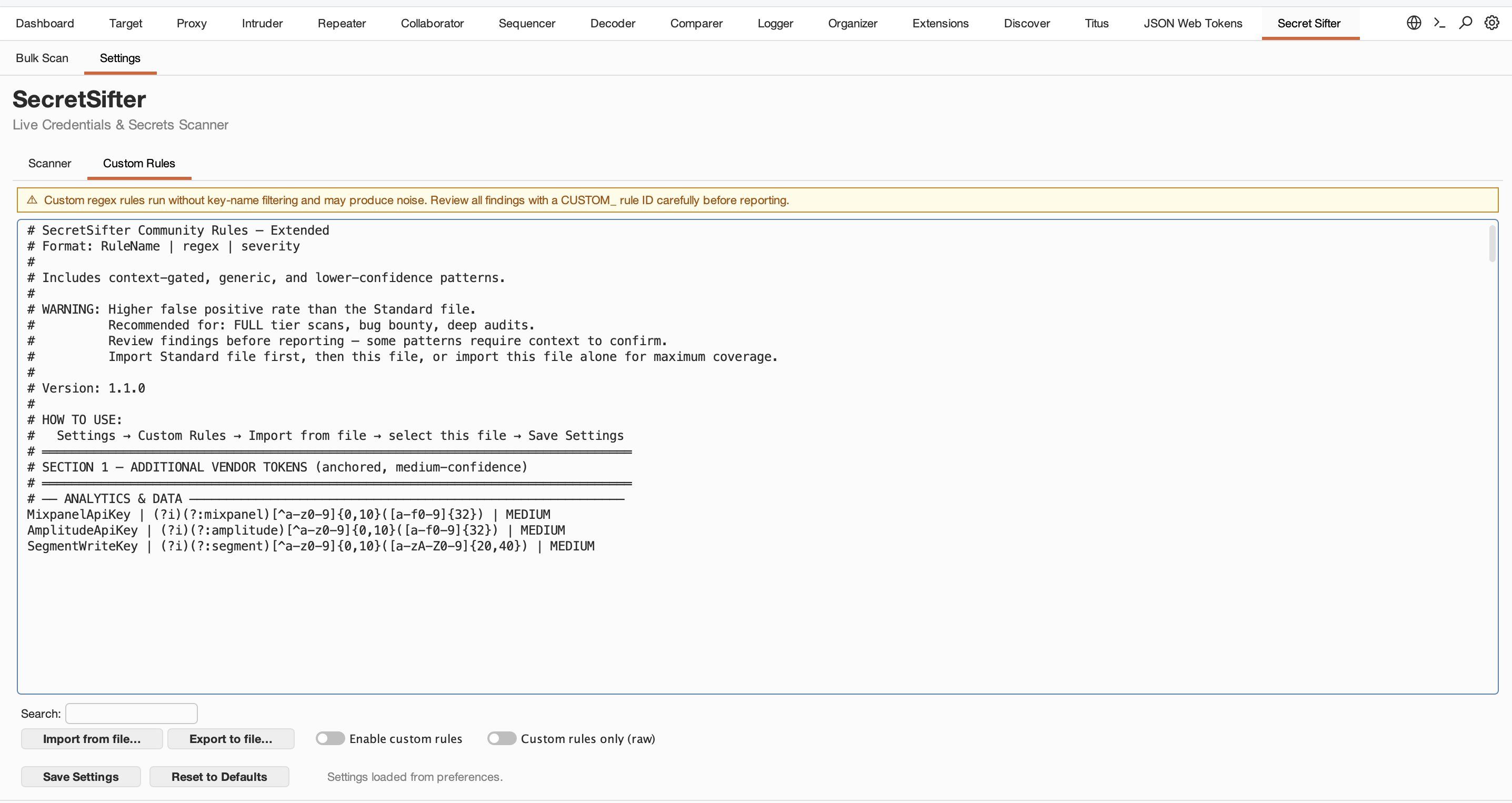
- Open Settings, then the Custom Rules sub-tab.
- Paste rules, or click Import from file…. Use Export to file… to save your set.
- Turn on Enable custom rules and click Save Settings.
- In the text area, write
\b, not\\b. - A rule with an invalid regex is skipped, and the error is logged to Extensions, Errors.
- Custom-rule matches still pass through noise filters (for example placeholder-like values). To report every regex hit as-is, turn on Custom rules only (raw) together with Enable custom rules. Raw mode turns off all built-in detection for proxy traffic and Bulk Scan: only your custom rules run, request scanning is skipped, and the noise filters are bypassed. The CDN blocklist and key name lists still apply.
The repository includes two optional rule files in the same format:
| File | Rules | Use |
|---|---|---|
community-rules-standard.txt |
199 | Vendor-specific patterns with a low false-positive rate. Some overlap with built-in rules. |
community-rules-extended.txt |
89 | Broader, context-dependent patterns with a higher false-positive rate. Best for deep audits. |
To use one, open the Custom Rules sub-tab, click Import from file…, select the file, turn on Enable custom rules and click Save Settings.
To contribute a rule, see Contributing.