Repository navigation
MCP Integration
MCP edition only. The MCP server is in
secretsifter-mcp-1.0.2.jar. The Burp Suite extension (secretsifter-1.0.3.jar) does not include it.
The MCP edition can run a local Model Context Protocol server, so an AI agent such as Claude Code can start scans, read findings, triage them and export reports.
The server:
- is off by default,
- listens only on
127.0.0.1:8765, at the path/mcp(JSON-RPC 2.0 over HTTP), - requires a Bearer token on every
POST /mcprequest; requests without a valid token get401 Unauthorized.
- Load
secretsifter-mcp-1.0.2.jar(see Installation). - Open SecretSifter MCP, Settings, AI / MCP.
- Turn on Enable MCP server on 127.0.0.1:8765 and click Save Settings.
- A token is generated the first time the extension loads and is saved in Burp's preferences. Click Regenerate Token to replace it.
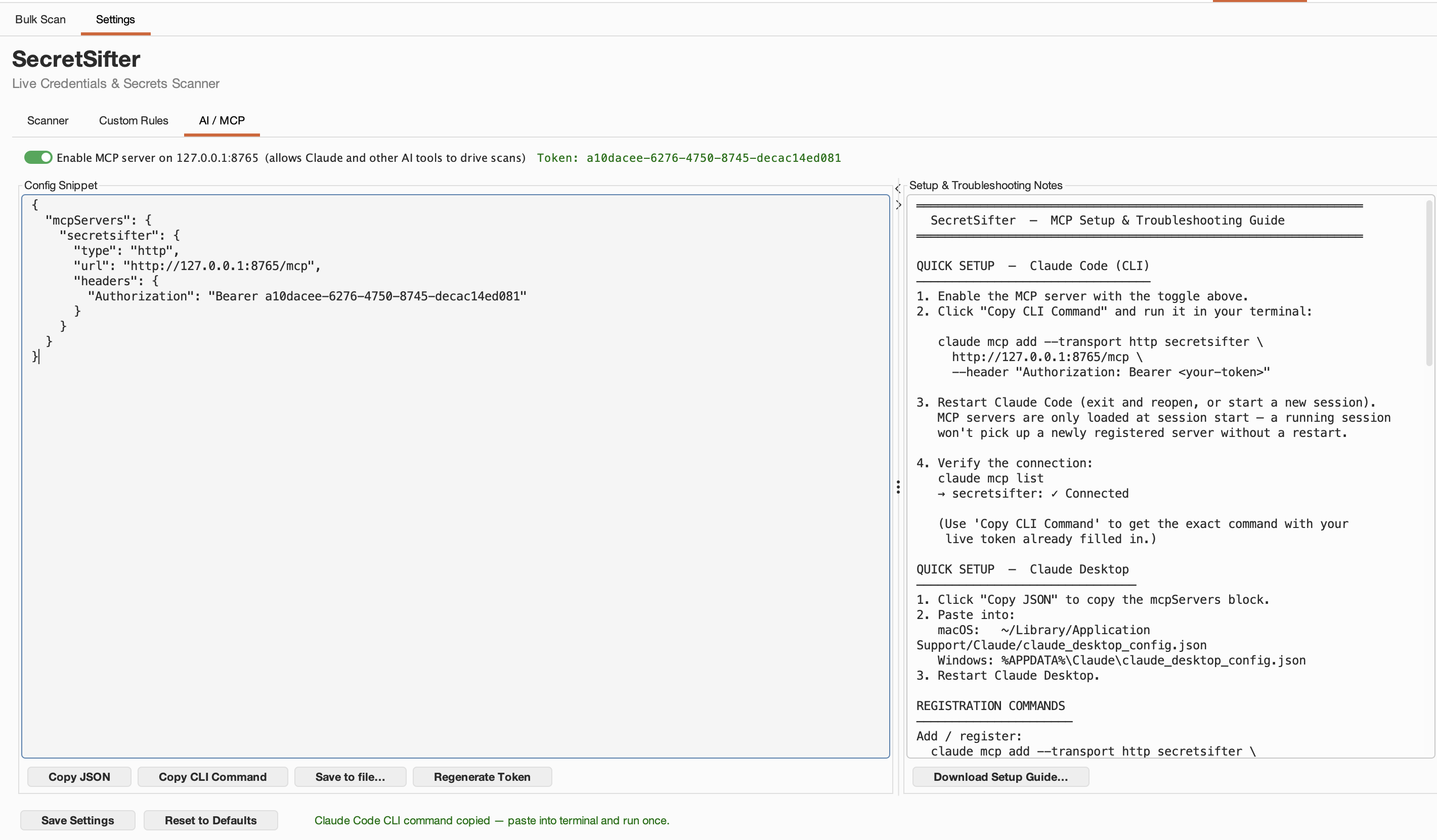
The token in this screenshot is an example. Generate your own and never reuse this one.
Click Copy CLI Command to copy a ready-made command with your token filled in. It looks like this:
claude mcp add --transport http secretsifter http://127.0.0.1:8765/mcp --header "Authorization: Bearer <TOKEN>"
Restart Claude Code so it loads the new server, then run /mcp to confirm secretsifter is connected. For other MCP clients, Copy JSON gives you an mcpServers configuration block.
| Tool | Purpose |
|---|---|
secretsifter_start_bulk_scan |
Start a bulk scan |
secretsifter_cancel_scan |
Cancel the running scan |
secretsifter_get_scan_status |
Read scan progress |
secretsifter_get_findings |
Read findings |
secretsifter_get_target_status |
Read the outcome per target |
secretsifter_update_finding_severity |
Change a finding's severity |
secretsifter_delete_finding |
Delete a finding |
secretsifter_clear_results |
Clear all findings |
secretsifter_export_report |
Export a report |
secretsifter_get_custom_rules / secretsifter_set_custom_rules
|
Read or replace custom rules |
secretsifter_get_settings / secretsifter_update_settings
|
Read or update settings |
secretsifter_get_logs |
Read the log buffer |
secretsifter_get_triage_request / secretsifter_submit_triage_results
|
Cooperative AI triage (below) |
When Claude via MCP is the AI Triage provider, clicking AI Triage All queues the findings. Your MCP client calls secretsifter_get_triage_request to fetch them, reviews them, and calls secretsifter_submit_triage_results to return its verdicts. The results then go through the same review flow as other providers (see AI Triage).
- The server listens on loopback only.
- Keep the token private. It is also written to Extensions, Output when the server starts. If it may have been exposed, regenerate it and update your agent's configuration.
- While the server is on, a connected client can read findings at any time, and passes what it reads to the model it uses.
- Start Burp with the server enabled before the agent connects.