RAMPAGE 0.3.1 — Recovery Without Rituals · Candidate 2
Pre-release
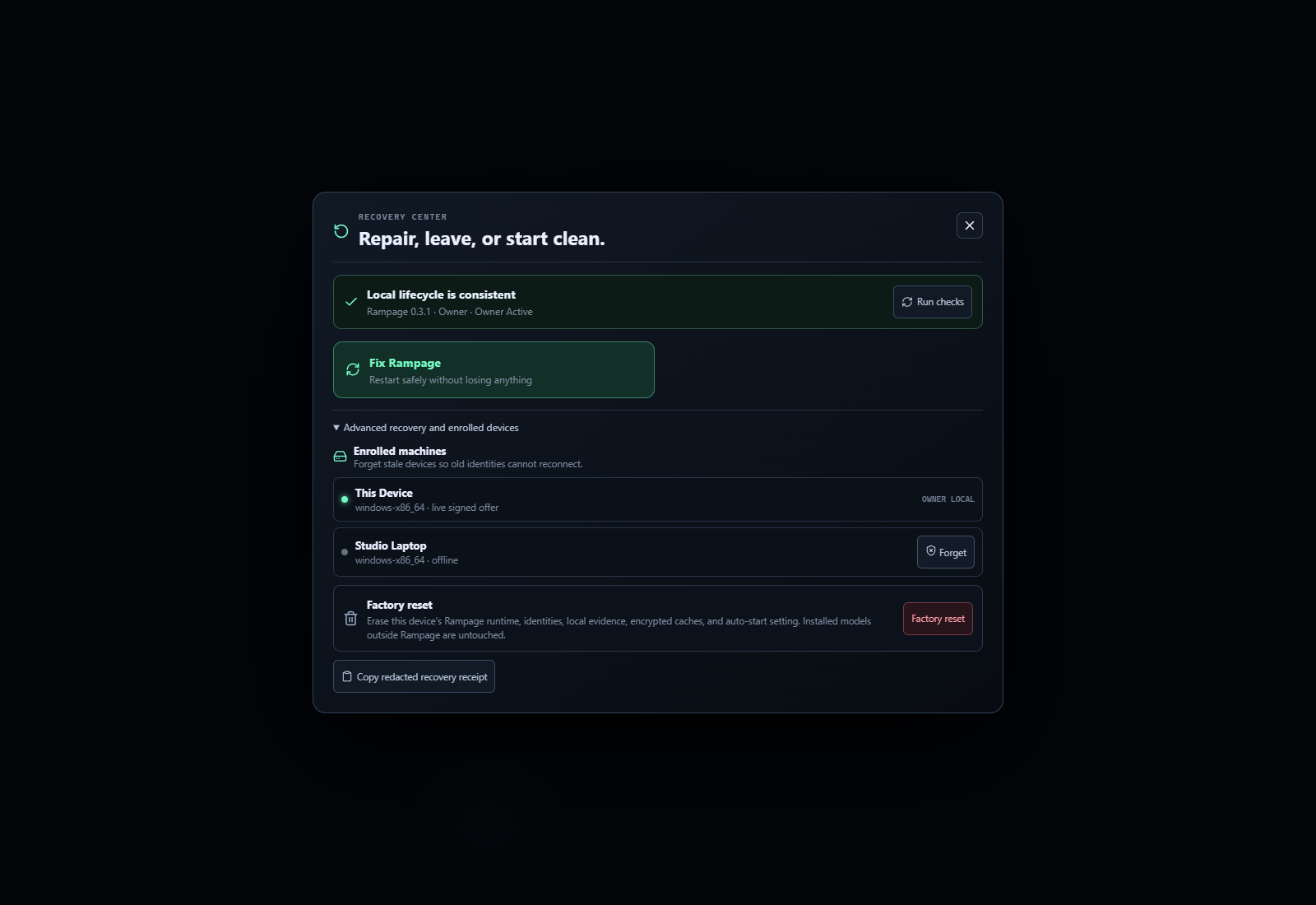
Current recovery candidate: native, tray-resident RAMPAGE with automatic device roles, one-click repair, safe pair-again, owner-side forget, and bounded factory reset.
Candidate 2 physical-owner fix
A native upgrade test found that an owner PC legitimately self-enrolls its own local agent. Candidate 1 displayed a false conflict because it treated every local controller pin as a worker role. Candidate 2 accepts that local agent only when its enrollment marker matches the pinned endpoint and its pinned Ed25519 governor key derives from this owner's local governor key. Incomplete identities, foreign-controller pins, pending worker invites, and mismatched endpoints remain fail-closed.
Download now
- Windows — recommended: Rampage_0.3.1_x64-setup.exe
- Windows MSI: Rampage_0.3.1_x64_en-US.msi
- macOS Apple Silicon: Rampage_0.3.1_aarch64.dmg
- Linux: AppImage · Debian package
This prerelease is a real multi-platform candidate build with GitHub artifact attestations. Windows and macOS candidate packages are not yet production code-signed/notarized, so the operating system may show an unknown-publisher warning.
Rampage 0.3.1 — Recovery without rituals
Rampage 0.3.1 closes the device lifecycle that a real multi-machine desktop product needs. A broken,
stale, or interrupted pairing no longer requires uninstalling the app or finding hidden runtime
files. Recovery is available from both first-run setup and the main header.
What changed
- Fix Rampage safely restarts a consistent native installation without erasing identity or work.
- Pair again stops the worker sidecars, removes its old fabric runtime, and returns the device to
the two-button nearby-pairing screen. - Owner Forget revokes one exact enrolled identity and removes its offer, outstanding assignments,
reservations, shard sets, Remote Assist sessions, artifact locations, and possession evidence. - Revocation is appended to the hash-chained ledger and replayed after controller restart, so a stale
node and offer do not reappear. - Factory reset disables Rampage auto-start and clears only the bounded Rampage runtime after the
user typesRESET RAMPAGE. External Ollama model storage is not deleted. - A redacted recovery receipt makes support diagnosis copyable without exposing controller secrets or
private keys. - SDK lifecycle methods are available in Rust, TypeScript, and Python for loopback owner automation.
Simpler compute outcomes
Rampage now defaults to Automatic and auto-assigns technical roles from signed hardware, runtime,
link, power, thermal, and workload facts. Users can override the outcome with four plain choices:
Biggest AI, Fastest AI, More Work, or Protect This PC. Detailed model sizing remains in
the advanced disclosure instead of occupying the default surface.
The strategies do not claim that commodity networks create physically shared RAM or VRAM. Whole
models, replicas, independent shards, caches, relays, and engine-native distributed layouts remain
separate lanes with separate qualification gates. The research and delivery sequence is in the
universal fabric blueprint.
Security and lifecycle boundaries
- Exact destructive confirmations are checked again by native Rust/controller code; the React dialog
is not the security boundary. - Reset refuses paths outside the exact Rampage app-runtime shape and refuses a redirected runtime
root. - Setup mode launches no fabric sidecars until the device creates or joins a fabric.
- Worker Remote Assist is still off by default, visible when active, limited to a paired owner, and
bounded by signed 30-second leases plus STOP/revoke. - Intelligence remains proposal-only. Automatic improvements can act inside the owner's standing
envelope; authority-expanding proposals are automatically denied.
Install and recover
- Install Rampage on the owner PC and laptop with the Windows installer. The installer creates the
desktop shortcut. - Create the fabric on the owner, then choose Join my fabric and Find my fabric on the laptop.
- Approve the matching four digits on the owner.
- If the laptop ever retains a stale identity, choose Fix Rampage → Pair again, then approve it
again. On the owner, use Advanced recovery → Forget for the stale enrolled entry.
Package hashes, verification commands, and the remaining physical two-machine gate are recorded in
the 0.3.1 release evidence.