Prerequisites
The bug
Octo.exe supports a --package switch which lets you specify an exact package and version by step. Currently when supplying all three options (Step Name, PackageName and Version) it ignores the version supplied and selects latest
What I expected to happen
It should respect all three provided options and select the version sepecified
Steps to reproduce
- Create a project in Octopus "OctoReleaseTest"
- Create a script step (
Import_Common_Scripts) with an attached package (lpf.Octopus.Scripts.AWS in this case)
- Run the following:
c:\OctopusTools>octo create-release --project="OctoCreateRelease" --releaseNumber="0.0.1-b00032" --channel="" --server=http://octopus.local/ --apiKey=API-[API-KEY] --enableServiceMessages --deployTo="test" --progress=False --package=Import_common_scripts:lpf.Octopus.Scripts.Aws:1.0.0
- Note that it ignores the package version and chooses "latest"
The package version for some steps was not specified. Going to try and resolve those automatically...
Finding latest package for step: Import_common_scripts
Selected 'lpf.Octopus.Scripts.Aws' version '1.0.1' for 'Import_common_scripts'
Screen capture

## Affected versions
Octopus Server:
Workarounds
Specifying either only two of the three options works correctly (i.e. StepName:Version or PackageName:Version).
For example:
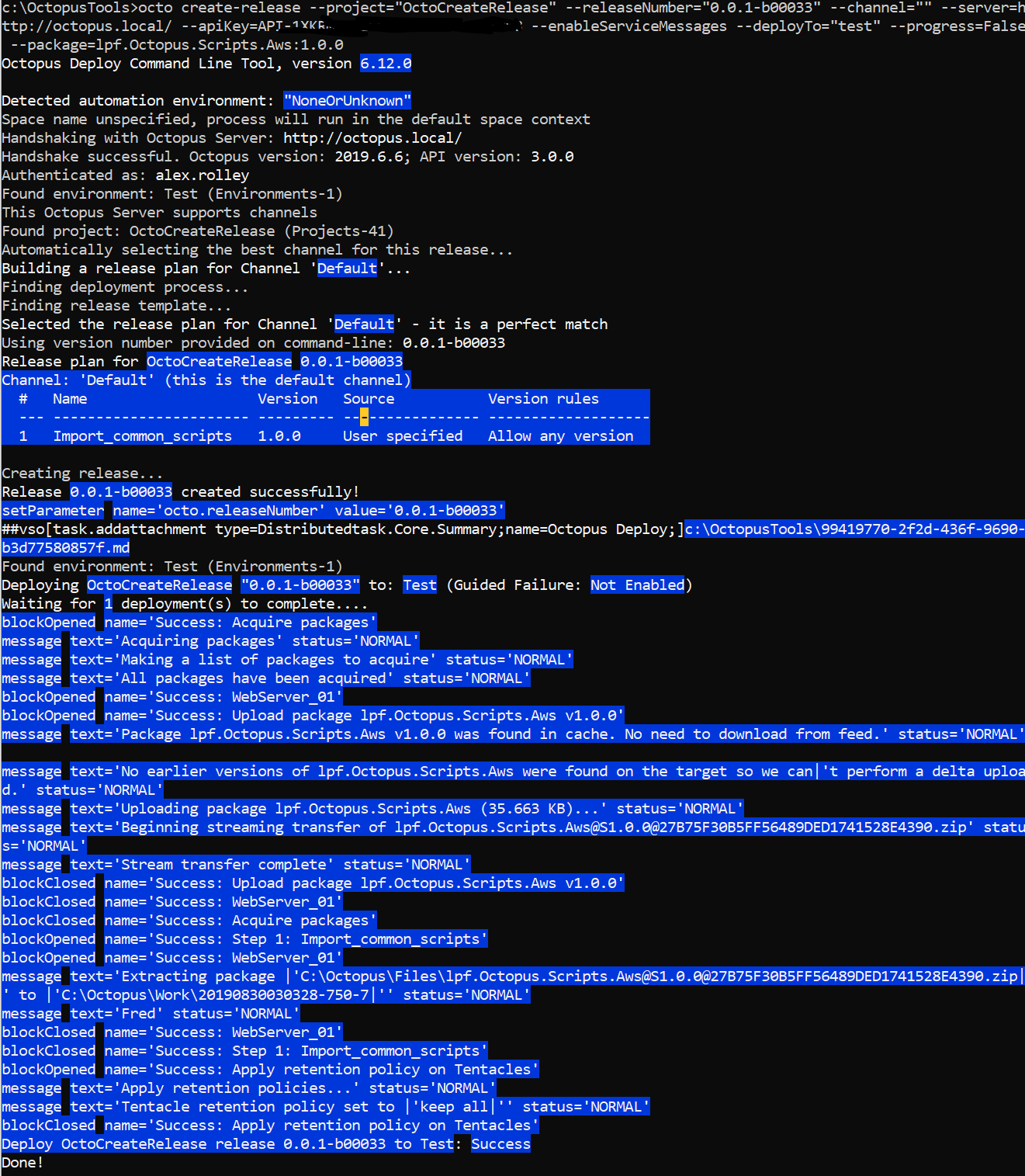
octo create-release --project=“OctoCreateRelease” --releaseNumber=“0.0.1-b00033" --channel=“” --server=http://octopus.local/ --apiKey=API-[API-KEY] --enableServiceMessages --deployTo=“test” --progress=False --package=lpf.Octopus.Scripts.Aws:1.0.0
Produces the correct result:
Links

Prerequisites
The bug
Octo.exe supports a --package switch which lets you specify an exact package and version by step. Currently when supplying all three options (Step Name, PackageName and Version) it ignores the version supplied and selects latest
What I expected to happen
It should respect all three provided options and select the version sepecified
Steps to reproduce
Import_Common_Scripts) with an attached package (lpf.Octopus.Scripts.AWSin this case)c:\OctopusTools>octo create-release --project="OctoCreateRelease" --releaseNumber="0.0.1-b00032" --channel="" --server=http://octopus.local/ --apiKey=API-[API-KEY] --enableServiceMessages --deployTo="test" --progress=False --package=Import_common_scripts:lpf.Octopus.Scripts.Aws:1.0.0Screen capture

## Affected versionsOctopus Server:
Workarounds
Specifying either only two of the three options works correctly (i.e. StepName:Version or PackageName:Version).
For example:
octo create-release --project=“OctoCreateRelease” --releaseNumber=“0.0.1-b00033" --channel=“” --server=http://octopus.local/ --apiKey=API-[API-KEY] --enableServiceMessages --deployTo=“test” --progress=False --package=lpf.Octopus.Scripts.Aws:1.0.0Produces the correct result:
Links