Repository navigation
User Guide
PlutoTVCockpit (PTV) brings Pluto TV to your Enigma2 receiver:
- Live TV: Pluto TV's channels as normal Enigma2 bouquets, with programme guide (EPG) and picons.
- Video on Demand (VoD): browse and play Pluto TV's movies and series from a menu.
- Recording: instant and timer recordings of live channels, like any other channel.
- Requirements and installation
- First steps
- Live TV
- Video on Demand
- Recording and timeshift
- Settings
- Available countries
- Files and locations
- Troubleshooting
Install the package enigma2-plugin-extensions-plutotvcockpit. It needs these packages, which your package manager installs with it:
| Package | Used for |
|---|---|
enigma2-plugin-extensions-epgimport |
importing the programme guide |
enigma2-plugin-skincomponents-componentscockpit |
common screen components |
enigma2-plugin-systemplugins-jobcockpit |
background jobs |
enigma2-plugin-systemplugins-streamproxycockpit |
the stream proxy: plays and records the streams |
Your receiver needs a working internet connection. Pluto TV's offer depends on the country, see Available countries.
Restart Enigma2 after installing or updating the plugin.
- Open PlutoTVCockpit from the plugin browser.
- Press MENU and choose your VoD country (see Settings). Save with GREEN; if you changed the country, the bouquet is created at this point and you can skip the next step.
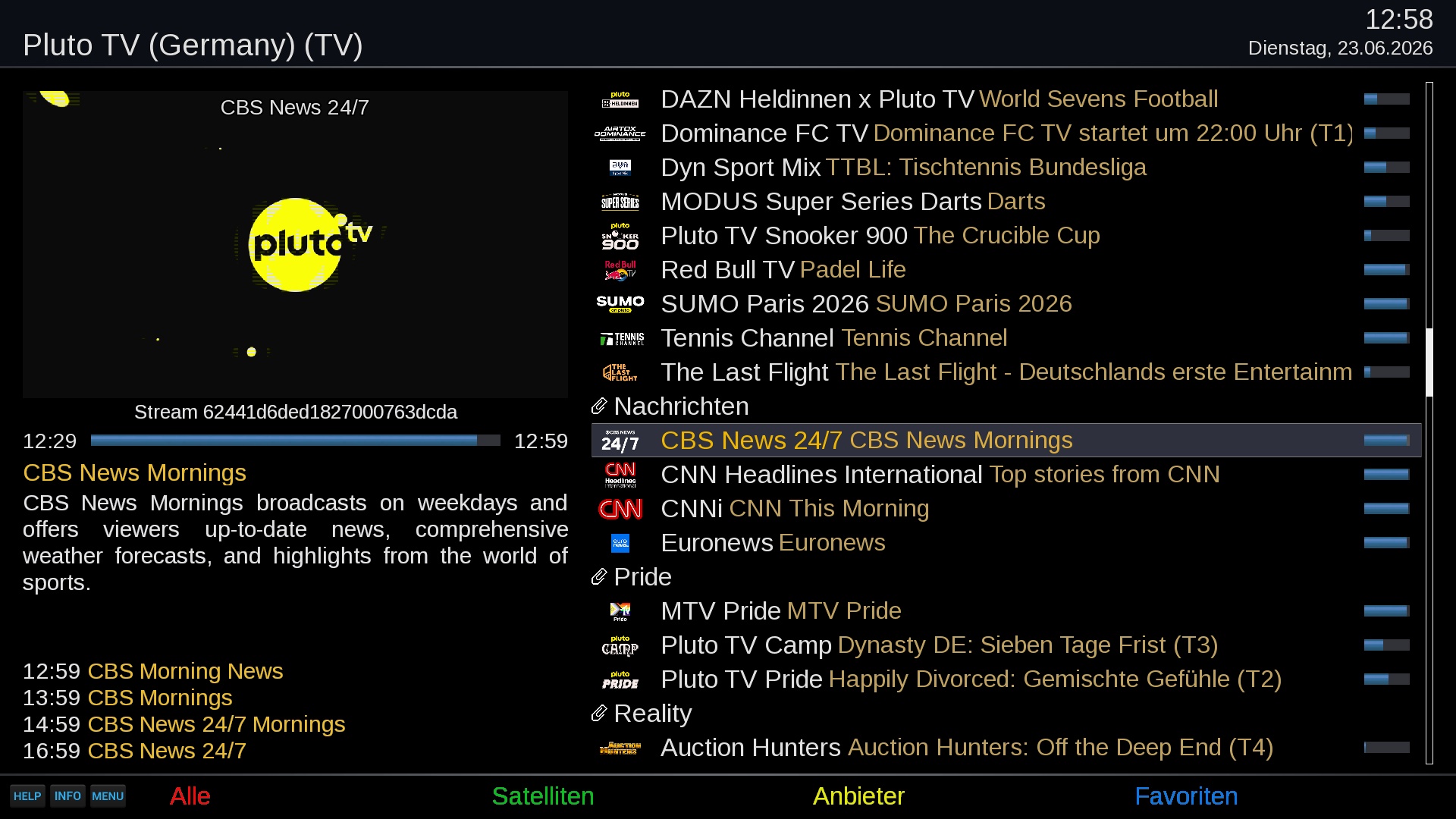
- Back in the main screen press GREEN (Create Live-TV Bouquet). The plugin downloads the channel list, the guide and the picons and adds a bouquet called Pluto TV Cockpit (<country>) to your TV channel list.
- Leave the plugin and zap to the new bouquet.
The bouquet is then kept up to date by itself, see Live TV.
There is a second entry, Download PlutoTV bouquets, picons and EPG, in the extensions menu. It runs the same update without opening the plugin.
Live channels are normal Enigma2 services. Pick them from the channel list, use the guide, set zap timers, record them.
You can have up to five Live-TV bouquets, each for a different country, so you can mix, say, German and US channels. In the settings you choose a country for Live-TV bouquet 1; the entry for bouquet 2 appears once bouquet 1 is set, and so on. Each country gets its own bouquet, named Pluto TV Cockpit (<country>).
Within a bouquet the channels are grouped by Pluto TV's categories (News, Movies, Kids, ...).
- The bouquets, guide and picons are rebuilt automatically every 5 hours.
- Press GREEN in the plugin at any time to update right away. With several countries selected you can update All or a single one.
- The line Live-TV Bouquet last updated at the bottom of the main screen shows when the last update ran. If it says needs updating, press GREEN.
- Changing the VoD country, the Stream source or a bouquet country in the settings starts an update when you save.
- A country that returns no channels (Pluto TV not available there, or geo-blocked) is skipped. An update started from the plugin tells you; the automatic one only logs it.
Two settings decide how the channels are played. They are independent of each other.
The setting Stream source chooses where the streams come from. After changing it, update the bouquet so the channels are rewritten.
| Source | Description |
|---|---|
| Stitcher | Pluto TV's own servers. The plugin signs in for you with a token of its own. |
| JMP2 | Uses the jmp2.uk redirect service. |
The setting Stream proxy (on by default) chooses how the stream of the source reaches Enigma2:
- On: the channels are played and recorded through the stream proxy (StreamProxyCockpit) on the receiver. It looks the address up when you start a channel, combines channels where picture and sound arrive as separate streams, keeps the ad breaks from disturbing playback and recordings, and lets several recordings of the same channel share one connection.
- Off: the bouquet holds the address of the source, which Enigma2 plays and records like any other IPTV stream.
The bouquet of each proxy setting is kept, so switching it is quick. A bouquet that does not exist yet, or is older than 5 hours, is generated.
The guide for the next 24 hours is loaded with the bouquet and refreshed with every update. It needs the EPGImport plugin; if that is missing, channels update fine but the guide stays empty.
Pluto TV's channel logos are downloaded as picons. The setting Picon type decides how they are named:
- service name (default): works even if the service reference changes, and is shared by channels with the same name.
- service reference: one picon per service.
- None: no picons.
Each update also writes an M3U playlist and an XMLTV guide per country into the data location (see Files and locations). The playlist addresses point to the proxy on the receiver itself (127.0.0.1), so they only work on the receiver, not from other devices.
Open the plugin to browse Pluto TV's on-demand library for your chosen country.
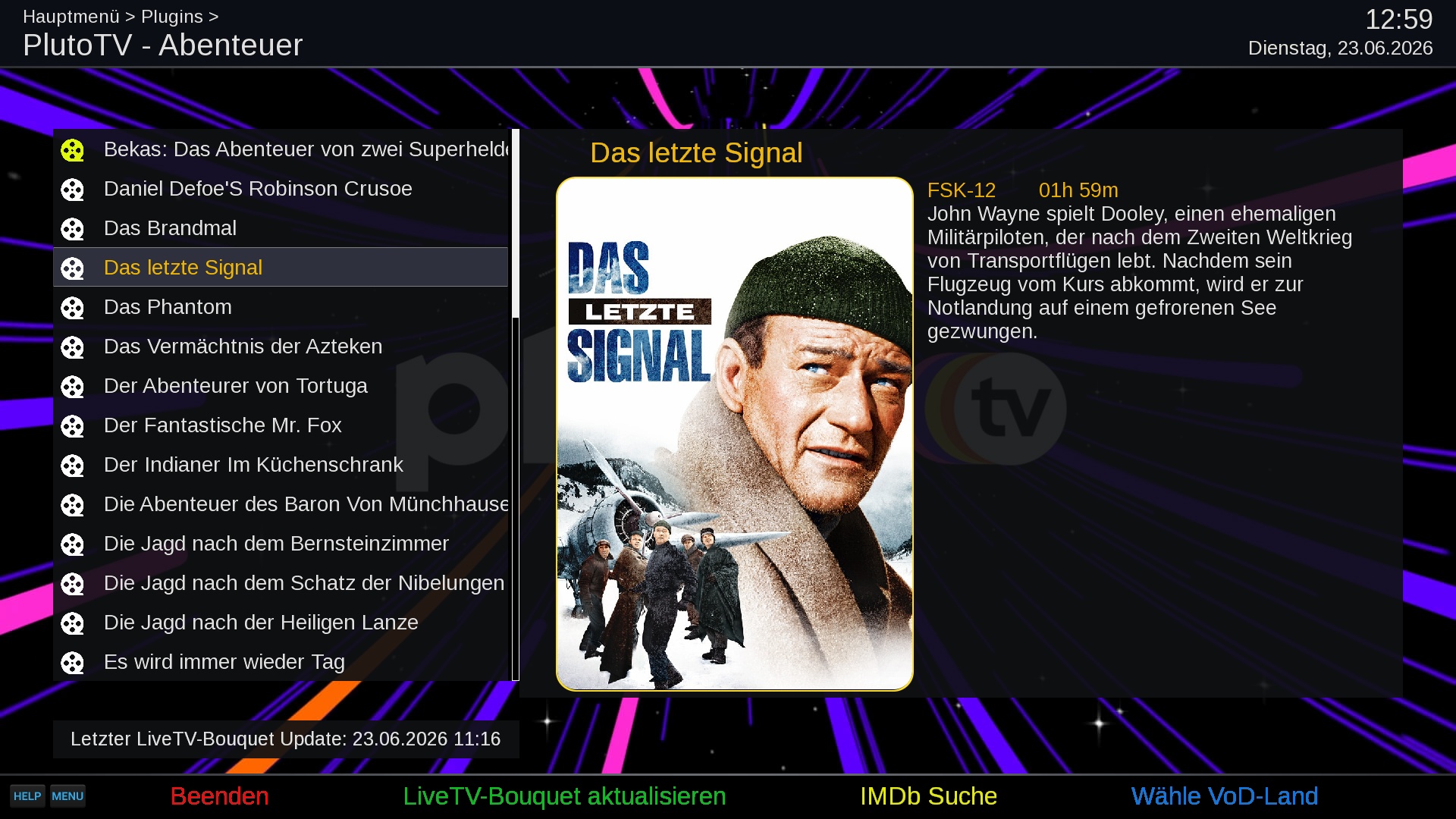
The menu has three levels: category → movie or series → season → episode. For a movie you see a poster, the age rating (FSK), the length and the description; for a series you see the number of seasons.
| Key | Action |
|---|---|
| OK | Open a category, series or season; start a movie or episode |
| EXIT | Go back one level; leave the plugin at the top level |
| BACK / PREVIOUS | Go back one level |
| GREEN | Create or update the Live-TV bouquet |
| YELLOW | Look up the selected title in TMDb or IMDb (only shown if one of those plugins is installed) |
| BLUE | Temporarily show the VoD list of another country |
| MENU | Open the settings |
| RED | Same as EXIT |
Notes:
- Change country (BLUE) only affects the current visit. To change it permanently use the VoD country setting.
- A series with just one season skips the season level.
- The list shows how far you have watched a title. Playback always starts at the beginning; resuming at the last position is not available for Pluto TV's on-demand streams.
- If a country shows There is no data for ..., Pluto TV is not available there or blocks your address.
Live channels can be recorded like any other channel.
- Instant recording: press the record key while watching.
- Timer recording: set a timer from the guide or the timer menu.
- Several recordings at once work, also while you watch something else. Recordings of different channels are independent; recordings of the same channel share one connection. The plugin uses up to four separate Pluto TV connections at the same time.
- Recordings are normal
.tsfiles in your movie folder and appear in your movie list.
Timeshift (pause live TV) works if you use the TimeshiftCockpit plugin and have enabled it. Pluto TV channels are supported.
Open the settings with MENU in the plugin.
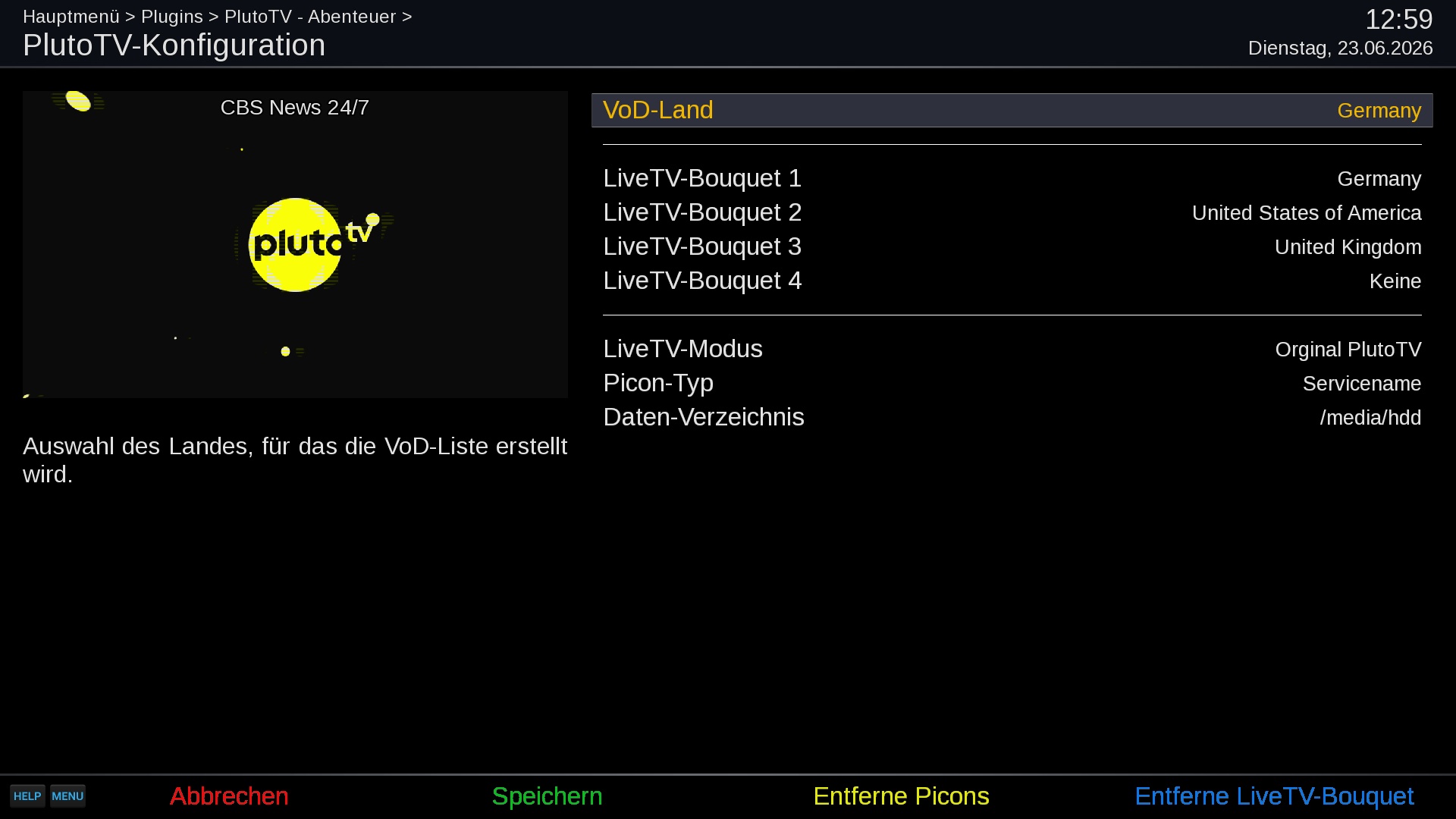
| Setting | Meaning |
|---|---|
| VoD country | Country of the on-demand library. Local uses your own address. |
| Live-TV bouquet 1 ... 5 | One country per bouquet; leave at None for no bouquet. The next entry appears once the previous one is set. |
| Stream proxy | Play and record through the stream proxy (on by default) or hand the address of the source to Enigma2. |
| Stream source | Where the streams come from: Stitcher or JMP2. Update the bouquet after a change. |
| Picon type | Picon naming: service name, service reference, or none. |
| Automatic update check | Check for a newer version of the plugin and of StreamProxyCockpit when the plugin is opened. If there is one, you are asked whether to install it (both together if both have one). |
| Data location | Where the M3U and XMLTV files are stored (default /etc/enigma2). |
| Log level | How much the plugin writes to the debug log. Use DEBUG only when you look for a problem. |
Buttons in the settings screen:
| Key | Action |
|---|---|
| LEFT / RIGHT | Change the selected setting |
| GREEN | Save. If a country or the Stream source changed, the bouquet is updated first. |
| YELLOW | Remove picons (shown only when picons exist) |
| BLUE | Remove Live-TV Bouquet (shown only when a Pluto TV bouquet exists). This also stops the automatic update. |
| EXIT / RED | Leave; asks first if you changed something |
To remove the plugin's content completely, use BLUE and YELLOW first, then uninstall the package.
Choose a country when Pluto TV is not available at your location, or to see another country's channels. The plugin tells Pluto TV that you are in that country.
| Code | Country | Code | Country | Code | Country |
|---|---|---|---|---|---|
| ar | Argentina | ec | Ecuador | pa | Panama |
| at | Austria | es | Spain | pe | Peru |
| au | Australia | fi | Finland | py | Paraguay |
| bo | Bolivia | fr | France | se | Sweden |
| br | Brazil | gb | United Kingdom | sv | El Salvador |
| ca | Canada | gt | Guatemala | us | United States |
| ch | Switzerland | hn | Honduras | uy | Uruguay |
| cl | Chile | it | Italy | ve | Venezuela |
| co | Colombia | mx | Mexico | ||
| cr | Costa Rica | ni | Nicaragua | ||
| de | Germany | no | Norway | ||
| dk | Denmark | do | Dominican Republic |
Local (the default for the VoD country) does not change the address Pluto TV sees. Which content a country offers is decided by Pluto TV and changes over time; some channels and titles only work in their own region.
| What | Where |
|---|---|
| Live-TV bouquet | /etc/enigma2/userbouquet.plutotvcockpit_<country>.tv |
| M3U playlist | <Data location>/channellist.plutotvcockpit_<country>.m3u8 |
| XMLTV guide | <Data location>/xmltv.plutotvcockpit_<country>.xml |
| Last update time, saved watch positions | /etc/enigma2/PlutoTVCockpit/ |
| Debug log | the Enigma2 debug log folder (/home/root/logs by default) |
The bouquet is empty or not created. Press GREEN in the plugin and wait for the progress to finish. If you get There is no data for ..., Pluto TV does not serve that country to your address; pick another country.
Channels work but there is no programme guide. Install the EPGImport plugin and update the bouquet again (GREEN).
A channel does not start. Wait a few seconds; the first zap after a restart may need to sign in to Pluto TV first. If it keeps failing, update the bouquet. If you use JMP2, try Stitcher, because that service can be down or serve empty streams.
VoD shows no data. Check the internet connection and the VoD country. Use BLUE to try another country.
I changed the country or mode but the channels are the old ones. The bouquet is only rewritten by an update. Press GREEN, or save the settings with a changed country or mode.
Reporting a problem.
Set Log level to DEBUG in the settings, reproduce the problem, and attach the Enigma2 debug log. Lines of the plugin start with PTV:, those of the stream proxy with SPC:. Set the level back afterwards.