User Guide
The OpenCrawling Admin UI (oc-admin-ui) provides an intuitive, web-based management dashboard to configure repository connectors, manage ingestion job pipelines, monitor real-time activity logs, tune embedding models, and manage Apache Ozone Claim-Check Storage & Garbage Collection parameters.
The Telemetry Dashboard gives administrators an instant high-level overview of live ingestion statistics, active virtual threads, Kafka queue metrics, vector database indexing speeds, and system memory consumption.
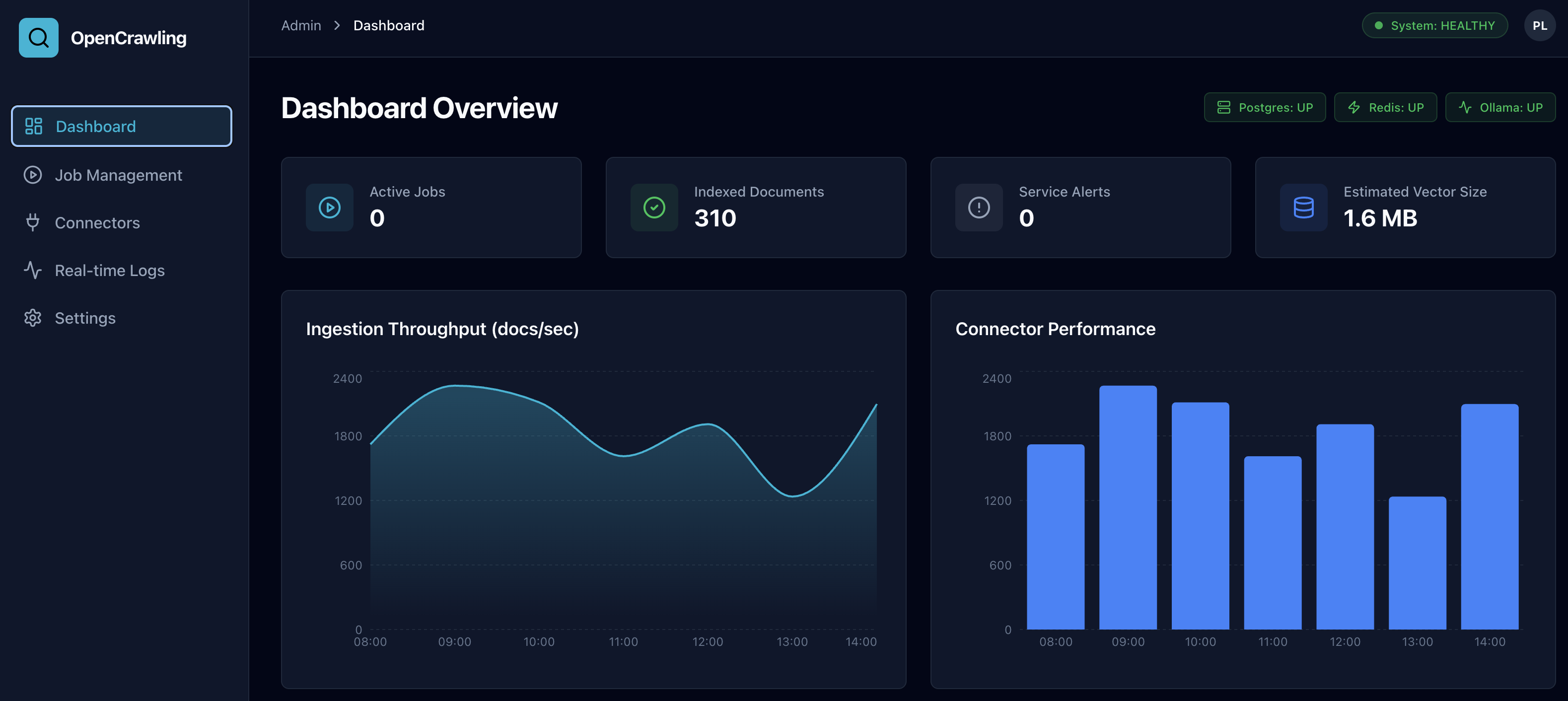
- Active Crawling Jobs: Total background workers executing scan and extraction tasks.
- Ingestion Throughput: Real-time document parsing speed (documents/second).
-
Kafka Queue Load: Monitored message count across
opencrawling-ingestion,opencrawling-chunks, andopencrawling-embeddedtopics. - Vector Index Count: Total high-dimensional vector embeddings stored across target vector stores.
The Job Pipeline Scheduler enables administrators to schedule, monitor, pause, resume, and inspect ingestion crawl jobs across enterprise data repositories.

- Create & Edit Jobs: Associate repository source connectors with output vector database connectors.
- Execution Controls: Trigger immediate manual crawls, pause running tasks, or stop execution.
- Per-Job Narrativization: Inspect and configure Mustache transformation templates attached to specific ingestion pipelines.

- AIOps One-Click Diagnosis: Click "Diagnose with AI" on any failed or warning job to launch automated OpenTelemetry (OTel) trace analysis, timeline inspection, and root cause identification.

Manage endpoints, credentials, and execution properties for all repository sources, output vector stores, and authority connectors.
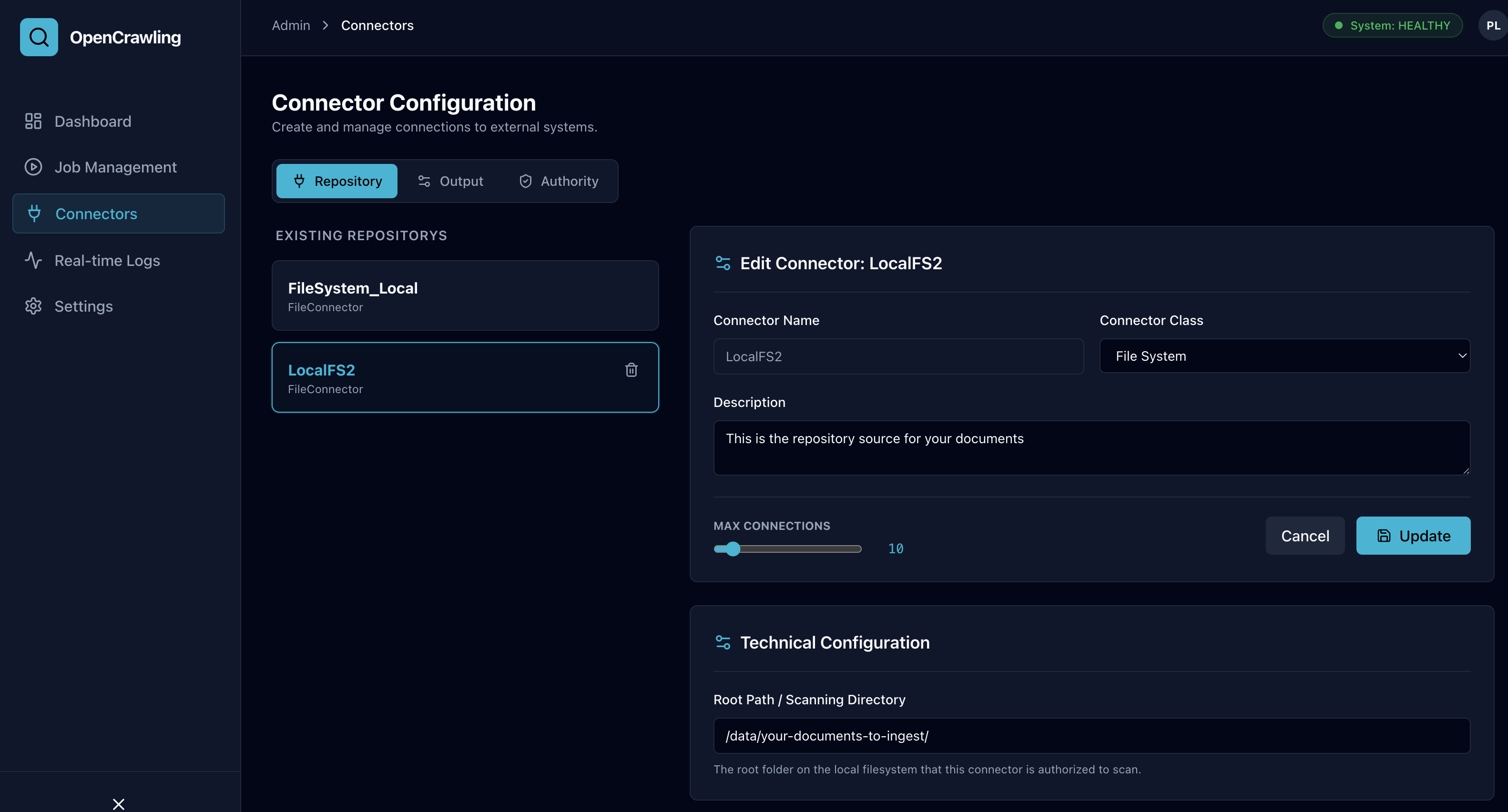
- Repository Connectors: Filesystem, Alfresco Content Services, Apache Iceberg tables.
-
Output Connectors: PostgreSQL (
pgvector), Milvus, OpenSearch 2.x, OpenSearch 3.x. - Transformation Connectors: Mustache Auto-Narrativization Copilot, Token Text Splitter.
The Settings Panel allows administrators to visually configure embedding models, vector dimensions, chunk splitting algorithms, Auto-Narrativization Copilot, and Apache Ozone Claim-Check Storage & Client Strategies.
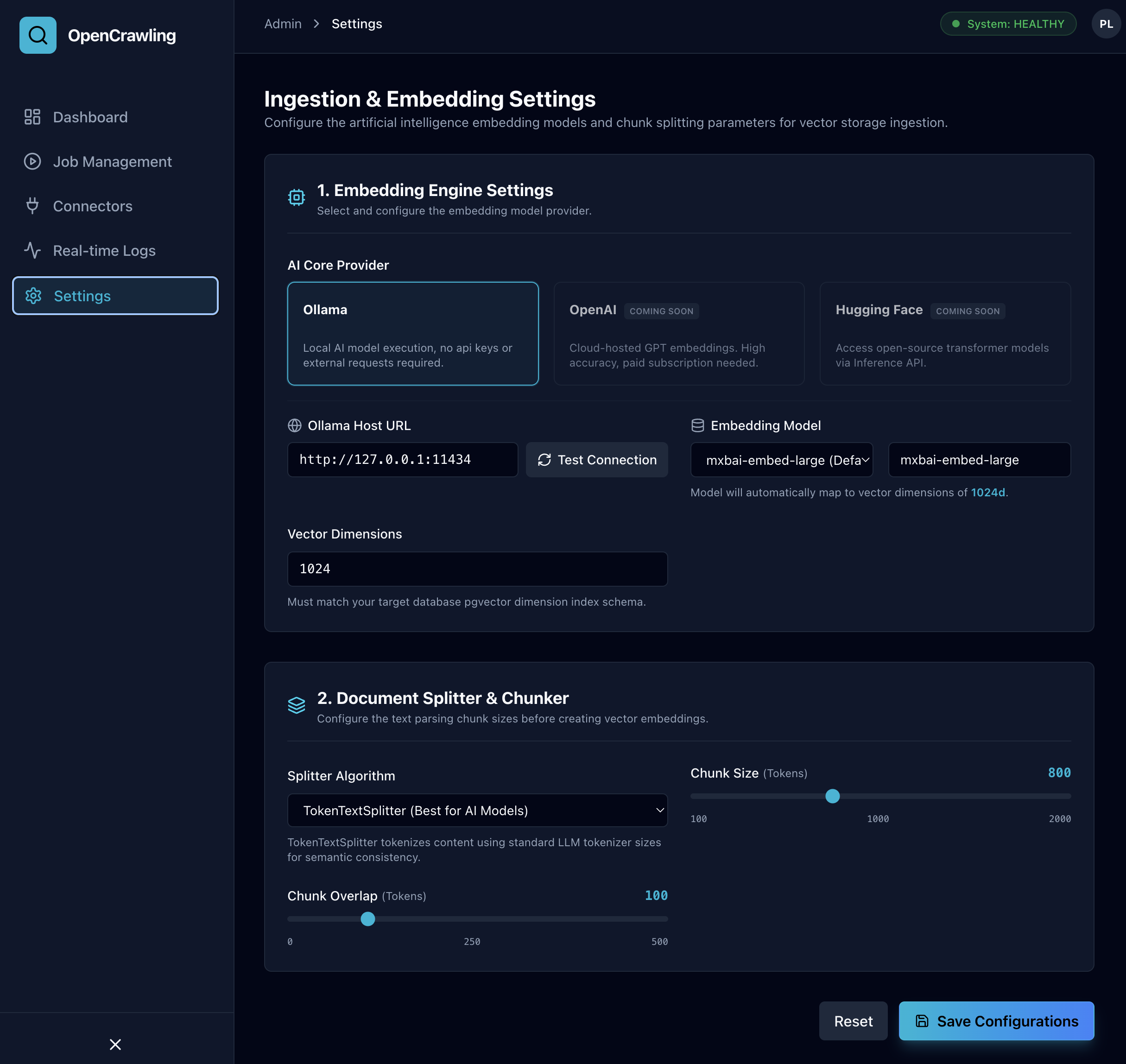
- AI Core Provider: Select local Ollama or cloud OpenAI / HuggingFace providers.
-
Host URL & Model: Configure connection endpoints (e.g.
http://127.0.0.1:11434) and model selection (mxbai-embed-large,nomic-embed-text,all-minilm,bge-large-en). - Vector Dimensions: Automatic mapping to target pgvector table index dimensions (384d, 768d, 1024d).
Configure binary payload offloading and client protocol strategy directly from the UI:
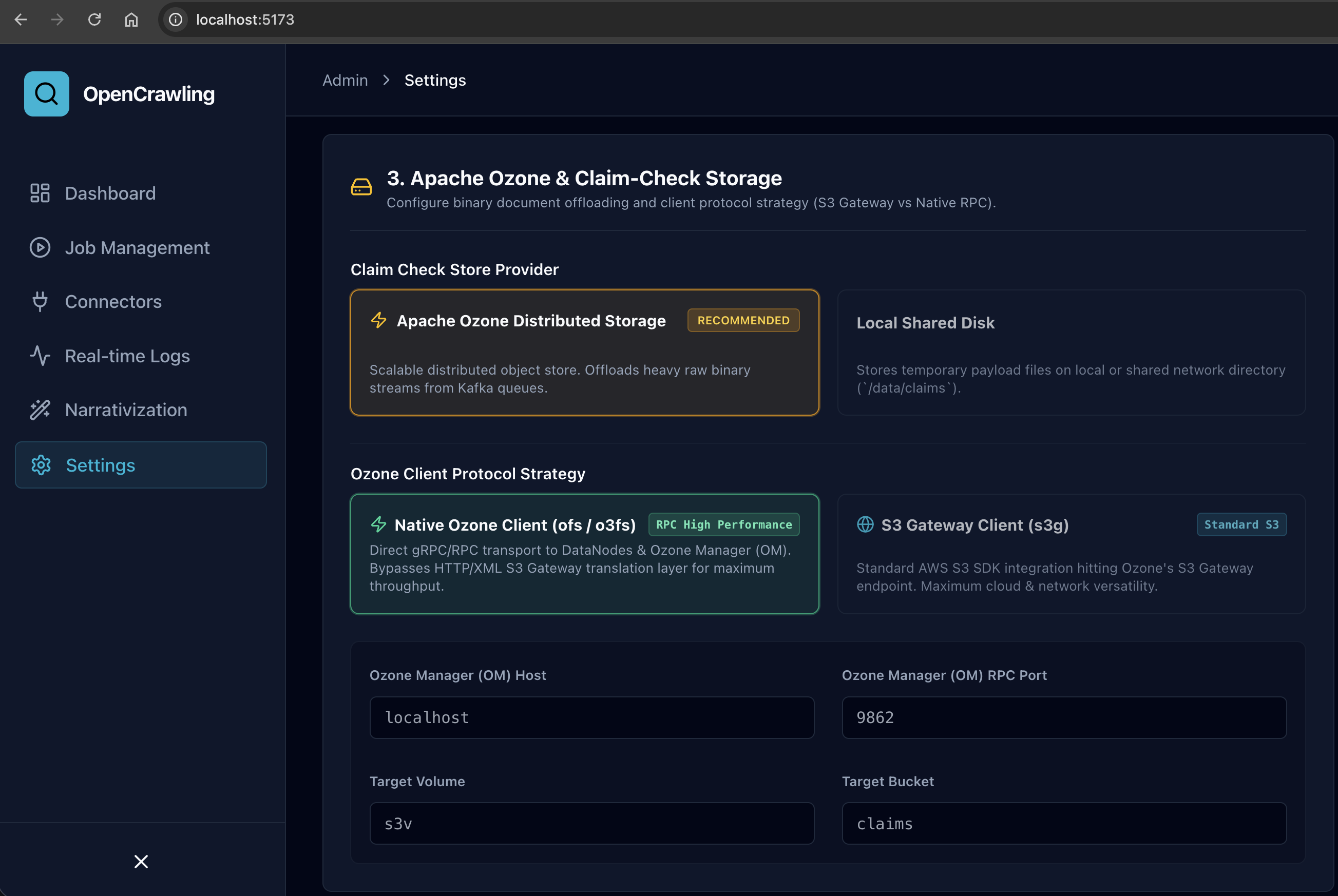
- Claim Check Store Provider: Switch between Apache Ozone Distributed Storage (Recommended for scaling heavy binary files) and Local Shared Disk.
-
Ozone Client Protocol Strategy:
-
Native Ozone Client (
ofs/o3fs): High-performance gRPC/RPC binary transport directly to DataNodes & Ozone Manager (omport9862). Bypasses HTTP translation overhead for maximum throughput. -
S3 Gateway Client (
s3g): Standard AWS S3 SDK integration hitting Ozone's S3 Gateway endpoint (http://localhost:9878).
-
Native Ozone Client (
-
Connection Parameters: Configure
Ozone Manager Host,OM Port,S3 Endpoint URL,Target Volume, andTarget Bucket.
- Post-ACK Explicit Deletion: Immediately purges offloaded claim-check objects upon receiving a post-ingestion ACK from Kafka chunk consumers.
-
Background Garbage Collector: Runs an automated background sweep (
ClaimCheckGarbageCollector) based on a cron schedule (gc-cron) to purge orphaned claim-check payloads older thanttl-hours(default 24h).
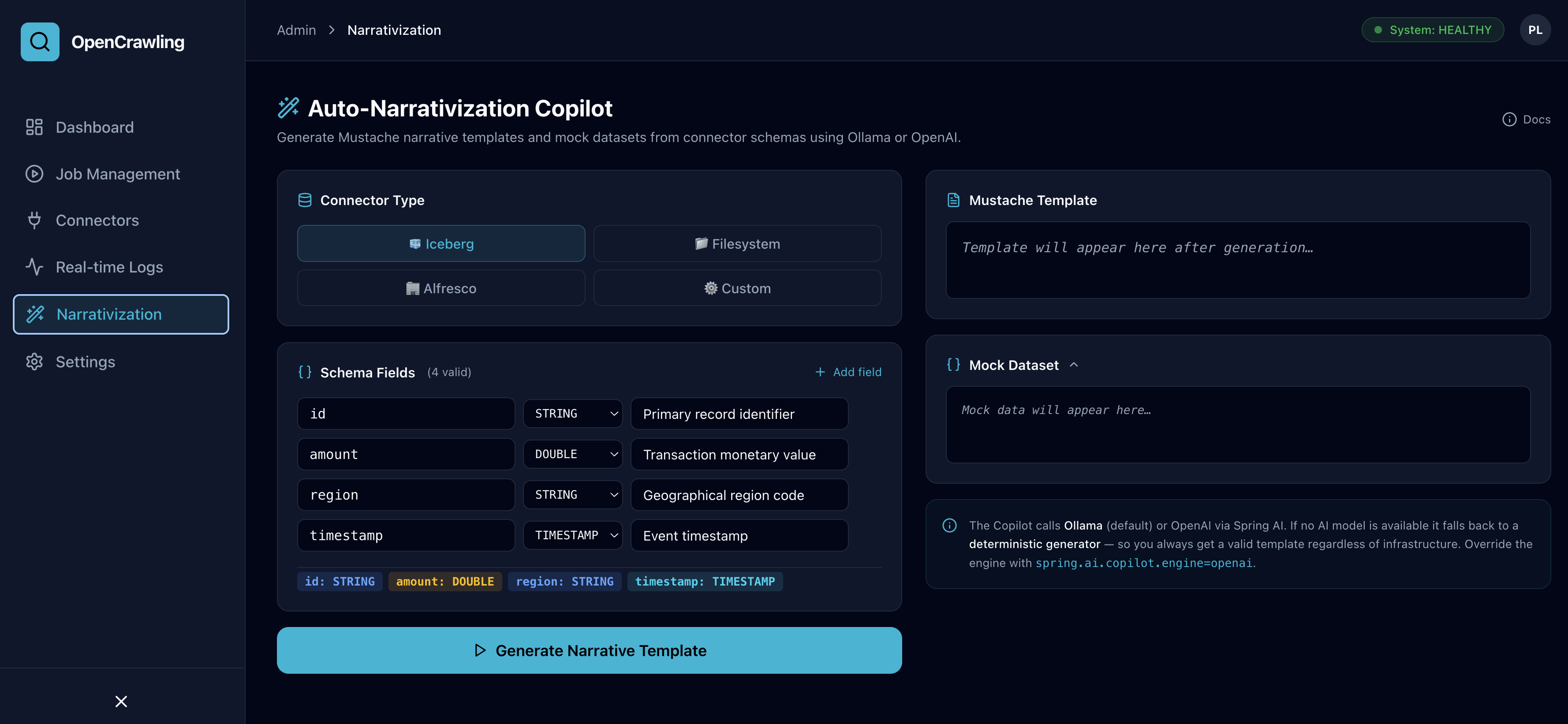
Configure AI schema transformation and Mustache narrative template generation settings:
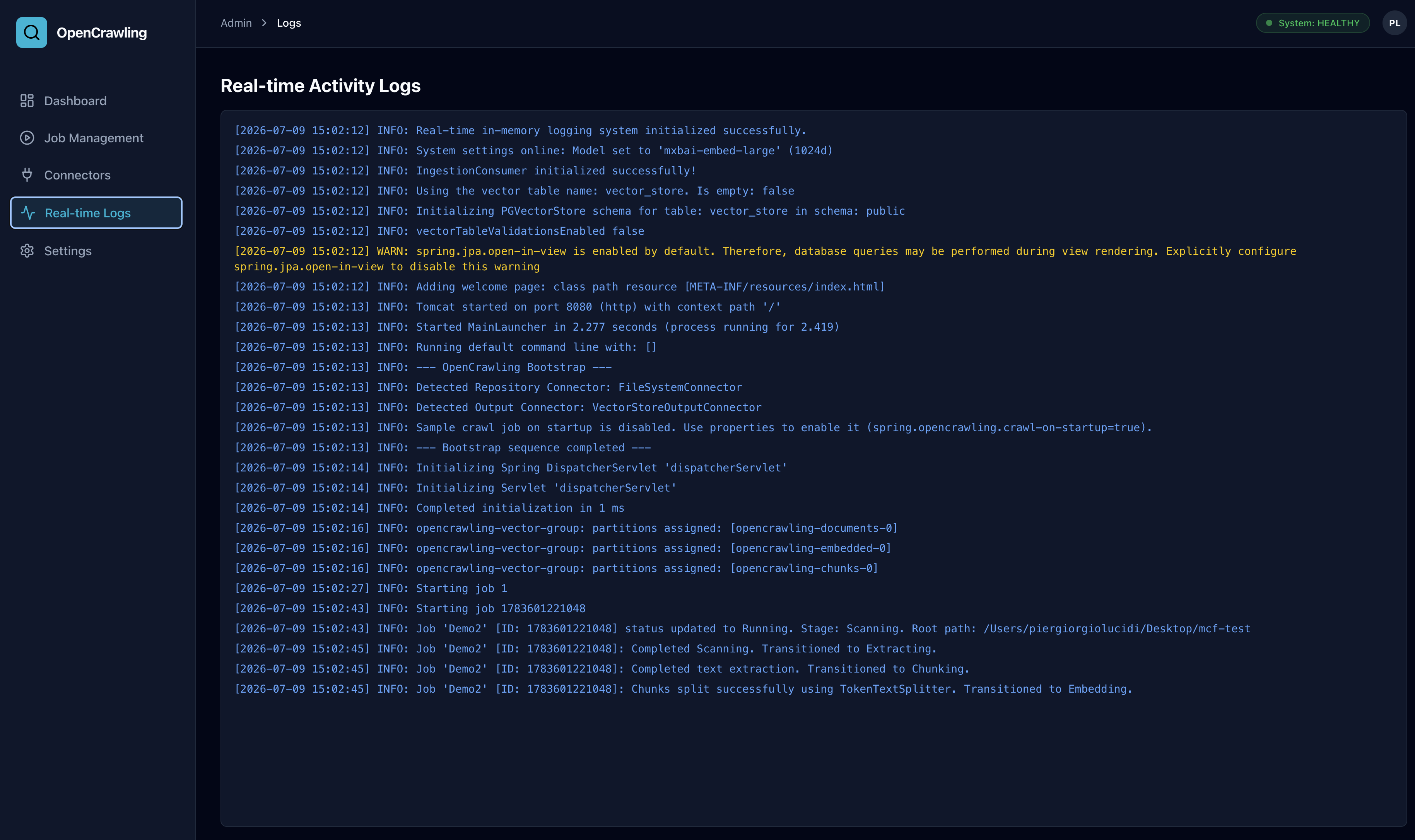
Inspect live streaming application logs, trace spans, and consumer lag across OpenCrawling microservices.
-
Log Level Filter: Filter log output by
INFO,WARN,ERROR, orDEBUG. - Kafka Consumer Lag: Track lag offset metrics per topic to identify pipeline bottlenecks.
- Virtual Thread Stack Traces: View full exception stack traces for instant troubleshooting.