Repository navigation
Camouflage
Turret bases and camouflage traps can be disguised as another block.
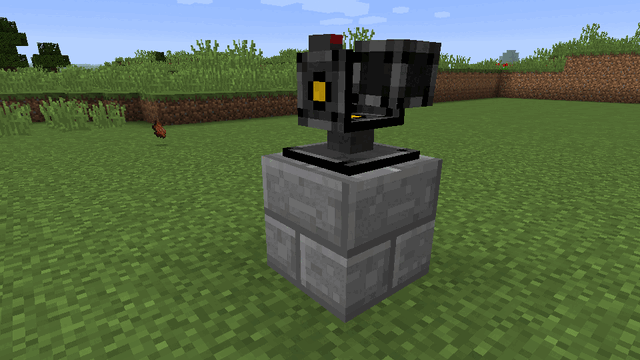
- Open the base GUI and press Camouflage, or right-click a camouflage trap (admin access needed).
- Click the disguise slot with a block to use it, or click it empty-handed to reset to the normal look.
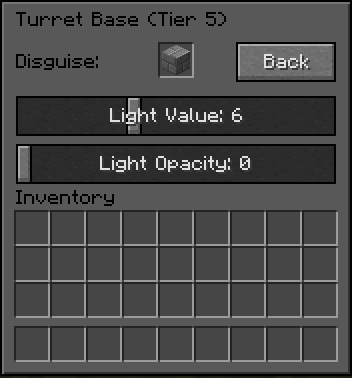
Any full block works, opaque or transparent (glass, leaves …). Blocks with a block entity cannot be used, except OMT's hardened blocks. The camouflage is drawn like a real block, with ambient occlusion and biome-blended grass and leaf colours.
Owners and admins of a base can set and remove its camouflage.
Servers can disable camouflage on bases with bases.allowBaseCamo (needs a restart).
Tier 4 and 5 turret bases and the camouflage trap also get two sliders in the camouflage menu:
- Light Value: how much light the block emits.
- Light Opacity: how much light passes through the block.
To hide the turrets too, put a Turret Concealer addon into the base: turrets retract into it while they are not shooting (see Upgrades and Addons).
The disguise and light settings can be copied with the Memory Card.
On Fabric 1.20.1 without a Fabric Renderer API implementation (e.g. Sodium without Indium) camouflaged blocks show their own look instead.