An Android companion app for learning Japanese with Aiko—locally deployed, privacy-first.
Aiko-Lingo is a native Kotlin/Jetpack Compose application that connects to your local Aiko-chan AI server over Tailscale, providing interactive Japanese language learning through guided conversation, real-time translation, and adaptive difficulty modes. The app exists as a dedicated frontend precisely because language learning requires a distinct interaction model from general-purpose chat.
Author: OppaAI · Beautiful British Columbia, Canada



Frontend:


Backend:




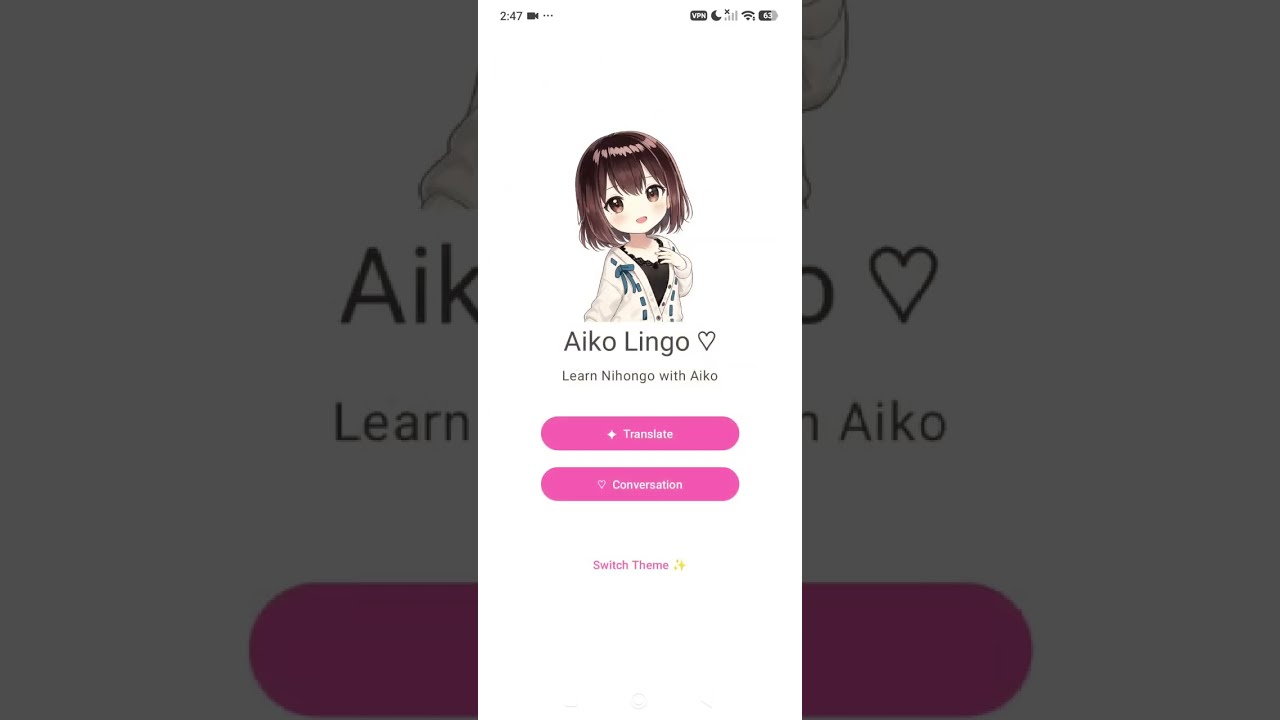
Click the thumbnail below to watch on YouTube ▶
- Translation Mode – Translate between English ↔ Japanese with support for:
- Formal (敬語) and casual (カジュアル) registers
- Contextual phrasing and grammar notes
- Conversation Modes – Guided dialogue with three difficulty levels:
- Beginner – Simple vocabulary, present tense, frequent hints
- Intermediate – Everyday conversation, mixed tenses, selective hints
- Advanced – Nuanced dialogue, cultural context, minimal scaffolding
- Presentation Styles
- Typewriter effect for sequential character reveal
- Karaoke-mode synchronized highlighting (future)
- UI Polish
- Light "shoujo" theme (soft pastels, rounded corners)
- Dark "purple glass" theme (frosted morphism, high contrast)
- Responsive mobile layouts, tested on Firefox Android
- Speech I/O – Voice input (via microphone) and audio response (TTS via MioTTS)
- Spaced Repetition – Integration with Aiko's memory system for adaptive vocabulary recall
- User Progress Tracking – Session history, vocabulary mastery scoring, personalized recommendations
- Offline Mode – Cached vocabularies and common phrases for low-connectivity scenarios
- Android Studio 2024.1+
- Android SDK 34+ (target API level)
- Kotlin 2.0+
- Jetpack Compose 1.6+
-
Clone the repository:
git clone https://github.com/OppaAI/Aiko-Lingo.git cd Aiko-Lingo -
Open in Android Studio:
File→Open→ select theAiko-Lingofolder- Let Gradle sync and download dependencies
-
Configure server connection:
- In
app/src/main/res/values/strings.xml(or your preferences), set the Aiko-chan server URL:<string name="aiko_server_url">http://100.x.x.x:8787</string>
- Replace
100.x.x.xwith your Aiko-chan device's Tailscale IP
- In
-
Run:
- Select an emulator or physical device
- Click
Run(▶) or pressShift + F10
MainActivity
├── TranslationScreen
│   ├── InputField
│   └── ResultCard (formatted with register + context)
├── ConversationScreen
│   ├── DifficultySelector
│   ├── DialoguePresentation (typewriter / karaoke)
│   ├── HintButton
│   └── StopButton
└── ThemeController (light / dark purple glass)
Aiko-Lingo communicates with Aiko-chan via RESTful JSON endpoints. All requests include optional headers for user context (passed via Tailscale authenticated session).
POST /api/english/translate
Content-Type: application/json

{
  "text": "Hello, how are you?",
  "register": "formal",
  "context": "greeting"
}

Response:
{
  "original": "Hello, how are you?",
  "japanese": "こんにちは、お元気ですか?",
  "hiragana": "こんにちは、おげんきですか?",
  "register": "formal",
  "notes": "敬語; respectful inquiry after wellbeing"
}POST /api/english/conversation/start
Content-Type: application/json
{
"difficulty": "intermediate",
"topic": "ordering_food",
"language": "english"
}
Response:
{
"session_id": "conv_abc123def456",
"opening": "いらっしゃいませ!本日のおすすめは天丼です。",
"opening_english": "Welcome! Today's special is tempura rice bowl.",
"context": "Restaurant ordering scenario, casual-polite register"
}POST /api/english/conversation/respond
Content-Type: application/json
{
"session_id": "conv_abc123def456",
"user_input": "天丼をください。",
"language": "japanese"
}
Response:
{
"session_id": "conv_abc123def456",
"reply": "かしこまりました!こちらです。お召し上がりください。",
"reply_english": "Understood! Here you go. Please enjoy.",
"feedback": "Good particle usage (を). Natural ordering phrase.",
"can_continue": true
}POST /api/english/conversation/hint
Content-Type: application/json
{
"session_id": "conv_abc123def456",
"difficulty": "intermediate"
}
Response:
{
"hint": "You need a sentence particle. Try: [subject] は / が [object] を [verb]",
"example": "私は天丼を食べたいです。"
}POST /api/english/conversation/stop
Content-Type: application/json
{
"session_id": "conv_abc123def456"
}
Response:
{
"summary": "Conversation ended. Vocabulary learned: 5 words. Accuracy: 78%.",
"learned_words": ["天丼", "召し上がる", "かしこまりました"],
"accuracy_score": 0.78
}- Tailscale Integration: Ensure your Android device is on the same Tailscale network as your Aiko-chan server
- Server Port: Default is
8787(configurable in Aiko-chan settings) - HTTPS / SSL: Not required on Tailscale; traffic is encrypted by default
Toggle between themes via Settings → Appearance:
- Light (Shoujo): Soft pinks, whites, rounded components
- Dark (Purple Glass): Deep purples, semi-transparent cards, high contrast
Customize the conversation difficulty curve via app/src/main/res/values/config.xml:
<integer name="beginner_max_sentences">5</integer>
<integer name="intermediate_max_sentences">10</integer>
<integer name="advanced_max_sentences">15</integer>- v.0.1.0 - Simple prototype
- Basic translation endpoint integration
- Simple conversation flow (start → respond → stop)
- Real-time speech I/O (microphone input + TTS output)
- Hint system with adaptive difficulty
- Session persistence (save & resume learning)
- Integration with Aiko-chan's memory system (spaced repetition)
- Offline vocabulary cache
- Companion widget (quick translation from homescreen)
- User progress dashboard
./gradlew assembleDebug
# Output: app/build/outputs/apk/debug/app-debug.apk./gradlew assembleRelease
# Requires signing key; configure in local.properties:
# sdk.dir=/path/to/Android/Sdk
# storeFile=/path/to/keystore.jks
# storePassword=***
# keyAlias=***
# keyPassword=***./gradlew test./gradlew connectedAndroidTestAiko-Lingo assumes Aiko-chan is running locally with:
- FastAPI server listening on port
8787 - Tailscale configured for secure remote access
- Language modules installed (Japanese NLP, TTS, ASR stacks)
For setup instructions, see Aiko-chan README.
Aiko-Lingo embodies the same values as Aiko-chan: privacy-first, locally deployed, and collaborative. Language learning is a partnership between human and AI—Aiko-Lingo provides the structure; your effort provides the engagement. Every session lives on your device and your Tailscale network. No cloud, no telemetry, no vendor lock-in.
Contributions welcome! Please:
- Fork the repository
- Create a feature branch (
git checkout -b feature/my-feature) - Commit with clear messages (
git commit -m "Add X feature") - Push and open a Pull Request
For architectural decisions or design feedback, open an Issue first to discuss.
Apache 2.0 License. See LICENSE for details.
- Issues: Report bugs or request features via GitHub Issues
- Discussions: Chat about design, pedagogy, or ideas in GitHub Discussions
- Updates: Watch the repository for releases and major milestones
Built with ❤ by OppaAI · Part of the Aiko ecosystem · Locally deployed, privacy-first, forever open.