Repository navigation
Home
Your local workspace for AI-assisted work.
Moki keeps each project — its context, files, notes and deliverables — in a folder on your machine, and opens Claude Code, Codex, Gemini, Cursor or a web chat with the request already written. You choose the work; Moki organizes the project, gives the AI the right material and keeps the result where you can continue with it.

Moki is not an AI and it is not a cloud service. It is the local project space, document workspace and orchestration layer around the AI tools you already use.
- Install Moki — one installer on Windows; macOS and Linux from the source.
- Create a project — give it a name, open an existing folder or start with a blank project.
- Add material — drop files into the inbox, write a note or confirm project context.
- Press Call… — choose an activity, agent, skill or operation and the AI opens with everything ready.
New here? Read What is Moki and take the tour of the screen.
| I want to… | Go to | |
|---|---|---|
| 🗂️ | Organize projects, context and linked folders | Projects and workspaces |
| 📝 | Think, draft, summarize or research in a note | Notes and quick assistants |
| 🤖 | Start reusable requests with an AI tool | Calling activities, agents and skills |
| 🔗 | Chain several agents into an operation | Agents and operations |
| 📄 | Read and edit documents, PDFs and HTML | Files and the editor |
| 🖍️ | Review passages, pages or regions with comments | Files and the editor |
| ◇ | Open, create and review diagrams and drawings | Files and the editor |
| 🔔 | Schedule checks and review notifications | Routines and notifications |
| 🔌 | Give the AI browsers, trackers or other tools | MCP servers |
| 🖥️ | Use the project from VS Code or Cursor | Moki in the IDE |
| 🧪 | Use the built-in quality workflows | QA skills and agents |
| 🧩 | Add your own skills, agents and activities | Activities |
Quality workflows are one part of Moki. The same project, notes, documents, integrations and AI orchestration can support research, documentation, engineering, interfaces, APIs, data and other work.
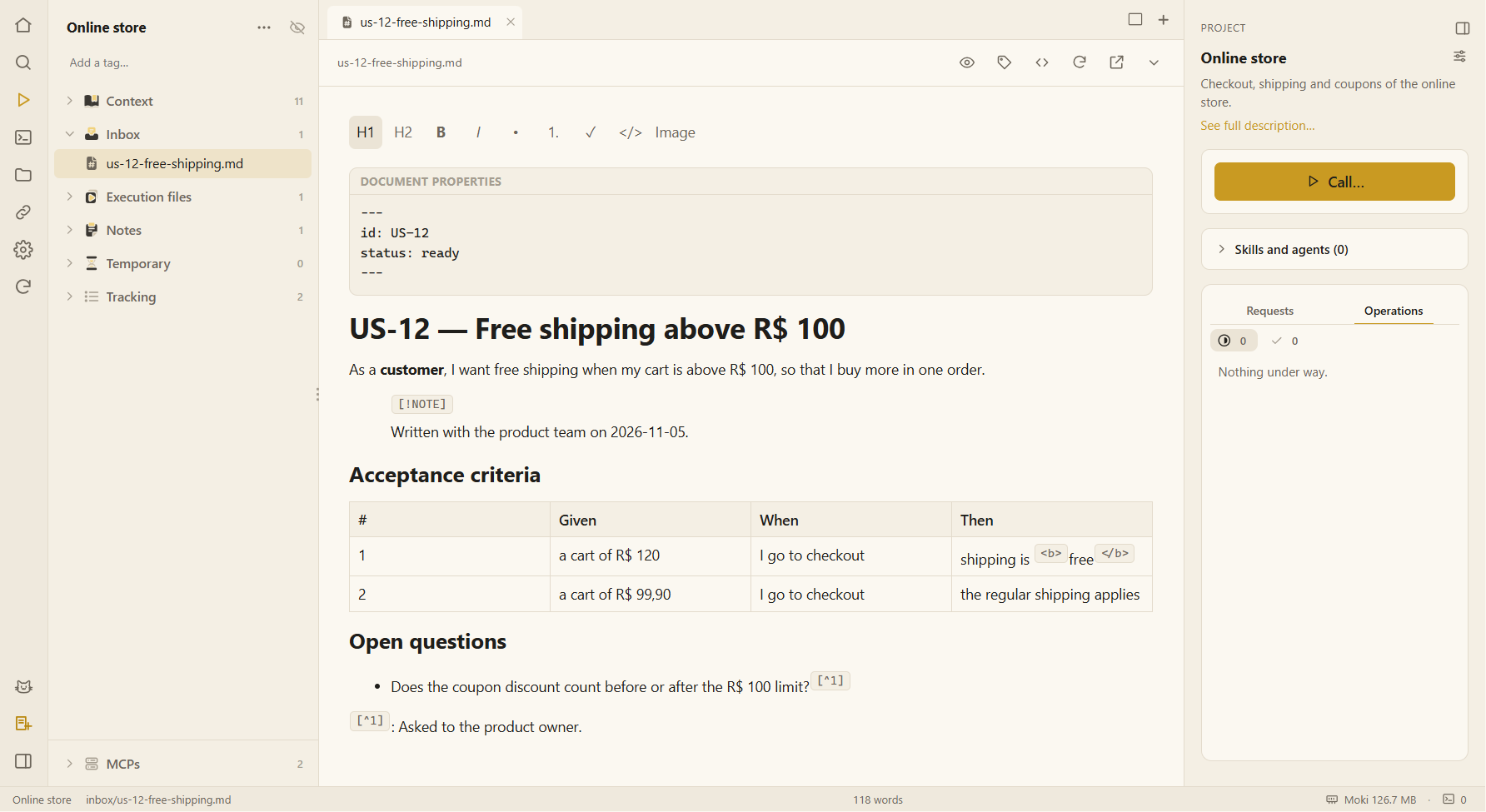
A project: its folders on the left, a document open in the editor and the project panel with Call… on the right.
Moki stands on the shoulders of free and open-source projects. Thank you to every person who builds and maintains them.
| Framework | What it does in Moki | License |
|---|---|---|
| Electron | The desktop app itself, on Windows, macOS and Linux | MIT |
| React | Every screen of the app | MIT |
| TipTap | The Markdown editor of documents and notes | MIT |
| ProseMirror | The editing engine under TipTap | MIT |
| Playwright | The automated tests that click through the app — and take this wiki's screenshots | Apache-2.0 |
| Tool | What it does in Moki | License |
|---|---|---|
| Node.js | Moki's scripts and the app's engine | MIT |
| TypeScript | The language Moki is written in, and its type checks | Apache-2.0 |
| Vite and @vitejs/plugin-react | Building the app's screens | MIT |
| esbuild | Building the app's main process and the IDE extension | MIT |
| xterm.js and @xterm/addon-fit | Drawing the terminals where the AI tools run | MIT |
| node-pty | A real shell process behind each terminal | MIT |
| PDF.js | Showing PDFs with selectable text | Apache-2.0 |
| pdf-lib | Writing highlights, comments and page edits into PDFs | MIT |
| pptxtojson | Reading PowerPoint presentations for the slide viewer | MIT |
| Mermaid | Diagrams drawn inside documents | MIT |
| Excalidraw | Hand-drawn style drawings you can edit | MIT |
| marked | Reading Markdown for the editor | MIT |
| electron-builder | The installers | MIT |
| vsce | Packaging the VS Code extension | MIT |
| DefinitelyTyped | The types used while building | MIT |
The full list, with what each one does and where its license is: Credits and licenses.
- Start here — What is Moki · Getting started · A tour of the screen
- Everyday work — Projects and workspaces · Files and the editor · Notes and quick assistants · AI terminals · Runs and deliverables · Settings
- AI work and extensions — Calling activities, agents and skills · Activities · Agents and operations · Operation recipes · Engineering specialists
- Integrations — MCP servers · Azure DevOps and Jira · Moki in the IDE · ArtCraft apps · Routines and notifications
- Specialized workflows — QA skills and agents
- Help — Troubleshooting · Privacy and isolation
Something unclear or missing? Open an issue — the documentation is part of the product.