SSuite NetSurfer Prometheus v2.4.6.4

SSuite NetSurfer Prometheus is a revolutionary browser that, rather than stealing fire, gifts you the blazing speed, security, and innovation needed to dominate the online digital realm without facing the wrath of BigTech, or any of the limitations of typical Chromium-based clones.
With its original design and forward-thinking functionality, NetSurfer Prometheus seeks not only to serve the individual but is also crafted to meet the needs of businesses seeking a reliable, secure browsing solution.

But here's the real kicker; NetSurfer Prometheus doesn't just copy what's already out there and then slap a "New and Improved" label on it. Oh no, it's got original flair... 🤗🤩
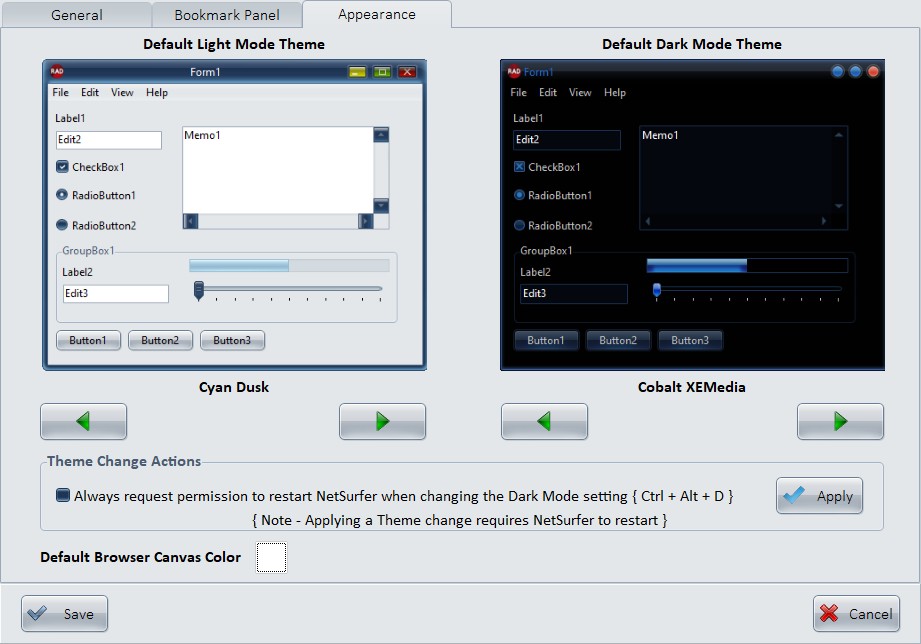
From its extensive array of 35 selectable colored themes(from light and dark and everything in between, because you deserve choices, not ultimatums) to its user-friendly interface, this browser makes you feel like a digital trailblazer every time you open it. Whether you're a casual user or a business looking to upgrade your online game, this browser doesn't just let you surf the web; it makes you enjoy it.
When you launch SSuite NetSurfer Prometheus or open a new tab, the browser will immediately direct you to your preferred default homepage, which can be selected from a range of top-tier websites in the settings menu. This stands in contrast to other browsers that always default to a fixed branded homepage, cluttered with paid advertisements and sponsored links, which cannot be modified or removed.
There are No performance dips, No sluggishness; just pure, uninterrupted browsing bliss ensuring rapid page loads and smooth navigation across the web! Its lightweight design ensures smooth operation, even on less powerful devices, making it ideal for both intense gaming sessions and relaxed entertainment breaks.
So... take a seat, open a new tab, and get ready to browse the web like a Titan legend! 👑🤴
Updates Made So Far in This Edition: ⚙🛠
- 🎬 Total Media Makeover! We didn't just tweak the media player—we gave it a full-blown overhaul. Say hello to a sleek, modern interface that’s smoother than your favorite playlist.
- 📺 Now Playing: Anything. YouTube? Local media files? Mysterious media hot-links you found at 2am? The new media player eats them all for breakfast—natively, no drama.
- 🔔 Update? You Bet. Our [ Check Auto Update ] feature got a facelift too. It'll now politely (but firmly) let you know when there’s a fresh update waiting the moment your browser wakes up.
- 🎨 Canvas Upgrade Energy: Maxed-Out! NetSurfer Prometheus’s canvas painting didn’t just get an update, it got the VIP spa treatment. We're talking a silky-smooth 5.178% performance boost. Is that a small number? Technically it might not sound like much, but when it hits, it hits 🎯. We snatched those milliseconds right off the timeline... Faster, fiercer, flawless. You're welcome! 😎🤩
- 🚀 Browser Starter Pack: Loaded. Every browser now ships preloaded with the essentials: SSuite Office, uBlock Origin v2, and Proton extensions. Just swing by the Extension Manager, hit “Add,” and boom—you’re geared up for greatness.
- New file format support e.g. online hot-links or offline local files, new 10-band Equalizer for enhanced sound output... 🔊🗣️
- 🔊 Custom Audio Blowout, Baby! Because why settle for basic when you can fine-tune your sound with a fabulous 10-band audio equalizer? Crank the bass, tweak the treble, and make those frequencies dance to your tune... 🥁 📯
- 💥 Most important update is the ability to play YouTube videos in the playlist as if it were local files... Just paste any type of YouTube Share-Link into the list and start watching, without Ads! 🤔 🤨 😏 Just activate the correct preinstalled extensions, and enjoy! 🥳
Please Note: All updates must be applied manually to maintain user security and allow for individual choice.
Running the latest [ Install File ] will automatically update all of the above mentioned Extensions and the NetSurfer browser in one GO!
How To Update Our NetSurfer Browsers - Desktop Editions 💾 💻 🖥
To update your NetSurfer browser, simply run the new installation file you’ve recently downloaded. This process will automatically update your existing browser while keeping all of your web data—such as bookmarks, browsing history, and saved settings—completely intact.
This update method applies to both the 32-bit and 64-bit versions of NetSurfer. Your personalized settings, including any ad-blocking preferences or extensions, if installed, will remain unchanged after the update is complete. Proton Pass, if installed, will be automatically updated with the new version present in the new updated install file.
No technical expertise is required—just download the new version of NetSurfer, run the installation file, follow the prompts, and NetSurfer will take care of the rest... 😍
......................