Encoding
🌐 English · Deutsch
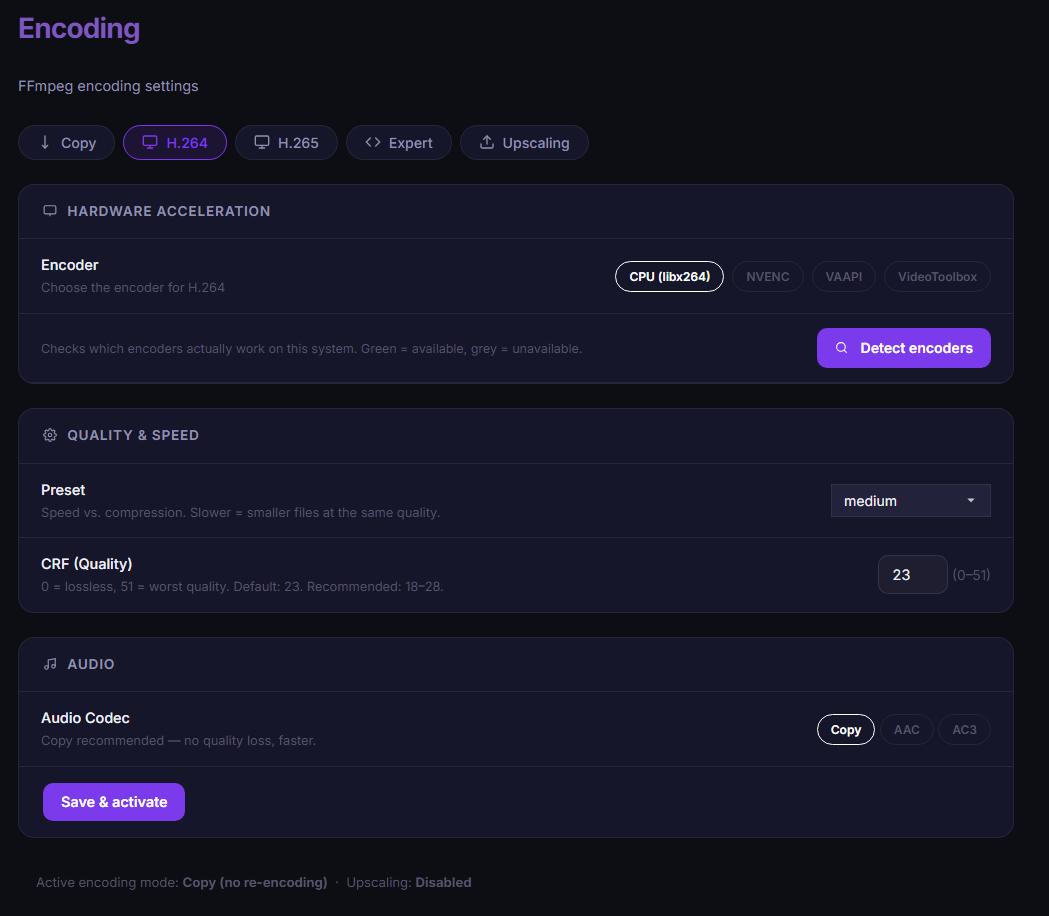
The Encoding page (/encoding, admin only) controls whether downloads are re-encoded when saved. The default is copy — the stream is taken over 1:1 without quality loss or CPU load (recommended).
| Mode | Description |
|---|---|
copy |
Keep video untouched (default); optionally convert audio to AAC/AC3 |
h264 |
Re-encode to H.264 |
h265 |
Re-encode to H.265/HEVC (smaller files, more compute) |
expert |
Custom FFmpeg flags for video and audio (e.g. -c:v libx265 -preset slow -crf 18) |
For h264/h265 you can choose per mode:
| Option | Encoder |
|---|---|
cpu |
libx264 / libx265 |
nvenc |
h264_nvenc / hevc_nvenc (NVIDIA) |
vaapi |
h264_vaapi / hevc_vaapi (Intel/AMD, Linux) |
videotoolbox |
h264_videotoolbox / hevc_videotoolbox (macOS) |
The Detect hardware button tests the FFmpeg encoders available on your system. Quality is controlled via CRF (default: 23 for H.264, 28 for H.265) plus preset (ultrafast … veryslow); for NVENC, CRF maps to the cq mode, for VAAPI to global_quality.
Selectable per mode: copy (default), aac or ac3.
- These settings affect the download (FFmpeg muxing).
- The in-browser player (Library) has its own automatic encoder selection for live HLS transcoding.
- Upscaling has its own output codec settings (Anime4K Upscaling).