Vehicles
ParkA allows users to register the vehicles they have. This page explains the neccesary steps you need to manage your vehicles in the application.
The user can see all their vehicles in the bottom of the profile page:
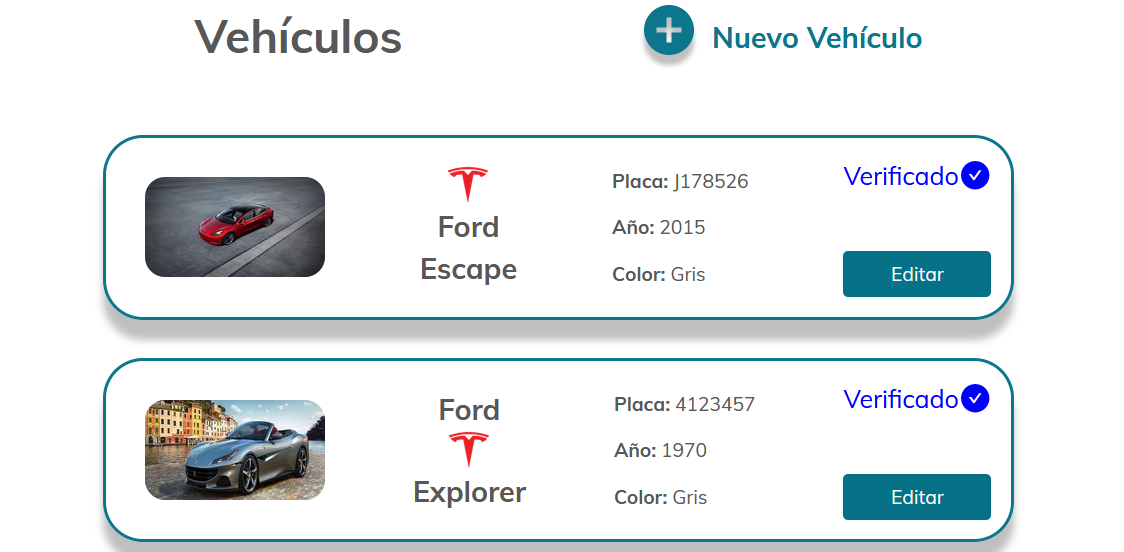
The vehicles are shown in the following way:
To add a vehicle, click the button "Nuevo Vehículo". After that, the following form will be shown:
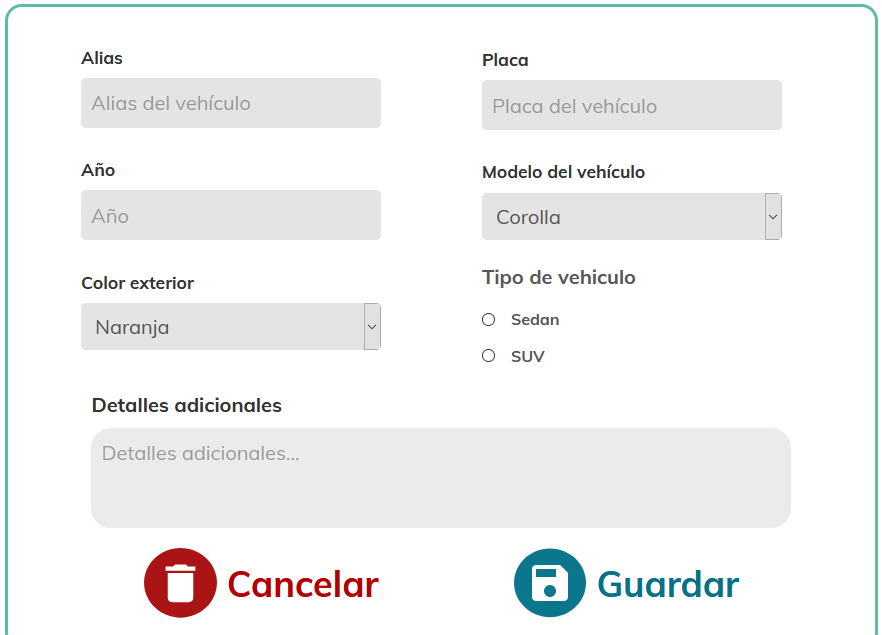
Filled the information and press "Guardar" to Add the vehicle
To edit vehicles, press the button "Editar" in the vehicle you want to edit.
After pressing the button, it will show a form similar to the form for creating new vehicles but with the information of your current vehicle
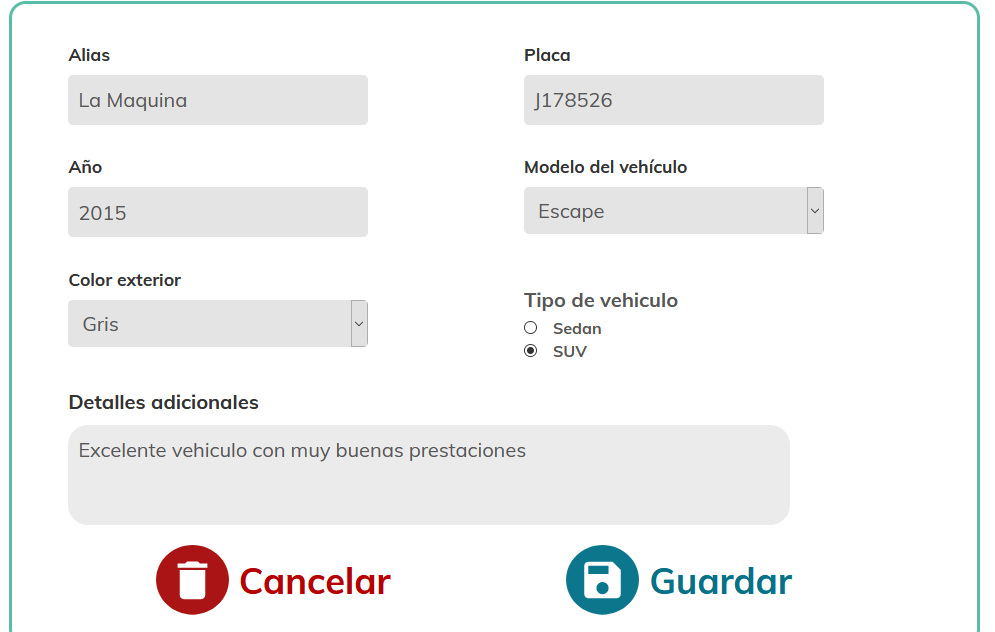
Change the information and press "Guardar"
To delete a vehicle, press "Editar" and then press "Eliminar"