Demo Video:
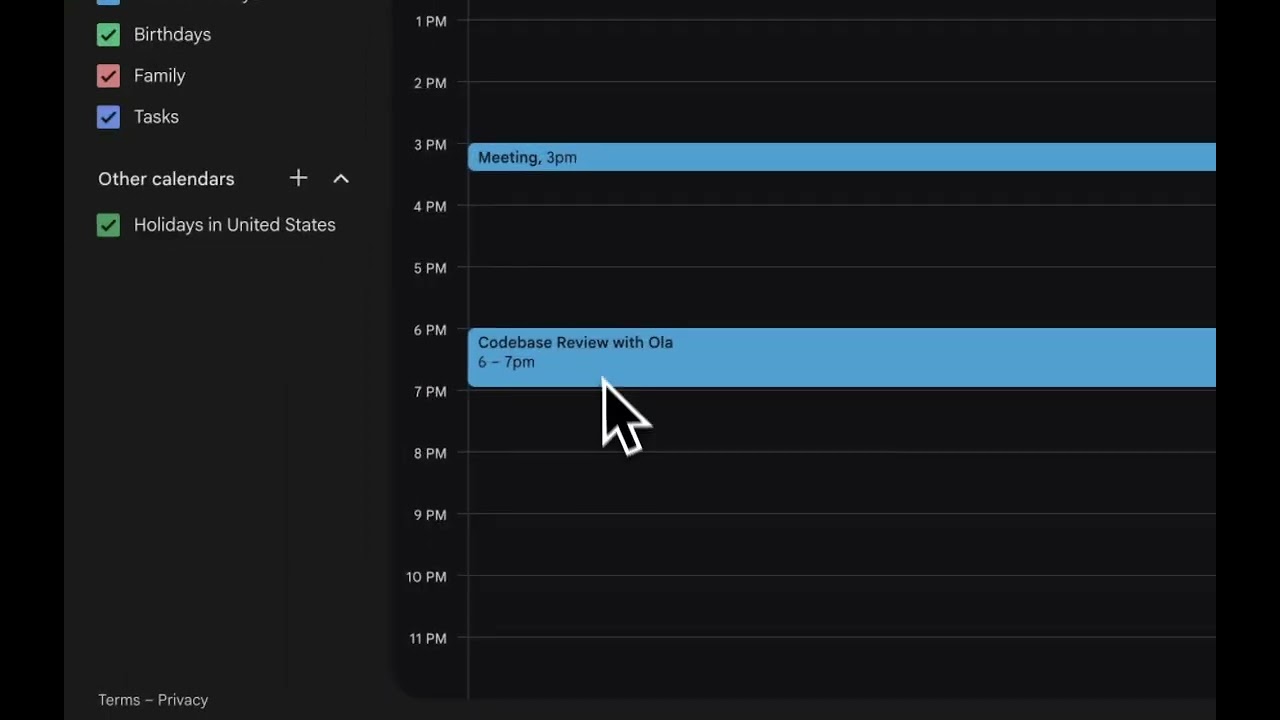
What is Tabsy? A production-ready AI workspace that integrates your calendar, email, and tasks into a single dashboard, with an AI agent that summarizes your day, suggests optimizations, drafts replies, and can reschedule events. Live sync updates the UI as changes happen.
- Unified Dashboard: Calendar, unread emails, and tasks in one place with tabbed interface
- AI Daily Summary: Analyzes calendar, emails, and tasks to provide actionable insights
- Smart Email Management: Priority detection, draft assistance, and intelligent filtering
- Calendar Optimization: Free slot detection, meeting clustering, and schedule suggestions
- Task Prioritization: AI-powered task ranking based on deadlines and importance
- Real-time Sync: Intelligent caching with 15-minute calendar TTL and 5-minute email TTL
- MCP Tools: Calendar, email, and task tools power real AI actions via Mastra framework
- Streaming AI Responses: Interactive chat with CopilotKit integration
Frontend:
- Next.js 15 with App Router & React 19
- TypeScript for type safety
- Tailwind CSS + Radix UI components
- CopilotKit for AI chat interface
- Lucide React icons
Backend & AI:
- Mastra 0.13.4+ for AI agent orchestration
- OpenAI GPT-4o-mini for agent reasoning
- Model Context Protocol (MCP) for tool management
- Ollama support for local LLM alternatives
Database:
- Prisma ORM with SQLite
- LibSQL for Mastra agent state
- Comprehensive schema for users, tasks, events, emails, and chat history
External APIs:
- Google Calendar API for event management
- Gmail API for email operations
- Google OAuth 2.0 for authentication
DevOps:
- Docker containerization
- Turbopack for fast development
- Concurrent process management
The application uses SQLite with Prisma ORM. Key models include:
- User - Application users with Google OAuth tokens
- Task - User tasks with status, priority, and due dates
- CalendarEvent - Google Calendar events with sync metadata
- Email - Gmail messages with priority analysis
- ChatConversation/ChatMessage - AI chat history
- SyncMetadata - Tracks sync status for external services
Schema location: prisma/schema.prisma
src/
├── app/                      # Next.js app directory
│   ├── api/                  # API routes
│   │   ├── auth/             # OAuth endpoints
│   │   ├── agent/            # Agent endpoints (daily-summary, chat)
│   │   ├── calendar/         # Calendar CRUD operations
│   │   ├── emails/           # Email operations
│   │   └── tasks/            # Task management
│   ├── dashboard/            # Main dashboard page
│   ├── calendar/             # Calendar interface
│   ├── emails/               # Email interface
│   ├── tasks/                # Task management (Kanban board)
│   ├── analytics/            # Analytics dashboard
│   └── settings/             # User settings
│
├── components/               # React components
│   ├── ui/                   # Radix UI wrappers
│   ├── app-layout.tsx        # Main layout wrapper
│   ├── ai-chat-panel.tsx     # AI chat interface
│   └── kanban/               # Kanban board for tasks
│
├── mastra/                   # AI agent configuration
│   ├── agents/               # Agent definitions (workspace agent)
│   ├── tools/                # Tool implementations (calendar, email, task)
│   ├── services/             # Business logic with caching
│   ├── auth/                 # Google OAuth implementation
│   ├── db/                   # Prisma client
│   └── mcp/                  # Model Context Protocol setup
│
├── lib/                      # Utility functions
└── hooks/                    # React hooks
# Development
pnpm run dev:ui              # Start UI server (port 3000)
pnpm run dev:agent           # Start Mastra agent server (port 4111)
pnpm run dev:debug           # Start with debug logging

# Production
pnpm run build               # Build both agent and UI
pnpm run start               # Start production servers

# Code Quality
pnpm run lint                # Run ESLint
Note: Due to OAuth limitations for Gmail/Calendar scopes, the public live link cannot allow external testers. Please clone and run locally with your own OAuth credentials and refresh token as documented below.
Presented by Nosana and Mastra

Build and deploy intelligent AI agents using the Mastra framework on the Nosana decentralized compute network. Whether you're a beginner or an experienced developer, this challenge has something for everyone!
Your Mission: Build an intelligent AI agent with a frontend interface and deploy it on Nosana's decentralized network.
Create an AI agent that performs real-world tasks using:
- Mastra framework for agent orchestration
- Tool calling to interact with external services
- MCP (Model Context Protocol) for enhanced capabilities
- Custom frontend to showcase your agent's functionality
The possibilities are endless! Here are some ideas to get you started:
- 🤖 Personal Assistant - Schedule management, email drafting, task automation
- 📊 Data Analyst Agent - Fetch financial data, generate insights, create visualizations
- 🌐 Web Researcher - Aggregate information from multiple sources, summarize findings
- 🛠️ DevOps Helper - Monitor services, automate deployments, manage infrastructure
- 🎨 Content Creator - Generate social media posts, blog outlines, marketing copy
- 🔍 Smart Search - Multi-source search with AI-powered result synthesis
- 💬 Customer Support Bot - Answer FAQs, ticket routing, knowledge base queries
Be Creative! The best agents solve real problems in innovative ways.
This is a starter template for building AI agents using Mastra and CopilotKit. It provides a modern Next.js application with integrated AI capabilities and a beautiful UI.
For security and OAuth policy reasons, the public live link cannot grant access to third-party testers. To run and evaluate this project, please clone the repository and configure your own .env with your Google OAuth credentials and refresh token. A step-by-step guide is below.
To participate in the challenge and get Nosana credits/NOS tokens, complete these steps:
- Register at SuperTeam
- Register at the Luma Page
- Star these repos:
- Complete this registration form
# Fork this repo on GitHub, then clone your fork
git clone https://github.com/YOUR-USERNAME/agent-challenge

cd agent-challenge

cp nosana.env.example .env

# Install dependencies
pnpm i

# Setup database
npx prisma generate          # Generate Prisma client
npx prisma db push           # Create database schema

# Start development servers (run in separate terminals)
pnpm run dev:ui              # Start UI server (port 3000)
pnpm run dev:agent           # Start Mastra agent server (port 4111)
Open http://localhost:3000 to see your agent in action in the frontend. Open http://localhost:4111 to open up the Mastra Agent Playground.
What happens during setup:
- Dependencies are installed via pnpm
- SQLite database is created at
prisma/data/prod.db - Prisma client is generated with type-safe database access
- Database schema is pushed (7 tables: User, Task, CalendarEvent, Email, ChatConversation, ChatMessage, SyncMetadata)
Pick one option below to power your agent during development:
We provide a free LLM endpoint hosted on Nosana for development. Edit your .env:
# Qwen3:8b - Nosana Endpoint
# Note baseURL for Ollama needs to be appended with `/api`
OLLAMA_API_URL=https://3yt39qx97wc9hqwwmylrphi4jsxrngjzxnjakkybnxbw.node.k8s.prd.nos.ci/api
MODEL_NAME_AT_ENDPOINT=qwen3:8b
If it goes down, reach out on Discord
Run Ollama locally (requires Ollama installed):
ollama pull qwen3:0.6b
ollama serve
Edit your .env:
OLLAMA_API_URL=http://127.0.0.1:11434/api
MODEL_NAME_AT_ENDPOINT=qwen3:0.6bAdd to your .env and uncomment the OpenAI line in src/mastra/agents/index.ts:
OPENAI_API_KEY=your-key-here- Create a Google Cloud Project → APIs & Services → Credentials → Create OAuth Client ID:
- Application type: Web application
- Authorized redirect URI (local dev):
http://localhost:3000/api/auth/google/callback
- Enable APIs:
- Google Calendar API
- Gmail API
- Put values into
.env(copied fromnosana.env.example):GOOGLE_CLIENT_ID=...GOOGLE_CLIENT_SECRET=...GOOGLE_REDIRECT_URI=http://localhost:3000/api/auth/google/callback
- Obtain a Google Refresh Token (local one-time setup):
- Start the app:
pnpm run dev:ui - Open
http://localhost:3000/and click “Sign in with Google” - After consenting, capture the refresh token printed in server logs OR wire it via your OAuth callback handler
- Set
GOOGLE_REFRESH_TOKEN=...in.env
- Start the app:
- Restart the app. The backend will use your refresh token to make Calendar/Gmail calls without requiring every tester to authenticate.
Notes:
- If your OAuth app is in "Testing" mode, only tester emails you add can log in.
- Publishing an External app with sensitive scopes (Gmail/Calendar) typically requires verification, which is not feasible for quick judging; that's why local setup is required.
Here's a complete reference of all environment variables used by Tabsy:
| Variable | Required | Purpose | Example |
|---|---|---|---|
OPENAI_API_KEY |
Yes* | OpenAI API access for GPT-4o-mini | sk-proj-... |
GOOGLE_CLIENT_ID |
Yes | OAuth app ID from Google Cloud Console | xxxxx.apps.googleusercontent.com |
GOOGLE_CLIENT_SECRET |
Yes | OAuth app secret from Google Cloud Console | Secret string |
GOOGLE_REDIRECT_URI |
Yes | OAuth callback URL | http://localhost:3000/api/auth/google/callback |
GOOGLE_REFRESH_TOKEN |
Yes | Long-lived refresh token obtained via OAuth flow | Obtained during first login |
DATABASE_URL |
Yes | Prisma database connection string | file:./prisma/data/prod.db |
NODE_ENV |
Yes | Environment mode | development or production |
NEXT_PUBLIC_APP_URL |
Yes | Public-facing app URL | http://localhost:3000 |
NEXT_PUBLIC_BYPASS_AUTH |
No | Skip OAuth for demo purposes | true or false |
OLLAMA_API_URL |
No* | Local/remote Ollama LLM endpoint | http://127.0.0.1:11434/api |
MODEL_NAME_AT_ENDPOINT |
No* | Model name for Ollama | qwen3:0.6b or qwen3:8b |
LOG_LEVEL |
No | Mastra logging level | debug, info, warn, error |
* Either OPENAI_API_KEY OR OLLAMA_API_URL + MODEL_NAME_AT_ENDPOINT must be set
Environment Variable Locations:
- Copy
nosana.env.exampleto.envin the root directory - Never commit
.envto version control - For production/Docker deployment, set these as container environment variables
Important Dates:
- Start Challenge: 10 October
- Submission Deadline: 31 October
- Winners Announced: 07 November
- Setup : Fork repo, install dependencies, choose template
- Build : Implement your tool functions and agent logic
- Test : Validate functionality at http://localhost:3000
- Clean up: Remove unused agents from
src/mastra/index.ts - Build: Create Docker container using the provided
Dockerfile - Test locally: Verify container works correctly
# Build your container (using the provided Dockerfile)
docker build -t yourusername/agent-challenge:latest .

# Test locally first
docker run -p 3000:3000 yourusername/agent-challenge:latest

# Push to Docker Hub
docker login
docker push yourusername/agent-challenge:latest- Deploy your complete stack: The provided
Dockerfilewill deploy:- Your Mastra agent
- Your frontend interface
- An LLM to power your agent (all in one container!)
- Verify: Test your deployed agent on Nosana network
- Capture proof: Screenshot or get deployment URL for submission
Record a 1-3 minute video demonstrating:
- Your agent running on Nosana (show the deployed version!)
- Key features and functionality
- The frontend interface in action
- Real-world use case demonstration
- Upload to YouTube, Loom, or similar platform
Update this README with:
- Agent description and purpose
- What tools/APIs your agent uses
- Setup instructions
- Environment variables required
- Example usage and screenshots
Your submission must include:
- Agent with Tool Calling - At least one custom tool/function
- Frontend Interface - Working UI to interact with your agent
- Deployed on Nosana - Complete stack running on Nosana network
- Docker Container - Published to Docker Hub
- Video Demo - 1-3 minute demonstration
- Updated README - Clear documentation in your forked repo
- Social Media Post - Share on X/BlueSky/LinkedIn with #NosanaAgentChallenge
- Complete all requirements listed above
- Commit all of your changes to the
mainbranch of your forked repository- All your code changes
- Updated README
- Link to your Docker container
- Link to your video demo
- Nosana deployment proof
- Social Media Post (Required): Share your submission on X (Twitter), BlueSky, or LinkedIn
- Tag @nosana_ai
- Include a brief description of your agent
- Add hashtag #NosanaAgentChallenge
- Finalize your submission on the SuperTeam page
- Add your forked GitHub repository link
- Add a link to your social media post
- Submissions that do not meet all requirements will not be considered
If you choose to containerize and deploy, you must configure your own environment variables on the target platform (DO NOT commit secrets):
Required env vars in production:
OPENAI_API_KEYGOOGLE_CLIENT_IDGOOGLE_CLIENT_SECRETGOOGLE_REDIRECT_URI(e.g.,https://your-domain.com/api/auth/google/callback)GOOGLE_REFRESH_TOKENNEXT_PUBLIC_APP_URL(e.g., your deployed URL)
- Open Nosana Dashboard
- Click
Expandto open the job definition editor - Edit
nos_job_def/nosana_mastra.jsonwith your Docker image:{ "image": "yourusername/agent-challenge:latest" } - Copy and paste the edited job definition
- Select a GPU
- Click
Deploy
npm install -g @nosana/cli
nosana job post --file ./nos_job_def/nosana_mastra.json --market nvidia-3090 --timeout 30The Workspace Agent (src/mastra/agents/workspace.agent.ts:14) provides intelligent automation powered by Mastra and OpenAI:
- Endpoint:
/api/agent/daily-summary - Function: Analyzes your calendar (30-day window), unread emails (up to 500), and active tasks
- Output: Provides actionable insights including:
- Top meetings to reschedule for better flow
- Urgent emails requiring immediate attention
- Recommended focus blocks based on your schedule
- Task priorities aligned with deadlines
- Endpoint:
/api/copilotkit - Streaming: Uses AI SDK for real-time response streaming
- Tools Available: Calendar management, email operations, task CRUD, weather (template)
- Implementation: CopilotKit integration with Mastra agents
Location: src/mastra/services/calendar.service.ts
Features:
- 30-day event window (7 days past, 23 days future)
- Intelligent caching with 15-minute TTL
- Free time slot detection with configurable duration
- Create/update/delete events with Google Calendar API v3
- Meeting conflict detection
API Endpoints:
GET /api/calendar- Fetch all eventsPOST /api/calendar- Create new eventPATCH /api/calendar/[id]- Update eventDELETE /api/calendar/[id]- Delete event
Caching Strategy:
- Events cached in SQLite (
CalendarEventtable) - Automatic refresh on data staleness
- Sync metadata tracking (
SyncMetadatatable)
Code Reference: src/mastra/tools/calendar.tool.ts:1
Location: src/mastra/services/email.service.ts
Features:
- Unread email fetching with Gmail API v1
- AI-powered priority analysis (
src/mastra/services/email-priority.service.ts:1) - Intelligent caching with 5-minute TTL and 500 email limit
- Mark as read functionality
- Draft email assistance via AI agent
Priority Analysis: Emails are automatically categorized as:
- High Priority: Urgent deadlines, executive emails, important keywords
- Medium Priority: Standard work communications
- Low Priority: Newsletters, automated notifications
API Endpoints:
GET /api/emails- Fetch unread emailsPOST /api/emails/[id]/read- Mark email as readGET /api/emails/[id]- Get single email details
Code Reference: src/mastra/tools/email.tool.ts:1
Location: src/mastra/services/task.service.ts
Features:
- Full CRUD operations for tasks
- Status tracking: pending, in_progress, completed
- Priority levels: low, medium, high
- Task categories for organization
- Due date management
- Kanban board UI (
src/components/kanban/kanban-board.tsx)
API Endpoints:
GET /api/tasks- Fetch all tasksPOST /api/tasks- Create new taskPATCH /api/tasks/[id]- Update taskDELETE /api/tasks/[id]- Delete task
Database: Tasks stored in SQLite with indexes on status and priority for performance
Code Reference: src/mastra/tools/task.tool.ts:1
Location: src/mastra/auth/google-auth.ts
Flow:
- User clicks "Sign in with Google" (
src/app/page.tsx:1) - OAuth redirect to Google with calendar + Gmail scopes
- Callback handler receives authorization code (
src/app/api/auth/google/callback/route.ts) - Exchange code for refresh token
- Store refresh token in database (
User.googleRefreshToken) - Backend uses refresh token for all subsequent API calls
Scopes Required:
https://www.googleapis.com/auth/calendar- Calendar accesshttps://www.googleapis.com/auth/gmail.readonly- Read emailshttps://www.googleapis.com/auth/gmail.modify- Mark emails as read
Caching Strategy:
| Service | TTL | Max Items | Storage |
|---|---|---|---|
| Calendar Events | 15 minutes | Unlimited | SQLite CalendarEvent |
| Emails | 5 minutes | 500 | SQLite Email |
| Tasks | Real-time | Unlimited | SQLite Task |
Sync Metadata:
- Tracks last sync timestamp per user per service
- Enables intelligent cache invalidation
- Stored in
SyncMetadatatable
Implementation: src/mastra/services/calendar.service.ts:50, src/mastra/services/email.service.ts:45
Submissions evaluated on 4 key areas (25% each):
- Originality of agent concept
- Creative use of AI capabilities
- Unique problem-solving approach
- Code quality and organization
- Proper use of Mastra framework
- Efficient tool implementation
- Error handling and robustness
- Successful deployment on Nosana
- Resource efficiency
- Stability and performance
- Proper containerization
- Practical use cases
- Potential for adoption
- Clear value proposition
- Demonstration quality
Top 10 submissions will be rewarded:
- 🥇 1st Place: $1,000 USDC
- 🥈 2nd Place: $750 USDC
- 🥉 3rd Place: $450 USDC
- 🏅 4th Place: $200 USDC
- 🏅 5th-10th Place: $100 USDC each
For more information, check out the following resources:
- Nosana Documentation
- Mastra Documentation - Learn more about Mastra and its features
- CopilotKit Documentation - Explore CopilotKit's capabilities
- Next.js Documentation - Learn about Next.js features and API
- Docker Documentation
- Nosana CLI
- Mastra Agents Overview
- Build an AI Stock Agent Guide
- Mastra Tool Calling Documentation
- Discord: Join Nosana Discord
- Dedicated Channel: Builders Challenge Dev Chat
- Twitter: Follow @nosana_ai for live updates
- Fork this repository
- Build your AI agent
- Deploy to Nosana
- Present your creation
Good luck, builders! We can't wait to see the innovative AI agents you create for the Nosana ecosystem.
Happy Building! 🚀
Want access to exclusive builder perks, early challenges, and Nosana credits? Subscribe to our newsletter and never miss an update.
👉 Join the Nosana Builders Newsletter
Be the first to know about:
- 🧠 Upcoming Builders Challenges
- 💸 New reward opportunities
- ⚙ Product updates and feature drops
- 🎁 Early-bird credits and partner perks
Join the Nosana builder community today — and build the future of decentralized AI.