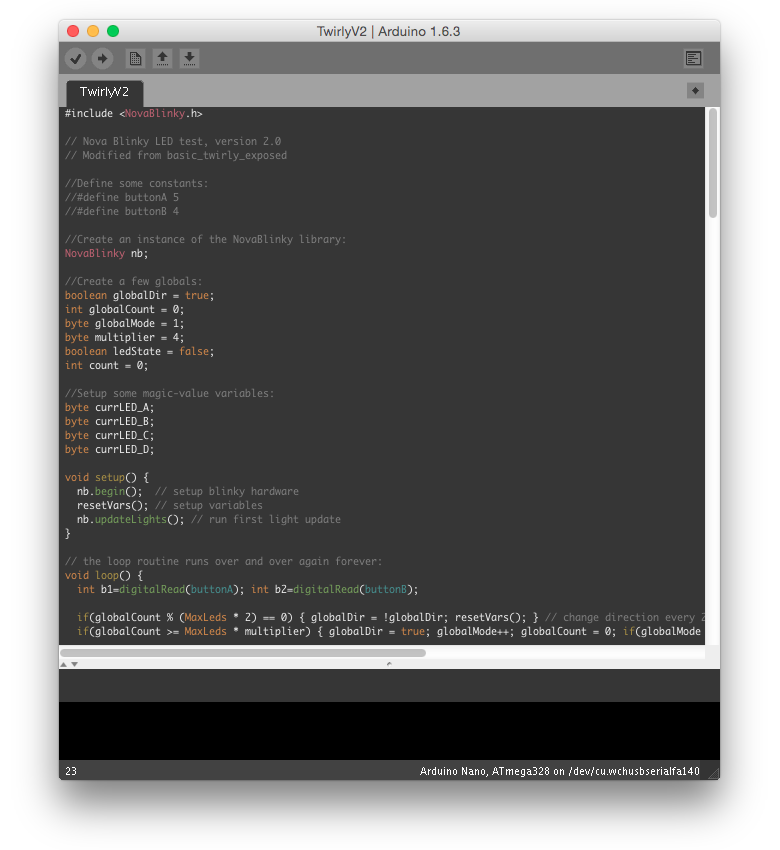
This is the customized Arduino IDE skin I use.
It's actually a mod on a few other skins that I put together and then edited in Photoshop.
I have also provided the default arduino theme folder (from version 1.6.3), in case you want to go back to the default and have deleted your own.
Everyone loves screenshots!

- DOWNLOAD
Download and extract the "theme" folder. - BROWSE TO ARDUINO THEME FOLDER
On Mac OS X, this is usuallyMacintosh HD/Applications/Arduino.app (Right-click and select "show package contents") /Contents/Java/Lib. On Windows, the path should beC:\Program Files (x86)\Arduino\lib. - REPLACE THEME FOLDER
You should find a file calledthemein your lib folder. Delete this, and replace it with the new theme folder you downloaded.
That's it. You've installed a new arduino theme!