Repository navigation

In Piebald v0.7.1 we've fixed several bugs:
- Fixed GPT-6 Sol & Luna support with ChatGPT subscriptions
- Added support for OpenAI's new prompt caching and routing optimization with ChatGPT subscriptions
- Prevents Claude Code-specific "ListAgents" tool from leaking into Piebald sessions
- Fixed another aspect about terminal freezing on Windows
- Made clicking the new chat/new terminal icons in the sidebar
- Added classification for Anthropic errors regarding Claude Code being too old
- Fixed a small bug with Claude Code where a cache miss diagnostic incorrectly triggered
- Fixed a intermittent bug with error reporting to the model for subagent errors
- Fixed Ctrl/Cmd + R not triggering reverse incremental prompt history search in the launchpad
- Fixed newer versions of Claude Code automatically disabling Grep and Glob
Release notes of Piebald v0.7
In Piebald v0.7.0, we've enhanced the UI significantly with a new message composer experience, a launchpad for new chats, a floating tool approval dock, an improved HTTP traffic viewer, demo mode, and a general chats section in the sidebar.
New message composer experience
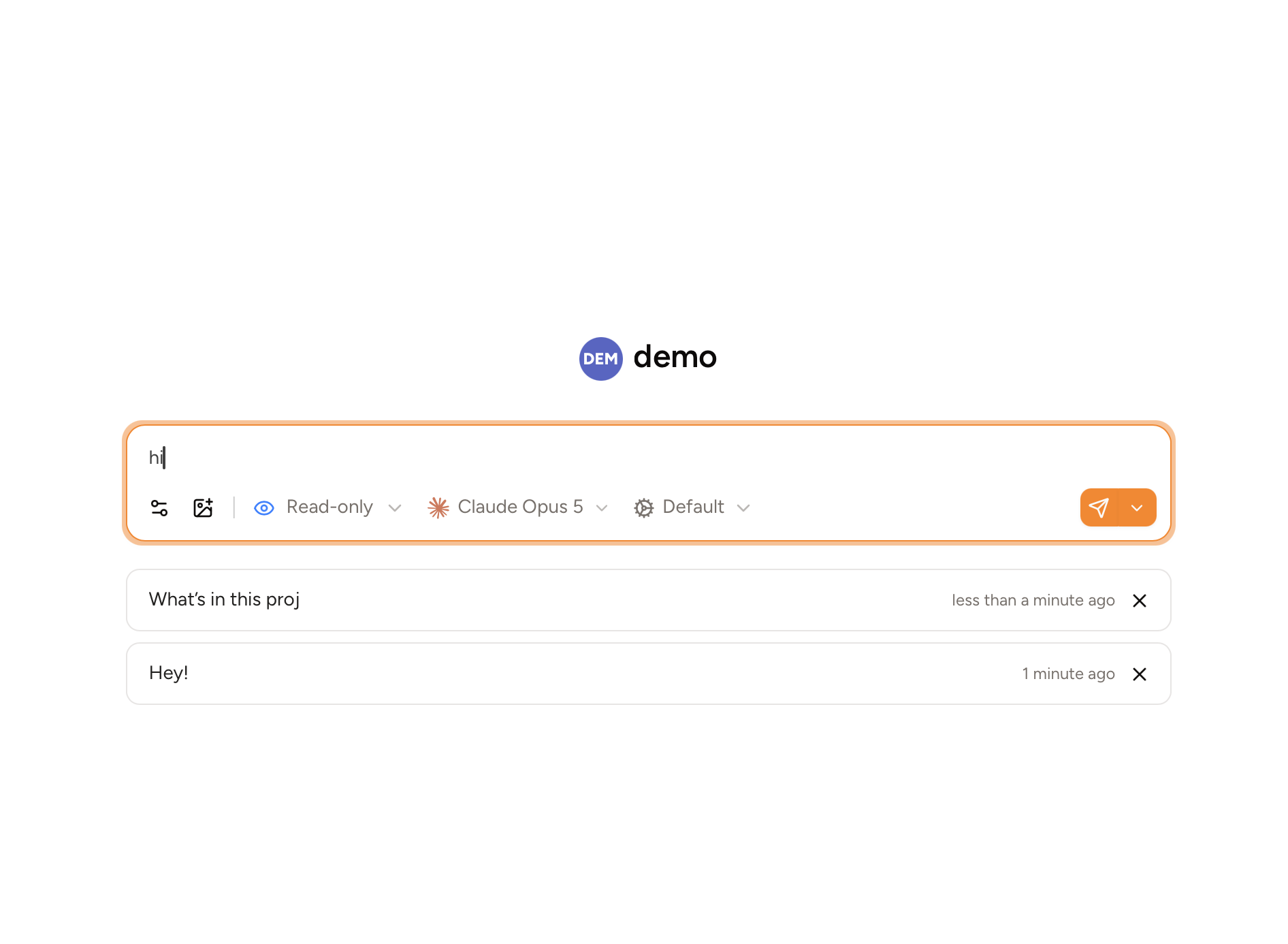
We've redesigned the message composer UI to have a more integrated design. In particular, the provider and model select dropdowns have been unified, which simplifies the picking process. You can also now expand the input box, which splits the chat view in half vertically, putting the message list on the left side and the input box on the right, so that you can read long explanations, plans, and reports while at the same time writing a long multi-line message with many quotations from the AI’s messages.

Launchpad
We've made the UI for creating new chats more intuitive with a launchpad—the input box will be in the center of the screen, and it will no longer create new empty chats that are then automatically deleted later if unused. When you write a draft and then navigate away before you finish it, the draft will be preserved in a list underneath the input box. Multiple drafts can be saved this way, acting as a TODO list of prompts.
Tool approval dock
When multiple tools called by AI need to be manually approved by you, sometimes it can be hard to see them all or manage them all in a convenient way, since they’re stacked vertically and sometimes pile high enough to go offscreen, requiring scrolling. Subagents can call tools that need your approval as well, making it even more complicated to find the tools that are currently holding the chat up. Now, all tool calls that need manual approval in the current chat and any subagents are shown over the input box, one at a time, with the option to approve or deny them with a message, or approve them all at once.
Analogous to the message composer’s new expanded/split mode, the new tool approval dock can be expanded to fit the right half of the screen, making it easier to review plans and long files written by the AI.

Enhanced HTTP traffic viewer
We’ve updated the HTTP traffic viewer UI to be more compact and display more information. The sidebar now renders many more items at once, and the main panel makes it easier to access and differentiate between request data (input) and response data (output). The request/response body renderers also provide YAML and interactive node tree viewing modes, in addition to JSON. There’s also a new convenience button on messages in the chat view that links directly to the HTTP request that generated that message.

Demo mode
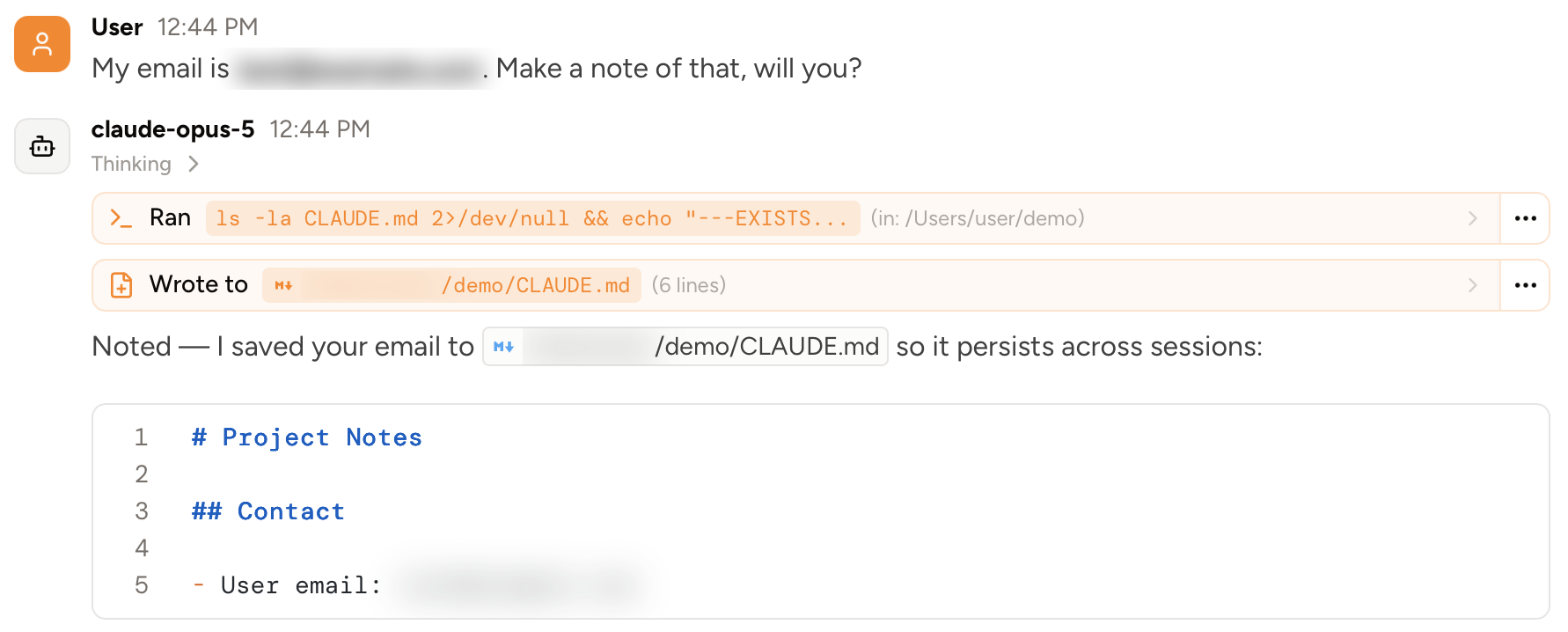
We’ve added a feature called Demo mode, which detects and hides potentially sensitive information like email addresses, your user name, and other account details in the UI, which is useful for taking screenshots or recording videos. You can choose to either blur the text, or redact it with a specific redaction string like [REDACTED]:
General chats
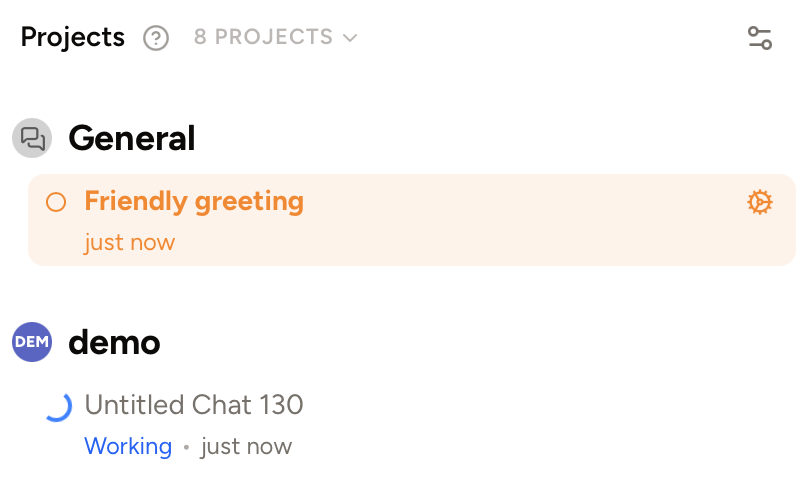
We’ve added a folder called General in the sidebar for miscellaneous chats that aren’t tied to any specific project:
Other
In this release we’ve also done a very significant internal refactoring that will enable us to add many more chat features and integrations, such as server tools among other things. We’ve also fixed lots of bugs:
- Added a progress bar shown during Piebald startup and updates
- Optimized launching of Claude Code
- Improved the robustness of mod-chat provider switching with unusual providers
- Made process spawning on Windows use Job Objects for more reliable killing
- Improved PowerShell and Bash command auto-approval
- Improved memory usage
- Improved startup performance
- Fixed Claude Code processes sometimes hanging around in the background after exit on Windows
- Fixed a bug where Claude Code’s stdout sometimes leaked into the Piebald log file
- Fixed the AskUserQuestion tool’s input validation being too strict for some models
- Fixed a bug where re-executing a tool call didn’t show the output
- Fixed “Did you mean” suggestion when the AI reads a file path that doesn’t exist
- Fixed detection of user installations of Git Bash on Windows
- Made errors with OpenCues easier to investigate
- Fixed a bug where the current draft, if any, instead of the first user message, was used as the fallback title for untitled chats
- Fixed a bug where message state—such as expanded tool calls, or a message edit in-progress—was lost when the message was scrolled out of view
- Fixed a bug where command prompt script paths where not quoted
- Fixed more cases of “database is locked” errors
- Fixed an intermittent UI error when rendering some edits
- Fixed a bug where chat search kept deleted message content hanging around
- Updated OpenAI-specific reasoning effort help text to mention GPT-6
- Disabled “Regenerate” when no model was selected
- Fixed bugs with auto scroll
- Fixed a bug where overly frequent process enumeration on Windows leaked handles
- Fixed a bug where switching the permission mode didn’t reliably auto-approve eligible tool calls
- Fixed bugs when hovering over the Python environment dropdown
- Fixed a bug with Claude Code usage
- Fixed a bug with tooltips in trashed chats
- Made mermaid diagram rendering more robust against model flukes
- Fixed prompt caching bugs caused by Claude Code
- Made DeepSeek reasoning content omission-related API errors more clear
- Fixed re-authentication of HTTP MCP servers whose OAuth tokens don’t have expiration dates