In PowerShell 7.0.0-preview.6
I was testing some more with Out-GridView and the problems with the columns in #11182 and #11184 and I found these other chars that in some combinations causes Out-GridView to throw and exception.
The examples here are all valid property names and work fine with Format-Table or Format-List so they should also be working for Out-GridView.
It's almost as if it is trying to evaluate the property name or something.
I tested multiple combinations of brackets and parenthesis to find what caused the different exceptions (Code is at the end).
ColumnName             Result  Exception
----------             ------  ---------
Control                Success
[BalancedBraces]       Success
[UnbalancedBraces      Failure Syntax error in PropertyPath 'Unmatched bracket '[UnbalancedBraces'.'.
UnbalancedBraces]      Failure Syntax error in PropertyPath 'Syntax error in Binding.Path 'UnbalancedBraces' ... ']'.'.
Empty[]Brace           Failure Syntax error in PropertyPath 'Syntax error in Binding.Path 'Empty[]' ... 'Brace'.'.
BalancedParenthesis()  Success
Unbalanced(Parenthesis Failure Syntax error in PropertyPath 'Unmatched parenthesis 'Unbalanced(Parenthesis'.'.
UnbalancedParent)hesis Failure Syntax error in PropertyPath 'Unmatched parenthesis 'UnbalancedParent)hesis'.'.
This)(Works            Success
ButThis][Fails         Failure Syntax error in PropertyPath 'Syntax error in Binding.Path 'ButThis' ... '][Fails'.'.
Steps to reproduce
[pscustomobject]@{
    'Bracket[' = "Some Data"
} | Out-GridView[pscustomobject]@{
'Paren)thesis' = "Some Data"
} | Out-GridViewExpected behavior
I expected the Out-GridView window to show the object with it's property name as column name and the property value in the column like Format-Table shows the following.
Bracket[
--------
Some Data
Paren)thesis
------------
Some Data
Actual behavior
Out-GridView:
Line |
   3 | } | Out-GridView
     |     ^ Syntax error in PropertyPath 'Unmatched bracket '['.'.
Out-GridView:
Line |
   3 | } | Out-GridView
     |     ^ Syntax error in PropertyPath 'Unmatched parenthesis 'Paren)thesis'.'.
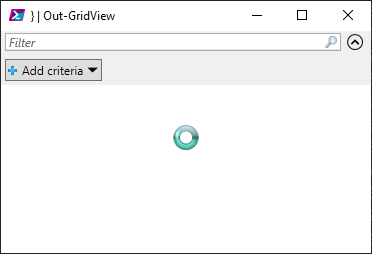
Also the Out-GridView window pops up but in a loading state, but is otherwise responsive.
Environment data
Name                           Value
----                           -----
PSVersion                      7.0.0-preview.6
PSEdition                      Core
GitCommitId                    7.0.0-preview.6
OS                             Microsoft Windows 10.0.18363
Platform                       Win32NT
PSCompatibleVersions           {1.0, 2.0, 3.0, 4.0…}
PSRemotingProtocolVersion      2.3
SerializationVersion           1.1.0.1
WSManStackVersion              3.0
Testing code for combinations
I wrote this to see what different exceptions would be thrown
$teststrings = @(
'Control'
'[BalancedBraces]'
'[UnbalancedBraces'
'UnbalancedBraces]'
'Empty[]Brace'
'BalancedParenthesis()'
'Unbalanced(Parenthesis'
'UnbalancedParent)hesis'
'This)(Works'
'ButThis][Fails'
)

$teststrings | ForEach-Object {
    $obj = [pscustomobject]@{
        $_ = "Test"
        ColumnName = $_
        Result = ""
    }

    try {
        $obj | Out-GridView
        $obj.Result = "Success"
    } catch {
        $obj.Result = "Failure"
        $obj | Add-Member -NotePropertyMembers @{
            Exception = $_
        }
    } finally {
        $obj
    }
} | Select-Object -Property ColumnName,Result,Exception 
In PowerShell 7.0.0-preview.6
I was testing some more with Out-GridView and the problems with the columns in #11182 and #11184 and I found these other chars that in some combinations causes Out-GridView to throw and exception.
The examples here are all valid property names and work fine with Format-Table or Format-List so they should also be working for Out-GridView.
It's almost as if it is trying to evaluate the property name or something.
I tested multiple combinations of brackets and parenthesis to find what caused the different exceptions (Code is at the end).
Steps to reproduce
Expected behavior
I expected the Out-GridView window to show the object with it's property name as column name and the property value in the column like Format-Table shows the following.
Actual behavior
Also the Out-GridView window pops up but in a loading state, but is otherwise responsive.
Environment data
Testing code for combinations
I wrote this to see what different exceptions would be thrown