Quick Start
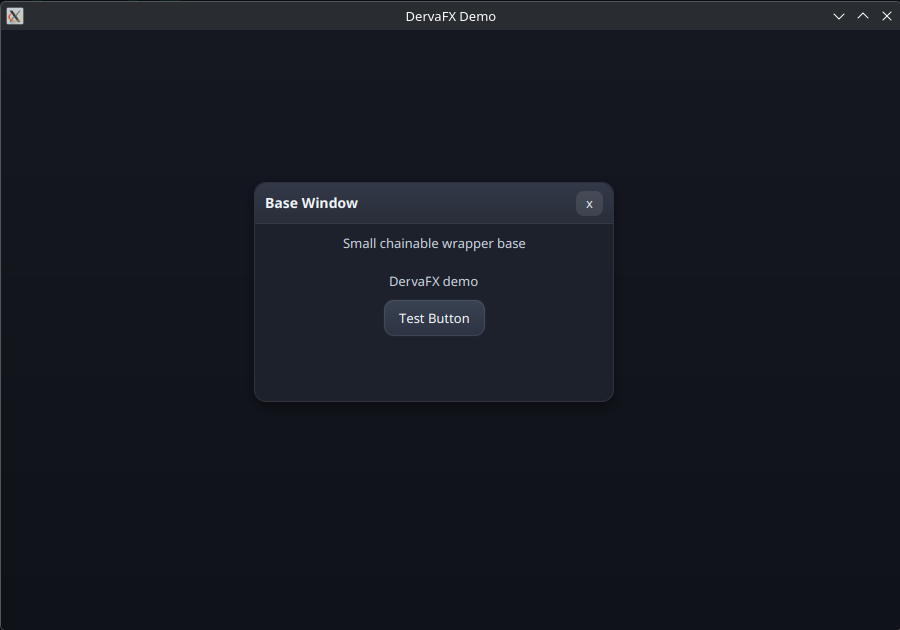
This is the current public demo output:
package com.example;

import com.princeofcookies.dervafx.DervaFX;
import com.princeofcookies.dervafx.DervaRoot;
import com.princeofcookies.dervafx.DervaWindow;

import javafx.application.Application;
import javafx.scene.Scene;
import javafx.scene.layout.AnchorPane;
import javafx.stage.Stage;

public final class ExampleApp extends Application {
    @Override
    public void start(Stage stage) {
        AnchorPane host = new AnchorPane();

        DervaRoot root = DervaFX.root().anchorFill();
        host.getChildren().add(root.getNode());
        AnchorPane.setTopAnchor(root.getNode(), 0.0);
        AnchorPane.setRightAnchor(root.getNode(), 0.0);
        AnchorPane.setBottomAnchor(root.getNode(), 0.0);
        AnchorPane.setLeftAnchor(root.getNode(), 0.0);

        DervaWindow window = DervaFX.window("Example")
            .position(24, 24)
            .size(320, 200);

        window.add(
            DervaFX.vbox()
                .spacing(8)
                .add(DervaFX.label("Hello from DervaFX"))
                .add(DervaFX.button("Test"))
        );

        root.add(window);

        Scene scene = new Scene(host, 900, 600);
        DervaFX.applyTheme(scene);

        stage.setScene(scene);
        stage.show();
    }
}- Create a JavaFX host pane.
- Create a
DervaRoot. - Add windows or layouts to the root.
- Apply the DervaFX theme to the scene.
- Show the stage normally through JavaFX.