Repository navigation
App Settings Maps
You need a Google Cloud project linked to an active billing account and a dedicated Maps API key. Maps does not use the cloud service-account JSON, Translate project ID or YouTube API key.
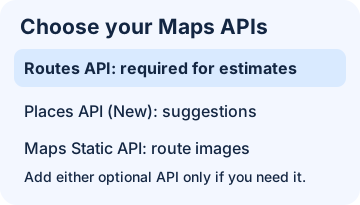
Illustration: enable Routes API first. The other APIs are for optional features.
- In Google Cloud Console, select your project and link billing. Accept Maps Platform terms if Google asks.
- In APIs & Services → Library, enable Routes API. Also enable Places API (New) if you want address suggestions, and Maps Static API if you want route images.
- In APIs & Services → Credentials, create a dedicated API key. Under API restrictions, allow the enabled APIs needed above. Do not use website (HTTP referrer) restrictions: Homey makes server-side requests. If using IP restrictions, allow Homey's public outbound IP, not its local address. See Google's key guidance.
- Open Apps → Google Services → Settings → Google Maps in Homey. Enter the key in Maps API key. If you only need numeric estimates, turn off both options below. Select Save settings.
- Enable route images (on by default): allows saved Maps devices to fetch an image when Homey wants to display it after a refresh. Without this option, route estimates still work.
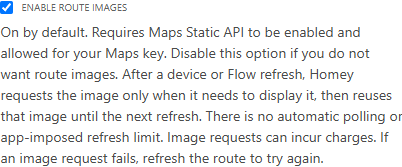
Homey Pro (2023), Light mode: after a saved-route refresh, Homey requests the image only when needed and reuses it until the next refresh. Image requests can incur charges.
- Enable traffic colors on route images (on by default): applies on the next saved driving-route refresh when the app and device both allow images and traffic colors. Green means normal traffic, orange means slow, and red means a jam where Google supplies traffic data. Traffic colors on a route request use the Routes Enterprise tier. Turning them off does not turn off traffic-aware driving estimates or the device's estimated traffic delay.
Homey does not refresh routes automatically. Choose a sensible frequency if you schedule a Flow: each new estimate can use quota or incur charges. Address suggestions and images are separate requests. Google sets the current pricing and allowances, which can vary by request and billing region. Review your usage and consider Google Cloud budget alerts (an alert is not a spending cap).
For a first check without adding a device, compare a fresh estimate using public coordinates. To use the one-off action tokens, view saved readings or see an optional image, add a Maps device.