Releases: RENEGADE-ANDROiD/Shufflebox
Releases · RENEGADE-ANDROiD/Shufflebox
Release list
Shufflebox v1.1.0

Shufflebox v1.1.0
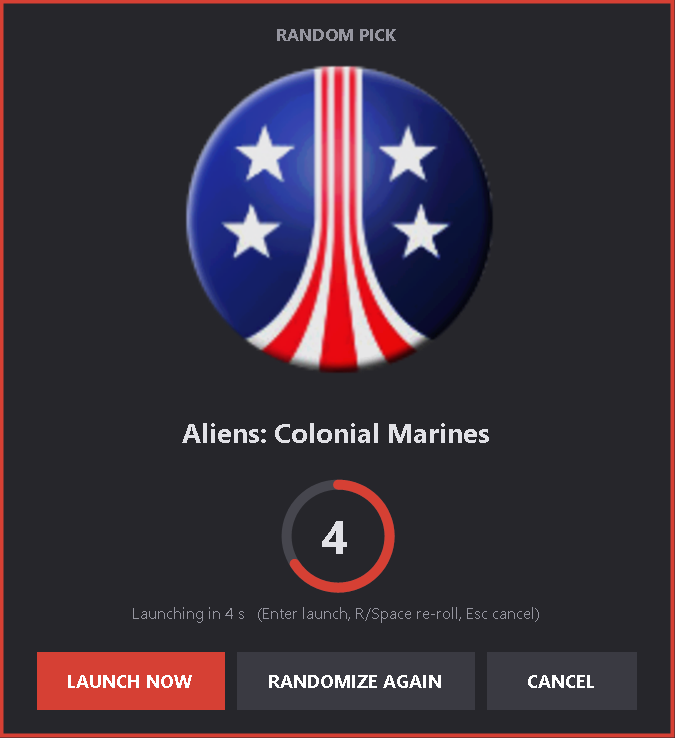
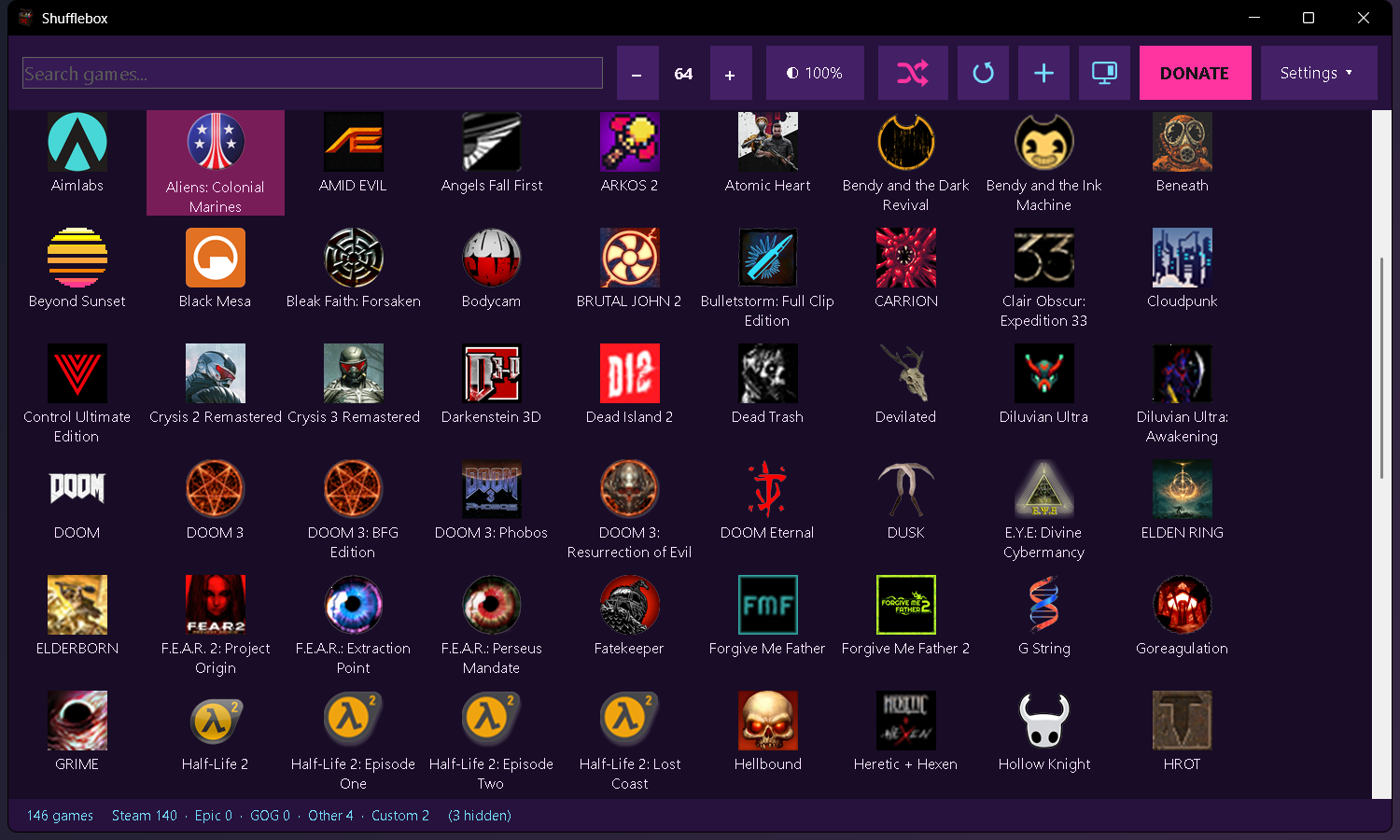
All your PC games in one place, plus a shuffle button for when you can't decide what to play.
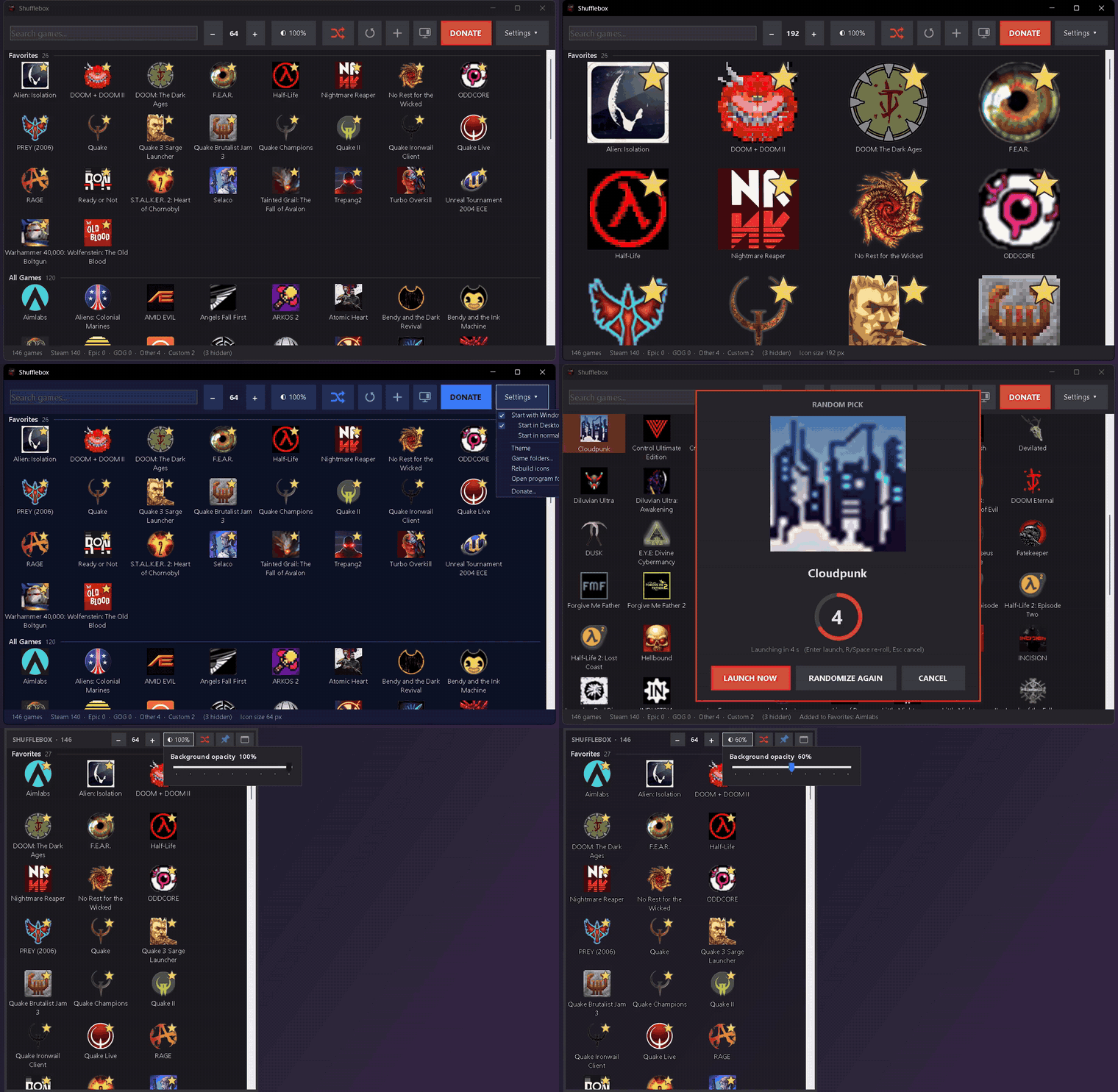
🌐 Website: renegade-android.github.io/Shufflebox, with the demo, screenshots and download.
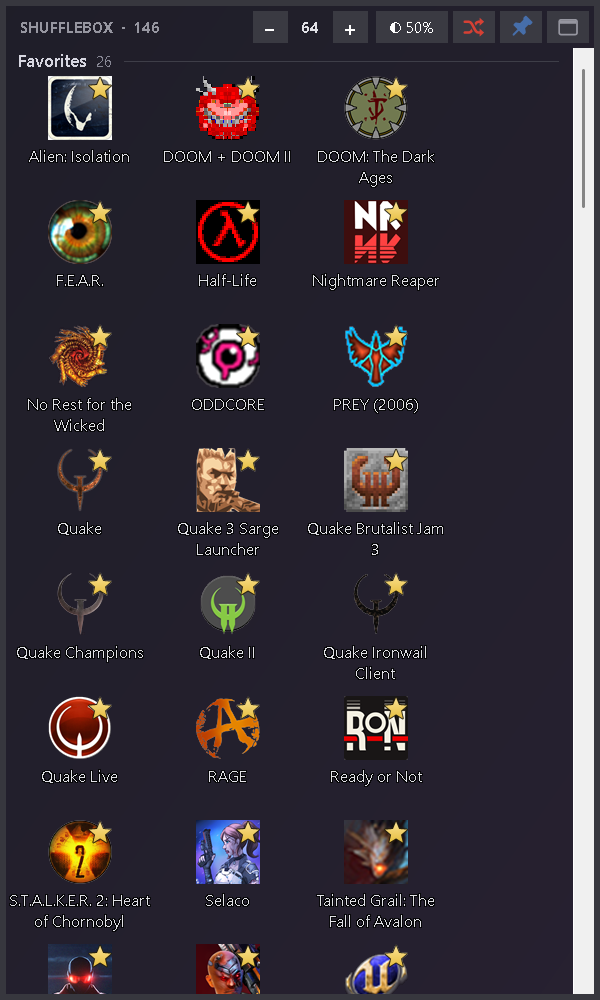
▶ Demo video (54 s): search, favorites, icon size, themes, the shuffle button and random pick, the desktop panel, pinning and the background opacity slider. shufflebox-demo.mp4, attached below and in the repo at docs/media/shufflebox-demo.mp4
What's new in 1.1.0
- New name and icon: Game Launcher is now Shufflebox. Your settings, favorites and icons carry over, and Start with Windows moves to the new name automatically.
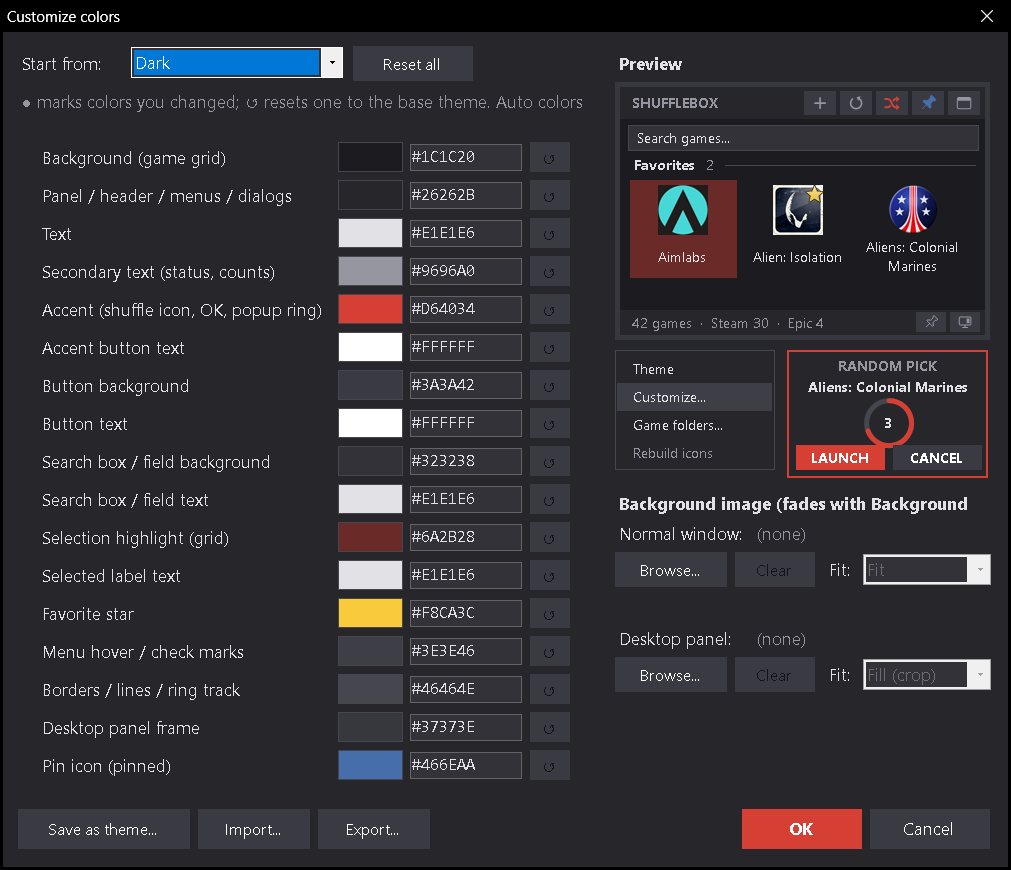
- Full custom colors: Settings ▾ > Theme > Customize colors... lets you change all 17 color roles with a swatch or a #RRGGBB code, with a live preview. Save your own named themes, and export or import them as JSON.
- Background image: use your own picture behind the game grid (Fill, Fit, Stretch, Center or Tile), set separately for the normal window and the desktop panel. It fades with the background opacity slider.
- Whole-window see-through background in desktop panel mode, so the header and search bar fade too.
- Themed selection highlight and favorite star that follow your colors.
- DONATE button (optional, honor system). You can hide it after donating. Settings ▾ > Donate... is always there.
- Freeware license (see LICENSE).
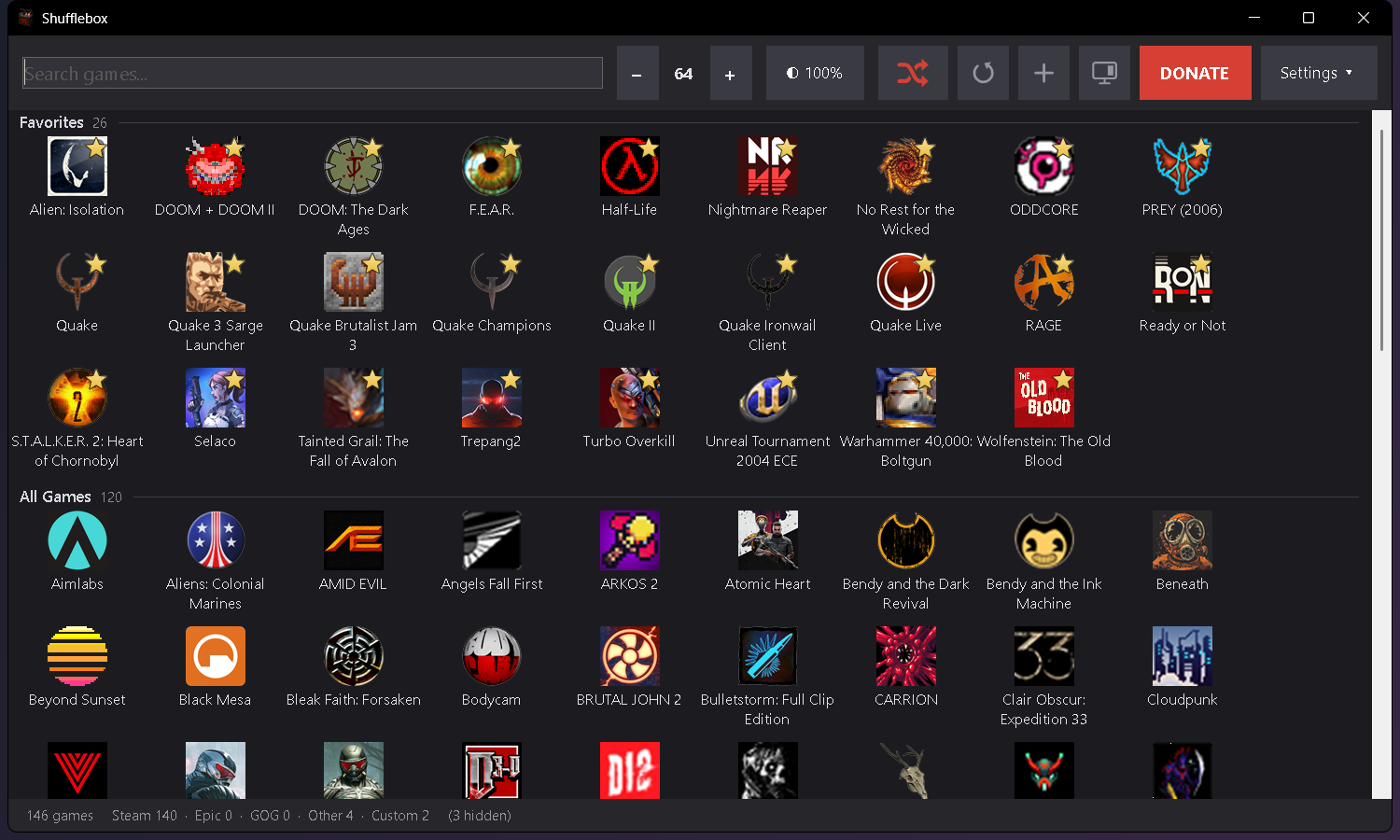
Screenshots
Download
- Download Shufflebox.exe below.
- Put it in a folder of its own (it saves its settings next to the exe) and run it.
Windows 10 or 11. Uses .NET Framework 4.x, which is built into Windows. The exe is not code-signed, so Windows SmartScreen may warn the first time: click More info > Run anyway.
Support
Shufflebox is free. If you enjoy it, donations are appreciated:
PayPal · Cash App $renegadeandroid