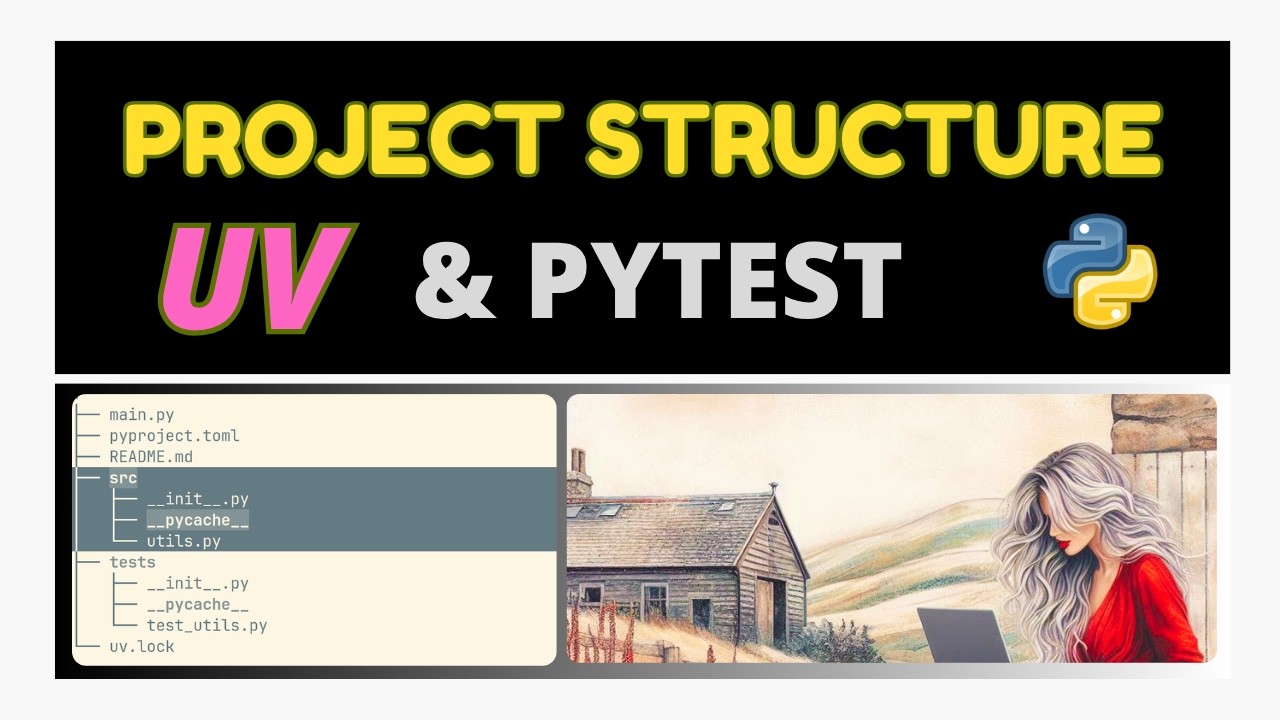
We created a small Python project using uv and pytest.
Initial structure:
.
├── pyproject.toml
├── src
│   └── my_project
│       ├── __init__.py
│       └── utils.py
└── tests
Initial structure:
.
├── main.py
├── pyproject.toml
├── src
│   ├── __init__.py
│   └── utils.py
└── tests
    └── test_utils.py
The utils.py module contains reusable functions:
clamp()word_count()running_average()
We then imported and used those functions from main.py, and configured pytest through pyproject.toml.
There are two common approaches.
Good for learning, scripts, and small projects.
pyproject.toml:
[project]
name = "my-project"
version = "0.1.0"
description = "Example project"
requires-python = ">=3.12"
dependencies = []

[dependency-groups]
dev = [
    "pytest>=9.0.0"
]

[tool.pytest.ini_options]
testpaths = ["tests"]
pythonpath = ["."]
The important part:
pythonpath = ["."]This tells pytest:
"Look in the current directory when importing modules."
Imports:
from src.utils import clampStructure:
src/
├── __init__.py
└── utils.py
Advantages:
- Simple.
- Easy to understand.
- Great for learning Python.
- No packaging complexity.
Disadvantages:
srcbecomes part of the import path.- Not ideal for publishing a library.
Used for professional projects and packages.
Structure:
.
├── pyproject.toml
├── src
│   └── my_project
│       ├── __init__.py
│       └── utils.py
└── tests
Now my_project is the actual package.
pyproject.toml includes a build system:
[project]
name = "my-project"
version = "0.1.0"
description = "Example project"
requires-python = ">=3.12"
dependencies = []

[dependency-groups]
dev = [
    "pytest>=9.0.0"
]

[build-system]
requires = ["hatchling"]
build-backend = "hatchling.build"

[tool.hatch.build.targets.wheel]
packages = ["src/my_project"]

[tool.pytest.ini_options]
testpaths = ["tests"]
Imports:
from my_project.utils import clampNow the package name is meaningful.
Installing the project:
uv syncor:
pip install .makes your package available as:
from my_project.utils import clampThis is how external libraries work:
from fastapi import FastAPI
from requests import get
from pandas import DataFrame
The user imports the package name, not the folder where the code happens to live.
Simple Python:
from src.utils import clampis similar to:
mod utils;
use utils::clamp;
Everything is local.
Proper Python package:
from my_project.utils import clampis closer to:
use my_project::utils::clamp;The crate/package has a real public name.
Use:
src/
    utils.py
with:
from src.utils import clampand a simple pyproject.toml.
Use:
src/
    my_project/
        utils.py
with a build system in pyproject.toml.
The main thing learned:
srcis just a directory convention.- The inner folder (
my_project) is the actual Python package. pyproject.tomlcan describe either a simple application or a distributable package.- The "proper" layout scales better, but the simple version is perfectly valid for learning.