Repository navigation
Releases: Rikinshah787/dotpals
Release list
dotpals 0.11.0: the report card, replay and rewind, the morning brief

Your agents, graded: a report card, replay and rewind for any request, a morning brief, and a ping when an agent goes in circles. Most of 0.11 is by @agusumri.
- Report card: Dashboard → Report card puts your agents side by side: code changed, tested and passed; changes never tested; tests changed to pass; claims that didn't happen; and what the tokens bought. Copy it as Markdown, or ask for it from any assistant (MCP:
report_card). - Replay and rewind: step through any request, with every failure and fix marked. Turn on restore points (Settings, off by default) to put a request's files back as they were: a preview first, Undo after. Your branches and staging area are never touched.
- Morning brief: the first time the pal opens each day, what your agents did since yesterday, what's unfinished and what's failing (MCP:
brief). - "It's stuck": a gentle ping when an agent keeps failing at the same thing, changes a file back and forth, or nothing has worked for 10 minutes.
- Tokens per request, from Claude Code's and Codex's own logs.
Install or update: npx dotpals@latest setup (or straight from GitHub: npx --allow-git=all github:rikinshah787/dotpals setup). Needs Node 20+.
Added
- The agent report card (#35, #37, @agusumri). Dashboard → Report card: your agents side by side for today or the last 7 days. Code they changed that was tested after the last change and passed, changes never tested, how many tries a failure took to fix, tests changed to make them pass, things a summary claimed that didn't happen, requests that went in circles, and what the tokens bought: new tokens per change that held up, on changes that didn't, and on retries. Read from what the agents did, not what they said. Copy as Markdown for a standup or a post; any assistant can ask for it too (MCP:
report_card). - Replay a request (#38, @agusumri). Replay on any request in the dashboard steps through what the agent did: play it, drag the timeline, or jump between the marks on every failure, retry, fix, risky step and the test run that counts.
- Rewind a request (#39, @agusumri). Off unless you turn it on: Settings → Save restore points so you can rewind a request. When a request starts and ends, dotpals saves your project's files in git's own object store (no branch, no commit, your index untouched). Rewind… on a request then shows the files it changed and the diff, and puts the ones you pick back as they were; Undo puts them back again. Only the request's own files, only if nothing changed since the preview, never while an agent is still working in that project, and never outside the repository.
- The morning brief and the weekly recap (#36, @agusumri). The first time the pal opens each day it says what your agents did since yesterday, what's unfinished and what's failing, per project (Settings → Morning brief, on by default). Any assistant can ask for the day or the week (MCP:
brief). - "It's stuck" alerts (#33, #34, @agusumri). A gentle ping, any agent: when the same test, command or edit fails 3 times, when one file keeps being changed back and forth, or when nothing has worked for 10 minutes while it keeps trying. Once per request; a step still running (a long build) never counts. Settings → Tell me when an agent seems stuck.
- Token use per request (#32, @agusumri), from Claude Code's and Codex's own logs: "✓ Done in 2m 14s · 52k tokens in · 3.1k out · 1.2M cached" on each request in the pal, the notch and the dashboard, in copied recaps and in the MCP
recapandtoday. - Catches the claim that didn't happen (#31, @agusumri). Ready to merge? now checks what the agent's summary says it did: "Said it added tests, but no test file changed", a file it says it fixed that nothing changed, a commit or push that never ran.
- VS Code's Copilot Chat (#30, @agusumri). Its agent mode runs the same hooks file as Copilot CLI, so connecting Copilot now follows Copilot Chat in VS Code too.
- Webby, a pal that hangs on a thread. A fuzzy spider that dangles on its silk and swings while it waits. When an agent finishes or needs you, or you click it, it zips up the thread and bungee-drops back down. Pick it in setup, Dashboard → Settings, or
<dot-pal character="webby">. In the notch it hangs from the bottom of the island: it drops out when the notch shows, acts out the agent in front (the one you opened, or else the most urgent), and drops again when one finishes or needs you; clicks go through it. In the notch's small avatars the thread is hidden. For your own characters:hang: true(with a.dp-thread) swings from the top of the thread, andmoves: { hello, done, error, waiting }swaps the action played for each; the newdropaction works on any pal.
Fixed
- An oversized request to the bridge is refused (400/413), never read as empty (#39).
- The small pal's pill ran off both sides of the window with two sessions with long names ("spider-pal", "plane"): the first name lost its start and the hide button was cut off. The pill now stays inside the window: with two or more chips each gets an equal share (names end in "…", the ring keeps the number in its tooltip), and the buttons never shrink.
Changed
- The pal's hide button is a "–" (Minimize), since it hides the pal rather than quitting: the notch keeps watching, and Ctrl+Alt+P brings it back.
Contributors

Assets 2
dotpals 0.10.0: make agents fix failing tests, and ask dotpals from any agent
dotpals used to show you what your agent did. Now it checks the work, and every AI tool can ask it.
- Make agents fix failing tests (Claude Code, on by default): when a test run fails, Claude is told at once, with why ("expected 3, got -1 (test/math.test.js:5)"), and sent back if it tries to finish, commit or push anyway. Turn it off from the gear in the notch, or in Settings.
- Catches the faked pass: green only because a test lost an assertion, got a skip or now expects the wrong thing? Claude is sent back to put the test back and fix the code, and you're told. However the test was changed: an edit, a whole-file write,
sedor a script. - Ask dotpals from any agent (MCP): Claude Code, Codex, Cursor and other assistants can call
check_my_work,ready_to_merge,test_status,today,recap,risky_stepsand more, and get the evidence instead of the agent's word.
Install or update: npx dotpals@latest setup (or straight from GitHub: npx --allow-git=all github:rikinshah787/dotpals setup). Needs Node 20+.
Add the MCP server: claude mcp add dotpals -- npx dotpals mcp (Codex and Cursor setup in the README).
Using OpenCode? Connect it again (Dashboard → Agents) and restart it, to get the new plugin.
Added
- Chat with your agents from the pal (OpenCode for now; Claude Code and others are coming), from @agusalay in #13. Optional and off by default: Dashboard → Settings → Chat with your agents. A message box on the pal sends prompts to the OpenCode session on show, or starts one in a folder you name. The bridge starts its own
opencode serveon127.0.0.1the first time you send something, with a random password only it knows, and stops it when you turn chat off. Replies come back through the OpenCode plugin like any other session. In small mode the speech-bubble button opens the box above the pal's head.POST /api/chat,/api/chat/abort(sending answers 409 while chat is off; Stop always works). - Answer OpenCode from the pal. Permission requests (Allow, Always, Deny) and questions (tap a choice, type your own, or skip) from sessions started in the pal show as cards over it, in small mode too, with a sound and a notification when the window isn't focused. If OpenCode stops, its cards close.
POST /api/chat/answer,ocaskevents. - "What are we working on today?" With chat on, tray → Start working… asks which project (folders your agents worked in recently, or any folder), then what to do there, and starts an OpenCode session in that folder. Tray → Greet me when dotpals starts (off by default) asks every time dotpals starts.
GET /api/chat/projects. - Make agents fix failing tests (Claude Code; on by default). When a test run fails, dotpals tells Claude right away, with why, read from the output ("dotpals: this test run failed (1 failed, 1 passed: sum adds): expected 3, got -1 (test/math.test.js:5). Fix it before you finish; dotpals checks again when you stop."), and the pal tells you the same; a run whose result is unclear is first asked about when a checker (Laya or Jev) is on. When Claude tries to finish, commit or push while this request's tests fail, or after changing code it didn't test again, it's sent back with what to do, at most twice per request; then it may stop, and the pal says "Claude stopped, but the tests still fail" with a desktop notification. Changed code without running the tests at all, in a session that has run them before: sent back to run them (
Run npm test before you finish), within the same twice per request; projects whose tests dotpals never saw run are left alone. Only failures the session caused hold it back: tests that were already failing before it changed anything (its last test run before its first change) are told ("they were failing before Claude changed anything; mention them to the user"), not forced, and don't stop a commit. Finishing is only held up when the request changed code: "run the tests and tell me" (or "don't change code") reports the failure and stops. A test result nobody can read (npm test | tail -3), even with the checker's help: Claude is asked to run the tests again without cutting the output; a second one in the same request, or finishing without a clear run, goes to you ("Please take a look", with a notification). Projects without tests are never held up. The pal says each step, the notch shows them, and "Fixed: tests pass now ✓" when a later run passes. It fails open: no bridge, or no answer in time, and Claude carries on as usual. Dashboard → Settings → Fix failing tests (fixLoop). New:bridge/loop-hook.js(foreground hooks for Bash and PowerShell results and commands, and Stop),POST /hook?loop=1, aloopevent. - Catches tests changed to pass. When the tests pass only after an edit to a test file took out or commented out an assertion, turned tests off (skip, only, todo) or changed what an assertion expects (after a failing run, or with no failing run seen when only the tests changed), that's the bluff: dotpals tells Claude ("the tests pass now, but only after you changed them…"), sends it back once to put the test back and fix the code (or say why the test was wrong), and the pal tells you, with a notification. Ready to merge? shows ✗ "Changed the tests to make them pass: changed what an assertion expects in math.test.js", in the notch and through the checks everywhere. However the test was changed: the bridge takes git's view of the test files (
git diffof the tracked ones) at every test run, so a change made withsed, a heredoc or a script shows as well as one made with an edit tool. A fixed rule, no AI: test-first work (tests written before the failing run), new assertions, a test change that's undone, and an expected value changed along with the code don't count. The note other agents get about this project says so too ("its tests passed only after it changed them"), instead of "its tests passed". - Settings in the notch. A gear in the notch, next to the dashboard button, turns the fix loop on or off and picks the test double-check (Off, Local Laya or Cloud Jev) without opening the dashboard. All settings… opens it.
- Ask dotpals from any agent (MCP).
dotpals mcpis an MCP server, so Claude Code, Codex, Cursor and other assistants can ask dotpals what your agents really did and get the evidence, not the agent's word:agents_now,test_status,ready_to_merge,recap,today(a standup of today's work per agent),risky_steps(force pushes, recursive deletes,.envchanges… with the command),handoff_note(for another agent to pick up a session), andcheck_my_work, which an agent calls before it says it's done ("Changedutil.jsafter the last test run … Run the tests, then call check_my_work again"). Answers carry the evidence: why the tests failed ("Why: expected 3, got -1 (test/math.test.js:5)") and tests that passed only after they were changed ("Put the test back and fix the code…"). Projects match by the folder each agent really works in, so same-named folders, a monorepo's packages and worktrees stay apart, andready_to_mergetakes abranch(what git saw now records the branch a request ended on). It only reads, from the bridge running on this computer. Add it withclaude mcp add dotpals -- npx dotpals mcp(the README has Codex and Cursor too).ready_to_mergegives the checks as they stand even while the agent is still working, with the branch and commit it's on, and ✗ "Not committed yet" for work a merge wouldn't include;check_my_worksays when failing tests were failing before the session changed anything ("for your part, looks done: tell the user about them"). New:GET /api/sessions, where each session works;GET /api/git?session=, its repository right now. - The accuracy suite measures the faked pass and why tests failed.
npm run accuracynow scores "tests changed to pass" and the reason dotpals reads from a failed run, on 36 real requests (15 new, from deliberate fake-the-pass sessions): 255 claims, 95.3% right. Reasons read from a failed run got stricter on the way: not from another command that crashed before the tests, never "expected X, got Y" for a "must not match", and throughgrep -nline numbers.scripts/accuracy-capture.mjskeeps edits' patches so new cases can measure it, and--savekeeps the unsure list. - What the fix loop did is kept. Each step (told, sent back, stopped a commit, gave up, fixed, the faked pass) is saved in the history (the last 500, for
historyDays), not only shown live:GET /api/loop?session=<id>→{ events }. - Pal size. Make the pal 50–150% in small mode: Dashboard → Settings → Pal size, tray → Pal size (Small, Normal, Large), or Ctrl+scroll over the pal (Cmd on macOS; a plain scroll never resizes it). Above 100% the small window grows to fit.
Fixed
- Commands with a
;or|inside quotes were cut in the wrong places.sed -i 's/a;/b;/' test/x.test.js && npm testread as three broken pieces, so dotpals missed the file it changed (and called it "no code changed");grep -E "a|b"counted as a pipe. Quotes are now respected. - A commit from inside a block, or after a
;, got past the commit check. Claude committed through PowerShell withgit add -A; if ($?) { git commit -m 'wip' }, andnpm test; git commitcommits whatever the tests say. Commands are now read throughif (…) {,then,do,elseand braces, and a commit, push, pull request or publish is held back unless it only runs after its own passing tests (npm test && git commit).git -C dir commitcounts too. - A test run whose exit code isn't the tests' could read as passed.
npm test > out.txt; echo donehides the output and ends with echo's exit code. With no output to read, it's now "unclear: another command ran after the tests, so the exit code isn't theirs". - **A test ...
Contributors
Assets 2
dotpals 0.9.6: dotpals doctor, and setup checks the pal really opened
Install or update: npx dotpals@latest setup (or straight from GitHub: npx --allow-git=all github:rikinshah787/dotpals setup). Needs Node 20+. Already set up but no pal or notch? Run dotpals doctor.
Added
dotpals doctor: no pal or notch on screen? It checks and fixes what it can. It says when another program holds the port, installs the desktop runtime (Electron) again when it's missing or won't run, restarts an older pal still running from before an update, and starts the pal and the notch when they aren't running. When the installed copy is too old to say whether the pal is up, it says to update it withnpx dotpals@latest setup. When something still won't open, it shows the end of the desktop app's log (~/.dotpals/desktop.log) saying why.- Setup checks the pal really opened. It waits for the pal (and the notch, when it's always on) to connect. If they don't, setup shows the log, installs the desktop runtime again (or restarts the app when only the notch is missing) and tries once more, instead of saying "The pal is starting" when it never did.
- The notch comes back by itself when its page crashes (up to 3 times), and says so in the log.
Changed
- The install command is now
npx dotpals@latest setupeverywhere it's shown (README, website, guide, dashboard and the CLI's hints). Setup is also how you update, and older versions of npm reuse the copy npx cached the first time unless you ask for@latest.
Fixed
- The notch stayed empty on Windows while Claude Code or Codex was working (#18). Windows reports a stale modified time for a log file an agent keeps open, so the session never counted as live. A session is now also live when its latest event is recent.
- Setup still said "The pal is already running" with no pal or notch when the bridge on the port wasn't one it restarts (newer than the install, or it didn't stop when asked). It only opened the dashboard in the browser. Setup now opens the pal in that case too: a pal that's already running comes forward, otherwise a new one starts on the running bridge.
- When another program (not dotpals) is using the port, setup says so and how to pick another port, instead of reporting that the pal is running and opening that program's page.
dotpals 0.9.5: setup starts the pal and installs the dotpals command
Install: npx dotpals setup (or straight from GitHub: npx --allow-git=all github:rikinshah787/dotpals setup). Needs Node 20+.
Fixed
- Setup didn't start the pal on a machine where a bridge was already running without it (a Claude Code hook starts one when the desktop app isn't installed yet). Setup said "The pal is already running" and opened the dashboard in the browser, with no pal, tray icon or notch. A bridge running on its own (
node bridge/server.jsordotpals bridge) now quits when setup asks, so the pal takes over with its own. An older bridge that can't be asked to quit (0.9.4 or before) is left running: setup starts the pal on it and says so, and the pal runs its own bridge once that one stops. npx dotpals setupdidn't install thedotpalscommand, though it said "Thedotpalscommand works in any terminal". While npx runs, its own temporary copy is on PATH, so setup took that for an installed command and skipped installing it; after setup,dotpals status,dotpals startand the rest weren't found. Setup now doesn't count npx's temporary copy, so the command is installed.dotpals helpsaid the notch's default was--auto(only when the pal is hidden); it has been "always" since 0.9.4.
dotpals 0.9.4: install from npm, notch on by default, one-question setup
Install: npx dotpals setup (or straight from GitHub: npx --allow-git=all github:rikinshah787/dotpals setup). Needs Node 20+.
Changed
- Install from npm:
npx dotpals setup. The package is published to npm asdotpals; installing straight from GitHub (npx --allow-git=all github:rikinshah787/dotpals setup) still works. Requires Node 20 or newer. - Setup asks one question. "Default (recommended)" sets up Blu (or keeps the pal you chose before), the notch, sounds, one-line summaries and open-at-login with nothing else to answer; "Customize" keeps the full set of questions. Every choice can be changed later in Dashboard → Settings.
- The notch is on by default. A fresh install shows the island at the top of the screen right away, whether or not the pal is visible; setup's question now recommends "Always" (it used to recommend "only when the pal is hidden", so new installs saw no notch while the pal was up). Change it any time: tray → Notch, or
dotpals notch --auto/--off.
Fixed
- The notch's Story tab could go blank in Detailed view: a request that changed code only through a command (
sed -i, say) and ran no tests made a "Not tested" warning with no step attached, and building its tooltip failed, which emptied the whole column (the pal's Summary had the same line). The warning now points at the command that changed the code, and the notch leaves out a block that fails to build instead of blanking the column. - The dashboard and the pal froze (“Not Responding”) for a while after start on a big history: they redrew on every one of thousands of replayed entries. The bridge now says when the replay is over, and each draws once.
- Ghost dotpals processes when a second copy started (a hook launching the pal while it was already running): the second copy exits at once instead of a quit that could hang.
- The pal could sit half off the screen, hiding its × and other buttons. It keeps itself inside the display now, and a one-time hint by the × says how to hide it (×, or Ctrl+Alt+P) and that it stays in the tray.
- Updating didn't take effect while the pal was running.
dotpals setupon a machine with a pal still open just brought the old window back, so the new code never ran. Setup now asks the running app to quit (POST /api/app/quit, desktop app only) and starts the new one, also when the version number is the same (a fix installed from a branch). - The notch's minimize button sometimes needed two clicks. It was an on/off switch whose icon changed, and only switching it on closed the island; a "just finished" alert on show also kept it open. Now – always minimizes and closes it in one click, and the bar comes back by itself the next time agents work.
- Setup could say the desktop runtime was installed when it wasn't. npm finished without Electron's program files (npm 12 skipped its download step; it can also fail on files an old pal still holds). Setup now runs that step itself when they're missing and checks Electron is really there. It also no longer puts the install folder into a shell command (a
DOTPALS_HOMEwith$()or&in it was unsafe), and no longer prints a Node 24 deprecation warning.
Found by checking real requests by hand for the accuracy set:
- Long commands lost their end, so a test run at the end of a long command (
node fix.js && npm test) wasn't seen. Every agent's commands now keep their start and their end. - "Deleted files with a recursive delete" for a temp folder in a variable:
T=$(mktemp -d); …; rm -rf "$T"andrm -rf "$S/x"withSset to a temp path are now a quiet note. - "Stopped trying" when the tests were fixed: a failing single test file followed by a full test run that passes (
npm test) now counts as fixed. - A question before a last sentence ("Shall I keep going? That's the X and the Y.") now reads as "Finished with a question for you".
Added
- Long sessions keep their context. A session holds at most 1,500 steps; past that, dotpals used to drop the oldest steps, losing the original request. Now it drops look-ups first and keeps what matters: the first request and the latest four, the newest plan and its updates, the latest test run, commit and turn ending, and the steps that changed the 30 most recent files. The saved history uses the same rule. A trimmed session is still not a full record; a request from early on may keep only its prompt and a few steps.
- Better
/compactnotes: the original request and constraints (multi-line kept), the last three instructions with newer ones overriding older ones, full file paths, and real test evidence (passed, failed, still running, or changed since the last run). - How accurate is it? 21 real requests and 145 claims, checked by hand against what happened (
test/accuracy/cases).npm run accuracyprints the score and every wrong claim: 94.5% right, 4 wrong, 4 unsure, no false "risky" warnings. The tests fail if a claim that's right turns wrong.scripts/accuracy-capture.mjsturns your own requests into cases: one project's sessions only, prompts left out, paths, keys and emails removed. - Code changed through commands counts as a change.
sed -i,> file,>> file,teeand scripts that write a file they name (writeFileSync,open(…, 'w'),write_text) now get a "Ready to merge?" verdict and count for "tests ran after the last change", in folders without git too. - Git checks what really changed. When a request starts, dotpals notes the state of the project's git repository; when it ends, it compares. The recap's Changed / Wrote / Deleted lists now come from git, so files changed by commands (
sed -i,node -e, a code generator, a formatter) and commits show up too, marked "Changed by commands, not file tools". A request that changed code only through a command still gets a "Ready to merge?" verdict. When another agent was working in the same repository meanwhile, the card says some changes may be theirs; when the agent edited files but git shows nothing changed, it says so. Only file names and times are read, nothing is written, and it works for every agent. Switching branches isn’t counted as a change: only commits made during the request are.
dotpals 0.9.3: ready to merge?, two agents one file, hand-off
Added
- Ready to merge? Each finished request that changed code gets a verdict: "✅ Ready to merge" when tests ran after the last change and passed, nothing is left failing and nothing risky happened; otherwise "⚠ Not ready to merge" with the reasons ("No tests ran", "Changed b.js after the last test run", "Tests are failing", "Changed .env", "Committed without a passing test run"). In the pal, the notch, the dashboard and the copied recap.
- Why it stopped, in plain words: "Stopped trying:
npm teststill failed after 3 tries", "Said it was done, but the tests are failing", "Finished with a question for you", "Stopped with an error: …", "Cut off before it finished", "Waiting for you". - Failing test names, next to the counts: "1 failed, 47 passed: test_locked_failure_does_not_block_requested_work" (in the chapter, the Simple sentence and the recap). Retries of the same failure are one line in the recap.
- Two agents, one file. When an agent is about to change a file that another agent session changed in the last 10 minutes, and that session is still at it, dotpals says so before they undo each other's work. Claude Code can be stopped before the edit: a new PreToolUse hook, only for Edit, Write, MultiEdit and NotebookEdit (
bridge/guard-hook.js, in the foreground; the activity hook stays async), asks the bridge and gets Claude Code's ownpermissionDecision. Ask me first (the default) shows Claude Code's permission prompt with the reason, "Codex (api) changed billing.ts 2 minutes ago. Edit anyway?"; Tell Claude denies the edit and tells Claude "… Re-read the file first, then decide."; Off. It asks once per change of the other agent's, so the next try goes ahead, and it fails open: no bridge, or no answer within 1.5 s, and the edit goes ahead as usual. Every other agent (Codex, Cursor, Gemini CLI…) can't be stopped, since dotpals only follows what it did: the notch shows an alert ("Codex is editing billing.ts, which Claude (shop) changed 2 min ago") and the pal says it, with a desktop notification, once per file and pair of sessions per 10 minutes. Paths are compared without caring about case or slash direction, relative ones from each session's own folder; a session's own helpers don't count, nor do reads, failed edits or sessions that have gone to sleep. A paused edit shows "Paused: Codex (api) changed this file 2 minutes ago" in the pal's Tools and the dashboard's Log. Settings → Two agents, one file (conflictGuard:ask,telloroff;conflictMinutes, default 10), and a setup question. New: aconflictevent,POST /hook?guard=1,bridge/guard.js. - Hand-off: Continue in Codex, Claude or Gemini, or Copy. Continue in ▾ on a session (in the pal's header, the notch's Story tab and the dashboard's session) writes a hand-off note from the session's record: the original ask and the last request, the latest request's recap with its evidence, the requests before it in a sentence each, the files changed, how the tests stand (with the failing output), what's left on the agent's plan, what's worth a second look and the agent's last message. It's saved to
~/.dotpals/handoff/<id>.md, and the agent you pick (Codex, Claude Code or Gemini CLI, whichever are installed) opens in a new terminal window in the session's project folder, told to read that file and continue: Windows Terminal or a console window on Windows, Terminal on macOS, gnome-terminal, konsole or x-terminal-emulator on Linux. Copy puts the note on the clipboard instead. It can't type into an agent that's already open. Nothing from the session goes through a shell: the note is a file, the prompt only names it, the folder is the one the session itself reported (never one from the request) and only those three agents can be started. New:POST /api/handoff { session, agent },GET /api/handoff/agents,bridge/handoff.js,bridge/ui/handoff.js. - The copied recap separates what happened, with evidence. ✅ Ran successfully, ❌ Failed, ❔ Unclear and ⚪ Not run are listed apart, and each claim shows its command, the result it was read from ("Tests:
npm test→ 48 passed") and the step's ID, which the dashboard's search opens. A failure that was retried says "(fixed on try 2)". Quick look-ups (ls,grep,git status) aren't counted as failures. Suggested in a reply on X. - Setup asks a few choices in the terminal: your pal, sounds, the notch, Simple or Detailed, approving from the pal, sharing between agents, double-checking test results (Off, Local Laya, or Cloud Jev with the key typed hidden), Claude's usage limits and opening at login. Enter keeps each default;
--yes(or no terminal) asks nothing. It ends with what you chose and the next steps. The Simple/Detailed choice is a setting now (storyView), and the dashboard's Requests tab has the switch too. - Simple and Detailed views of the story, in the pal's Summary and the notch's Story (a switch next to the tabs; remembered). Simple, the new default, is one plain sentence per request ("Changed billing.ts, the tests passed after one retry, and committed and pushed.", "Changed 2 files, but it didn't run the tests.") plus the warnings that matter. Detailed is the chapters as before, with small steps (tool plumbing, scratch files, memory) folded into "+ N small steps". Copy copies the view you're looking at. Rules, not AI:
simple()inbridge/ui/story.js. - Deleting a temporary, scratch or build folder (
$TEMP,dist,node_modules…) is now a quiet note, not a warning. Deleting anything else recursively still warns. - A command now counts for what it runs, not for what it writes into a file or an inline script: writing a test that mentions
git pushorrm -rfno longer reads as "pushed" or "Deleted files".timeout 150 npm testcounts as a test run, and a request that stopped before finishing says "Stopped before finishing: …" instead of "Working on it". - Test results show their evidence, and "unclear" is never a pass. Building on claude-referee by Ismail Dasci (MIT), whose test-output parsers, redaction rules and "done" question are adapted here, with credit in the files and in
THIRD_PARTY_NOTICES.- Each test run says where its result came from: "Tests passed · 48 passed", "Tests failed · 1 failed, 47 passed" (from the output's summary) or "Tests passed (exit code only)". The test chapter says it too: "npm test · 48 passed".
- Summaries are read for jest, vitest, mocha,
node --testand TAP, pytest and unittest, go test, cargo test, dotnet test, Maven, Gradle, Deno, Bun, PHPUnit and RSpec (parseTestOutput()inbridge/ui/testout.js). A failure marker anywhere beats a passing line. - Tests unclear: zero tests ran or all were skipped ("Tests unclear: no tests actually ran", a common false green), the exit code says passed but the output shows a Traceback or
Error:lines, or the exit code says failed but the output looks fine. Unclear never counts as passed: the request is flagged and a commit after it isn't "tested".testVerdict()inbridge/ui/story.js;testPassed()still returns true, false or null.
- Double-check unclear test results (Settings, off by default). A checker looks at an unclear run once and decides, with a probability: 0.7 or more is passed, 0.3 or less failed ("Tests passed · checked by Jev, 94% sure"). Clear results are never sent. It gets 5 seconds and fails open ("couldn't check"); the same output is never asked about twice. Recent checks, under the setting, lists each one: the test run, why the rules weren't sure, what the checker said and how sure it was, how long it took, and the end of the output it looked at, with a link to the run in its session's log. Each check also shows where it happened: a badge on the test run in the session's Log and the pal's Tools tab ("Jev ✕ 78%"), why it was asked and what the checker said when you open it, and a Test checks tile on the dashboard's Overview (how many, what they said, how fast).
- Local: Laya by Convai Innovations, on your computer. Nothing leaves your computer. Set up Laya is one click (or
dotpals layain a terminal): dotpals finds Python 3.10+, makes its own Python environment in~/.dotpals/laya, installslaya[serve]there, and runslaya-serveon127.0.0.1only, with live progress. The first time downloads a few GB (PyTorch and the model). After that dotpals starts Laya whenever the checker is on Local and stops it when you choose something else or quit; Stop, Start and Remove Laya are on the same page (dotpals laya --remove). Without Python it says so and links to python.org. Running your ownlaya-servestill works, under Advanced: use my own Laya server. New:checker.layaManaged,checker.laya(its status) in the settings, alayaevent, andPOST /api/checker/laya/setup|start|stop|uninstall(bridge/laya.js). - Cloud: TypeSafe's Jev, with your API key, through TypeSafe's official SDK (
@typesafe-ai/sdk, a new optional dependency, loaded only in this mode). The test output is sent after removing anything that looks like a password, key, email or IP address. The key is write-only on the Settings page (it shows "Saved ••••1234"),TYPESAFE_API_KEYworks too, andconfig.jsonis now written readable by you only on macOS and Linux. - Test connection sends one tiny request.
POST /api/checker/test; the answer is on the entry ascheck.
- Local: Laya by Convai Innovations, on your computer. Nothing leaves your computer. Set up Laya is one click (or
- Poke a pal three times quickly and it gets dizzy, as before, and now says so ("Whoa, too many pokes at once!"), in the pal window and the notch.
- A light theme for the website (the landing page and the docs). It follows your system setting, and a sun/moon button in the header switches it, remembered for next time. Mockups of the app (the notch, the pal's window, the terminal) stay d...
dotpals 0.9.2: was it tested?
Added
- Was it tested? A green result from before the latest edits no longer looks like a check of the current code. Ideas from @magpiehoard.
- A finished request that changed code warns "Not tested: changed 2 code files, and the agent ran no tests", or "Changed app.tsx after the tests passed: not tested since". It also warns when the agent committed without a passing test run after the last change.
- The pal's Summary and the notch's Story show one line for the session: "Tests passed at 7:08 PM · 3 files changed since", "No tests run by the agent", "Tests failing", plus whether the last commit was tested.
- A test run's result comes from its output when it says ("ℹ fail 0", "5 passed", "test result: ok"), not only the exit code. A command like
npm test && restartthat fails after the tests passed no longer reads as "Tests failing". A command counts as a test run only when it runs one (cd app && npm test), not when it just mentionsnpm test. - Docs, images and lockfiles don't count as code. Only tests the agent ran count, because dotpals can't see the ones you run yourself or in CI.
testState()andtestLine()inbridge/ui/story.js.
Fixed
- Code blocks in an agent's reply disappeared: Copy dropped them (it now keeps the reply as Markdown, as the agent wrote it), and on screen they were cut out (they now show their contents).
- A Claude Code prompt with pasted text showed the paste's raw
<pasted_content id="…">wrapper in its title. Now the title is what you typed plus "[pasted text]", or "Pasted: " when you only pasted.
Changed
- The website counts its visitors with Vercel Web Analytics (no cookies, nothing that identifies you), and its privacy page says so. The app itself still sends nothing anywhere.
- The README and the feature guide cover retries, "Was it tested?", search by ID and minimizing the notch.
Update
Run the setup command again, then reload Claude Code (in VS Code: Developer: Reload Window).
Full list: CHANGELOG.md
dotpals 0.9.1: retries, search by ID, minimize the notch
Added
- Retries: when a step fails and the agent tries the same thing again (the same file, command or tool call), dotpals links the tries. In the pal's Tools tab and the dashboard's Log, a failed step says fixed on try 2 or still failing after 3 tries, a retry says which try it was, and opening either shows every try with its result. You can click a try to jump to it. The story says it too: "1 edit failed, fixed on the next try".
retries()inbridge/ui/story.js. - Search by ID on the dashboard: paste a step's ID (the agent's own tool-call ID, e.g.
toolu_…) and it opens that session's Log on that step. Each step shows its ID. - Minimize the notch: a – button in the open notch hides the slim bar while agents work, so the top of your screen stays clear. It's remembered. When an agent needs you, the notch still opens by itself, and hovering the top edge still brings it up. Click the button again (now a small bar icon) to keep the bar on screen.
Fixed
- In small mode, the round bar's buttons (⤢, ×, the session chips) could stop taking clicks: the window stayed see-through after Windows stopped telling the page where the mouse was. The app now decides itself, from the real cursor position. It also works on Linux now.
- The notch's pal button now switches the pal on and off: it brings the small pal back, waving, when it's hidden, and puts it away when it's on screen. Before, it did nothing while the pal was already showing. The icon shows which one it'll do (eyes open: on screen).
Update
Run the setup command again, then reload Claude Code (in VS Code: Developer: Reload Window).
Full list: CHANGELOG.md
dotpals 0.9.0: Notch 2.0, pals with faces
Notch 2.0, and pals with faces. 🔊 Watch the launch video below.
npx --allow-git=all github:rikinshah787/dotpals setup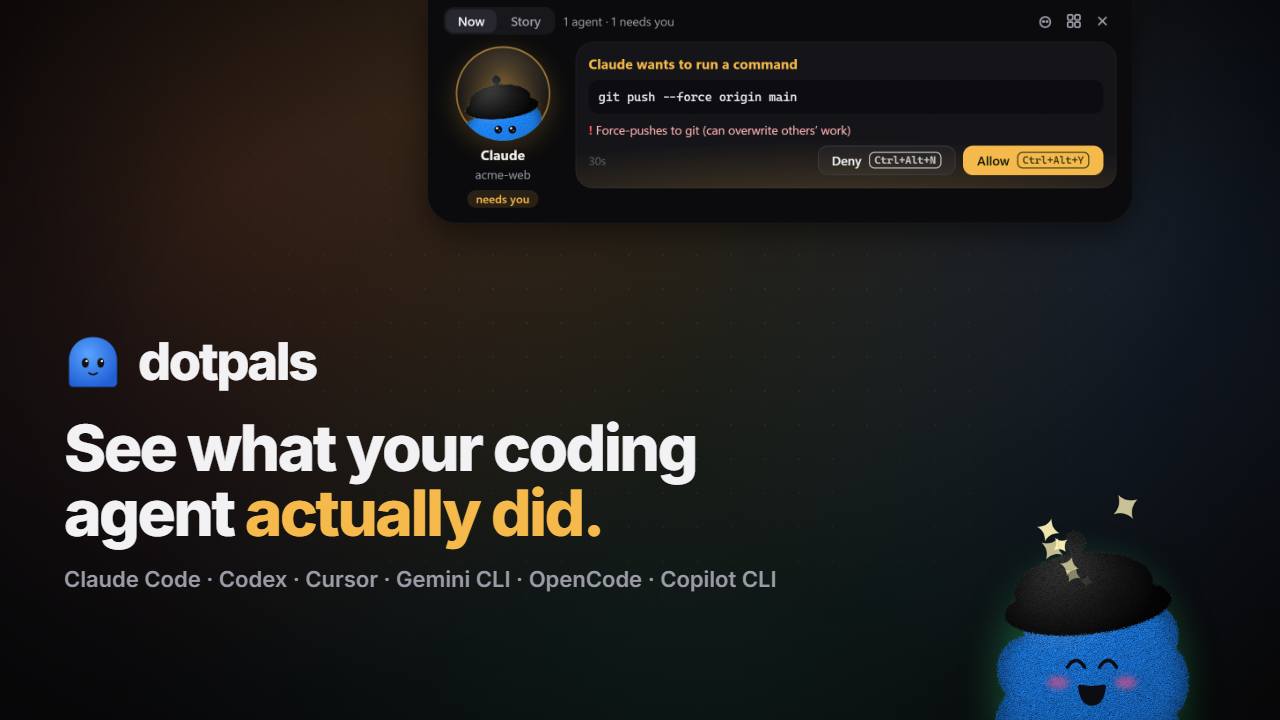
Notch 2.0
- Four sizes: hidden when nothing runs or you're away, a peek when you hover the top edge, a slim bar with each agent's pal while they work, and a 640 px open view.
- Now tab: the file being edited as a live diff typing in, or a step checklist, plus plan, context, helpers and usage limits.
- Approve without switching windows: the approval card shows the command and its risk. Use Ctrl+Alt+Y / Ctrl+Alt+N, held only while the card shows.
- Story tab: today's totals, the plan, helpers, the context window with Copy /compact, and each request as story chapters.
- Opens itself when an agent needs you and stays until you answer. Done and error cards show briefly. Closes 8 s after you move away. Esc closes it. Clicks pass through everywhere except the island.
The pals got faces
- Expression eyes (happy, closed, wide, ×, spirals, hearts, sparkles), smooth blending between moods, and a move for each state: a hop when it needs you, a jitter on errors, sparkles when done.
- Eyes follow your cursor across the whole screen. Hover it, rest the mouse on it for hearts, poke it, and three pokes make it dizzy.
- A hello when a new agent starts. Clear tiny avatars in the notch.
- New API:
pal.greet(),pal.emote(name),pal.burst(kind)andDotPal.pointAt(x, y).
Also
- Docs updated: the guide and ARCHITECTURE.md.
- A new launch video (attached: 1080p and square, with sound).
Update
Run the setup command again, then reload Claude Code (in VS Code: Developer: Reload Window).
Full list: CHANGELOG.md
dotpals 0.8.1
Fixes Share with your agents on macOS and Linux: the hook now works out the project name the same way the bridge does.
Everything new in 0.8 (helpers for any agent, share with your agents, dismiss a session, Tools filters, docs): see 0.8.0.
npx --allow-git=all github:rikinshah787/dotpals setup