This is a collection of IronPython scripts to be used within the proprietary geospatial software "Trimble Business Center" aka TBC.
See https://geospatial.trimble.com/products-and-solutions/trimble-business-center for details.
You'll need at least the "Survey Advanced" license for TBC in order to execute those scripts.
Since executing and development requires a valid license of TBC this repository is provided as is. At the time that you read this I might not have access to such a license anymore and might not be able to react to improvement requests or bug reports.
The country I'm living in, and TBC internally, use the metric system. I've added support for imperial units where necessary, but do a sanity check on computed values.
With TBC V5.90 the Ironpython version was changed from 2.7 to 3.4. That syntax change made it necessary to have two separate repositories.
- Download the file
SCR_Install.pyand place it into the folderC:\ProgramData\Trimble\MacroCommands3 - Start TBC — it will show a new temporary tab "SCR Macro Installer"
- Run the macro
SCR_Installfrom it and select which macros you want - If you choose to download the help it will download all media files (~240 MB)
- That way you can investigate what every macro does before downloading it
- If you choose to install a macro, the installer will delete itself when finished
- In its stead,
SCR_MacroUpdatewill take care of future updates
The size of the repository results mainly from the animated GIF's in the Help folder.
The collection of files included in the ZIP archive must be extracted into the following folder.
until version V5.81 "C:\ProgramData\Trimble\MacroCommands"

from version V5.90 onwards "C:\ProgramData\Trimble\MacroCommands3"

📝 Note: New with V5.90, and due to supposedly popular demand, is Trimble enabling the write protection for this folder during the TBC installation.
To avoid error messages during the first TBC start and during runtime of some macros, which create temporary CSV files, do the following:
--> Right click the folder --> go to Properties -> Security Tab -> give Users write rights or full control
Each script needs to import several assemblies at startup. In order to simplify the maintenance I have outsourced them into one single file "SCR_Imports.py" that must be located in the above mentioned folder.
Each script executes this hard coded imports file at startup.
import os
execfile("C:\ProgramData\Trimble\MacroCommands\SCR Macros\SCR_Imports.py")
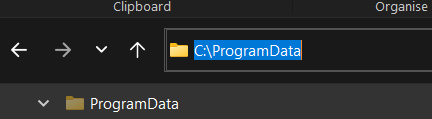
"C:\ProgramData" is usually a hidden folder, just copy and paste it into the address bar of the file explorer.
Trimble occasionally changes the namespace of some assemblies in a new release of TBC. This is unfortunately not documented anywhere. As developer you'll find out when the import fails in a new version. In that case the imports file needs to be updated, and that's the reason for all those try/except calls in it.
You'll need a free TrimbleID to access the following pages.
See the getting started guide here
And the forum for people who may be able to help you out