
This is a project written for UTS Capstone Subject: Systems Development Project.
- Ziwei Tang – Project Leader
- Wilson Yu – Project Vice Leader
- Limyandi Vicotrico – Technical Lead
- Jayden Liang – Librarian
- Jacob Harris – Quality Assurance
- Charlie Park – Documentation
The UTS Faculty of Engineering and Information Technology (FEIT) run various seminars throughout the year. UTS currently uses:
- Eventbrite and
- Ungerboek to help people gain knowledge of these seminars.
Eventbrite is normally used for small events like workshops where the main goal is to register attendees. On the other hand, Ungerboek is used for larger events like conferences that run for several days, have hundreds of attendees, deal with conference fees and many more.
While all of these full featured event management systems are very helpful, they might be a little bit too complex when the FEIT staff want to run a simple seminar. ManageU is an easy to use application which allows staff to create seminars quickly and easily, resolving the inconveniences of the current system.
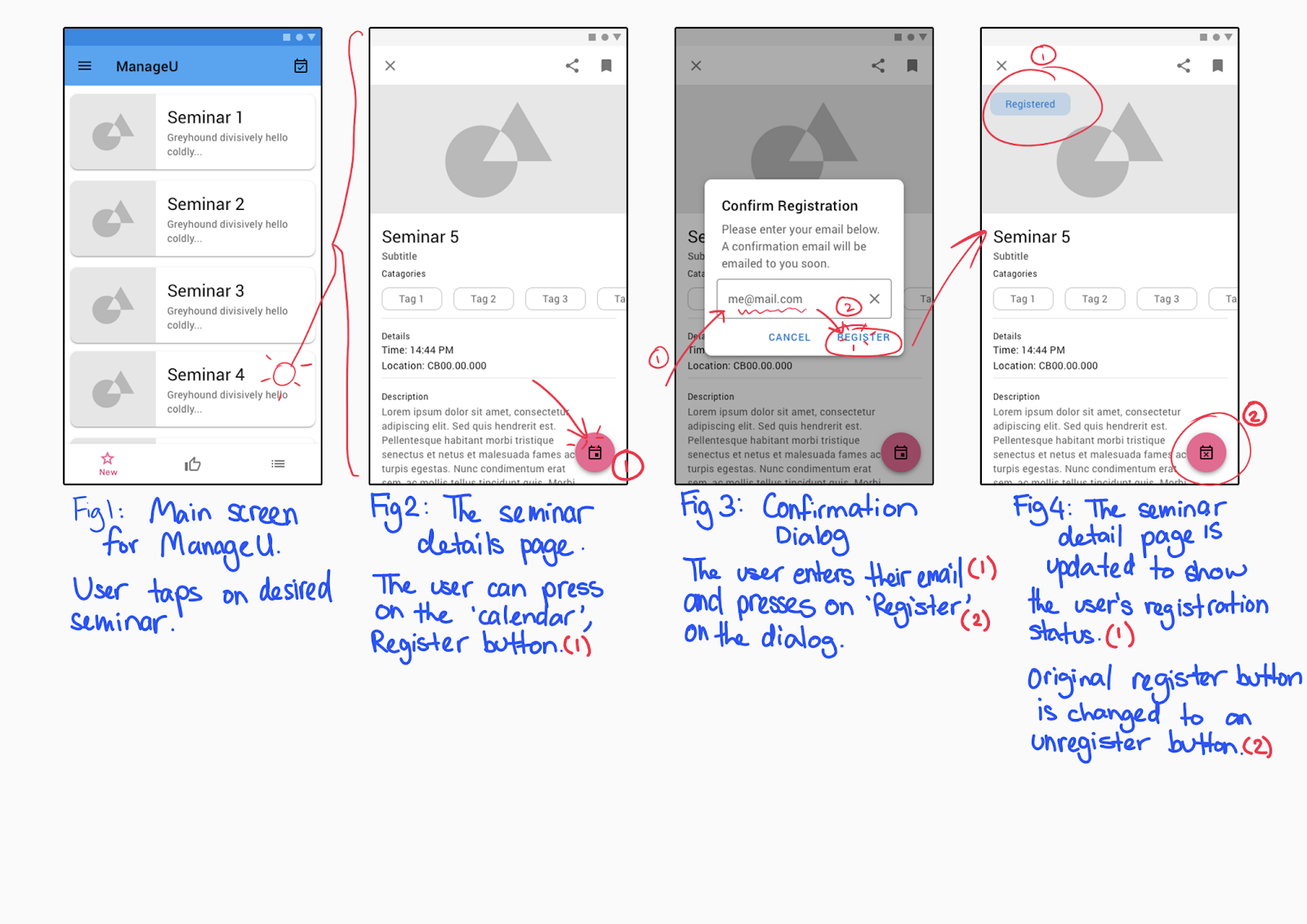
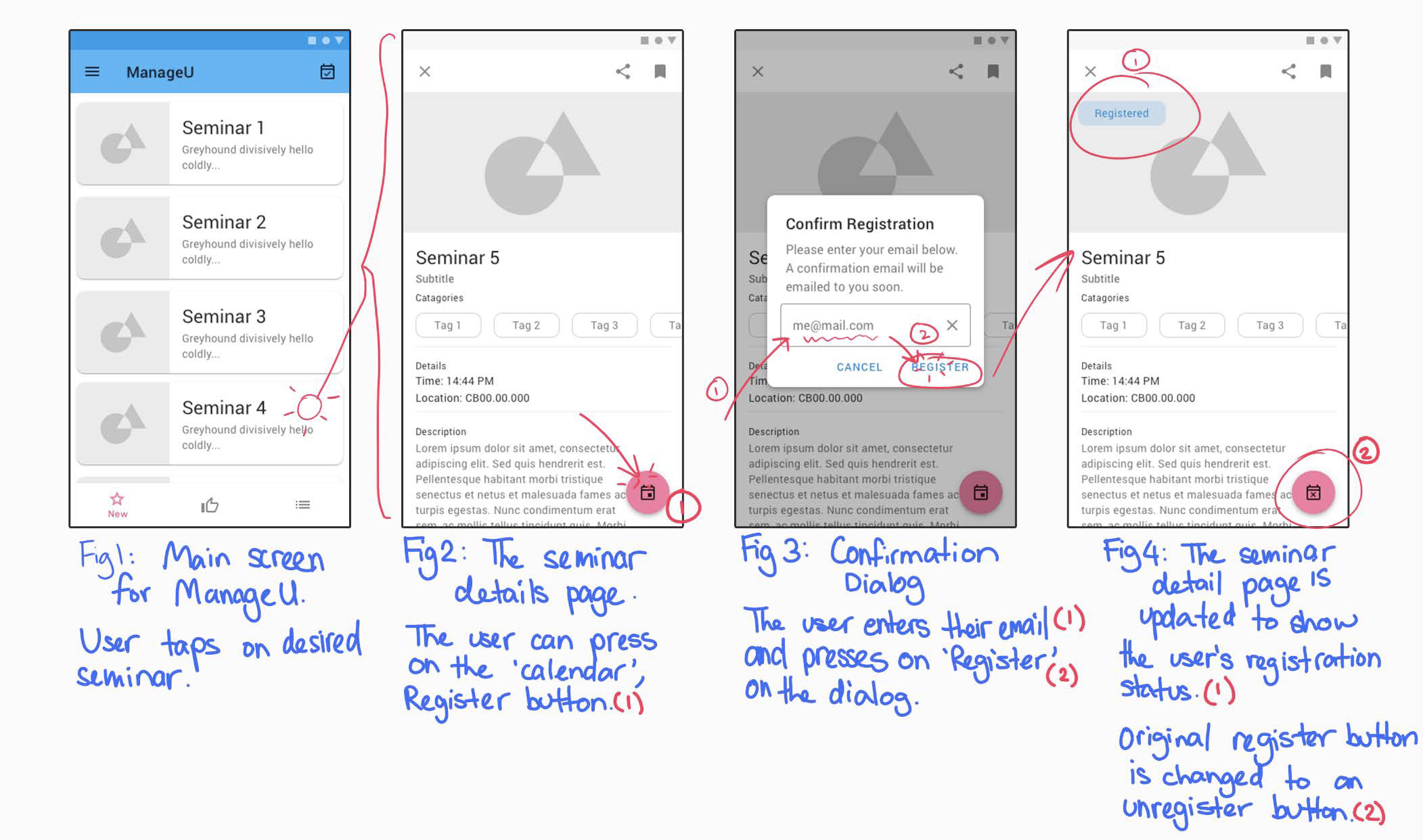
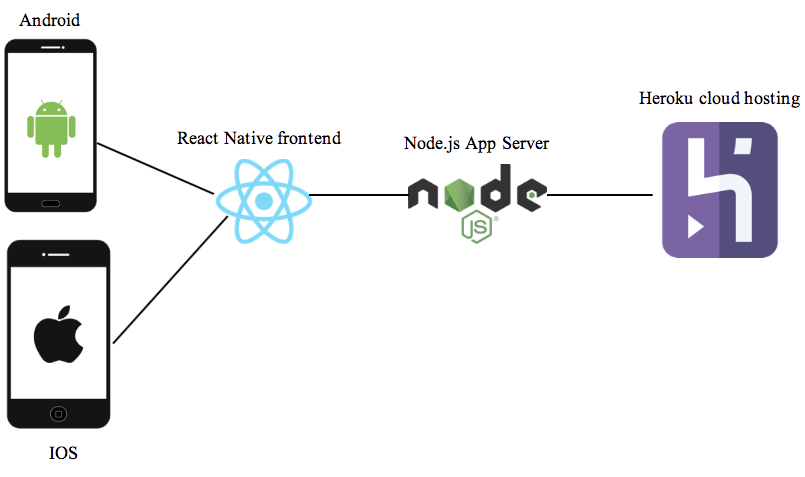
The ManageU application is a Standard compliant React Native App Utilizing Ignite.
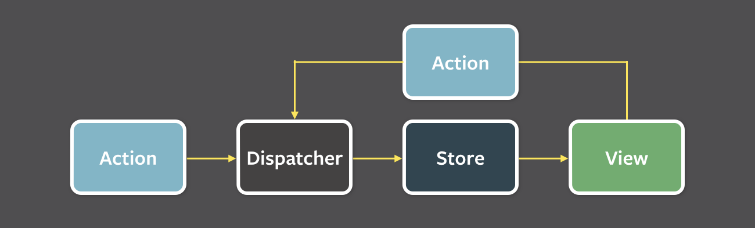
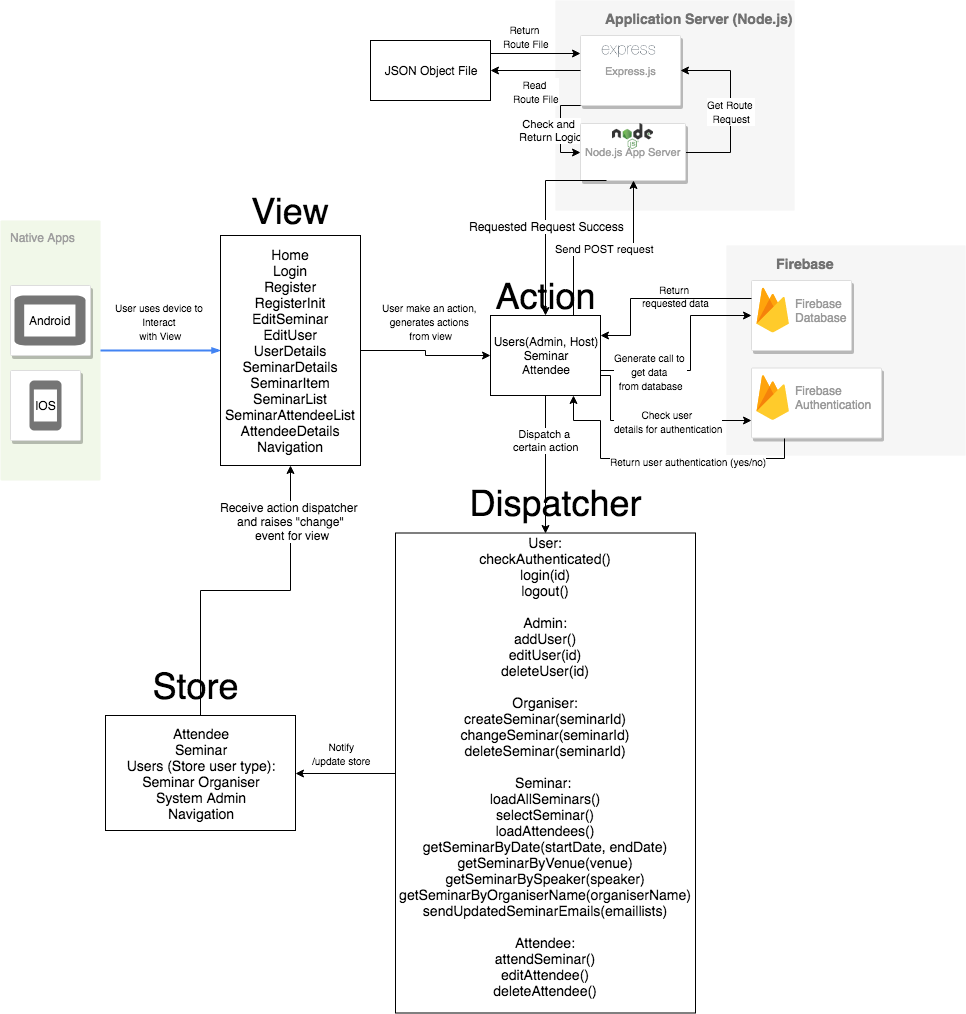
The Flux architecture is used for the application, which utilises a unidirectional data flow.
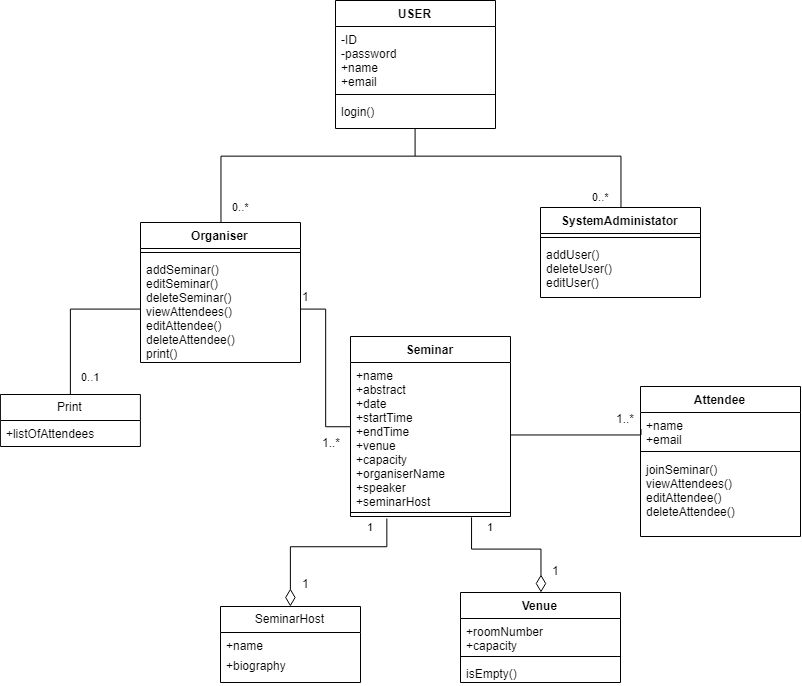
The Agile Methodology was used to build the application. With 7 weeks available to complete the project, the timeframe for each sprint is two week, with evaluation after each sprint finish. Trello has been utilised to keep track of story and story points.
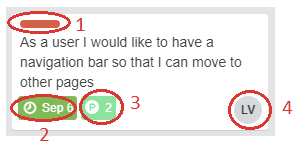
Each user story contains the following elements that will help the team be informed on the project sprint schedule.
- Priority (Values: Red, Yellow, Green) This element signifies the priority of the user story using the high, medium and low rating based on the colour of the element which are red, yellow and green respectively.
- Completion Date and Status (Green, Grey) This element displays the deadline for the user story to be implemented. Once completed, the person responsible for this user story can change the element to green which shows that this user story is complete.
- Estimation (Values: 1 - 10) This element displays the difficulty or complexity to implement the user story, this also indicates how long it will take to implement where 1 is easy and quick while 10 is complex and will take time to complete.
- Assigned team member This element indicates who is responsible for the marked user story. Depending on the difficulty of the user story, multiple team members can be assigned to a single user story. This allows division of work much more easily and improve clarity of which tasks are assigned to whom.