Repository navigation
JevPaper 0.2.0 (preview): English interface
Pre-release
Pre-release

JevPaper now speaks English. Open an arXiv paper and see every claim in its abstract, the sentence in the body that delivers it, and the caveats worth knowing, marked right on the page in about two seconds.
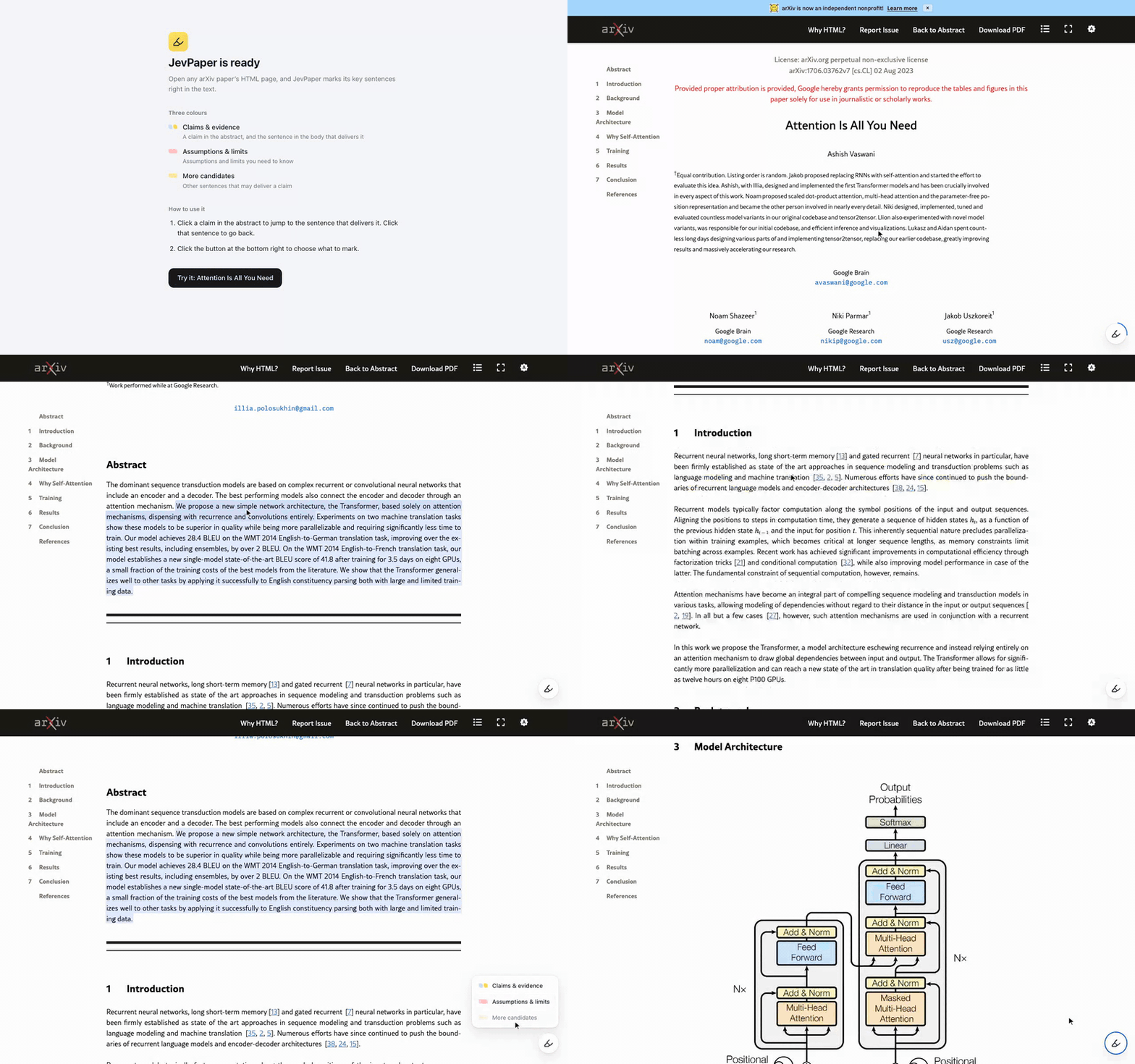
What's new
- English interface. JevPaper follows the language of your Chrome: Chinese in a Chinese Chrome, English everywhere else. The extension's name and description in Chrome are localised too (English, Simplified and Traditional Chinese).
- Clearer popup status. When a paper could not be marked, the popup now says what went wrong and how to fix it, in words that fit the popup.
Install
- Download
jev-paper-0.2.0-chrome.zipbelow and unzip it into a folder. - Open
chrome://extensions, turn on Developer mode, click Load unpacked and pick that folder. - Click the JevPaper icon, paste an OpenRouter key and press Get started.
- In the guide that opens, press Try it.
Needs Chrome 128 or later. Works on arxiv.org/html/… and ar5iv pages. About one cent and two seconds per paper with your own key; each paper is computed once and cached on your machine.
Upgrading from 0.1.0: unzip over the old folder and click the reload icon on JevPaper's card in chrome://extensions. Your key and cached papers stay. Loading from a new folder installs a separate, fresh copy.
Known limitations
- The TypeSafe preset has not yet been exercised against the live TypeSafe API; OpenRouter is the tested path.
- This is a developer-mode install; a Chrome Web Store listing is planned.
Feedback and issues are very welcome.