










An all-in-one AI pipeline for creating cinematic, documentary-style videos —
from a single topic to a fully packaged YouTube-ready project.
The Pipeline · Models & APIs · Real-World Cost · Getting Started · Features

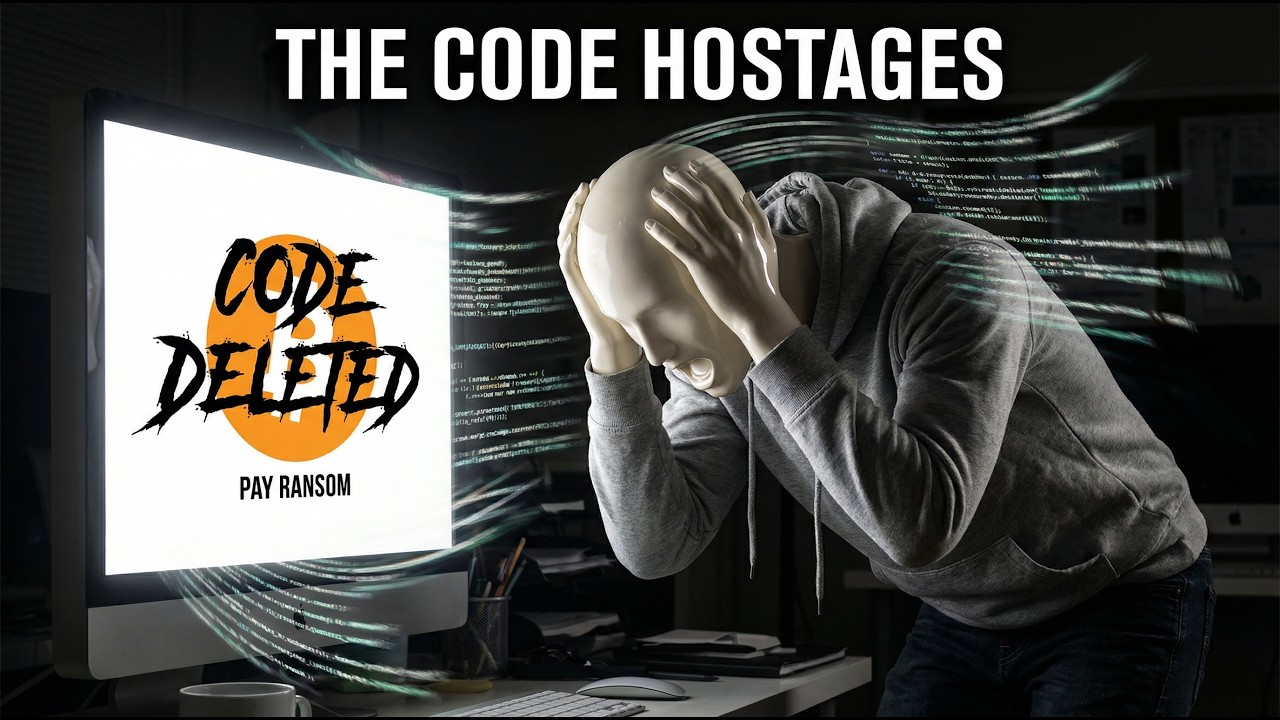
ContentMachine.1.mp4
API Status: I've personally tested this with Replicate and Gemini APIs — those are the battle-tested paths. fal.ai & elevenlabs support is implemented but not fully verified — it may have rough edges. PRs welcome!
ContentMachine automates the entire documentary video production workflow using state-of-the-art AI. Give it a topic, and it handles everything: researching real historical stories, planning scenes, generating images, creating video clips, writing narration scripts, generating voiceover audio, YouTube metadata, and thumbnails — all packaged into a clean ZIP ready for your video editor.
Built for content creators, documentarians, educators, and hobbyists who want to produce high-quality, cinematic content without a full production team.
I built this as a personal all-in-one pipeline — easy enough to run locally, flexible enough to swap AI providers, and powerful enough to produce publish-ready assets in one session.
ContentMachine runs a step-by-step pipeline with a clean UI to monitor, pause, and resume at any stage.
Topic Input
    │
    ▼
┌─────────────────────────────────────────────────────┐
│  1. STORY GENERATION                                │
│     LLM finds 4 real, documented historical stories │
│     with cinematic potential → you pick one         │
└─────────────────────────────────────────────────────┘
    │
    ▼
┌─────────────────────────────────────────────────────┐
│  2. SCENE PLANNING                                  │
│     LLM builds a full cinematic shot list with      │
│     smart pacing: durations adapt per video model   │
└─────────────────────────────────────────────────────┘
    │
    ▼
┌─────────────────────────────────────────────────────┐
│  3. IMAGE GENERATION                                │
│     4 variations per scene (establishing, intimate, │
│     detail, atmospheric) — select the best one      │
│     All images saved as real PNG/JPG files in ZIP   │
└─────────────────────────────────────────────────────┘
    │
    ▼
┌─────────────────────────────────────────────────────┐
│  4. VIDEO GENERATION                                │
│     Image-to-video, 2 scenes at a time              │
│     Multiple models available — select best clip    │
│     Browse previous versions with ← → arrows        │
└─────────────────────────────────────────────────────┘
    │
    ▼
┌─────────────────────────────────────────────────────┐
│  5. AUDIO  (optional)                               │
│     ElevenLabs TTS narration + SFX per scene        │
└─────────────────────────────────────────────────────┘
    │
    ▼
┌─────────────────────────────────────────────────────┐
│  6. EXPORT                                          │
│     YouTube metadata · multi-select thumbnails      │
│     Full ZIP: videos + images/selected + images/all │
│     + audio + script + restorable project.json      │
└─────────────────────────────────────────────────────┘
The default aesthetic uses seamless glossy porcelain mannequins — figures always fully clothed in period-accurate outfits including explicitly named footwear (e.g. "iron-buckled brown leather knee boots"), no visible joints, stands, or supports. Photorealistic environments, ray tracing, cinematic lighting. A great starting point for YouTube-focused creators since it avoids depicting realistic scenes that may have been altered.
The visual style is fully customisable: expand Advanced — Customize System Prompts on the start page to edit the image prompt rules for any character type. Pair this with the Character Base Images feature (see below) to lock in a consistent look across every scene.
Note: Replicate and Gemini are the tested providers. fal.ai is a work in progress — contributions welcome.
| Provider | Models |
|---|---|
| fal.ai (WIP) | Claude 3.5 Sonnet |
| Gemini (direct) | Gemini 3 Flash (recommended), Gemini 3.1 Pro, Gemini 3 Pro, Gemini 2.5 Flash, Gemini 2.5 Pro |
| Replicate | Gemini 2.5 Flash, Gemini 3 Flash, Gemini 3.1 Pro, Claude 3.5 Sonnet |
| Provider | Models |
|---|---|
| fal.ai (WIP) | Flux Pro, Flux 2 Pro, Flux Schnell, Nano Banana Pro, Qwen Image 2512, Z-Image Base, Ideogram V3, SD 3.5 Large |
| Replicate | Flux 2 Pro, Flux 1.1 Pro, Nano Banana Pro (Gemini), Imagen 4 |
| Gemini (direct) | Gemini 3 Pro Image Preview (2K native output) |
| Provider | Model | Notes |
|---|---|---|
| fal.ai (WIP) | LTX-2 image-to-video | Not fully verified |
| Replicate | LTX-2 Pro | With generated audio, 6–10s |
| Replicate | LTX-2 Fast | 6–20s in 2s steps, favours 12–20s |
| Replicate | Kling v3 | 3–15s, standard/pro mode, AI audio |
| Replicate | Kling v2.5 Turbo Pro | 5s or 10s only |
| Provider | Capability |
|---|---|
| ElevenLabs | Scene-by-scene narration voiceover + SFX generation |
| Local TTS | Bring your own (QWEN TTS, Kokoro, etc.) — zero cost |
A 4:30 minute documentary video produced with ContentMachine cost me approximately $28 USD.
| Component | Provider / Model Used | Notes |
|---|---|---|
| Story + Scene Planning + Scripts | Gemini 3 Flash Preview (Gemini API) | Very cheap |
| Scene Images + Thumbnail | Nano Banana Pro / gemini-3-image-preview (Replicate) | Medium |
| Video Clips | LTX-2 Pro (Replicate) | Largest cost driver |
| Narrator TTS | QWEN TTS (local) | Free |
Tips to reduce cost:
- Use
gemini-2.5-flash(non-preview) for LLM — higher quota, fewer rate limits - Use fal.ai LTX-2 instead of Replicate LTX-2 Pro for cheaper video (once fal.ai is fully verified)
- Use Flux Schnell for faster, cheaper image generation
- Use a free local TTS tool for zero audio cost
- Use LTX-2 Fast on Replicate for longer scenes at a similar price point
- Node.js 18+
- API keys for at least one LLM provider and one image provider
# Clone
git clone https://github.com/Saganaki22/ContentMachine
cd ContentMachine

# Install all dependencies
npm install

# Start both backend and frontend
npm run dev
App runs at http://localhost:5173. Backend API at http://localhost:3000.
Open the Settings panel (gear icon, top right). Paste your API keys — they are saved in your browser's localStorage and automatically pushed to the backend on each session startup. No .env file required for local use.
| Provider | Link |
|---|---|
| fal.ai | fal.ai/dashboard/keys |
| Replicate | replicate.com/account/api-tokens |
| Gemini | aistudio.google.com/api-keys |
| ElevenLabs | elevenlabs.io/app/settings/api-keys |
npm run build
npm run startContentMachine/
├── backend/
│ ├── server.js Express API server (200mb body limit)
│ └── routes/
│ ├── claude.js LLM: stories, scene plans, prompts, scripts, metadata
│ ├── images.js Image generation: fal.ai / Replicate / Gemini
│ ├── videos.js Video generation + status polling
│ ├── elevenlabs.js TTS narration + SFX generation
│ ├── thumbnail.js Thumbnail image generation
│ ├── export.js ZIP packaging (streams to browser)
│ ├── session.js Auto-save sessions to output/ folder
│ └── settings.js API key management
│
├── output/ Auto-saved sessions (one folder per session)
│ └── session_YYYY-MM-DD_xxx/
│ ├── session.json Restorable project state
│ ├── images/selected/ Chosen image per scene (PNG/JPG)
│ ├── images/all/ All 4 generated variants per scene
│ ├── images/history/ Previously regenerated image versions
│ ├── videos/ Current selected video per scene (MP4)
│ ├── videos/history/ Previously regenerated video versions
│ └── thumbnails/ Generated thumbnail images + history
│
└── frontend/src/
├── pages/
│ ├── StorySelect.jsx Step 1 — topic input, story selection, aspect ratio, character images, advanced prompts
│ ├── SceneImages.jsx Step 2 — image generation + selection + export
│ ├── VideoGeneration.jsx Step 3 — video generation + narration script
│ ├── AudioGeneration.jsx Step 4 — TTS voiceover (optional)
│ └── Export.jsx Step 5 — thumbnail, metadata, ZIP export
├── components/
│ ├── Layout.jsx Header, nav, settings drawer, session browser, footer
│ ├── ImageModal.jsx Full-screen image viewer with history navigation
│ ├── VideoModal.jsx Full-screen video viewer with history navigation
│ └── ExportModal.jsx Shared export modal (available from images page onwards)
├── store/
│ └── pipelineStore.js Zustand global state + all async actions
├── services/
│ └── api.js Axios client for all backend calls
└── workers/
├── zipImporter.worker.js ZIP extraction off main thread (JSZip + base64)
└── jsonSerializer.worker.js (legacy, retained for reference)
- 6-step guided pipeline — story → scenes → images → videos → audio → export
- 4 image variations per scene — establishing, intimate, detail, atmospheric
- Batch processing — images generated scene-by-scene, videos 2 at a time
- Model-aware scene planning — LLM adapts allowed durations and pacing to match the selected video model's constraints
- Aspect ratio support — 16:9 (landscape) and 9:16 (portrait/TikTok/Reels); passed via API parameters, never written into prompts
- Resolution locked to 1080p — ensures consistent quality across all video models
- Pause / Resume at any point — safe to stop mid-batch and continue later
- Regenerate any individual image or video clip without re-running the pipeline
- Regenerate All — re-runs image generation for all scenes in one click
- Select All / Deselect All for video clips in one click
- Per-video download — download any individual video clip directly from the card
- Auto-retry — Gemini 429 rate limits and Replicate interruptions handled automatically with exponential backoff
- JSON repair — truncated or malformed LLM output is auto-repaired before parsing
- Live scene count estimate — estimated scene count shown on the start screen as you adjust video length
- Version history for images, videos, and thumbnails — every time you regenerate, the previous version is saved automatically
- ← → arrow navigation — browse all previous versions of any image, video clip, or thumbnail in the full-screen modal
- Select any version — the version you are viewing when you click Select is the one that gets used; you are never locked into the latest regeneration
- Prompt saved per version — the exact prompt used for each version is shown and preserved; editing the prompt before regenerating updates it in the project
- History survives export — all previous image versions are included in the ZIP (
images/history/) and round-trip through session save/load
- LTX-2 Pro — 6/8/10s, generated audio
- LTX-2 Fast — 6–20s in 2s steps, scene planner biased toward 12–20s to make full use of the model
- Kling v3 — 3–15s integer, standard/pro mode, AI audio, uses start image
- Kling v2.5 Turbo Pro — 5s or 10s only, fast turnaround, uses start image
- Auto-save sessions — the app automatically saves your entire session to the
output/folder on the backend after every image batch, every completed video, and after thumbnails generate; a 60-second fallback timer catches anything in between - Session browser — click the clock icon in the header to browse all auto-saved sessions by date; click any session to restore it instantly, or delete sessions you no longer need
- Images and videos saved as real files — auto-saved sessions store every generated image AND video to disk (
images/all/,images/selected/,images/history/,videos/,videos/history/,thumbnails/) — no base64 bloat, files are immediately viewable in your file explorer - ZIP export — export at any stage (even from the images page before generating videos); ZIP contains:
images/selected/scene_NN.jpg— your chosen image per sceneimages/all/scene_NN_vN.jpg— all 4 generated variants per sceneimages/history/— previously regenerated image versionsvideos/scene_NN_v1.mp4,scene_NN_selected.mp4— all generated video versions per scenevideos/history/— previously regenerated video versionsaudio/,thumbnail/selected/,thumbnail/all/project.json— fully restorable project state (no base64 — images are the real files)
- ZIP import — load a ZIP back into the app; extraction runs in a Web Worker so the UI never freezes; all images, videos, and thumbnails are restored and you continue exactly where you left off
- Load project — the Load button (folder icon) accepts both
.zipand.jsonfiles; navigates automatically to the furthest completed step - Safe load — loading a project never triggers new API requests or charges
- Browser persistence — Zustand state survives page reloads via localStorage
Note on video URL expiry: Some video providers (including Replicate) delete generated videos from their servers within a few hours of generation. Once the URL expires, the video is gone. Always export your ZIP or let the auto-save session capture the video URL before closing the tab. Images are always saved as real files and never expire.
- Saved in localStorage — keys auto-loaded into the backend on every session start, no re-entry needed
- Per-key Clear button — red clear button removes a key from localStorage and the backend instantly
- Validate before saving — Test button checks each key is valid before storing
- Upload reference images — upload a male and/or female character reference (JPG, PNG, WebP, max 10 MB each) on the start page
- Works for any character style — mannequins, realistic humans, anime characters, or anything else; describe the style in the optional Character style text field and the model follows it
- Sent with every scene — reference images are included with every image generation request so the model preserves the character's proportions, tone, and hair across all scenes
- Scene clothing always overridden — each scene still gets its own era-correct clothing and pose from the scene plan; only the character appearance is locked in
- Model-aware delivery — Nano Banana Pro (Replicate & fal) and Gemini receive the actual images as multimodal input; all other models receive a text consistency hint instead
- Resets with "Start Fresh" — character images and description are cleared when starting a new project
- Advanced System Prompts — expandable section on the start page with editable textareas for all 7 pipeline stages (story selection, scene planning, image prompts, video prompts, narration script, YouTube metadata, thumbnail prompts)
- Pre-filled with defaults — each textarea shows the actual prompt currently in use so you know exactly what to change
- Reset to default — one click restores any stage to its original prompt
- Custom prompts persist — saved to localStorage, survive page reloads
- ZIP export — available from the images page onwards; no need to complete every step before exporting
- Restorable project.json inside ZIP — load the ZIP back into the app at any time to continue where you left off
- Multi-select thumbnails — pick one or several thumbnails for export
- Thumbnail lightbox with history — view full size, browse previous regenerated versions with arrows, select/deselect from the lightbox
- Generate thumbnail without metadata — thumbnail generation works even if the metadata step was skipped
- YouTube metadata — 4 title options, SEO description, tags, chapter timestamps — all editable before export
- ContentMachine branding — clean dark UI, step indicator in header, GitHub link always visible
- Start Fresh — red button with confirmation dialog to clear all progress safely
- Example topics — pre-filled story suggestions with year/category tags
- Inline video preview — completed video clips play on hover directly in the card grid
- Video prompt editor — edit the motion prompt for any scene before regenerating
Feel free to open a PR! Some areas that would benefit most from contributions:
- fal.ai verification — testing and fixing the fal.ai image and video paths end-to-end
- New video models — adding support for additional Replicate or fal.ai video models
- New image models — expanding the image provider/model list
- Deployment config — Docker, Railway, Render, or Fly.io setup
- Bug fixes & polish — anything you find while using it
Licensed under the Apache License 2.0.
