Build Your First CI/CD Pipeline using Azure DevOps with this Demo App.
This is a Node and Express web application used to demonstrate CI/CD with Azure DevOps. You can clone this repo and use it within Azure DevOps to build, test, and release to an Azure App Service web app.
You can use these commands to install, test, and run the app locally. (Not Required)
npm install
npm test
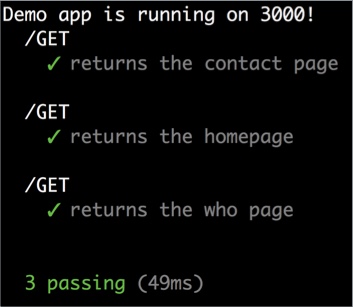
Navigate to the /test folder to review the unit tests for this project. These tests will run as part of your Azure DevOps Build pipeline. See azure-pipelines.yml in this repo.
npm start
Click the button below to deploy an Azure Web App for Linux. This will create a new app service plan and web app with a dev deployment slot. You can then create build and release pipelines at dev.azure.com to continuously deploy the node application in this repo to the dev deployment slot.

Follow my step-by-step guide: Build Your First CI/CD Pipeline using Azure DevOps
This walkthrough contains all the steps you should follow to fork this repo and build your own automated build and release pipeline.
- Runs on every push and pull request.
- Installs dependencies, runs
npm test, and only if that passes, triggers a staging deployment from themainbranch.
The staging deployment uses a Render deploy hook. To enable it, create a GitHub repository secret named RENDER_DEPLOY_HOOK_URL and point it to your Render staging service's deploy hook URL.
Mike Pfeiffer @mike_pfeiffer
1.0.0
This project is licensed under the Apache License 2.0