
jAER 3.4.0 is a big feature release after 3.3.0. See Highlights below.
Download
| You have | CPU | Download |
|---|---|---|
| Windows 10 / 11 | x64 | jAER_windows-x64_3_4_0.exe |
| macOS | Apple Silicon (M1–M4) | jAER_macos_aarch64_3_4_0.dmg |
| macOS | Intel | jAER_macos_3_4_0.dmg |
| Linux | x64 | jAER_unix_3_4_0.sh |
Each installer is <250 MB and includes a bundled Eclipse Temurin JDK from Adoptium (same 25 LTS as 3.3.0) — you do not install Java yourself. OpenCV and JOGL natives are per-OS in the installer (the fat jar stays in git clones for ant run). GitHub lists the same files again under Assets at the bottom of this page. To clone and ant run, install Adoptium JDK 25+ (javac target 25).
Video: installing and updating jAER on YouTube (also covers git clone and rebuild from master).
Installers are GitHub Release assets (since 3.2.0) and jAER can self-update (Help → Check for release updates… → Download and install). Older archival releases may remain on Dropbox.
The installers now offer a sample recordings download (~796 MB). The checkbox is off by default. You can also fetch them later from Help → Sample data.
Linux
chmod +x jAER_unix_3_4_0.sh
sh jAER_unix_3_4_0.sh
Start jAER from the install directory or the desktop / GNOME entry the installer created. No official apt / .deb (USB cameras need an unsandboxed install). If USB udev rules are missing for a jAER device that is plugged in, jAER shows the exact shell command to add the rule(s).
Windows
Download the .exe and run it. This build is not Authenticode-signed yet: SmartScreen may say Windows protected your PC — More info → Run anyway (and Install anyway if the installer also warns). USB cameras: if jAER reports LIBUSB_ERROR_NOT_SUPPORTED, bind WinUSB with Zadig (not libusb-win32). Prophesee EVK4 can use Prophesee wdi-simple.
macOS
Apple menu → About This Mac: Chip Apple M1–M4 → aarch64 DMG; Processor Intel → jAER_macos_3_4_0.dmg (no aarch64 in the name). Terminal: uname -m is arm64 or x86_64.
Open the DMG and run the installer. The build is unsigned; if macOS blocks it, right-click → Open (or Privacy & Security → Open Anyway). Prefer a user folder (~/Applications or ~/jaer) if you do not want an admin install.
Apple Silicon USB cameras need Homebrew libusb: brew install libusb. If the dylib is missing, jAER shows a how-to and quits so the next launch can load it.
Highlights
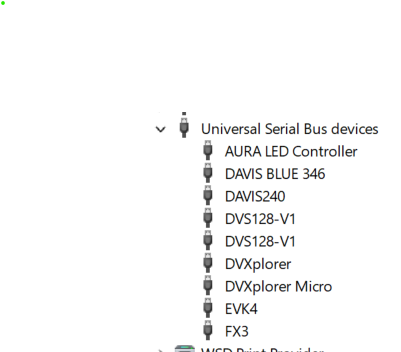
- Robust multicamera USB autobinding, recording, and playback — mixed-set autobind and hotplug
- Quicker startup — >3X quicker window, AWT file-dialog preview
- Sample recordings — Help → Sample data (~796 MB of AEDAT-4 clips)
- AEDAT-4 playback — time slider with event-rate histogram, ARS, IN/OUT
- AreaEventCount — great flextime playback for viewing bursty recordings with varying object sizes
- F1 Quick help — searchable shortcuts
- Save As — parked export with filters, IN/OUT, and stats
- Give Feedback — anonymous feedback for new features and camera support, bugs/annoyances, praise
- DVXplorer Mini / Micro — 640×480 inivation/Samsung DVS, Micro with IMU for low-latency derotation
- DNN shared memory — File → Remote mmap to Roshambo / FireNet
- ROS2 / Foxglove — DVS frames, no ROS2 install
- OpenCV camera output — HTTP MJPEG; Linux Zoom / Cheese webcam
- Muxed AEDAT-4 — one file per session, synced multi-viewer playback
- Features · Bug fixes
Robust multicamera USB autobinding, recording, and playback
Autobind and hotplug were rebuilt so a mixed set (DVS128, DAVIS240/346, DVXplorer classic + Micro, EVK4, NRV DELTA01) can come up together. Ctrl+Shift+U refreshes USB and auto-opens a sole camera; Interface → Refresh finds a second camera while one is already open. Windows discovery decays 1 s → 3 s → 15 s after the last plug/unplug. The AEChip menu is now Sensor. Windows USB scans run only while waiting for a camera (not during playback); focusing the window kicks an immediate scan.


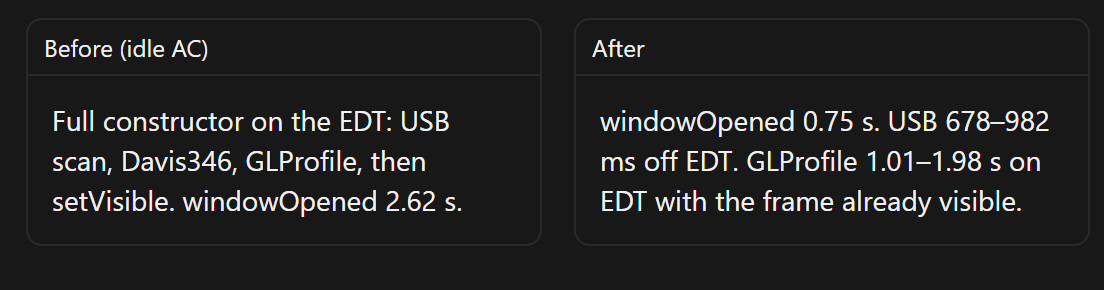
Quicker startup, Video Previews, and Force Quit previous jAER
jAER starts up >3X quicker. The viewer window paints before USB enumeration and JOGL (windowOpened 0.75 s vs 2.62 s idle). Status reads “Starting sensor / OpenGL…” until the chip is ready.
Open-file accessory now plays a short AWT preview of AEDAT-4/2 (no second GLCanvas; Intel Arc-safe) and aborts the previous file when you scroll. The chooser has a ClassChooser-style name filter (substring, or CamelCase if you type a capital).

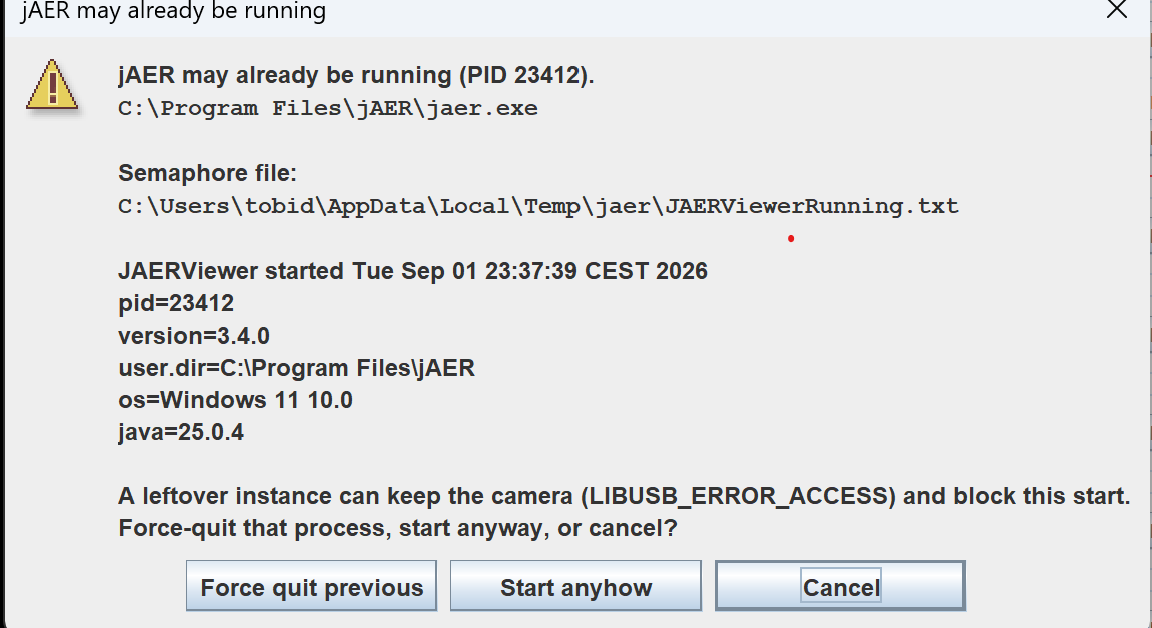
If a leftover JAERViewerRunning.txt points at another jAER process, you can Force quit previous so the camera is not stuck with LIBUSB_ERROR_ACCESS.
Sample recordings
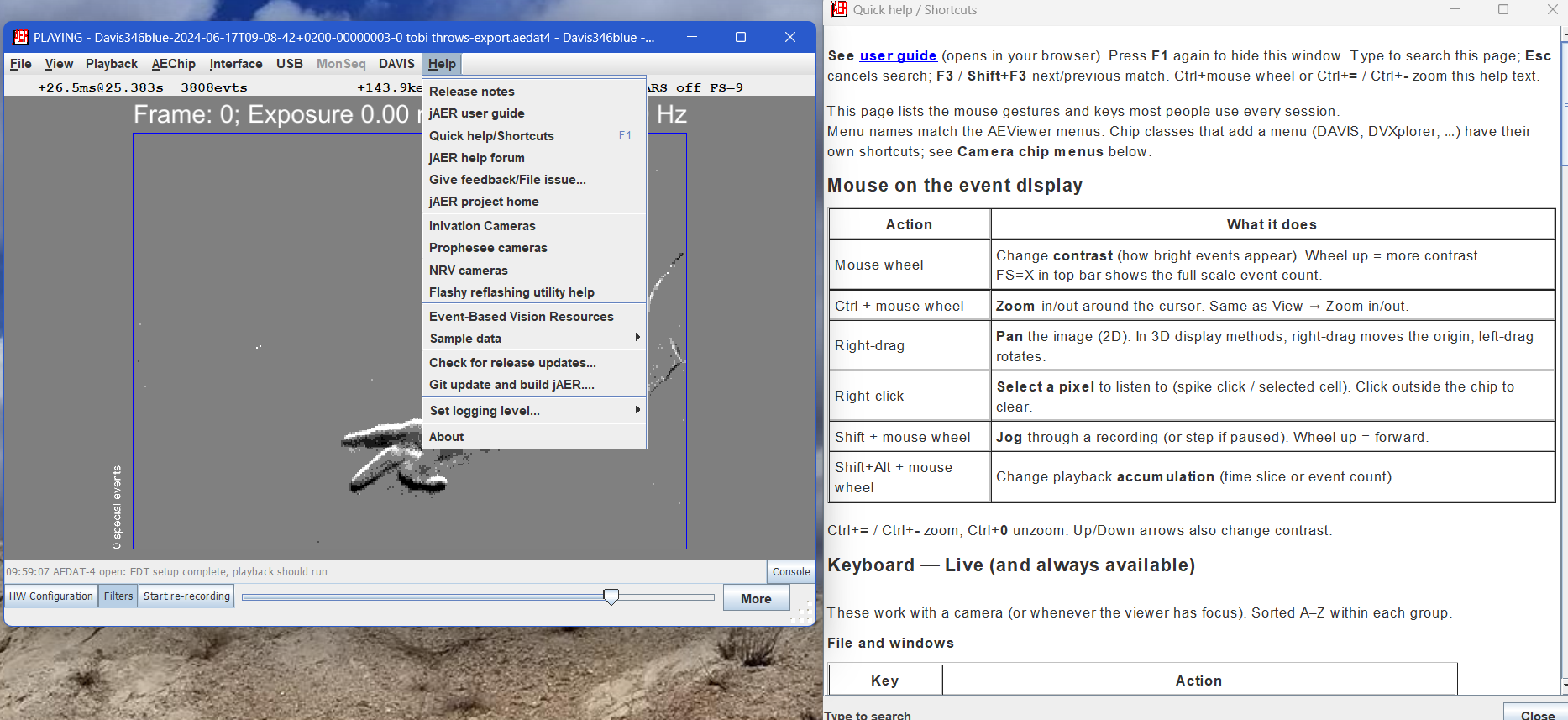
Help → Sample data downloads about 796 MB of short AEDAT-4 clips (DVS128, DAVIS240/346, NRV DELTA01, Prophesee IMX636, a DDD20 driving clip, Steadicam) into sampleData/ next to the install. If the folder is already there, the item becomes Show jAER sample data folder and README. The installer can offer the same zip (off by default). See sampleData/README.md. Opening a DDD20 .h5 / .hdf5 in File → Open converts events and frames to AEDAT-4.
AEDAT-4 playback
Indexed AEDAT-4 files map the player slider by recording time (not event count) and paint a log event-rate histogram on the track so busy/quiet stretches are easy to find. IN/OUT marks follow that time axis. Seek and reverse can leave the marked region so you can set new markers; Rewind and reaching OUT still return to IN. CountDuration, ConstantCount, and AreaEventCount slices (including single-step, rewind, and IN/OUT) now cut at the intended packet boundaries.

View → Adaptive render skipping (Ctrl+Shift+A, also in F1) thins polarity events on forward playback from loop load so large event packets from modern megapixel cameras stay closer to realtime. Reverse, Save As, filters, and recording stay unthinned.

AreaEventCount
A new AreaEventCount accumulation method enables much better viewing of bursty recordings of scenes with variable size moving objects. AreaEventCount slices end when any aspect-matched spatial cell reaches N events (default 32 areas, 1000 events/area; optional min/max duration). T cycles CountDuration → ConstantCount → AreaEventCount. f / s scales the per-area count. File → Preferences sets the number of areas; the grid can flash like PatchMatchFlow. Same exposer is used by DavisAutoShooter (useAreaEventCount), DvsFramer TimeSliceMethod.AreaEvent, and AccumulateAndResetFilter. See BMVC 2018 Figs. 3–4.
F1 Quick help
Help → Quick help/Shortcuts (F1) opens a searchable shortcuts page (type to filter, F3 / Shift+F3 cycles). Title-bar close asks new users to confirm exit (Don't show again defaults on).
Save As
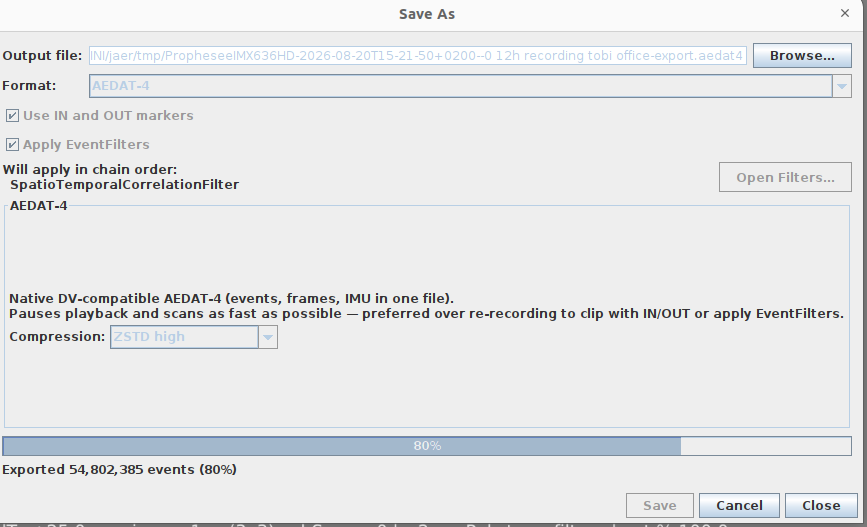
File → Save As… exports recordings as various other formats or lets you compress them by applying offline denoising and IN and OUT points. It now parks the ViewLoop so it no longer races playback. The dialog lists enabled EventFilters from FilterFrame (Open Filters…); the recording overlay shows Apply Filters on/off.
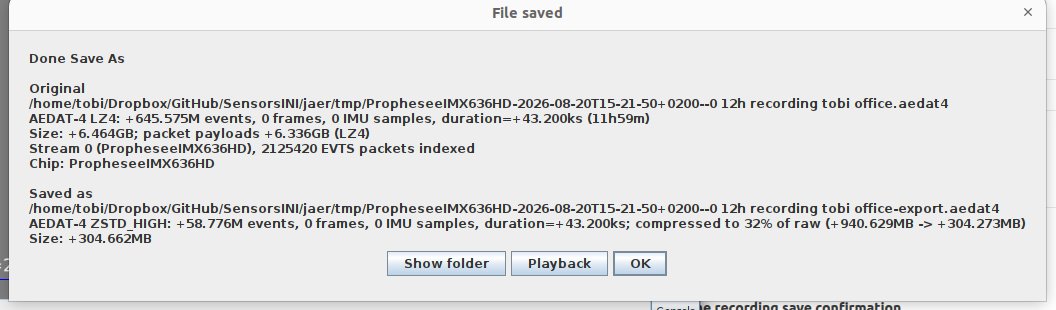
When finished, a confirmation shows original vs saved stats (events, duration, size, compression) with Show folder, Playback, and OK. Save As / Browse reuse Recent Files folders.
Give Feedback
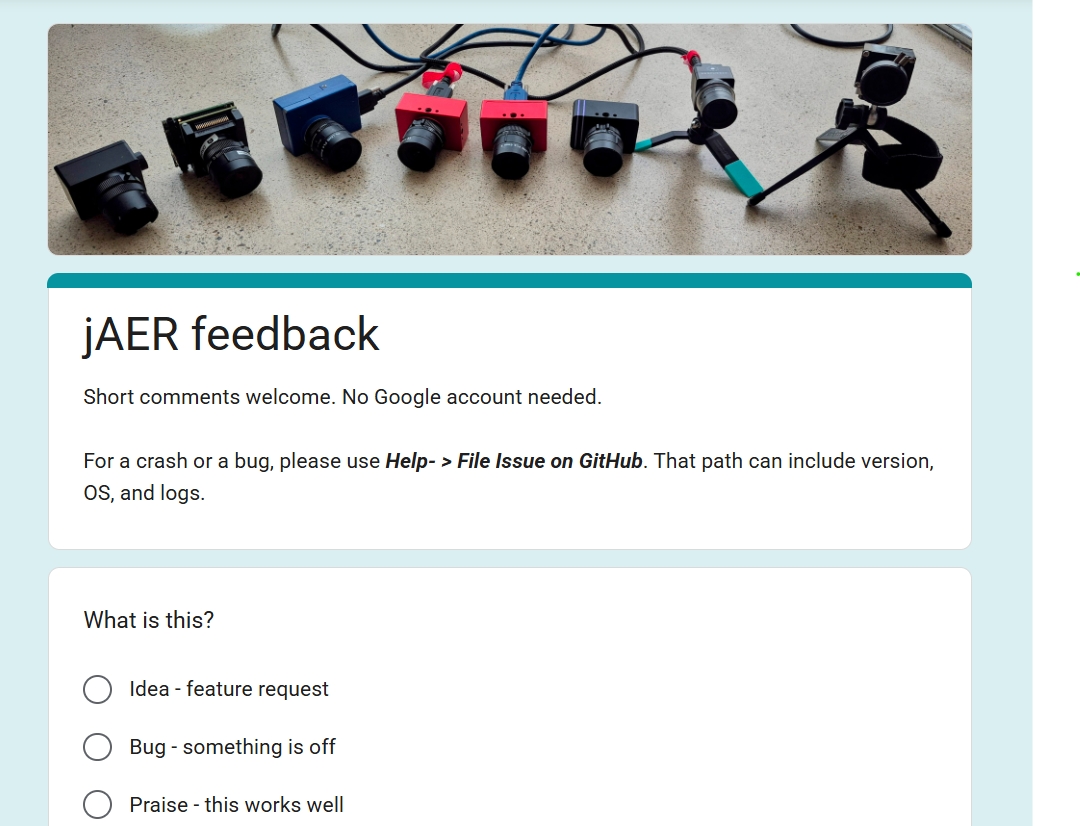
Help → Give feedback… opens an anonymous Google Form (no account needed) for feature ideas, camera support, bugs/annoyances, and praise. For a crash or a bug with logs, use Help → File Issue on Github instead (version, OS, and a Show folder button). First run of a new version can offer these release notes.
DVXplorer Mini / Micro
Among the smallest event cameras, with a usable IMU. Live USB on the same DVXplorer chip class as the FX3 DVXplorer. MIPI DVS on EP 0x82, BMI160 IMU on EP 0x81 (rate-limited, demuxed to ImuPacket for AEDAT-4 and Steadicam). Next-gen SPI and bias sliders. Firmware ≥10 keeps device IMU defaults. Playback Y-orientation matches live capture. Classic FX3 and CX3 Micro are split for USB so both can be open at once. Try Steadicam with your DVXplorer (or any other sensor like DAVIS346) that has an IMU.


DNN shared memory
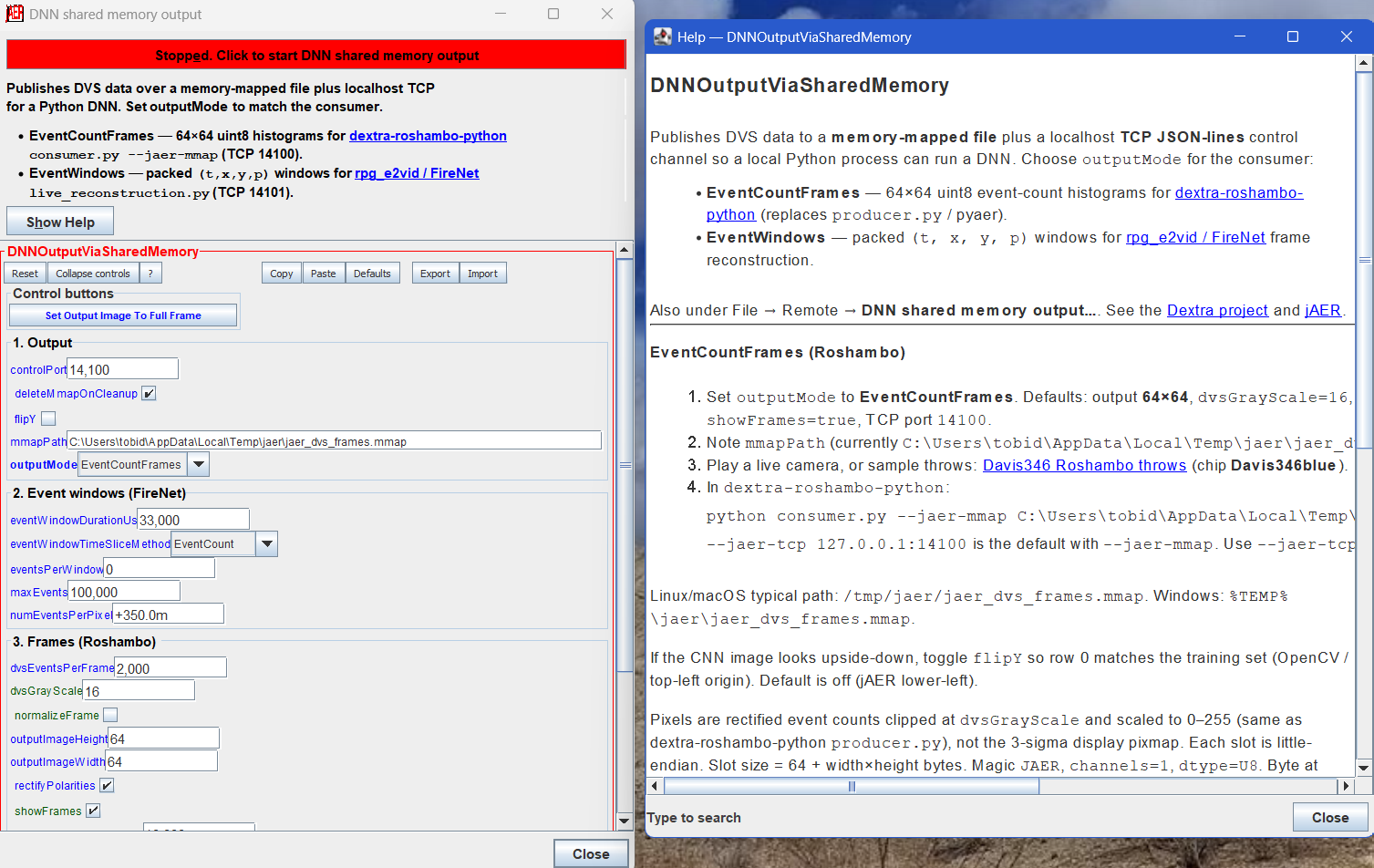
File → Remote → DNN shared memory output… — one filter (DNNOutputViaSharedMemory) replaces the old mmap senders. Choose outputMode:
- EventCountFrames — 64×64 uint8 histograms for dextra-roshambo-python (
consumer.py --jaer-mmap …). - EventWindows — packed
(t, x, y, p)windows for rpg_e2vid / FireNet (uv run python live_reconstruction.py --network firenet --auto_hdr --display --show_events; TCP default127.0.0.1:14101).
Enable is a bold toggle at the top of the dialog (the Remote menu item only opens it). A canvas overlay shows mmap output while it is running. Default flipY is on for EventWindows (jAER lower-left → Python upper-left).
ROS2 / Foxglove
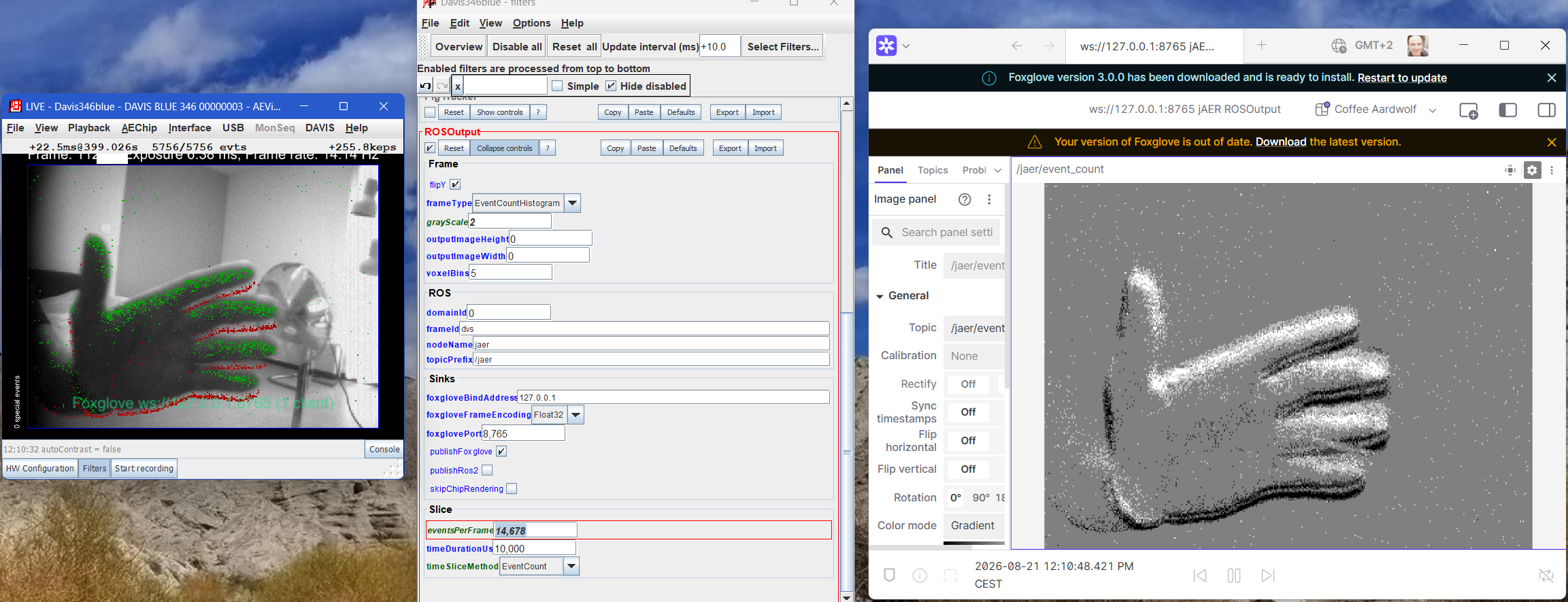
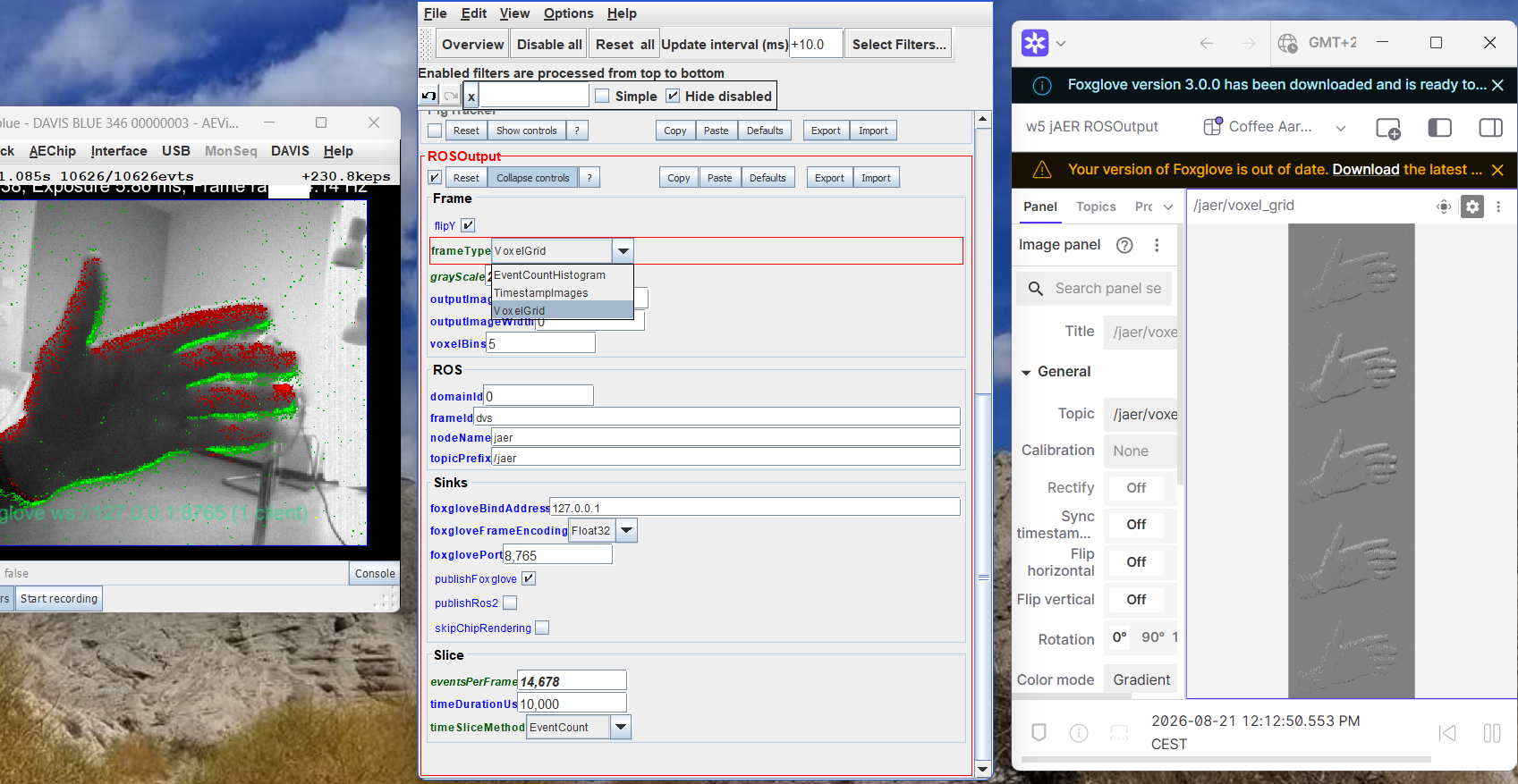
File → Remote → ROS2 / Foxglove frame output… — ROSOutput assembles DVS frames (not the OpenGL pixmap) and publishes to ROS2 (IHMC jros2 / Fast-DDS; no ROS2 install on the jAER machine) and/or Foxglove Studio over a local WebSocket. Foxglove: Open connection → Foxglove WebSocket → ws://localhost:8765 → Image layout → topic /jaer/event_count (or time-surface / voxel). Frame types: EventCountHistogram, TimestampImages, VoxelGrid (B bins stacked as height = B×H on /jaer/voxel_grid). Place after denoisers to publish filtered events. Overlay shows Foxglove URL, client count, and frame count. Experimental.
OpenCV camera output
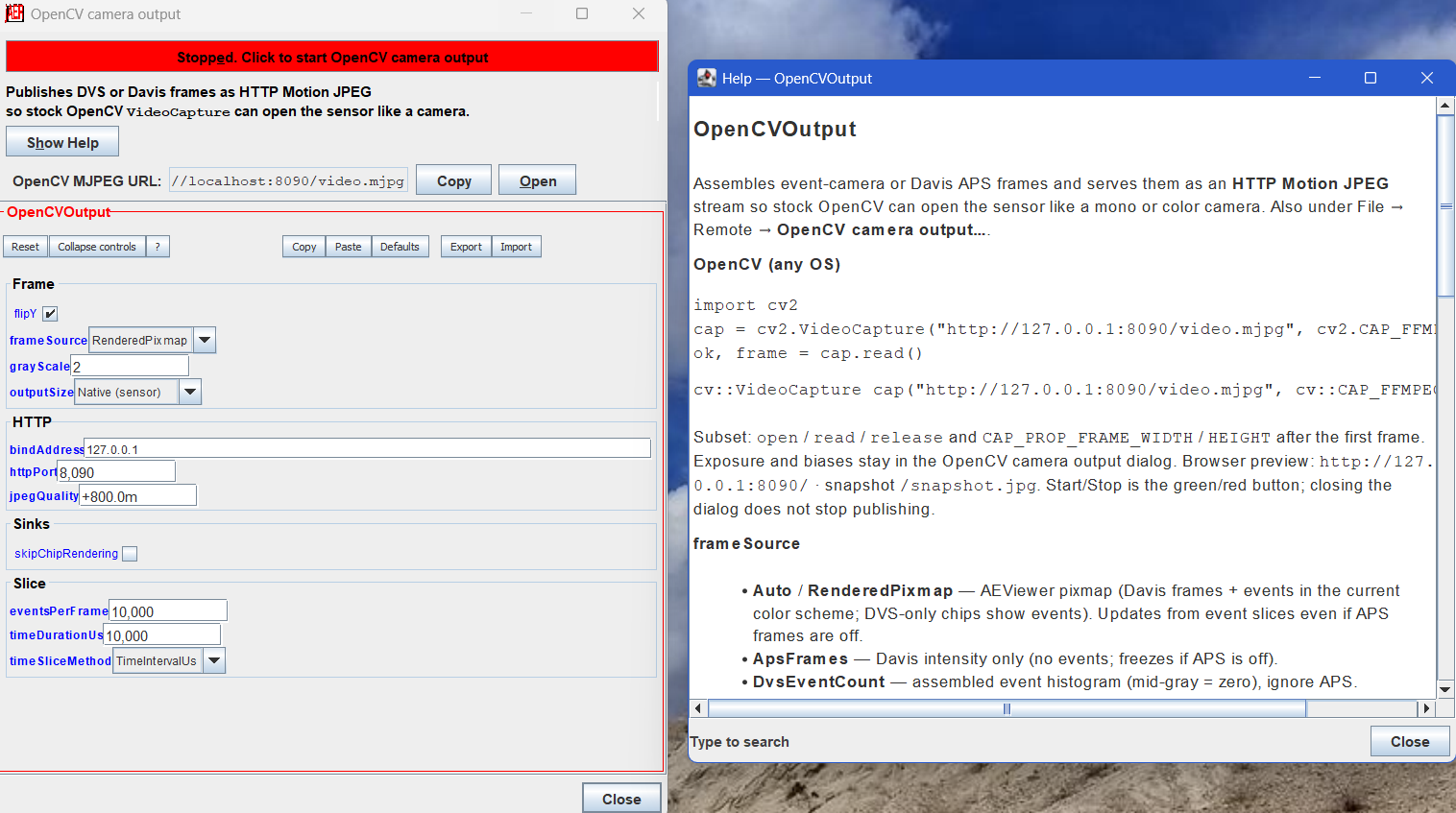
File → Remote → OpenCV camera output… — OpenCVOutput publishes the chip view as HTTP MJPEG (cv2.VideoCapture("http://127.0.0.1:8090/video.mjpg")). On Linux, publishV4l2 (VGA MJPEG on /dev/video10) makes Cheese, Zoom, and Google Meet see a jAER webcam; use scripts/cheese-jaer.sh (stock Cheese PipeWire will not negotiate). Overlay must show /dev/video10 open MJPEG. Experimental.

Bug fixes and minor improvements
- Fixed Intel Arc crash when opening a recent folder in the file dialog (
ChipDataFilePreviewno longer constructs a secondGLCanvasbeside the live viewer;DrawGLdisables TextRenderer vertex arrays, matchingChipCanvas). - Fixed Y flip in playback of DVXplorer Mini/Micro recordings.
- DVXplorer Mini/Micro IMU: CX3 debug endpoint no longer completes at USB poll rate (~100 kHz); one URB is resubmitted at ~800 Hz and samples go to a side queue. Host-synthesized Mini/Micro IMU timestamps that do not overlap DVS are rebased at record time and attached by file order on playback (Steadicam-on-record files no longer look IMU-frozen). Davis IMU is not rebased (device clock). Playback clips IMU samples to the event window so Steadicam does not integrate gyros from neighboring slices.
- Davis346Blue APS frames that tore after a good start: SOF abandons a stuck half-frame; USB reset closes every open interface first. After three short frames, unplug/replug is suggested.
- AEDAT-2 Save As no longer writes torn APS frames: only complete frames are emitted on SOF. The Davis assembler is reset on close, rewind, file open, and Save As.
- ROS2/Foxglove enable no longer re-enters the FilterPanel setter (property-change loop); sinks restart only when a sink flag actually changes.
- DNN TCP control server rebinds when
controlPortchanges while enabled. - EventCountFrames preview window is disposed when switching to EventWindows.
- 3D viewer
ArrayIndexOutOfBoundsExceptionwhen ViewLoop and OpenGL shared anEventPacket. - USB readers no longer close on themselves; EVK4 ISSD phases are reported. Close best-attempts DVX
dvxDataStopand Prophesee ISSD shutdown before abandon. Skip the Zadig dialog forLIBUSB_ERROR_NOT_SUPPORTEDfor 30 s after a live USB drop (WinUSB not ready). - WindowSaver no longer stretches packed tool windows. Overlapping Info overlay text on DVX fixed.
- File info shows compression ratio. Open-file dialog has extension filters.
- File Open no longer throws on DVS128 (ChipDataFilePreview and Biasgen display stubs). Sparse AEDAT-4 EVTS packets scan actual timestamps when packet durations vary by 100×.
- AEDAT-4 playback slicing: ConstantCount default scales with chip resolution (256 on DVS128, 16k on EVK4) and is remembered per chip. Slices, single-step, rewind, and IN/OUT keep the intended packet boundaries.
- Update check runs once per JVM. Reduced FilterPanel / USB / version-info / per-packet AEDAT-4 FINE log chatter.
Full Changelog: 3.3.0...3.4.0