PS: This Template was modified by Shadowdara, more infos down below.
I already set up a Raylib project for you! Take it and enjoy! You don't need to know CMake!

Opening the Solution:
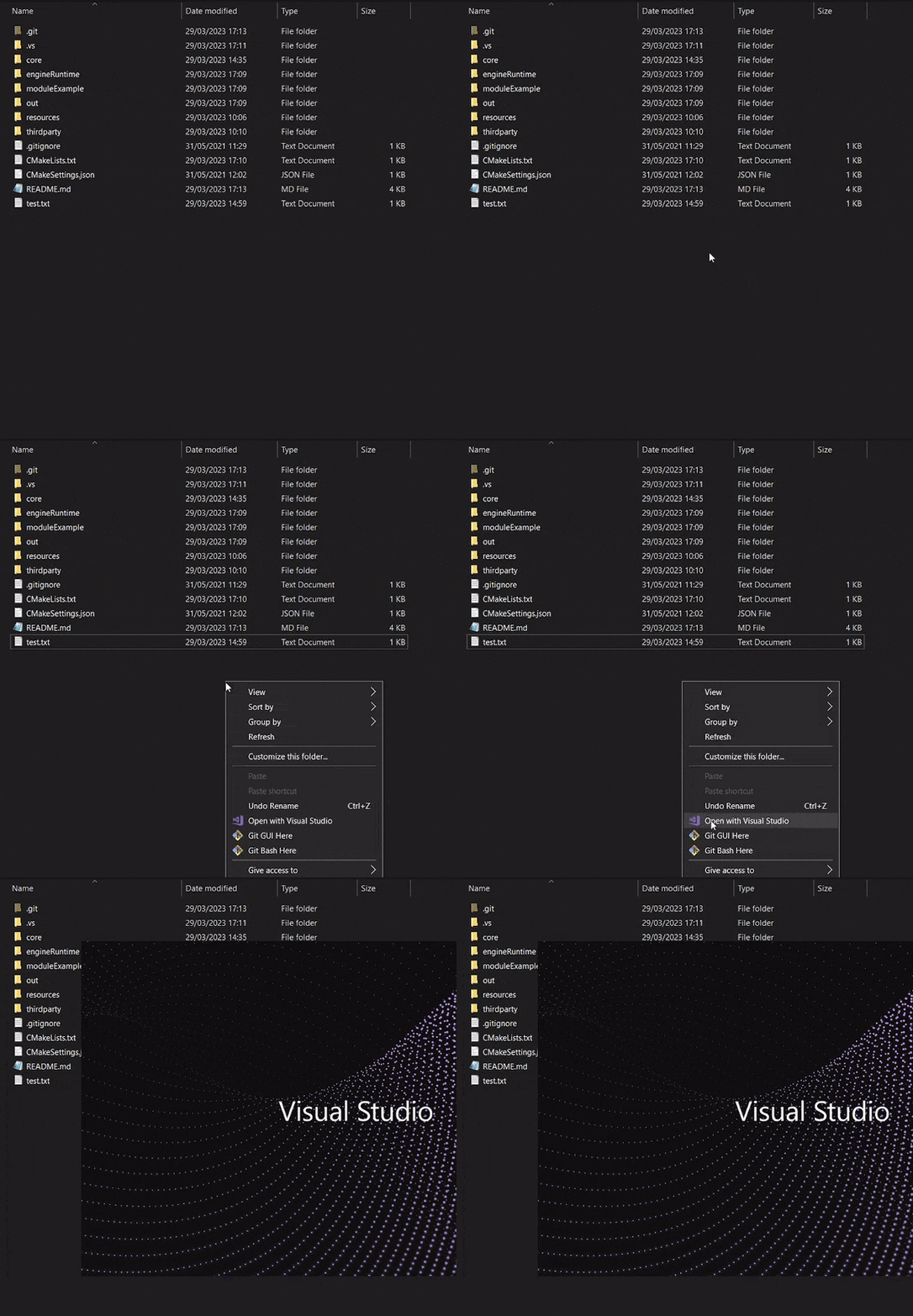
Or
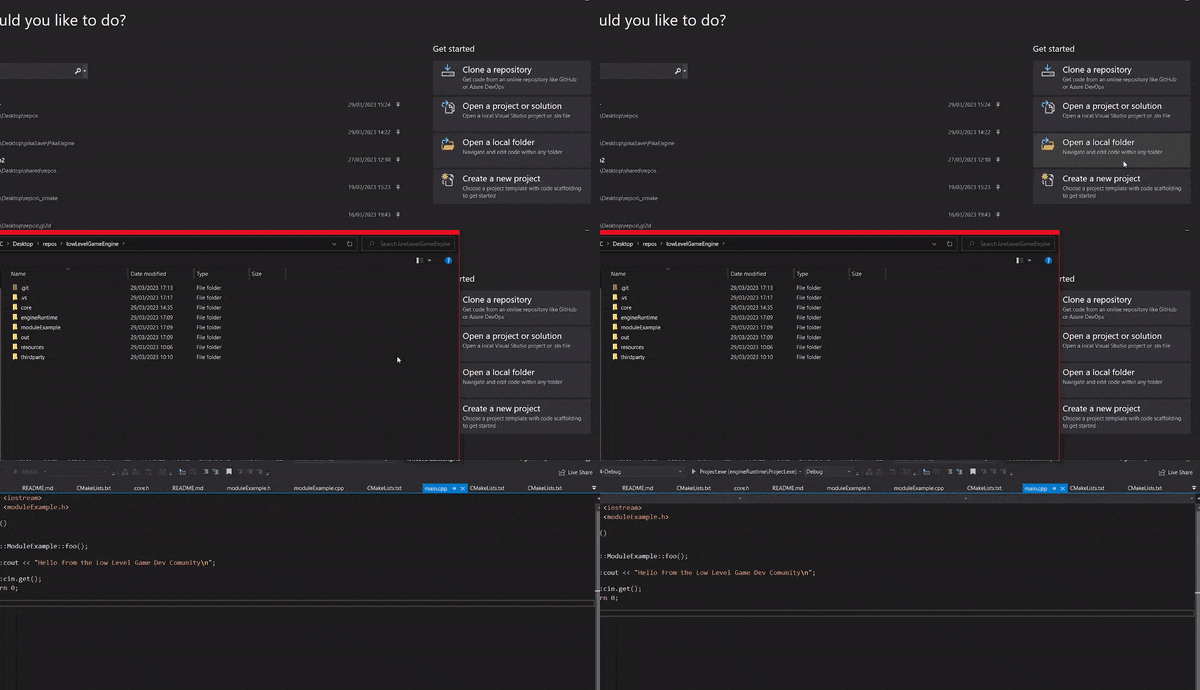
Running the setup
Go to CMakeLists.txt, CTRL + S to make sure the solution was built.
Then, from this dropdown select mygame.exe
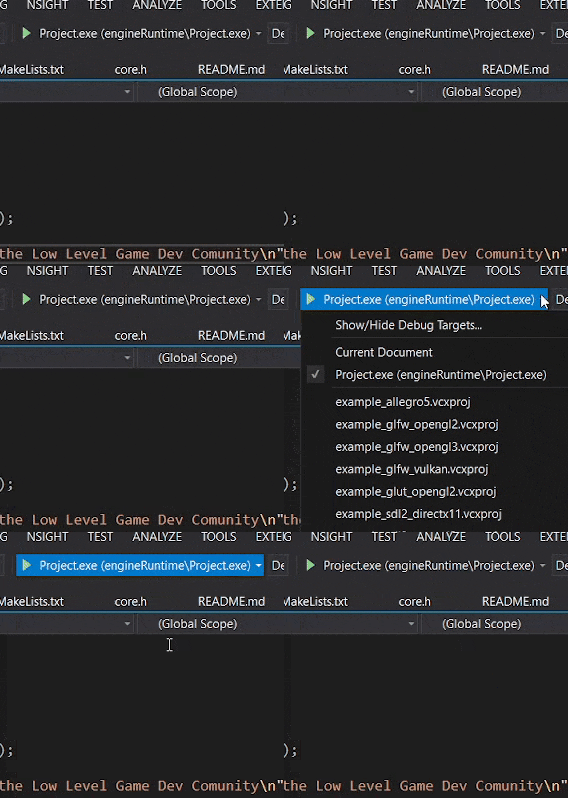
Ctrl + F5 to build (F5 oppens the debugger, you usually want to press Ctrl + F5 because it oppens faster like this.
Adding files:
You should add .cpp in src/ and .h in include/ Whenever you add a new file CMake will ask you if you want to add that thing, say NO every time! I am already adding all of the things automatically!
If you accidentally say YES, just remove that file from the CMake.lists
Refreshing your changes:
After you add a file, the changes should be automatically added but if you want to be sure, you can refresh changes by saving the CMake file. If you want to make a hard refresh (you might have to do that sometimes) close Visual Studio, delete the out folder, reopen VS, CTRL + S on CMakeLists.txt
To ship the game: In Cmakelists.txt, set the PRODUCTION_BUILD flag to ON to build a shippable version of your game. This will change the file paths to be relative to your exe (RESOURCES_PATH macro), will remove the console, and also will change the asserts to not allow people to debug them. To make sure the changes take effect I recommend deleting the out folder to make a new clean build!
Also, if you read the CMAKE, even if you don't know CMAKE you should understand what happens with the comments there and you can add libraries and also remove the console from there if you need to! (there is a commented line for that!)
I updated the raylibCmakeSetup from meemknight and structure it a bit more
i know some people wont like that i added the js ecosystem here for tools because of the big
node_modulesdirectory, but i tested it, its only 5mb which i dont think is a big deal!
my changes:
- I added new lib to the thirdparty directory
- I created a gameLayer and platformLayer to separate the game logic from the platform specific code
- Open
src/gameLayer/gameLayer.cppto start writing your game logic - inside
include/platform/macros.hppat the top of the file you can find a lot of macros to configure your game, like window size, title, etc. You can change them there. - I added tools from samengine (you can completly remove them if you want to, but I think they are useful)
- seg, a tool to generate a link file for open source credits. You can install it via cargo (
cargo i samtool) or with npm (npm i @shadowdara/seg) or just run npm i because i already added it to the package.json. To execute it, runnpx seg -l helporseg -l helpif you installed it globally or via cargo. This will display you the help menu for seg. - minisite, a tool bundle multiple markdown files into one single html file after parsing them to HTML. You can install it via (
npm i). - to uninstall the samengine tools, delete:
- package.json
- package-lock.json
- .samengine/
- pages/
- seg, a tool to generate a link file for open source credits. You can install it via cargo (
- I added some function like a version parser for the Version format (MAJOR, MINOR, PATCH)
- look into
utillity.cppandultility.hppto see more! - added export with emscripten for the web. On windows run
npm i, thenweb_build.bat, you need the emscripten sdk for that! And thendevserver.bat.
PS: feel free to send me an PR, Issue or email at shadowdara74@gmail.com for questions, suggestions or anything else. I will be happy to help you!
My blog: shadowdara.wordpress.com