ReactMultiscreen PageContext not loading #5328

Description

Category
- Question
- Typo
- Additional article idea
Question
I am not able to load the spfx context in the webpart .tsx files. It always shows undefined.
I am using a multiscreen webpart, I am using react framework. I am not able to get the context to load in the webpart file(.tsx) Below is the code so far. There were 2 issues initially, one was getting the page url without /sitepages when the webpart is deployed, I worked around this by passing my own web url manually.
I have observed that when I set log at .ts file which is the webpart file, it is not showing loaded when navigating to the .tsx webpart screen.I am guessing because the ts file has not loaded hence the context is not generated. Please help in how to load sharepoint context to use spfx controls in multiscreen webpart.
I have attached files for any additional reference.
let web=Web("my weburl") -----------------------------------------This works for calling list item
let web=Web(this.props.context.pageContext.web.absoluteUrl);--Doesn't work
<PeoplePicker context={this.props.context}-----------------------Doesn't work because it says undefined
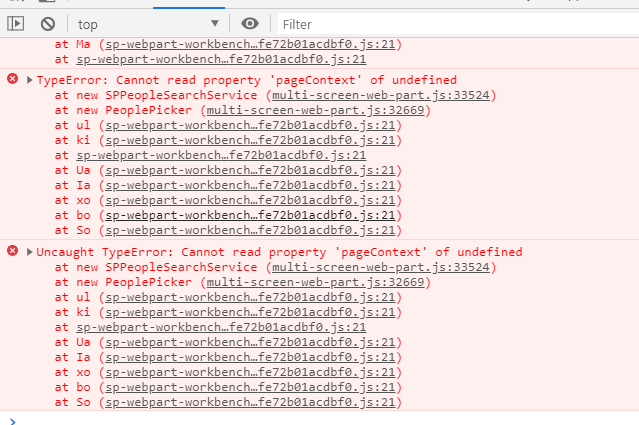
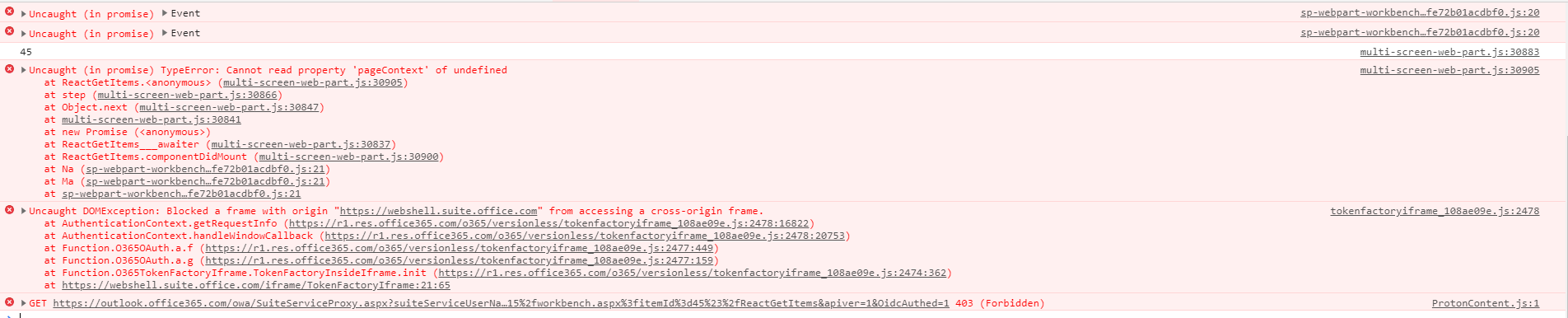
Attached
ReactGetItemstsx.txt
ReactGetItemstsx.txt
ReactGetItemsWebPartts.txt
IReactGetItemsPropsts.txt
Environment details
- OS: Windows 10
- Framework: Spfx, PnpJS, React
- Browser(s): Chrome IE 11