Quick Note is a full CRUD application developed using React, Next.js, and Tailwind CSS, integrated with MongoDB for data storage. The primary goal of this project is to provide users with a simple yet powerful tool to take quick notes. The application allows users to add a title and description for each note, which are then stored in a MongoDB cloud database.
The purpose of Quick Note is to enhance my skills as a software engineer by building a real-world application that covers the entire CRUD (Create, Read, Update, Delete) functionality. This project serves as a practical learning experience in developing a full-stack application, integrating with a cloud database, and deploying a functional web application.
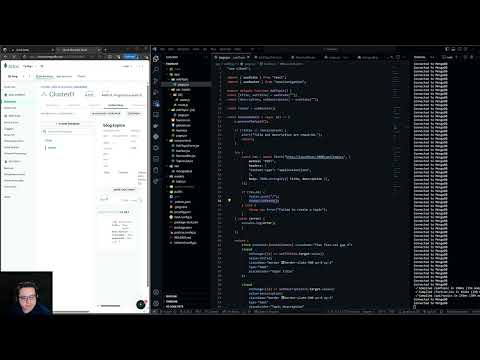
The demo showcases a 4-5 minute walkthrough of the Quick Note application in action. It includes a demonstration of how to use the application, a walkthrough of the codebase, and a view of the MongoDB cloud database.
Quick Note utilizes MongoDB as the cloud database. MongoDB is a NoSQL document database that provides flexibility and scalability for storing and managing data. The database stores notes created by users, each represented as a document with title and description fields.
The database structure is simple and revolves around a collection named "notes." Each document in the "notes" collection contains the following fields:
_id: MongoDB ObjectId (automatically generated unique identifier)title: Title of the notedescription: Description of the note
The development of Quick Note was carried out using the following tools and technologies:
- React: A JavaScript library for building user interfaces.
- Next.js: A React framework for building server-side rendered and statically generated web applications.
- Tailwind CSS: A utility-first CSS framework for styling.
- MongoDB Atlas: A cloud database service for MongoDB.
While Quick Note is functional, there are several areas for improvement and future enhancements:
- Implement user authentication for secure note creation and management.
- Enhance the user interface for a more visually appealing design.
- Add search functionality for efficiently locating specific notes.
- Implement pagination for better organization of notes as the database grows.
- Optimize the application for performance and responsiveness on various devices.