Releases: Spaceghost/xivdesktop-dalamud
Release list
XivDesktop v1.0.2

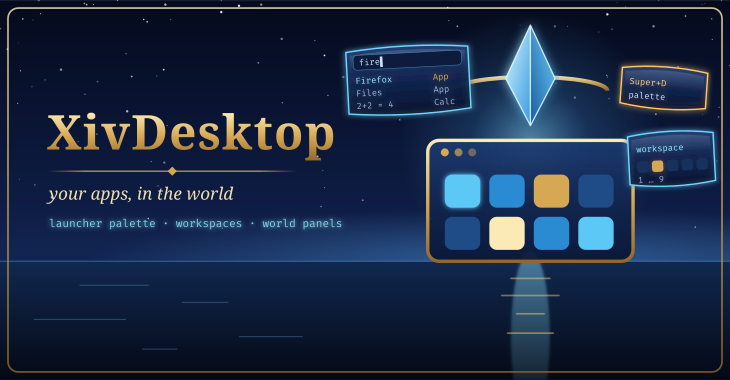
Important
Nothing in this build has been verified in game yet. It is built and tested without the game; entries under not yet verified in game say exactly that, and move to New once they have been seen working.
In this build, not yet verified in game
- Pressing plain
dcould open the launcher palette as if it were Super+D, and keep doing so until Super+D was pressed again (seen on GNOME under Wine: the desktop takes Super's release, so Wine kept reporting Super held). Super now only counts once XivDesktop has seen it pressed while the game is in front; switching away forgets it, and a hold over ten seconds needs a fresh press. Fixed in host tests; not yet verified in game. /arcademoved out of XivDesktop into its own mod, XivArcade, before it was ever released here. Your~/Games/Arcadefolder, library and save-sync setup carry over untouched. When both mods are installed, the launcher palette still finds your classic games by name (anArcadebadge), through XivArcade's IPC; XivDesktop no longer has the/arcadecommand or window itself.
Install
- In game, open
/xlsettings→ Experimental → Custom Plugin Repositories, addhttps://spacegho.st/mods/ffxiv/plugins.json, press +, then Save and close. - Open
/xlplugins, search for XivDesktop and install it. Dalamud updates it from then on.
Step by step, with pictures: https://spacegho.st/mods/ffxiv/plugins/
Checksums
SHA-256, also attached as SHA256SUMS (sha256sum -c SHA256SUMS):
ff64f07214fab2d0b00ac31644f4b017d7d5458227a90f8e75224fcecfeab5f7  XivDesktop-1.0.2.4.zip
ff64f07214fab2d0b00ac31644f4b017d7d5458227a90f8e75224fcecfeab5f7  latest.zip
9ad396e63da79f3b7575202f4bbed40757f3c887db3df595ac0765a7cdd2e7f8  pluginmaster.json
Links
XivDesktop on spacegho.st · Changelog · Plugin repository · Source at this tag
XivDesktop v1.0.2-test.3 (testing)
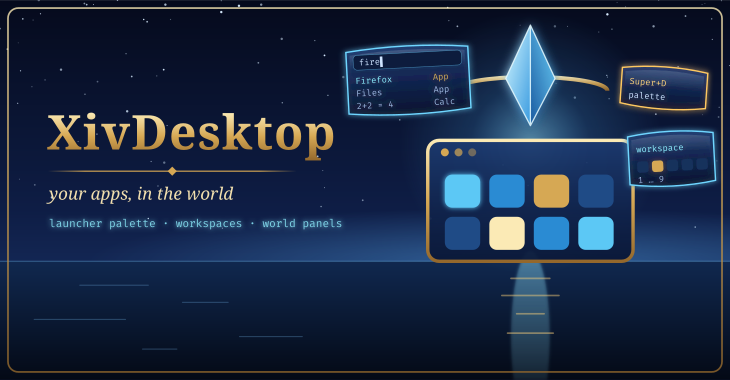
Warning
Testing build 3 of 1.0.2. Only players who turned on testing builds receive it; everyone else stays on the stable release.
Important
Nothing in this build has been verified in game yet. It is built and tested without the game; entries under not yet verified in game say exactly that, and move to New once they have been seen working.
In this build, not yet verified in game
- Pressing plain
dcould open the launcher palette as if it were Super+D, and keep doing so until Super+D was pressed again (seen on GNOME under Wine: the desktop takes Super's release, so Wine kept reporting Super held). Super now only counts once XivDesktop has seen it pressed while the game is in front; switching away forgets it, and a hold over ten seconds needs a fresh press. Fixed in host tests; not yet verified in game. /arcademoved out of XivDesktop into its own mod, XivArcade, before it was ever released here. Your~/Games/Arcadefolder, library and save-sync setup carry over untouched. When both mods are installed, the launcher palette still finds your classic games by name (anArcadebadge), through XivArcade's IPC; XivDesktop no longer has the/arcadecommand or window itself.
Install
- In game, open
/xlsettings→ Experimental → Custom Plugin Repositories, addhttps://spacegho.st/mods/ffxiv/plugins.json, press +, then Save and close. - Still in Experimental, turn on Get plugin testing builds.
- Open
/xlplugins, search for XivDesktop and install it. Already installed: right-click it → Receive plugin testing versions, then update.
Step by step, with pictures: https://spacegho.st/mods/ffxiv/plugins/
Checksums
SHA-256, also attached as SHA256SUMS (sha256sum -c SHA256SUMS):
eefbe7ce4123eec29b0d6d4a579145d2de2ad0463a8dc5916e012b9241716171  XivDesktop-1.0.2.3.zip
eefbe7ce4123eec29b0d6d4a579145d2de2ad0463a8dc5916e012b9241716171  latest.zip
3008853c7020299e10e59d492406341ca0ea770d24dc6f52446aac1a36c7739d  pluginmaster-testing.json
Links
XivDesktop on spacegho.st · Changelog · Plugin repository · Source at this tag
XivDesktop v1.0.2-test.2 (testing)
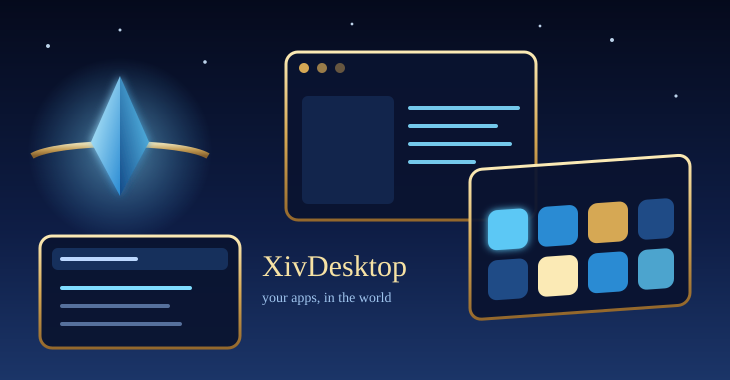
Warning
Testing build 2 of 1.0.2. Only players who turned on testing builds receive it; everyone else stays on the stable release.
Important
Nothing in this build has been verified in game yet. It is built and tested without the game; entries under not yet verified in game say exactly that, and move to New once they have been seen working.
In this build, not yet verified in game
- Pressing plain
dcould open the launcher palette as if it were Super+D, and keep doing so until Super+D was pressed again (seen on GNOME under Wine: the desktop takes Super's release, so Wine kept reporting Super held). Super now only counts once XivDesktop has seen it pressed while the game is in front; switching away forgets it, and a hold over ten seconds needs a fresh press. Fixed in host tests; not yet verified in game. /arcademoved out of XivDesktop into its own mod, XivArcade, before it was ever released here. Your~/Games/Arcadefolder, library and save-sync setup carry over untouched. When both mods are installed, the launcher palette still finds your classic games by name (anArcadebadge), through XivArcade's IPC; XivDesktop no longer has the/arcadecommand or window itself.
Install
- In game, open
/xlsettings→ Experimental → Custom Plugin Repositories, addhttps://spacegho.st/mods/ffxiv/plugins.json, press +, then Save and close. - Still in Experimental, turn on Get plugin testing builds.
- Open
/xlplugins, search for XivDesktop and install it. Already installed: right-click it → Receive plugin testing versions, then update.
Step by step, with pictures: https://spacegho.st/mods/ffxiv/plugins/
Checksums
SHA-256, also attached as SHA256SUMS (sha256sum -c SHA256SUMS):
fbd2de3b79f182a2a5421a503142f0051e75f5465bda45adc5b10baceb295378  XivDesktop-1.0.2.2.zip
fbd2de3b79f182a2a5421a503142f0051e75f5465bda45adc5b10baceb295378  latest.zip
71e8d97de86d44ddd3baba039f09b6713ea2679f97a983963165b574c8ef7bba  pluginmaster-testing.json
Links
XivDesktop on spacegho.st · Changelog · Plugin repository · Source at this tag
XivDesktop v1.0.2-test.1 (testing)
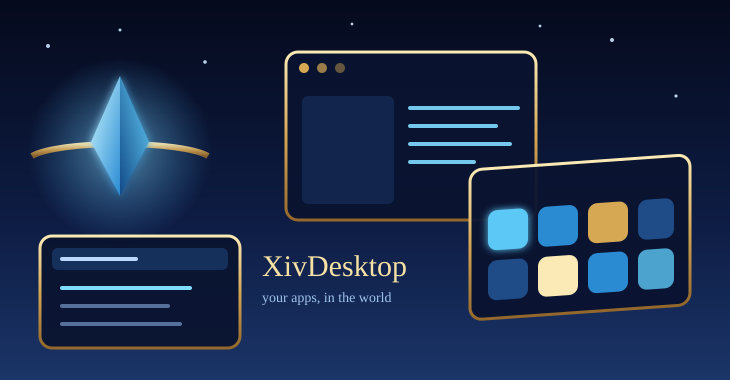
Warning
Testing build 1 of 1.0.2. Only players who turned on testing builds receive it; everyone else stays on the stable release.
Important
Nothing in this build has been verified in game yet. It is built and tested without the game; entries under not yet verified in game say exactly that, and move to New once they have been seen working.
In this build, not yet verified in game
/arcademoved out of XivDesktop into its own mod, XivArcade, before it was ever released here. Your~/Games/Arcadefolder, library and save-sync setup carry over untouched. When both mods are installed, the launcher palette still finds your classic games by name (anArcadebadge), through XivArcade's IPC; XivDesktop no longer has the/arcadecommand or window itself.
Install
- In game, open
/xlsettings→ Experimental → Custom Plugin Repositories, addhttps://spacegho.st/mods/ffxiv/plugins.json, press +, then Save and close. - Still in Experimental, turn on Get plugin testing builds.
- Open
/xlplugins, search for XivDesktop and install it. Already installed: right-click it → Receive plugin testing versions, then update.
Step by step, with pictures: https://spacegho.st/mods/ffxiv/plugins/
Checksums
SHA-256, also attached as SHA256SUMS (sha256sum -c SHA256SUMS):
3cdcf51382bec07e81a45f15f1574ab3e8741576753049e478af3b7df35dbdd3  XivDesktop-1.0.2.1.zip
3cdcf51382bec07e81a45f15f1574ab3e8741576753049e478af3b7df35dbdd3  latest.zip
981af4da3eac57b2f2eb48aade8df33b1f334f4c4233b92e3bc7486762753e68  pluginmaster-testing.json
Links
XivDesktop on spacegho.st · Changelog · Plugin repository · Source at this tag
XivDesktop testing channel
Note
The rolling testing channel. It always carries the newest test build: now v1.0.2-test.3, commit 06f2777.
Warning
Testing build 3 of 1.0.2. Only players who turned on testing builds receive it; everyone else stays on the stable release.
Important
Nothing in this build has been verified in game yet. It is built and tested without the game; entries under not yet verified in game say exactly that, and move to New once they have been seen working.
In this build, not yet verified in game
- Pressing plain
dcould open the launcher palette as if it were Super+D, and keep doing so until Super+D was pressed again (seen on GNOME under Wine: the desktop takes Super's release, so Wine kept reporting Super held). Super now only counts once XivDesktop has seen it pressed while the game is in front; switching away forgets it, and a hold over ten seconds needs a fresh press. Fixed in host tests; not yet verified in game. /arcademoved out of XivDesktop into its own mod, XivArcade, before it was ever released here. Your~/Games/Arcadefolder, library and save-sync setup carry over untouched. When both mods are installed, the launcher palette still finds your classic games by name (anArcadebadge), through XivArcade's IPC; XivDesktop no longer has the/arcadecommand or window itself.
Install
- In game, open
/xlsettings→ Experimental → Custom Plugin Repositories, addhttps://spacegho.st/mods/ffxiv/plugins.json, press +, then Save and close. - Still in Experimental, turn on Get plugin testing builds.
- Open
/xlplugins, search for XivDesktop and install it. Already installed: right-click it → Receive plugin testing versions, then update.
Step by step, with pictures: https://spacegho.st/mods/ffxiv/plugins/
Checksums
SHA-256, also attached as SHA256SUMS (sha256sum -c SHA256SUMS):
eefbe7ce4123eec29b0d6d4a579145d2de2ad0463a8dc5916e012b9241716171  XivDesktop-1.0.2.3.zip
eefbe7ce4123eec29b0d6d4a579145d2de2ad0463a8dc5916e012b9241716171  latest.zip
3008853c7020299e10e59d492406341ca0ea770d24dc6f52446aac1a36c7739d  pluginmaster-testing.json
Links
XivDesktop on spacegho.st · Changelog · Plugin repository · Source at this tag
XivDesktop v1.0.1
Important
Nothing in this build has been verified in game yet. It is built and tested without the game; entries under not yet verified in game say exactly that, and move to New once they have been seen working.
In this build, not yet verified in game
- In progress: the
/npcspeaker's body. The dialogue works, but the character never appears in the world yet. The speaker is now built with the game's own creature setup (nothing is copied from your character: no gear, no name, no company tag), and every step reports to the Dalamud log, which is how the cause was narrowed down. What was tried and what to try next is in docs/NPC-SPAWN.md.
Install
- In game, open
/xlsettings→ Experimental → Custom Plugin Repositories, addhttps://spacegho.st/mods/ffxiv/plugins.json, press +, then Save and close. - Open
/xlplugins, search for XivDesktop and install it. Dalamud updates it from then on.
Step by step, with pictures: https://spacegho.st/mods/ffxiv/plugins/
Checksums
SHA-256, also attached as SHA256SUMS (sha256sum -c SHA256SUMS):
8b59ee46fe81bebe85f4fc958c42307727b6388e80f4895256f04fec8ba6a5fb  XivDesktop-1.0.1.0.zip
8b59ee46fe81bebe85f4fc958c42307727b6388e80f4895256f04fec8ba6a5fb  latest.zip
5fecfe700792882f1fe450b908245d8a48d1977d16f2190198448311405c6dff  pluginmaster.json
Links
XivDesktop on spacegho.st · Changelog · Plugin repository · Source at this tag
XivDesktop v1.0.0
Important
Nothing in this build has been verified in game yet. It is built and tested without the game; entries under not yet verified in game say exactly that, and move to New once they have been seen working.
In this build, not yet verified in game
- XivDesktop itself: a launcher for your Linux desktop's apps inside the game.
/desktopopens an app grid with icons, favourites and recent apps; the apps run on the Linux host, not inside Wine, and appear as game panels through a compatible Ghostty for Dalamud build and its host agent. XivDesktop does not render or stream windows itself. - A keyboard-first launcher palette (Super+D by default, configurable): search apps and open panels, run actions, or type a sum into a bounded calculator.
- Key chords, nine workspaces, and focus, close and placement controls for panels, through Ghostty's IPC. Advanced operations need the matching methods in the installed Ghostty build.
- Optional Umbra toolbar widgets: Apps (a launcher) and Windows (a taskbar). Both are clients of XivDesktop's IPC and neither replaces the Ghostty backend.
- Experimental:
/npc <question>summons a local speaker with a Talk-style dialogue, answered by Almanac's local gateway;/npc byedismisses it and/npc whoopens the picker. - Experimental:
/claudeopens a Claude Code session as an in-game panel, with streaming text, tool cards and permission dialogs, run as Ghostty agent jobs. It has its own backend, sign-in and data handling, separate from Almanac's local models. - The game's cursor stays visible over XivDesktop's windows and popups.
Install
- In game, open
/xlsettings→ Experimental → Custom Plugin Repositories, addhttps://spacegho.st/mods/ffxiv/plugins.json, press +, then Save and close. - Open
/xlplugins, search for XivDesktop and install it. Dalamud updates it from then on.
Step by step, with pictures: https://spacegho.st/mods/ffxiv/plugins/
Checksums
SHA-256, also attached as SHA256SUMS (sha256sum -c SHA256SUMS):
7514aae9fd9f980df60573215a55210cd6c8539edddeeddb4aababfe516eac3d  XivDesktop-1.0.0.4.zip
7514aae9fd9f980df60573215a55210cd6c8539edddeeddb4aababfe516eac3d  latest.zip
3aa359fe042eb2622211f87d53b292dfe83c124b1ade8eb6aa655fdbc78edfef  pluginmaster.json
Links
XivDesktop on spacegho.st · Changelog · Plugin repository · Source at this tag
XivDesktop v1.0.0-test.3 (testing)
Warning
Testing build 3 of 1.0.0. Only players who turned on testing builds receive it; everyone else stays on the stable release.
Important
Nothing in this build has been verified in game yet. It is built and tested without the game; entries under not yet verified in game say exactly that, and move to New once they have been seen working.
In this build, not yet verified in game
- XivDesktop itself: a launcher for your Linux desktop's apps inside the game.
/desktopopens an app grid with icons, favourites and recent apps; the apps run on the Linux host, not inside Wine, and appear as game panels through a compatible Ghostty for Dalamud build and its host agent. XivDesktop does not render or stream windows itself. - A keyboard-first launcher palette (Super+D by default, configurable): search apps and open panels, run actions, or type a sum into a bounded calculator.
- Key chords, nine workspaces, and focus, close and placement controls for panels, through Ghostty's IPC. Advanced operations need the matching methods in the installed Ghostty build.
- Optional Umbra toolbar widgets: Apps (a launcher) and Windows (a taskbar). Both are clients of XivDesktop's IPC and neither replaces the Ghostty backend.
- Experimental:
/npc <question>summons a local speaker with a Talk-style dialogue, answered by Almanac's local gateway;/npc byedismisses it and/npc whoopens the picker. - Experimental:
/claudeopens a Claude Code session as an in-game panel, with streaming text, tool cards and permission dialogs, run as Ghostty agent jobs. It has its own backend, sign-in and data handling, separate from Almanac's local models. - The game's cursor stays visible over XivDesktop's windows and popups.
Install
- In game, open
/xlsettings→ Experimental → Custom Plugin Repositories, addhttps://spacegho.st/mods/ffxiv/plugins.json, press +, then Save and close. - Still in Experimental, turn on Get plugin testing builds.
- Open
/xlplugins, search for XivDesktop and install it. Already installed: right-click it → Receive plugin testing versions, then update.
Step by step, with pictures: https://spacegho.st/mods/ffxiv/plugins/
Checksums
SHA-256, also attached as SHA256SUMS (sha256sum -c SHA256SUMS):
17f567a6edab8faee854b4073a13e4720cf9c5722872dbc7babbd4f002424028  XivDesktop-1.0.0.3.zip
17f567a6edab8faee854b4073a13e4720cf9c5722872dbc7babbd4f002424028  latest.zip
1b51577175c5c49b95c23c4db0f0151e40492287ddd357530400e23235d1645d  pluginmaster-testing.json
Links
XivDesktop on spacegho.st · Changelog · Plugin repository · Source at this tag