Releases: Spaceghost/xivlantern-dalamud
Release list
XivLantern v0.1.0

Important
Nothing in this build has been verified in game yet. It is built and tested without the game; entries under not yet verified in game say exactly that, and move to New once they have been seen working.
In this build, not yet verified in game
- XivLantern, a new mod:
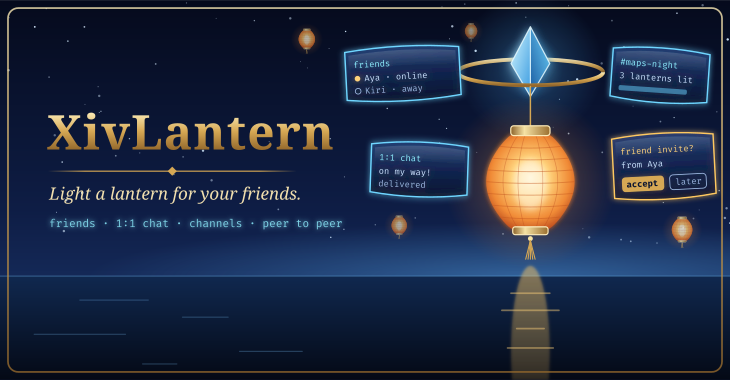
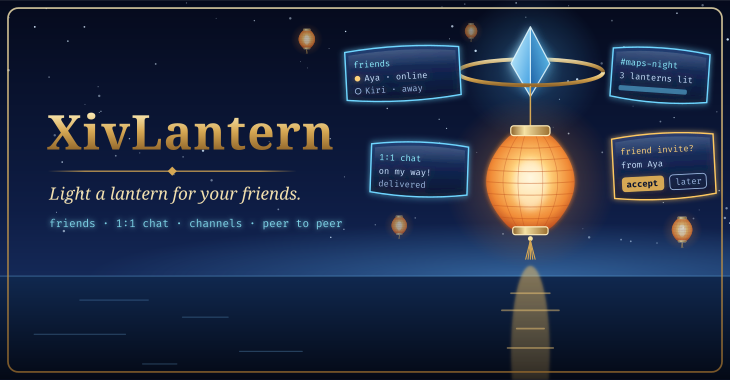
/lantern(or/xivlantern) opens your lantern. Friends light a lantern to say they are here. Add friends with a one-time invite (make one, send it privately, whoever uses it first becomes your friend; nothing is ever accepted for you), see whose lantern is lit with a status and a note you type, chat 1:1 with messages that wait and go out when your friend is next online, and make channels you invite friends into. Peer to peer over iroh: there is no Lantern server. Host tests cover all of it; none of it has been seen in game. - Off until you turn it on. The first screen says who can see what — friends see your node id, your typed name and status, and your IP addresses; n0's relays see your IP address and when you are online; channel members see your node id — and you choose the relays: n0's (default), your own relay URL, or relays off for LAN/direct only, which contacts no third party at all. Nothing from the game is read or sent: not your character's name, world, location or chat. A test fails the build if the plugin ever asks the game who you are.
- The author channel, opt-in: announcements from the mod's author, signed with a key that never leaves the author's machine and checked before they are shown (marked verified). Nobody else can post there. You can write to the author for support or feedback, and they can answer. This build has no author key configured yet, and says so.
- Safety: block anyone (they are dropped without being told and refused from then on), mute a friend or channel, per-person rate limits that drop floods before they are shown, size limits on every message, and no auto-accept of invites or channels.
- Toasts for new messages and a server info bar entry with your unread count, both following your mutes; channel and online toasts are off by default.
/lantern selftestchecks, inside the game's process, that the connection works directly and through a relay, and prints the node id and what it found. With Lantern off it uses a throwaway node and closes it. The Windows build passed this under a stock Wine 11 in a container (docs/WINE.md); not yet under the game's Wine.- For other plugins:
XivLantern.v1.GetStatus,GetFriends,SendToFriend,OpenChatand aMessageReceivedevent (docs/IPC.md). Reading and sending are each refused until you allow them in settings.
Install
- In game, open
/xlsettings→ Experimental → Custom Plugin Repositories, addhttps://spacegho.st/mods/ffxiv/plugins.json, press +, then Save and close. - Open
/xlplugins, search for XivLantern and install it. Dalamud updates it from then on.
Step by step, with pictures: https://spacegho.st/mods/ffxiv/plugins/
Checksums
SHA-256, also attached as SHA256SUMS (sha256sum -c SHA256SUMS):
381c7b36390af1f7d7263b20cb61e06ccfbe1f7beb1f74a9fdf66737715b194a  XivLantern-0.1.0.3.zip
381c7b36390af1f7d7263b20cb61e06ccfbe1f7beb1f74a9fdf66737715b194a  latest.zip
d83e67abec762eaa2504c580f4e1326c5d884eb0a4adc4c8b65c9a19d8e99341  pluginmaster.json
Links
XivLantern on spacegho.st · Changelog · Plugin repository · Source at this tag
XivLantern v0.1.0-test.2 (testing)
Warning
Testing build 2 of 0.1.0. Only players who turned on testing builds receive it; everyone else stays on the stable release.
Important
Nothing in this build has been verified in game yet. It is built and tested without the game; entries under not yet verified in game say exactly that, and move to New once they have been seen working.
In this build, not yet verified in game
- XivLantern, a new mod:
/lantern(or/xivlantern) opens your lantern. Friends light a lantern to say they are here. Add friends with a one-time invite (make one, send it privately, whoever uses it first becomes your friend; nothing is ever accepted for you), see whose lantern is lit with a status and a note you type, chat 1:1 with messages that wait and go out when your friend is next online, and make channels you invite friends into. Peer to peer over iroh: there is no Lantern server. Host tests cover all of it; none of it has been seen in game. - Off until you turn it on. The first screen says who can see what — friends see your node id, your typed name and status, and your IP addresses; n0's relays see your IP address and when you are online; channel members see your node id — and you choose the relays: n0's (default), your own relay URL, or relays off for LAN/direct only, which contacts no third party at all. Nothing from the game is read or sent: not your character's name, world, location or chat. A test fails the build if the plugin ever asks the game who you are.
- The author channel, opt-in: announcements from the mod's author, signed with a key that never leaves the author's machine and checked before they are shown (marked verified). Nobody else can post there. You can write to the author for support or feedback, and they can answer. This build has no author key configured yet, and says so.
- Safety: block anyone (they are dropped without being told and refused from then on), mute a friend or channel, per-person rate limits that drop floods before they are shown, size limits on every message, and no auto-accept of invites or channels.
- Toasts for new messages and a server info bar entry with your unread count, both following your mutes; channel and online toasts are off by default.
/lantern selftestchecks, inside the game's process, that the connection works directly and through a relay, and prints the node id and what it found. With Lantern off it uses a throwaway node and closes it. The Windows build passed this under a stock Wine 11 in a container (docs/WINE.md); not yet under the game's Wine.- For other plugins:
XivLantern.v1.GetStatus,GetFriends,SendToFriend,OpenChatand aMessageReceivedevent (docs/IPC.md). Reading and sending are each refused until you allow them in settings.
Install
- In game, open
/xlsettings→ Experimental → Custom Plugin Repositories, addhttps://spacegho.st/mods/ffxiv/plugins.json, press +, then Save and close. - Still in Experimental, turn on Get plugin testing builds.
- Open
/xlplugins, search for XivLantern and install it. Already installed: right-click it → Receive plugin testing versions, then update.
Step by step, with pictures: https://spacegho.st/mods/ffxiv/plugins/
Checksums
SHA-256, also attached as SHA256SUMS (sha256sum -c SHA256SUMS):
0db1967806a6d16a7d1cfadfebcfe40c01bbe902b6ae75c536ad27d1df8dfb43  XivLantern-0.1.0.2.zip
0db1967806a6d16a7d1cfadfebcfe40c01bbe902b6ae75c536ad27d1df8dfb43  latest.zip
5e2342bc74f148a20c6fa96be65b021a9a574a4d1c8e3ab9a362ad82dce80817  pluginmaster-testing.json
Links
XivLantern on spacegho.st · Changelog · Plugin repository · Source at this tag
XivLantern v0.1.0-test.1 (testing)
Warning
Testing build 1 of 0.1.0. Only players who turned on testing builds receive it; everyone else stays on the stable release.
Important
Nothing in this build has been verified in game yet. It is built and tested without the game; entries under not yet verified in game say exactly that, and move to New once they have been seen working.
In this build, not yet verified in game
- XivLantern, a new mod:
/lantern(or/xivlantern) opens your lantern. Friends light a lantern to say they are here. Add friends with a one-time invite (make one, send it privately, whoever uses it first becomes your friend; nothing is ever accepted for you), see whose lantern is lit with a status and a note you type, chat 1:1 with messages that wait and go out when your friend is next online, and make channels you invite friends into. Peer to peer over iroh: there is no Lantern server. Host tests cover all of it; none of it has been seen in game. - Off until you turn it on. The first screen says who can see what — friends see your node id, your typed name and status, and your IP addresses; n0's relays see your IP address and when you are online; channel members see your node id — and you choose the relays: n0's (default), your own relay URL, or relays off for LAN/direct only, which contacts no third party at all. Nothing from the game is read or sent: not your character's name, world, location or chat. A test fails the build if the plugin ever asks the game who you are.
- The author channel, opt-in: announcements from the mod's author, signed with a key that never leaves the author's machine and checked before they are shown (marked verified). Nobody else can post there. You can write to the author for support or feedback, and they can answer. This build has no author key configured yet, and says so.
- Safety: block anyone (they are dropped without being told and refused from then on), mute a friend or channel, per-person rate limits that drop floods before they are shown, size limits on every message, and no auto-accept of invites or channels.
- Toasts for new messages and a server info bar entry with your unread count, both following your mutes; channel and online toasts are off by default.
/lantern selftestchecks, inside the game's process, that the connection works directly and through a relay, and prints the node id and what it found. With Lantern off it uses a throwaway node and closes it. The Windows build passed this under a stock Wine 11 in a container (docs/WINE.md); not yet under the game's Wine.- For other plugins:
XivLantern.v1.GetStatus,GetFriends,SendToFriend,OpenChatand aMessageReceivedevent (docs/IPC.md). Reading and sending are each refused until you allow them in settings.
Install
- In game, open
/xlsettings→ Experimental → Custom Plugin Repositories, addhttps://spacegho.st/mods/ffxiv/plugins.json, press +, then Save and close. - Still in Experimental, turn on Get plugin testing builds.
- Open
/xlplugins, search for XivLantern and install it. Already installed: right-click it → Receive plugin testing versions, then update.
Step by step, with pictures: https://spacegho.st/mods/ffxiv/plugins/
Checksums
SHA-256, also attached as SHA256SUMS (sha256sum -c SHA256SUMS):
de6af63c1e6ef830fe935fd3858333bc95be51fbd002eefd400cc0adb9b10dcd  XivLantern-0.1.0.1.zip
de6af63c1e6ef830fe935fd3858333bc95be51fbd002eefd400cc0adb9b10dcd  latest.zip
0e2f21c4ed8cbcc98e772d47ea11cbed0c704be92a2ccb87ff0bebe27db5c6db  pluginmaster-testing.json
Links
XivLantern on spacegho.st · Changelog · Plugin repository · Source at this tag
XivLantern testing channel
Note
The rolling testing channel. It always carries the newest test build: now v0.1.0-test.2, commit d8a47b9.
Warning
Testing build 2 of 0.1.0. Only players who turned on testing builds receive it; everyone else stays on the stable release.
Important
Nothing in this build has been verified in game yet. It is built and tested without the game; entries under not yet verified in game say exactly that, and move to New once they have been seen working.
In this build, not yet verified in game
- XivLantern, a new mod:
/lantern(or/xivlantern) opens your lantern. Friends light a lantern to say they are here. Add friends with a one-time invite (make one, send it privately, whoever uses it first becomes your friend; nothing is ever accepted for you), see whose lantern is lit with a status and a note you type, chat 1:1 with messages that wait and go out when your friend is next online, and make channels you invite friends into. Peer to peer over iroh: there is no Lantern server. Host tests cover all of it; none of it has been seen in game. - Off until you turn it on. The first screen says who can see what — friends see your node id, your typed name and status, and your IP addresses; n0's relays see your IP address and when you are online; channel members see your node id — and you choose the relays: n0's (default), your own relay URL, or relays off for LAN/direct only, which contacts no third party at all. Nothing from the game is read or sent: not your character's name, world, location or chat. A test fails the build if the plugin ever asks the game who you are.
- The author channel, opt-in: announcements from the mod's author, signed with a key that never leaves the author's machine and checked before they are shown (marked verified). Nobody else can post there. You can write to the author for support or feedback, and they can answer. This build has no author key configured yet, and says so.
- Safety: block anyone (they are dropped without being told and refused from then on), mute a friend or channel, per-person rate limits that drop floods before they are shown, size limits on every message, and no auto-accept of invites or channels.
- Toasts for new messages and a server info bar entry with your unread count, both following your mutes; channel and online toasts are off by default.
/lantern selftestchecks, inside the game's process, that the connection works directly and through a relay, and prints the node id and what it found. With Lantern off it uses a throwaway node and closes it. The Windows build passed this under a stock Wine 11 in a container (docs/WINE.md); not yet under the game's Wine.- For other plugins:
XivLantern.v1.GetStatus,GetFriends,SendToFriend,OpenChatand aMessageReceivedevent (docs/IPC.md). Reading and sending are each refused until you allow them in settings.
Install
- In game, open
/xlsettings→ Experimental → Custom Plugin Repositories, addhttps://spacegho.st/mods/ffxiv/plugins.json, press +, then Save and close. - Still in Experimental, turn on Get plugin testing builds.
- Open
/xlplugins, search for XivLantern and install it. Already installed: right-click it → Receive plugin testing versions, then update.
Step by step, with pictures: https://spacegho.st/mods/ffxiv/plugins/
Checksums
SHA-256, also attached as SHA256SUMS (sha256sum -c SHA256SUMS):
0db1967806a6d16a7d1cfadfebcfe40c01bbe902b6ae75c536ad27d1df8dfb43  XivLantern-0.1.0.2.zip
0db1967806a6d16a7d1cfadfebcfe40c01bbe902b6ae75c536ad27d1df8dfb43  latest.zip
5e2342bc74f148a20c6fa96be65b021a9a574a4d1c8e3ab9a362ad82dce80817  pluginmaster-testing.json
Links
XivLantern on spacegho.st · Changelog · Plugin repository · Source at this tag