Chinese Localization / 中文汉化版
This repository is a fork of Codectory/AutoActions with Simplified Chinese (zh-Hans) and Traditional Chinese (zh-Hant) UI translations added by Squarelan. The UI language follows the Windows system locale.
Modification notice (GPL v3 §5a): On 2026-07-21, added
ProjectLocales.zh-Hans.resx,ProjectLocales.zh-Hant.resx,Locale.zh-Hans.resxandLocale.zh-Hant.resx, registered in the corresponding.csprojfiles. The GPL license full text (LicenseContent) is left untranslated and falls back to English. Original copyright © Heiko Thome (Codectory); this project remains licensed under GNU GPL v3.
本仓库是 Codectory/AutoActions 的 fork,新增了简体中文(zh-Hans)与繁体中文(zh-Hant)界面翻译。界面语言跟随 Windows 系统区域设置,在中文系统上自动显示中文。原始版权归 Heiko Thome (Codectory) 所有,继续以 GNU GPL v3 授权。中文文档见上方链接。
With AutoActions, you can created profiles which included several actions. You can change display settings, set default audio devices or launch any other script or program. Once you have added an application and assigned a profile to it, AutoActions will monitor this application and will run the actions based on the assigned profile.
AutoActions will start, after the current user has logged on.
You can create profiles, which contain actions to be run on application events. The possible events are "Started", "Closed", "Got focus", "Lost focus".
Toggle HDR, change resolution, refresh rate and color depth
Audio actions change default playback or record audio devices.
Run any program or script as you want or kill running proccesses.
Reference action are referencing to an existing profile.
You can assign one profile to different applications.
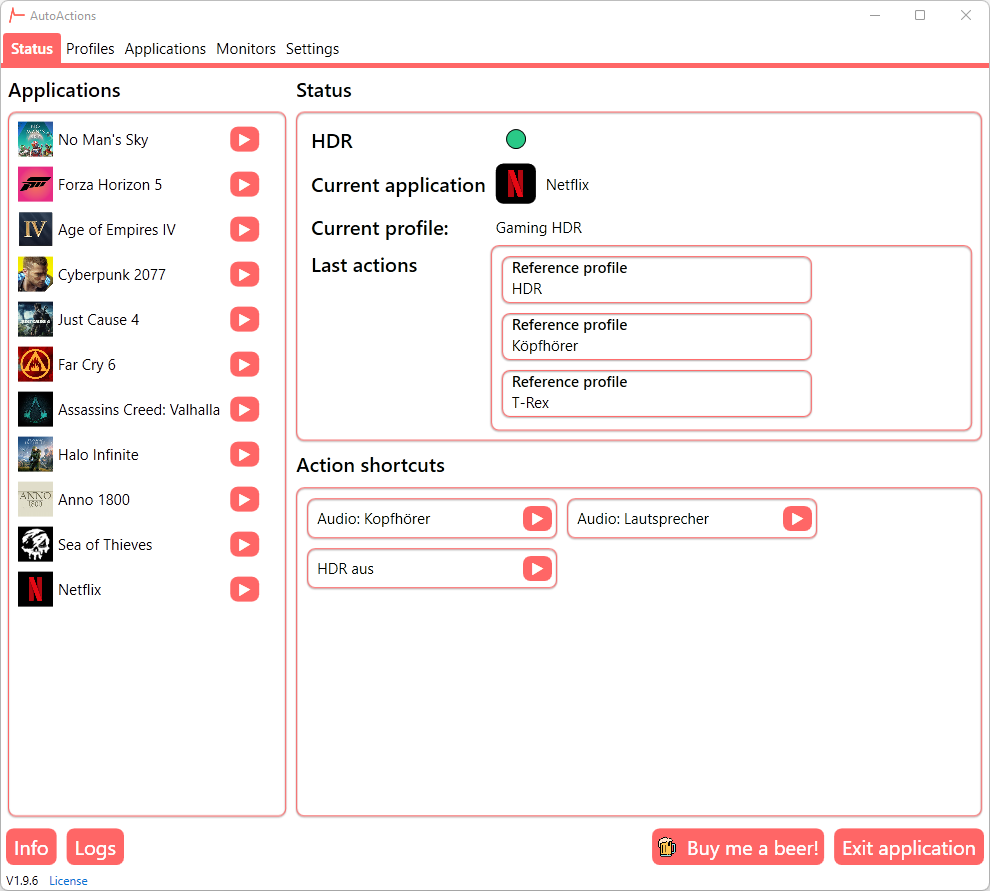
Create action shortcuts and access them in the status view or from the tray menu.
In some games, e.g. Cyberpunk 2077, you don't see any HDR options in settings, when HDR was not enabled in Windows before the game was launched. Therefore, the application kills the process on the first occurence, activates hdr and restarts the process.
Select which monitors you want to control with AutoActions