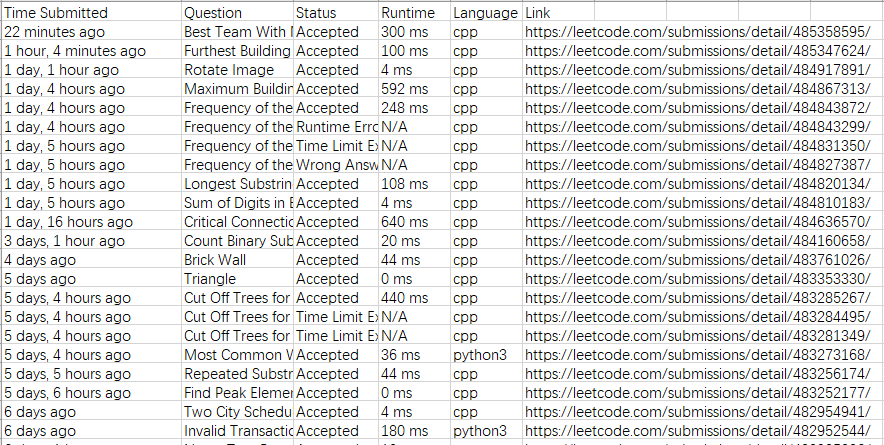
- Crawl all your submissions to file
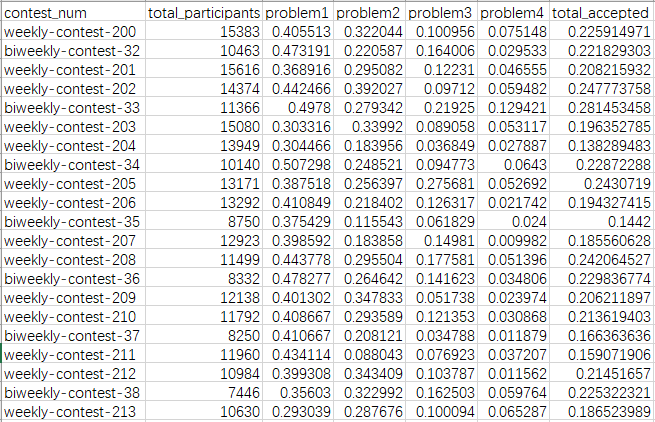
- Build contests info table to file
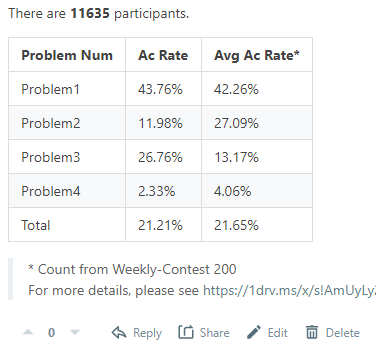
- Post contest summary on leetcode discussion
- User contest history profile
First of all, you should have a leetcode account. Remember the correct username and password.
Simply run:
python main.py -u USERNAME -p PASSWORD -gsor give specific saving path:
python main.py -u USERNAME -p PASSWORD -gs -ssp YOUR_SAVE_PATHRun:
python main.py -u USERNAME -p PASSWORD -bt --end END_CONTESTDefault start contest is weekly-contest-200, if you want to build from a different contest number, add --start START_CONTEST to the command line.
If you want to rewrite contest data which already exists, add --rewrite, and you could also give a specific saving path:
python main.py -bt \
-u USERNAME \
-p PASSWORD \
--start START_CONTEST \
--end END_CONTEST \
--rewrite \
--save_path SAVE_PATHFor example, if you want to post weekly-contest-238, run:
python main.py -u USERNAME -p PASSWORD --post_url https://leetcode.com/discuss/general-discussion/1175023/weekly-contest-238