Repository navigation
Releases: TRNSYSJP/ExtAMeDAS
Release list
ExtAMeDAS Plugin ver 1.0.1

Release v1.0.1: Fix for the transparent window background on Windows 10
ExtAMeDAS 1.0.1 fixes a display problem on Windows 10.
📦 Files
ExtAMeDAS-Setup-1.0.1.220.exe: Installer (English / Japanese). Administrator privileges are required. The installer is not code-signed, so Windows SmartScreen may show a warning ("More info" → "Run anyway"). Version 1.0.0 is updated by running this installer.ExtAMeDAS-en-US.html/ExtAMeDAS-ja-JP.html: Manual (English / Japanese). The manual is also installed with the plug-in (Help, F1 key).
🐞 Bug Fixes
- On Windows 10, the background of the plug-in window was transparent, and the windows behind it (such as Simulation Studio) showed through the menu on the left and the station information on the right. The window is now drawn with an opaque background. On Windows 11, the window is still shown with Mica (the translucent Windows 11 background).
📝 Requirements
- Windows 10 / Windows 11 (64-bit), TRNSYS 18
- EA weather data (standard year file and station information file). Not included. Please purchase it separately.
- Internet connection for the map
For the features of the plug-in, see the 1.0.0 release notes.
日本語版
Release v1.0.1: Windows 10 で画面の背景が透ける問題の修正
ExtAMeDAS 1.0.1 では、Windows 10 での表示の問題を修正しました。
📦 ファイル
ExtAMeDAS-Setup-1.0.1.220.exe:インストーラー(日本語・英語)。管理者の権限が必要です。コード署名をしていないため、Windows SmartScreen の警告が表示されることがあります(「詳細情報」→「実行」)。1.0.0 をお使いの場合は、このインストーラーを実行すると更新されます。ExtAMeDAS-ja-JP.html/ExtAMeDAS-en-US.html:マニュアル(日本語・英語)。プラグインと一緒にもインストールされます(Help、F1 キー)。
🐞 不具合の修正
- Windows 10 で、プラグインの画面の背景が透けて、左のメニューや右の地点情報の部分に後ろのウィンドウ(Simulation Studio など)が見えていました。背景を不透明にして表示するように修正しました。Windows 11 では今までどおり Mica(Windows 11 の半透明の背景)で表示します。
📝 動作環境
- Windows 10 / Windows 11(64bit)、TRNSYS 18
- 拡張アメダス気象データ(標準年のファイルと地点情報のファイル)。プラグインには含まれていません。別途ご購入ください。
- 地図の表示にはインターネット接続が必要です
プラグインの機能については、1.0.0 のリリース情報をご覧ください。
ExtAMeDAS Plugin ver 1.0.0
Release v1.0.0: Public release with a redesigned UI and .wea2 support
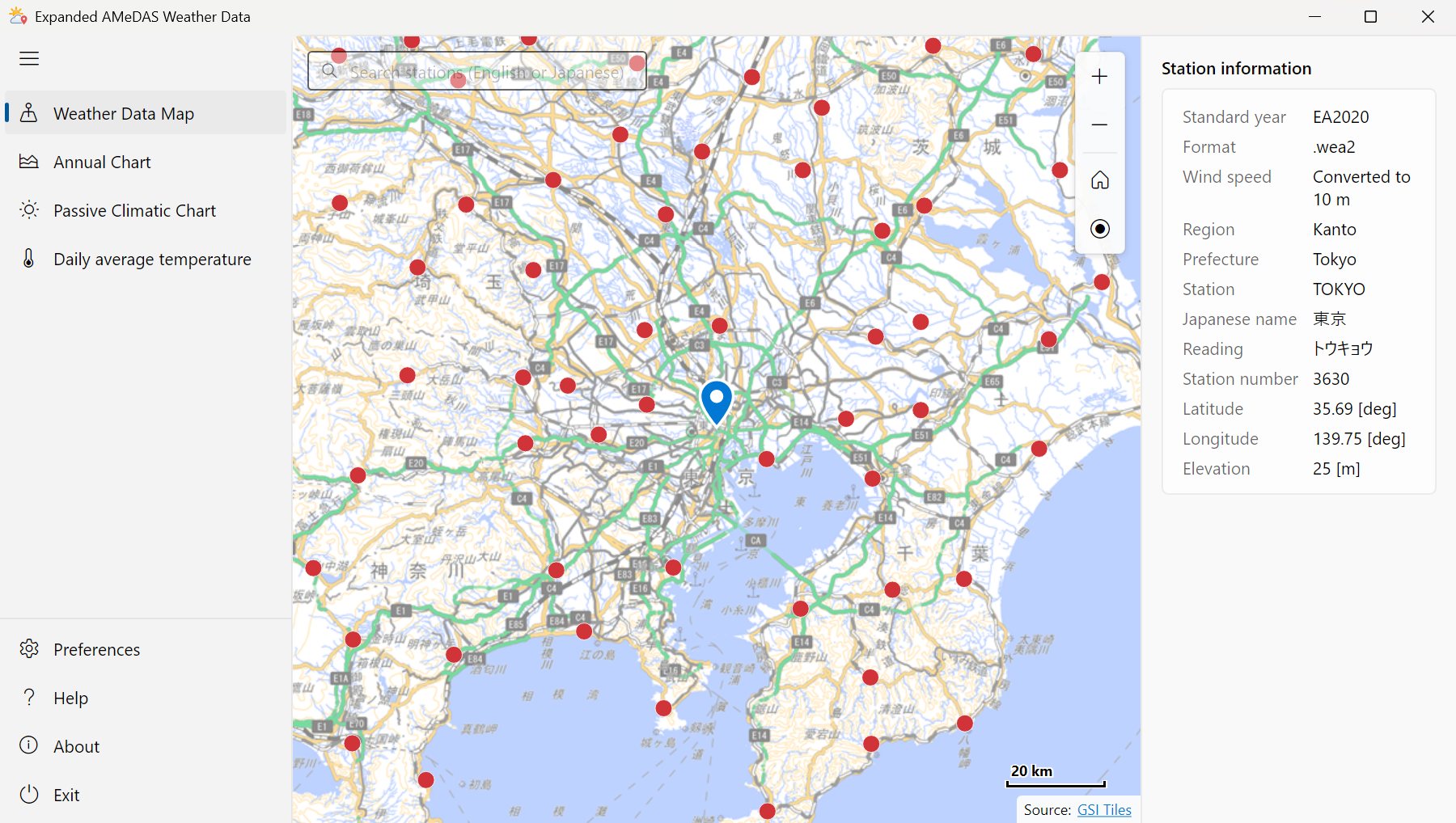
ExtAMeDAS 1.0.0, the Expanded AMeDAS Weather Data plug-in for the Type99-AMeDAS component of TRNSYS, is now publicly available. Until now it was provided only to a limited group of users. For this release, its features and user interface were reviewed. The plug-in lets you select a station of the Expanded AMeDAS Weather Data (EA weather data) on a map, and creates a weather data file (.99) that TRNSYS Type99 can read.
📦 Files
ExtAMeDAS-Setup-1.0.0.217.exe: Installer (English / Japanese). Administrator privileges are required. The installer is not code-signed, so Windows SmartScreen may show a warning ("More info" → "Run anyway").ExtAMeDAS-en-US.html/ExtAMeDAS-ja-JP.html: Manual (English / Japanese). The manual is also installed with the plug-in (Help, F1 key).
🚀 What's New
- .wea2 support: Supports the .wea2 format of the EA weather data, and adds the 2020 edition (EA2020) and the 2086 future edition (EA2086) to the standard years. The 1995, 2000 and 2010 editions can be used in either .wea or .wea2.
- Redesigned user interface: Rebuilt with a Windows 11 style design. The plug-in starts faster, and the .NET runtime is no longer required.
- New map and station search: The map is now GSI Tiles (pale map). Search for a station by English name, Japanese name, kana reading or station number.
- Rebuilt charts: Switch the range (3 days to 1 year), show or hide data with the legend, show daily values (max–min band, mean), and save chart images as PNG or SVG (sharp when enlarged or printed), or copy them.
- Heating period: The period in which the moving average of the daily mean temperature is 15 °C or lower is shaded on the annual data and the daily average annual data. The legend shows the dates and the simulation times [h] (e.g. Tokyo 2020: 11/21–4/13 (7777–2472 h)), which you can use for the start and stop times of a heating-period simulation.
- Two-year .99 (year-end error): With a time step shorter than 1 hour, Type99 can stop at hour 8,760 in a simulation that goes past the end of the year (in TRNSYS 18 this happened when the start time was a multiple of 24 h). Select Type99 file: 2 years (17,520 h) in Preferences to write the same year twice (
_2yearsis added to the file name). - Component title: Closing the plug-in with Yes sets the title of the component in Simulation Studio to the English name of the station (e.g. TOKYO).
- English user interface and manual: The plug-in, the manual and the installer are shown in English if the Windows display language is not Japanese.
✨ Improvements
- The .99 file name contains the standard year and the format (e.g.
EA2010-wea_3630_TOKYO.99,EA2020-wea2_3630_TOKYO.99), so you can tell which data a simulation used. - Preferences detects the format from the file contents and does not accept a file of a different edition.
- Relative humidity is drawn behind the temperature line, so both can be shown together.
- When started from Simulation Studio, the plug-in opens with the station of the component (a .99 written by this plug-in) selected and zoomed in.
- HTML manual, opened with Help (F1 key) or Manual in About. License information window in About.
- New icons. The version includes a build number (shown in About and in the installer file name).
- Station information files: The station information is no longer included in the plug-in. It is read from the station information file on the EA weather data media, which must be in the same folder as the standard year file. If you copied only the standard year file to your disk, copy the station information file (
CITYINFO.DAT/StnInfo.dat/StnInfo0110.dat/StnInfo_<file name>.dat) to the same folder. - Installer: Version 0.1.7 or earlier is uninstalled automatically, and its settings are carried over. The Start menu shortcut (Expanded AMeDAS Viewer) was removed. Run
ExtAMeDASPlugin.exedirectly to use the plug-in as a chart viewer. - Components set to a .99 with an old name (such as
EA2010_3630_TOKYO.99) still open with the station selected. Closing with Yes writes the .99 with the new name.
📝 Requirements
- Windows 10 / Windows 11 (64-bit), TRNSYS 18
- EA weather data (standard year file and station information file). Not included. Please purchase it separately. Use it in accordance with its license terms; the .99 files are processed EA weather data and must not be given to third parties.
- Internet connection for the map
日本語版
Release v1.0.0: 画面の刷新と .wea2 対応、一般公開版
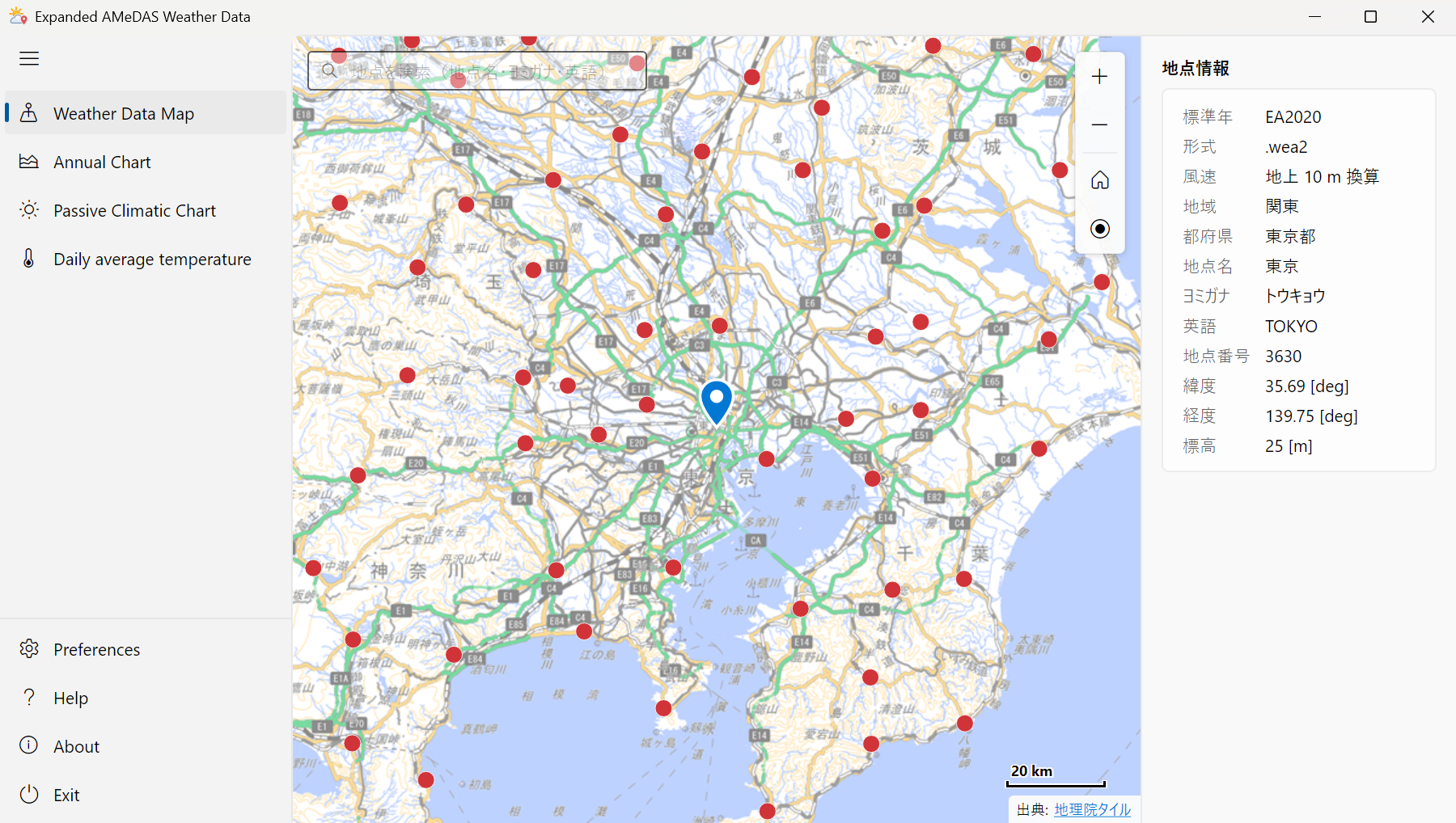
TRNSYS の Type99-AMeDAS コンポーネントのプラグイン「拡張アメダス気象データ プラグイン(ExtAMeDAS)」の 1.0.0 を公開しました。これまでは一部の方に限定して公開していましたが、機能と画面(UI)を見直して公開することにしました。拡張アメダス気象データ(拡張AMeDAS、EA気象データ)の地点を地図で選び、TRNSYS の Type99 で読める気象データ(.99)を作るプラグインです。
📦 ファイル
ExtAMeDAS-Setup-1.0.0.217.exe:インストーラー(日本語・英語)。管理者の権限が必要です。コード署名をしていないため、Windows SmartScreen の警告が表示されることがあります(「詳細情報」→「実行」)。ExtAMeDAS-ja-JP.html/ExtAMeDAS-en-US.html:マニュアル(日本語・英語)。プラグインと一緒にもインストールされます(Help、F1 キー)。
🚀 主な新機能
- .wea2 形式に対応: 拡張アメダスの .wea2 形式に対応し、標準年に 2020年版(EA2020)と 2086年将来版(EA2086)を追加しました。1995年版・2000年版・2010年版は、.wea と .wea2 のどちらでも使えます。
- 画面を一新: Windows 11 のデザインで作り直しました。起動が速くなり、.NET ランタイムのインストールも不要です。
- 地図と地点の検索: 地図を国土地理院の地理院タイル(淡色地図)に変更しました。地点名・ヨミガナ(ひらがなでも可)・英語表記・地点番号で検索できます。
- チャートを作り直し: 表示期間の切り替え(3日~1年)、凡例による表示・非表示の切り替え、日別値(最高~最低の帯、平均)の表示、画像の保存(PNG / SVG。拡大・印刷しても粗くならない)・コピーができます。
- 暖房期間の表示: 日平均気温の移動平均が 15 ℃以下の期間を、年間データと日平均年間データの背景に塗ります。凡例に期間と TRNSYS のシミュレーションの時刻 [h] を表示するので(例: 東京 2020年版「暖房期間 11/21~4/13(7777~2472 h)」)、暖房期間を計算するときの開始・終了時刻の目安に使えます。
- 2 年分の .99(年越しのエラーの対策): タイムステップが 1 時間より短く、年をまたいで計算すると、Type99 が 8,760 時で止まることがあります(TRNSYS 18 では開始時刻が 24 の倍数のときに起きました)。基本設定の Type99 file で 2 years (17,520 h) を選ぶと、同じ 1 年分を 2 回続けて書き出します(ファイル名の最後に
_2years)。 - コンポーネントの名前: Yes で閉じると、Simulation Studio のコンポーネントの名前が地点の英語表記(例: TOKYO)になります。
- 英語の画面とマニュアル: Windows の表示言語が日本語以外の場合は、プラグイン・マニュアル・インストーラーを英語で表示します。
✨ その他の改善
- .99 のファイル名に標準年と形式が入るので(例:
EA2010-wea_3630_TOKYO.99、EA2020-wea2_3630_TOKYO.99)、どのデータで計算したかがわかります。 - 基本設定では、ファイルの形式を中身で判定し、年版の違うファイルは設定しません。
- 相対湿度を気温の線の下に描くので、両方を表示しても見やすくなりました。
- Simulation Studio から開いたときは、コンポーネントの地点(このプラグインで書き出した .99)を選び、地図を拡大して表示します。
- マニュアルを HTML にしました(Help(F1 キー)、バージョン情報の Manual)。バージョン情報に「ライセンス情報」の画面を追加しました。
- アイコンを新しくしました。バージョンにビルド番号を付けました(バージョン情報とインストーラーのファイル名)。
- 地点情報のファイル: 地点の情報をプラグインに含めるのをやめ、拡張アメダスの媒体にある地点情報のファイルを読むようにしました。標準年のファイルと同じフォルダに置いてください。標準年のファイルだけをハードディスクなどにコピーしている場合は、地点情報のファイル(
CITYINFO.DAT/StnInfo.dat/StnInfo0110.dat/StnInfo_<ファイル名>.dat)も同じフォルダにコピーしてください。 - インストーラー: 0.1.7 以前は自動でアンインストールし、設定を引き継ぎます。スタートメニューのショートカット(Expanded AMeDAS Viewer)は廃止しました。
ExtAMeDASPlugin.exeを直接起動すると、チャートを見るためのアプリケーションとして使えます。 - 以前の名前の .99(
EA2010_3630_TOKYO.99など)が設定されたコンポーネントも、地点を選んだ状態で開きます。Yes で閉じると新しい名前で書き出します。
📝 動作環境
- Windows 10 / Windows 11(64bit)、TRNSYS 18
- 拡張アメダス気象データ(標準年のファイルと地点情報のファイル)。プラグインには含まれていません。別途ご購入ください。 使用許諾に従ってご使用ください(.99 は拡張アメダス気象データを加工したデータです。第三者に渡さないでください)。
- 地図の表示にはインターネット接続が必要です