A tool for converting SfM results from 360° Gaussian into RealityScan compatible images/XMP and COLMAP format for verification. Features automatic splitting, pose calculation, and mask support.
Choose one of the following methods to get this repository:
- Download ZIP: Click Code → Download ZIP at the top of the GitHub page and extract it to any folder.
or - Clone with Git: Use the GitHub desktop app or run the following command:
git clone https://github.com/TakashiYoshinaga/360-to-RealityScan.git
Download and install Anaconda from the page below.
https://www.anaconda.com/download
- Launch Anaconda Navigator
- Click Environments in the left menu
- Click Create at the bottom
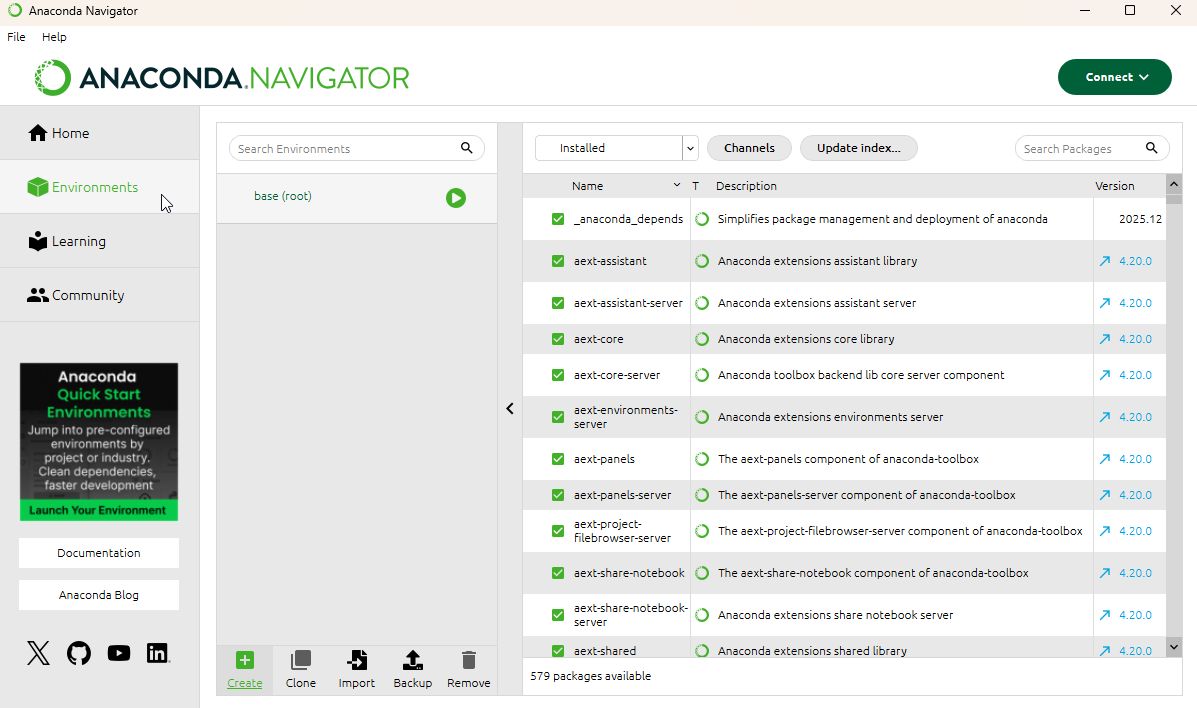
- In the Create new environment dialog, configure the following:
- Name: Any name (e.g.
gs_env) - Python: Select version 3.10 or higher
- Name: Any name (e.g.
- Click Create
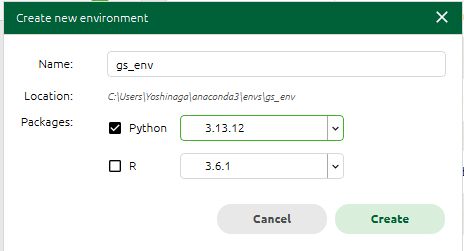
- Click the environment you just created (e.g.
gs_env) - Select Not installed from the dropdown menu
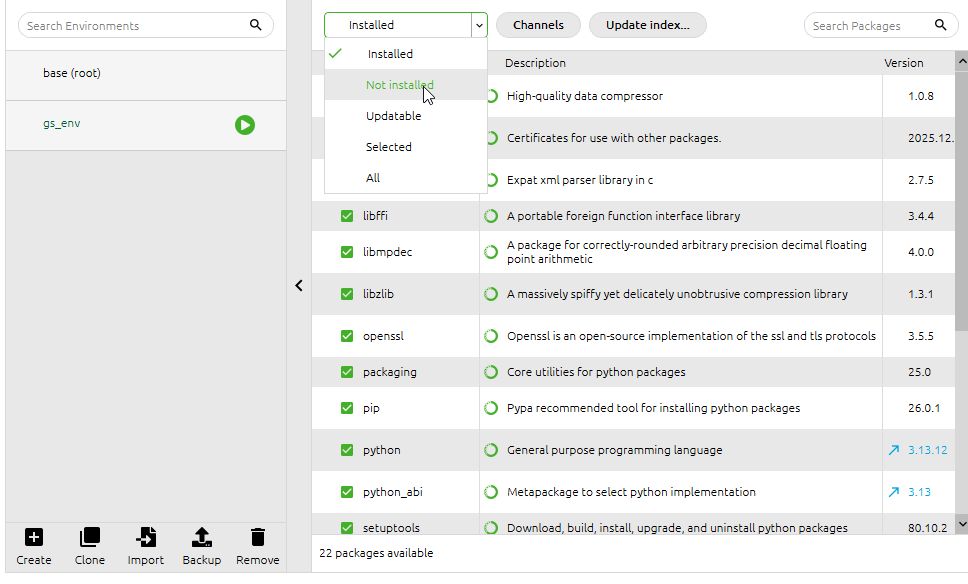
- Search for
numpy - Check the numpy entry in the list
- Click Apply
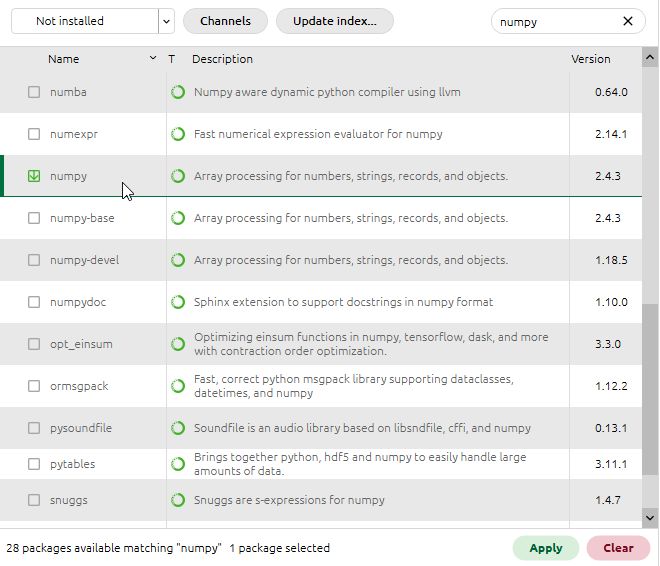
- Search for
ffmpegin the same way - Check the ffmpeg entry in the list
- Click Apply
- Click the play button next to the environment name (e.g.
gs_env) in Anaconda Navigator - Click Open Terminal
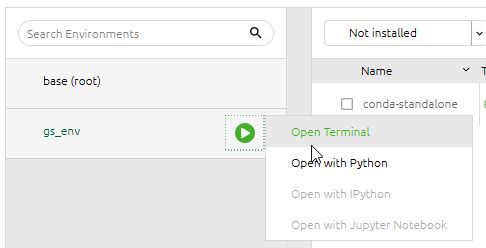
- Navigate to the folder containing the script
cd C:\path\to\360-to-RealityScan
💡 Tip
You can also typecdfollowed by a space and then drag and drop the360-to-RealityScanfolder into the terminal window to fill in the path automatically.
- Run the script
python spheresfm_to_realityscan.py
The GUI will launch.
Once the GUI launches, specify each path as follows:
| Field | Target |
|---|---|
| transform.json | transforms.json inside the lichtfeld folder |
| PLY file (optional) | pointcloud.ply inside the lichtfeld folder |
| Input folder (equirectangular) | images folder containing equirectangular images |
| Mask folder (equirectangular, optional) | masks folder containing mask images |
| Output folder | Destination folder (e.g. RealityScan) |
The defaults work fine in most cases.
| Parameter | Description |
|---|---|
| Additional Pitch Angles | The equator (vertical center of the image = 0°) is always included automatically. To also crop directions tilted up or down from the center of the equirectangular image, enter angles as comma-separated values (e.g. -45,45 adds 45° above and 45° below center). Leave blank to crop the equatorial direction only |
| Split Count (Equator) | Number of splits along the equator. Default is 6; set to 4 for cube map sides only |
Click Start Conversion to begin.
When conversion completes, the following files and folders will be created in the output folder (e.g. RealityScan):
RealityScan/
├── all/
├── images/
├── masks/
├── cameras.txt
├── images.txt
└── points3D.txt  ← Generated only when a PLY file is specified
📝 Note
When bothtransforms.jsonand a PLY file are specified, a complete COLMAP-format dataset including camera poses, point cloud, and image information will be output.
For instructions on integrating this tool into a full Gaussian Splatting workflow, refer to the articles below:
You can build Windows executables from source using the provided PowerShell script.
- Anaconda or Miniconda
- A conda environment with Python 3.10+ and NumPy installed (see Setup above)
- ffmpeg is NOT bundled in the exe (license reasons). Users set the path manually in the GUI.
Download ffmpeg for Windows from: https://github.com/BtbN/FFmpeg-Builds/releases
Open PowerShell and run:
Set-ExecutionPolicy -Scope Process -ExecutionPolicy Bypass -Force
.\Build\build.ps1
If your conda environment name is not gs_env, specify it with -CondaEnv:
.\Build\build.ps1 -CondaEnv myenvYou can also build only one tool at a time:
.\Build\build.ps1 -Target metashape   # MetashapeToRS.exe only
.\Build\build.ps1 -Target spheresfm   # SphereSfMToRS.exe only
Output files are placed in Build\dist\:
| File | Source |
|---|---|
MetashapeToRS.exe |
Build\metashape_to_realityscan.py |
SphereSfMToRS.exe |
Build\spheresfm_to_realityscan.py |
conda is detected automatically from PATH or common installation locations.
PyInstaller is installed automatically if not already present.