Un-park your side projects. When you return after three months,
unpark tells you what the project is, where you stopped, and the one command
that shows it running.
unpark is the primary command. wb is an optional shorthand for “welcome
back”; both run the same program.
$ unpark

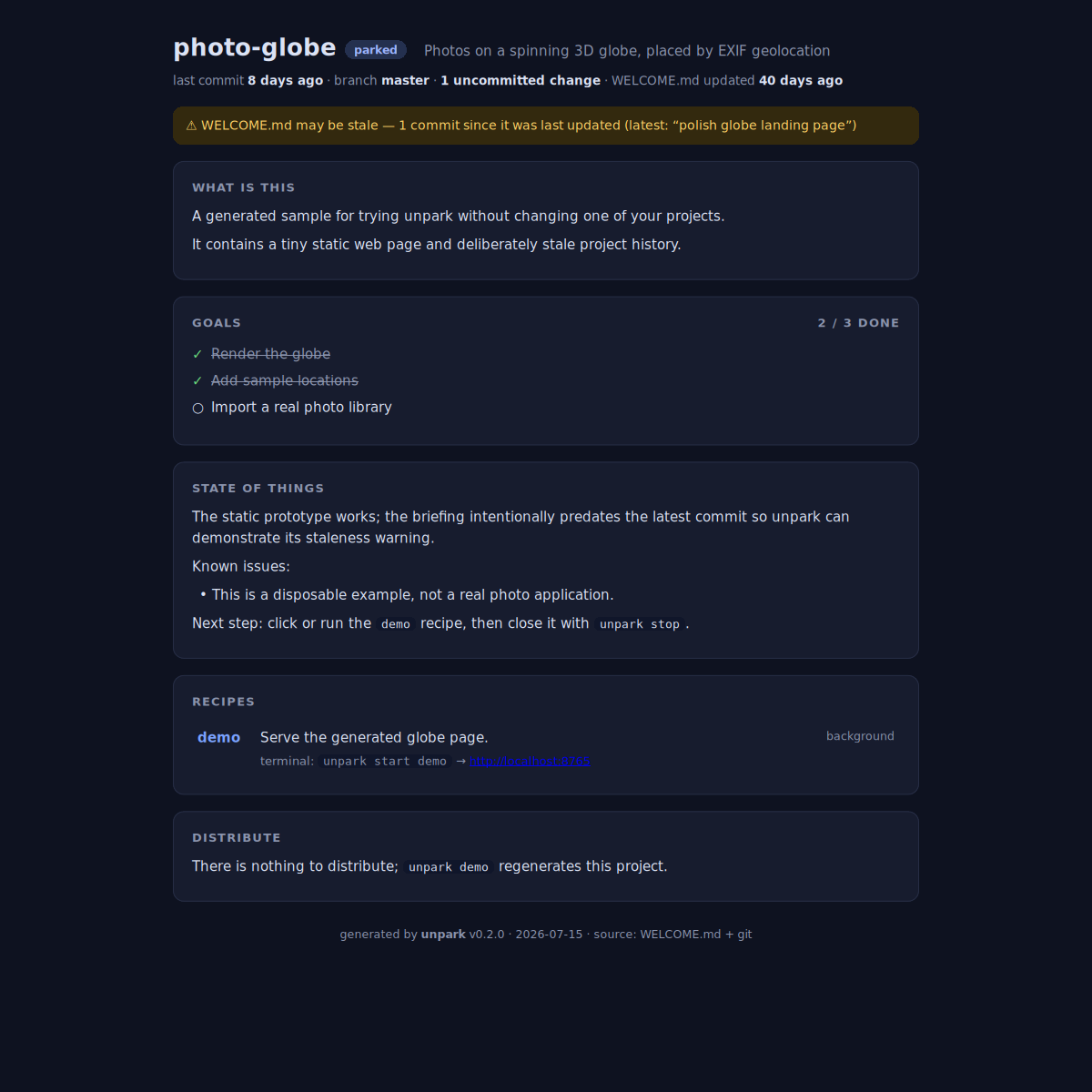
photo-globe — Photos on a spinning 3D globe, placed by EXIF geolocation
parked · last commit 8 days ago · WELCOME.md updated 40 days ago

GOALS  2/3 done
RECIPES
  demo   Serve the generated globe page   background · :8765

⚠ WELCOME.md may be stale: 1 commit since updated
Each project commits one human-readable, GitHub-rendered WELCOME.md.
Coding agents can keep it fresh through an installable upkeep skill, but the
tool itself is local, deterministic, and makes no LLM or network calls.
- Terminal briefing with live git context
- Interactive localhost dashboard with recipe start/stop controls
- A curated handful of re-entry recipes that delegate to your task runner
- Managed demo processes with
ps,logs, andstop - Optional portfolio and VS Code workspace hand-off
- Python 3.9+ with no runtime dependencies
Install the published package:
uv tool install unpark        # or: pipx install unpark
unpark demo
From a clone, use uv tool install . when developing it.
The demo is a self-contained, disposable trial: it prints a generated briefing
with relative-dated git history, then deletes its files. Use unpark demo --html to explicitly open that temporary demo's dashboard, or use unpark demo ./photo-globe-demo to keep the sample for inspection.
This is the dashboard opened by unpark demo --html:
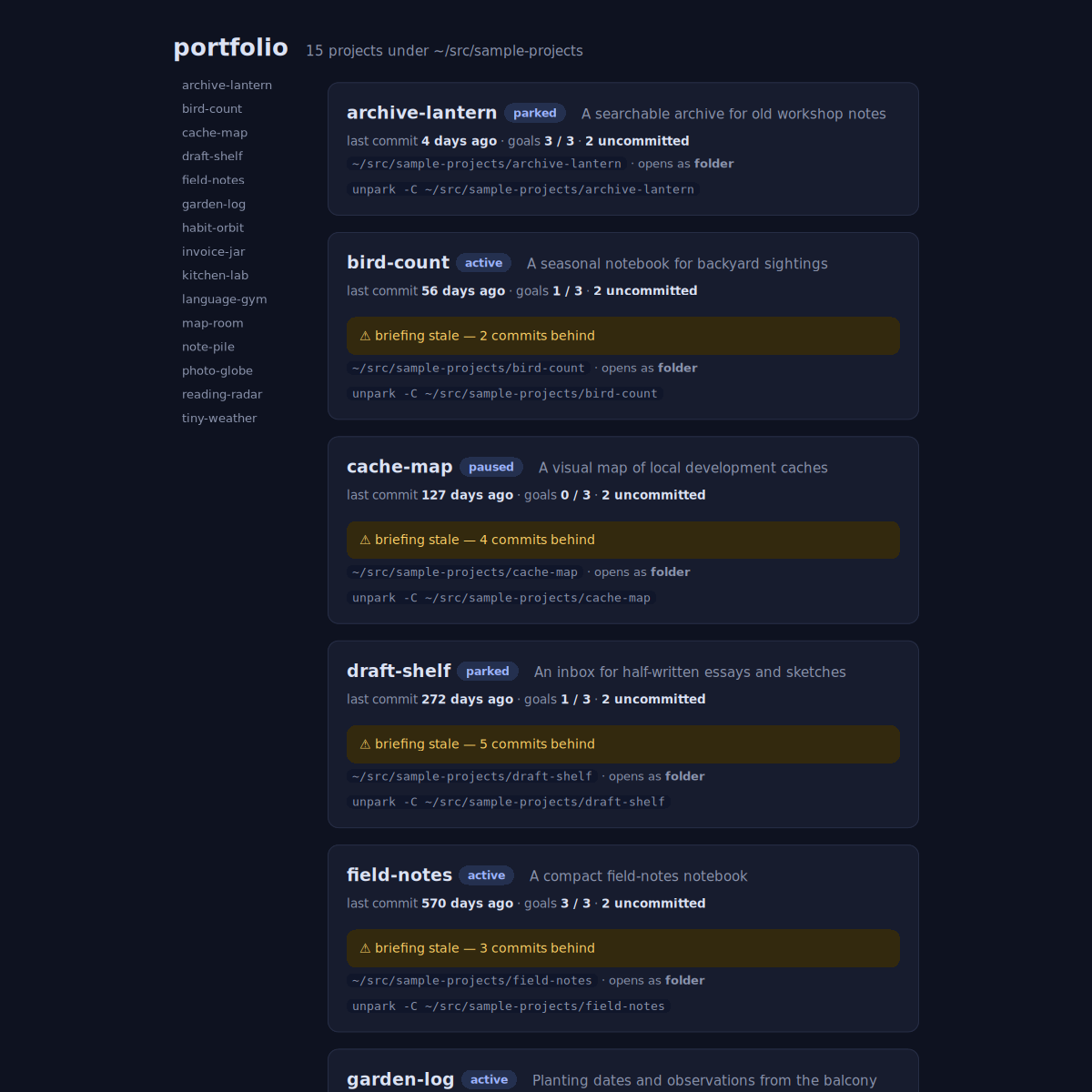
For daily use, run unpark html inside a real project repository. It reads
that repository's own WELCOME.md and serves its local dashboard. From a
directory containing several real projects, the same command instead provides
a compact portfolio with their status, stale-briefing warnings, goals, and next
command:
In a terminal, unpark projects pages your registered-project overview. Use
unpark projects --pick to choose one before its briefing opens, or
unpark project NAME when you already know which project you want.
cd your-project
unpark init                   # create a manual skeleton
unpark                        # terminal briefing
unpark html                   # interactive dashboard
unpark manual                 # full context-aware manual
Long interactive briefings automatically use $PAGER (default less), while
piped output remains plain. Use --no-pager or set NO_PAGER to disable it.
Or install the upkeep skill once and ask your coding agent, “Set up unpark for this project”:
unpark skill --install --global --target claudeChoose the global integration deliberately: repeat --target for more than
one, or use --target all for every file-based integration that unpark knows
how to install (claude, codex, and copilot). Cursor's global User Rules
are configured in its settings, so unpark leaves them under your control; its
project-level AGENTS.md support is covered by unpark skill --install.
A minimal briefing looks like this:
---
name: my-project
tagline: What it does, in one line
status: active
updated: 2026-07-15
---

## What is this

Who it is for and what exists.

## State of things

The latest useful hand-off.

Known issues:
- None known.

Next step: ship the first release.

## Recipes

### demo

```sh
just demo
```just, task, mask, mise, make, and npm keep owning the full task
catalog. Unpark owns the re-entry moment. Its recipes should delegate—such as
just demo—instead of copying task bodies into WELCOME.md.
Recipes are executable project code, like a Makefile. Review WELCOME.md
before running recipes from an untrusted clone. The dashboard binds only to
localhost and protects actions with a per-session token and Host-header check;
see SECURITY.md for details.
Published on PyPI. MIT © Jörg Türmer (Joerg Tuermer).