Repository navigation
Target Damage Style
On Draw Steel 1.2, every ability chat message has a section for each target. They are clear, but tall: a fight with six targets is a long scroll. Tables that ran Draw Steel: Target Damage on 1.1 got used to its compact panel, one short row per target, and missed it.
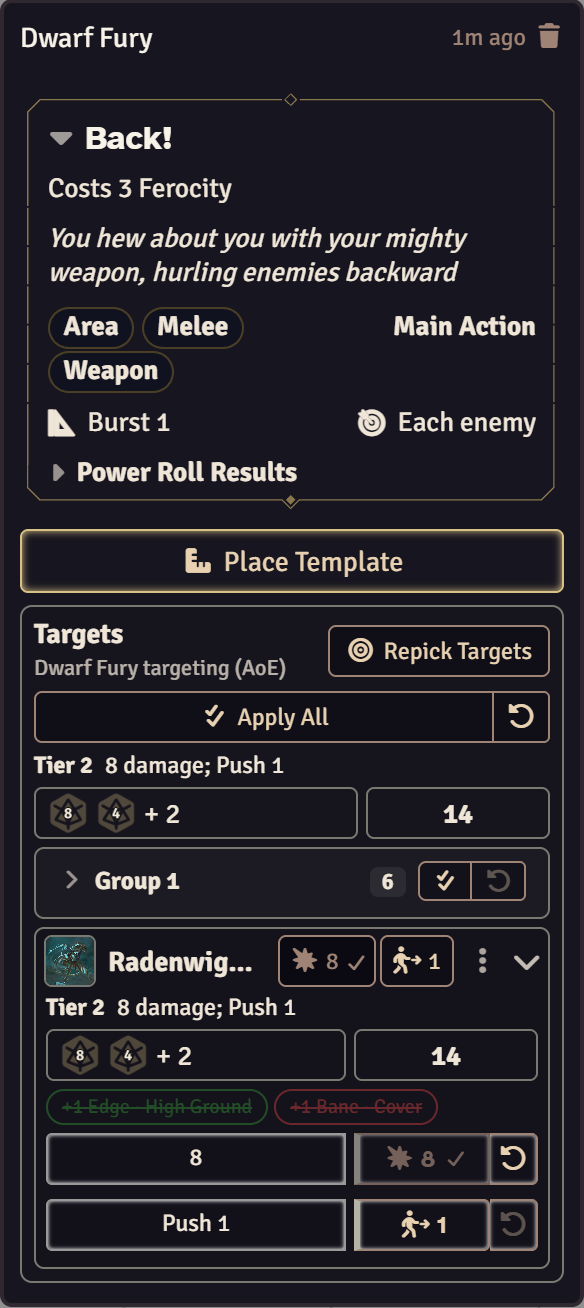
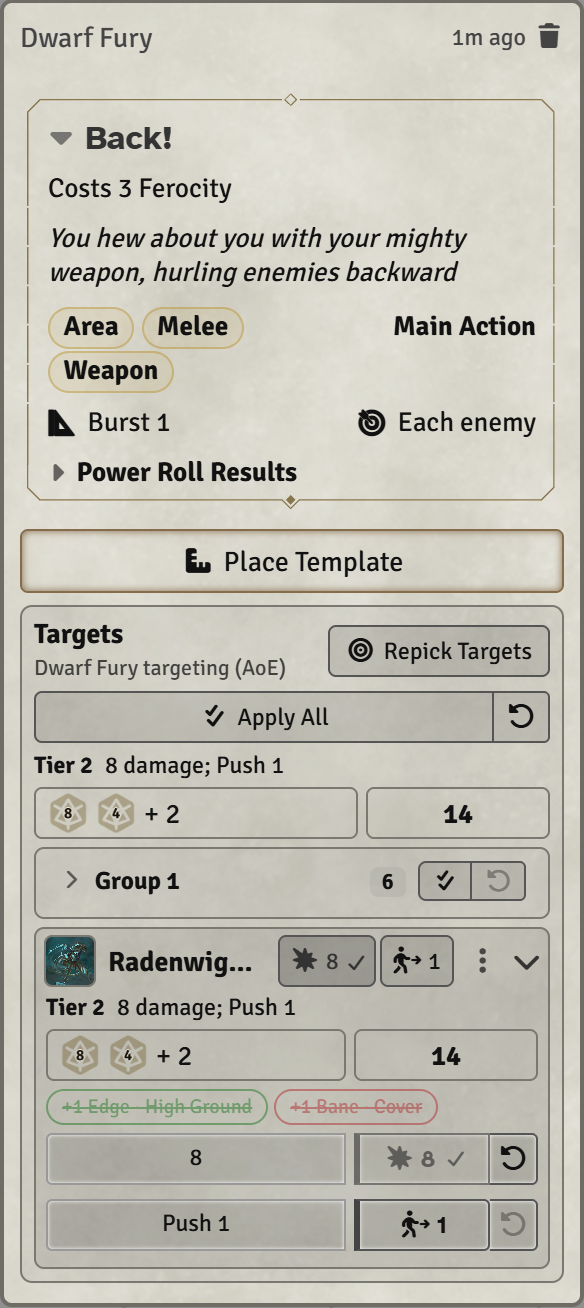
Target Section Style brings that layout back on 1.2. It only moves things around: the buttons, menus and windows are the same ones the system and Combat Tools put in each section, so everything works as it does in the default look.
 |
 |
| Setting | Default | Who sets it | What it does |
|---|---|---|---|
| Target Section Style | Target Damage | The Director | Target Damage folds the sections into the panel described here. Draw Steel keeps the system's sections |
| Show Modifiers in Chat | On | Everyone | Every edge, bane and other modifier shows as a pill under its line |
| Compact Modifier Pills | Off | Everyone | Pills shrink to their amount, such as +1 Edge, with the full detail on hover |
Compact Modifier Pills used to be a Combat Tools setting. With Battle Log active it lives here, and whatever you had chosen in Combat Tools carries over.
The pills, Update Targets and Apply All come from Draw Steel: Combat Tools. Without it the panel still folds the sections into rows.
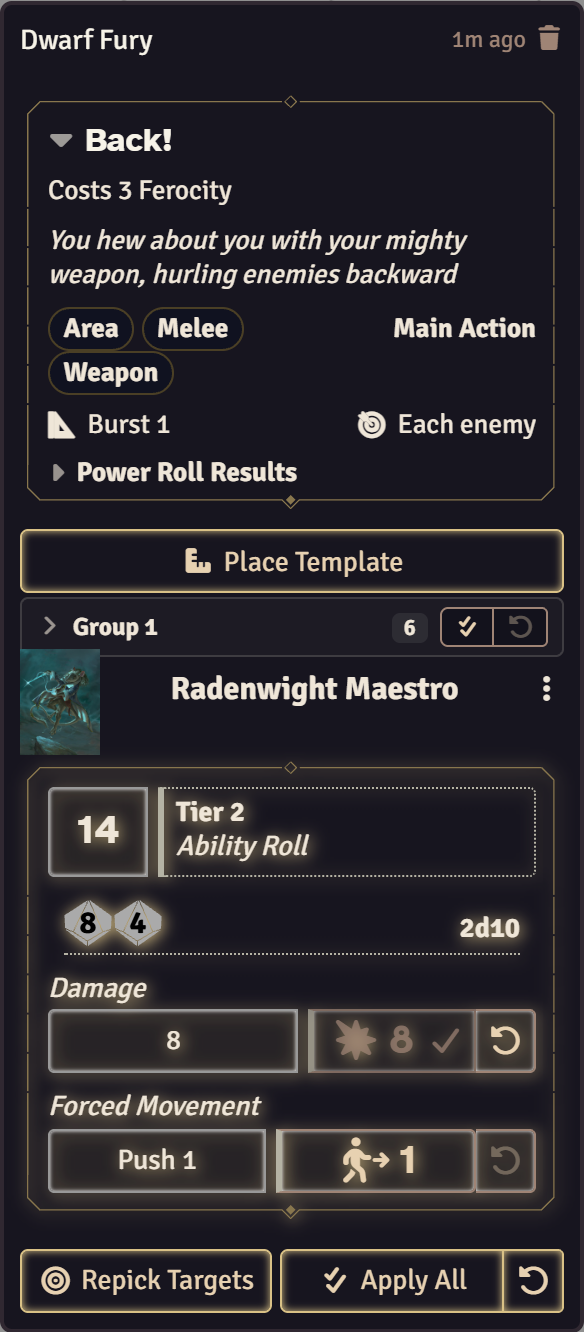
Here is the same chat message with Target Section Style set to Draw Steel, next to Target Damage:
 |
|
The panel sits under the ability, in place of its target sections:
- Targets, with who is targeting underneath, such as "Dwarf Fury targeting (AoE)", and Update Targets beside it.
- Apply All, with its undo.
- One shared roll, when every target rolled the same total and tier, as an area ability usually does.
- A Global row of pills, when the ability has more than one target: the power roll modifiers that apply to every target, such as +1 Bane · Weakened. Click one to switch it for every target that is not applied yet. With Combat Tools, they are set in Modify Power Roll (Global).
- One row per target. A squad's minions sit together in a group you can fold, with its own apply and undo.
Each row shows the target's picture and name, one narrow quick button for each line in the row (damage, forced movement and each effect), the three dots menu and an arrow. The name gets shorter to make room for the buttons. A quick button does the same as the line it copies and shows the same tooltip; once that line has been applied, it shows a checkmark and can't be clicked until you undo it. Click the row to open it. A message with a single target opens it for you; with more, they start folded. What you open stays open while you play, even when the message changes, until you reload.
- The tier and what it does, such as "Tier 3 · 9 damage".
- The dice, the bonus and the total, with the roll's pills under them.
- The damage line: the formula, then apply and undo. Its pills go under it.
- The forced movement line: the movement, then move and undo. Its pills go under it.
- One line per applied effect: its potency, then apply and undo. Its pills go under it.
Every button keeps its rich tooltip, and a label too long for its button is cut short there. An applied button stays disabled, outline and tooltip included, until you undo it. The three dots menu opens the modify window for the roll, each damage, the forced movement and each effect, as in the default look. A result that has been applied can't be modified until it is undone, so its entries leave the menu.
With Combat Tools, a target whose result was modified has its name underlined. Hover the name or the picture to list its modifiers.
A pill is one modifier, named the way its window names it, such as +1 Edge · Flanking or +1 Bane · Cover. Hover a pill to see where it came from: the tooltip names it, and the creature it came from lights up on the map, with a line to the target.
Global modifiers also show in each target's row, faded and dotted. Clicking one there switches it for that target only.
Click a pill to switch it off, and again to switch it back on. It is the same switch as in the modify window: the roll, tier and damage are worked out again, and the window shows the change. A pill that is off is struck through. The pills of a result that has been applied are locked until you undo it.
The style works with Draw Steel Plus's Improved Chat. The panel takes on Draw Steel Plus's colours and fonts, and since Draw Steel Plus already folds the power roll tiers into its own section, Battle Log leaves its own fold out.
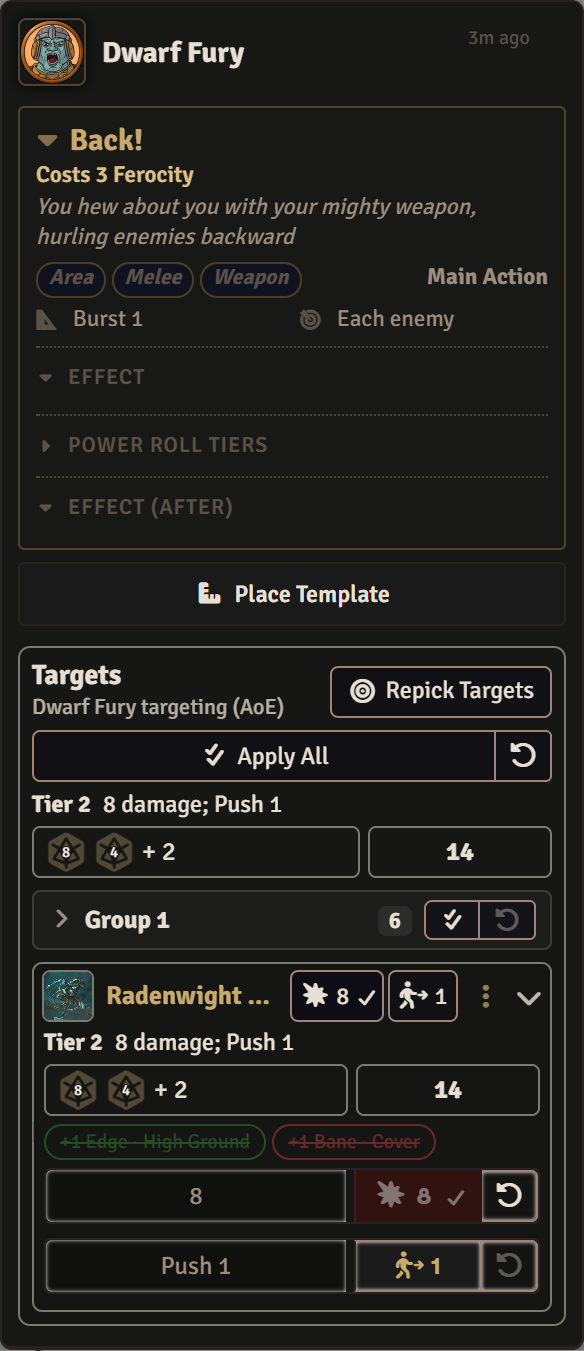
The style does not draw its own copy of a target. It takes the system's section and restyles it in place into a row. That matters, because the system's apply buttons, Combat Tools' Apply All and the undo buttons all find their target through that section. A copy would look right and apply nothing.
It runs after every other module has drawn its rows on the message, so Combat Tools' lines are there to fold. The pills come from Combat Tools' list of modifiers for that section, the same list its modify windows read, so the chat and the windows can never disagree.
- The first draft applied nothing. It built a fresh row for each target and removed the system's section. Every apply button looks for the section it sits in to know its target, so with the sections gone, Apply All found nothing. The section itself is the row now.
- Apply All landed under the panel after a reload. When the page loads, the chat is drawn before the world is ready, and Combat Tools waits for the world before adding Apply All. So Battle Log had already built the panel when Apply All arrived below it. When Apply All shows up late, Battle Log now moves it in.
- The pills only said "Rolled". On Draw Steel 1.2, Combat Tools did not keep the names the roll window gave each edge and bane, only how many there were. It keeps them now, so a pill reads +1 Edge · Flanking instead of +1 Edge · Rolled.