Notifications
🌐 English · Deutsch
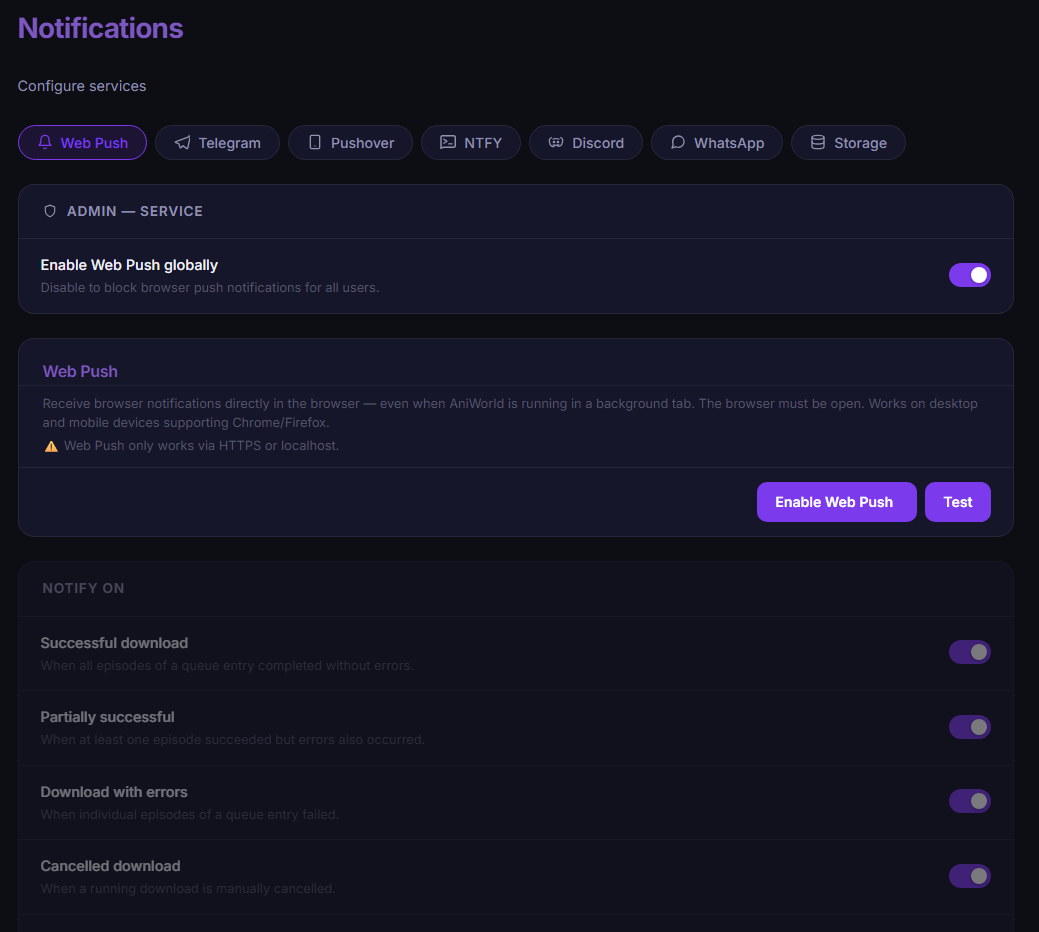
The app can notify through six services. Global service configuration (tokens, webhooks) is managed by the admin; per user, services and individual events can be toggled (/notifications).
| Event | Trigger |
|---|---|
on_completed |
Download fully successful |
on_partial |
Download partially successful |
on_errors |
Download failed |
on_cancelled |
Download cancelled |
on_autosync |
AutoSync downloads new episodes |
on_sync_error |
AutoSync error |
on_sync_hold / on_sync_resume
|
AutoSync paused/resumed (custom path unreachable / back again) |
on_disk_space_low |
Free disk space below threshold (default 5 GB, max. 1 message/hour) |
Push notifications straight to the browser (even with the tab closed, PWA-friendly). VAPID keys are generated automatically (~/.aniworld/vapid_keys.json) — no configuration needed, just click "Enable" in the UI and grant the browser permission. Subscriptions are per user; expired subscriptions are cleaned up automatically.
- Create a bot with @BotFather and store the bot token as admin (
notif_telegram_bot_token). - Send the bot a message.
- Enter your chat ID in your own notification settings — or use the "Detect chat ID" button.
Store a channel's webhook URL (notif_discord_webhook_url). Discord messages arrive as colored embeds (green = success, orange = partial, red = error, grey = cancelled) incl. episode count and error list. Discord is a global channel (not per user).
Admin stores the app token (notif_pushover_app_token); each user enters their own user key.
Self-hosted or ntfy.sh: configure server URL and topic; optional auth via bearer token or username/password.
Requires a Twilio account: admin stores account SID, auth token and sender number; each user enters their own recipient phone number.
The notifications page has a test button per service. For issues, enable debug mode — every send attempt is logged with a reason (e.g. "event disabled in user prefs"). Sensitive values (bot tokens, webhook URLs, app tokens) are stored encrypted in the database (Database).