
🗺️ Welcome to Knox Atlas
Knox Atlas is a read-only companion map for Project Zomboid. It presents an interactive atlas from the game data installed on your computer.
✨ Highlights
- Explore towns, streets, businesses, buildings, landmarks, and waterways.
- Search by name or jump directly to X/Y coordinates.
- Filter businesses, likely-loot zones, building types, and vehicle spawn pools.
- Save named, color-coded custom markers.
- Measure multi-point distances and save named, color-coded paths.
- Copy coordinates and save a preferred map view.
- See the active local game folder or choose another Project Zomboid installation.
Knox Atlas does not edit Project Zomboid or its save files. Some layers represent game-authored zones and possible spawn locations rather than confirmed live loot, vehicles, or player positions.
📍 Waypoints and paths
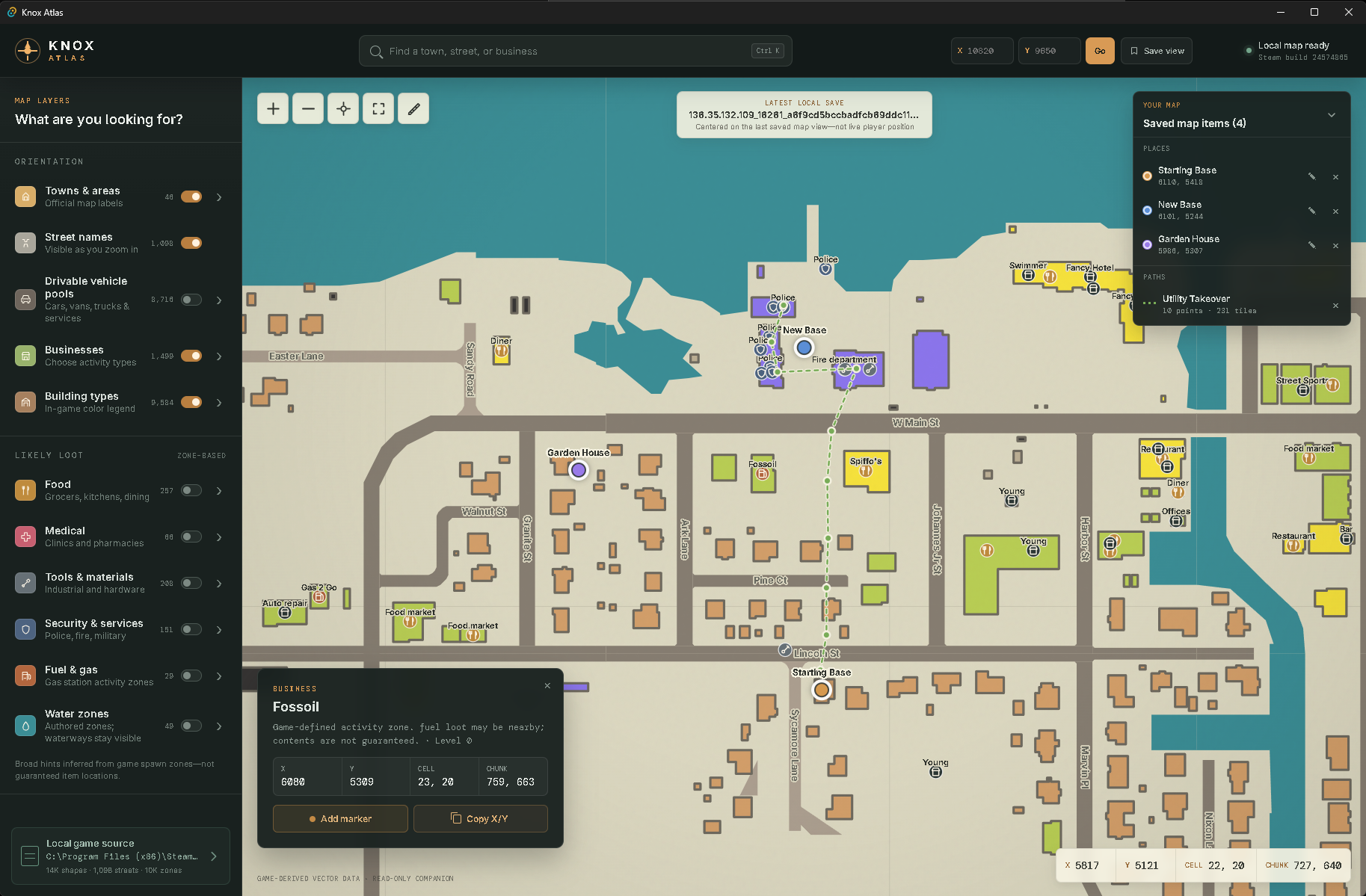
Click a location to inspect and copy its coordinates or save a named, color-coded waypoint. Saved places can be focused, renamed, recolored, or removed from the Your Map card.
Choose the ruler tool to measure a route through as many points as needed. Knox Atlas totals the direct tile distance of each segment, and the finished measurement can be saved locally as a named, color-coded path for later.
🧭 Filters and map layers
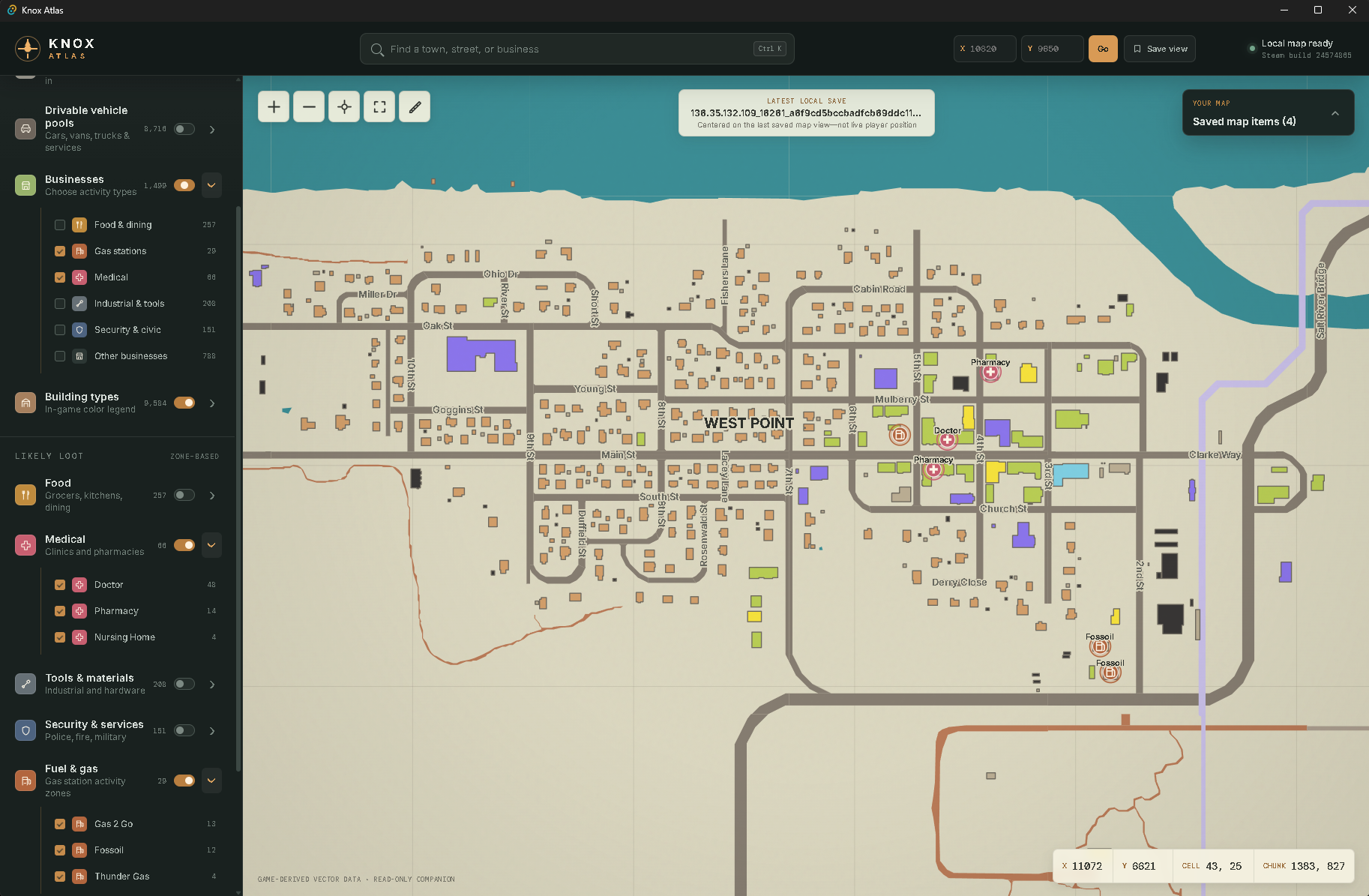
The left panel separates orientation, buildings, businesses, likely-loot hints, resources, and drivable vehicle pools. Expand a category to choose individual types—for example, particular gas-station brands or medical activity zones—without hiding the rest of the basemap.
📂 Choosing the game installation
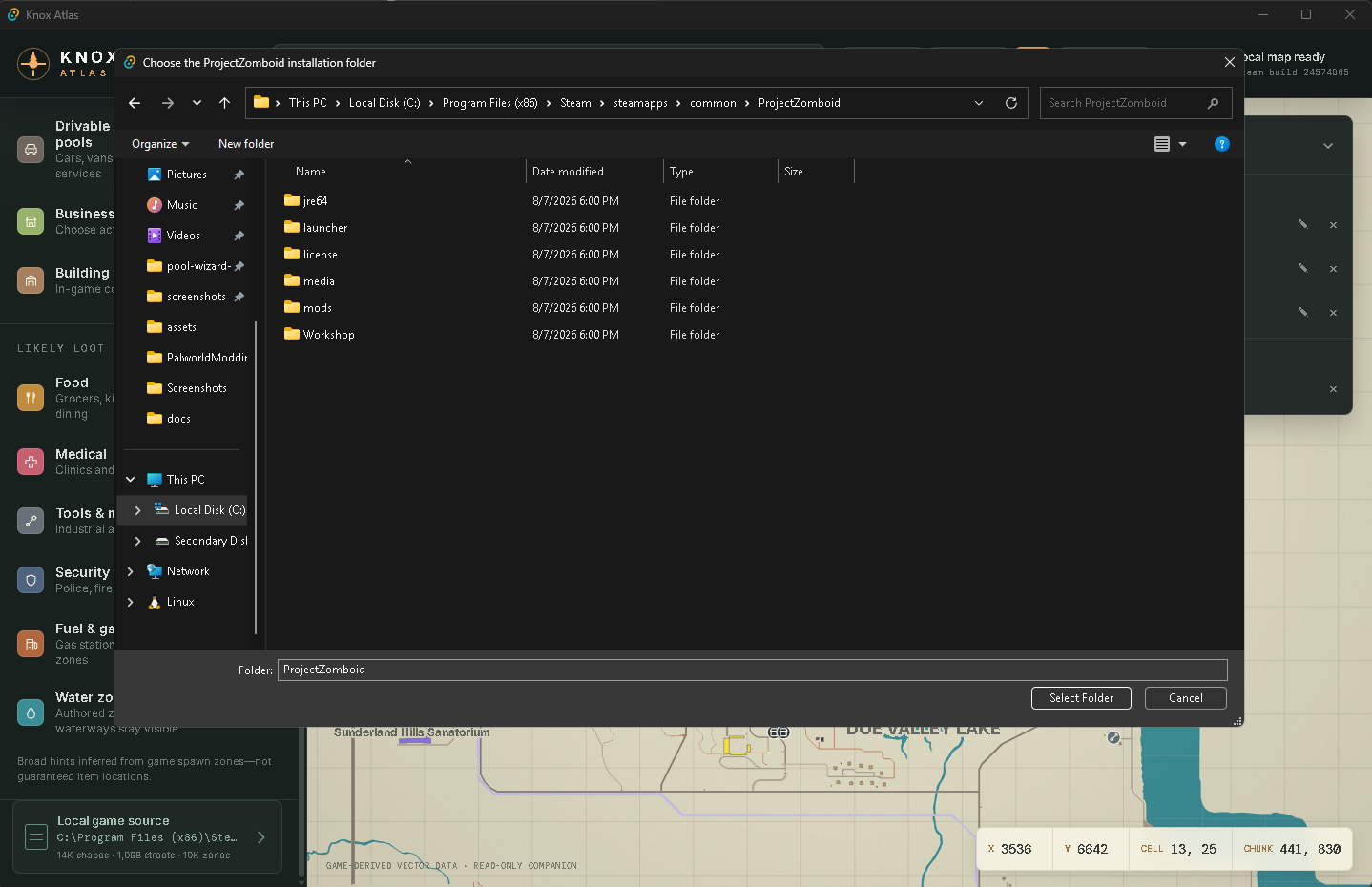
Knox Atlas first checks the standard Steam installation and Steam's configured library folders. The usual Windows location is C:\Program Files (x86)\Steam\steamapps\common\ProjectZomboid.
If the game is elsewhere—or you want Knox Atlas to read a different installation—click Local game source in the lower-left corner. Choose the ProjectZomboid folder itself and click Select Folder. The correct folder contains projectzomboid.jar and the media directory. Knox Atlas validates and remembers the selection without changing the game files.
📦 Downloads
- Windows installer: Run the setup EXE and follow the Windows prompts.
- Portable ZIP: Extract the ZIP into a writable folder and run
Knox-Atlas.exe. Microsoft WebView2 must already be installed; use Microsoft's official WebView2 Runtime page if needed.
Markers, saved paths, the preferred view, and the selected game folder persist for the current Windows account under %LOCALAPPDATA%\com.pzcompanion.map. They are separate from the portable folder, so replacing that folder does not normally erase them. The portable guide includes runtime check commands and best-effort backup notes.
Vortex
On Nexus Mods, use Manual Download and extract the portable ZIP normally. In Vortex, open Dashboard → Add Tool, set Target to Knox-Atlas.exe, confirm Start In is its extracted folder, name it Knox Atlas, and save. Do not deploy the ZIP into the Project Zomboid game or Mods folder. See the Vortex guide.
🛡️ Windows notice
These builds are not code-signed, so Windows SmartScreen may display an Unknown publisher warning when you attempt to download it. Please feel free to inspect the source code and compile the app yourself if you'd like.
You can also see a history of commit testing and auto-generating of installer and portable versions in the github actions tab. (It automatically builds them straight from the current main branch in the github repo.)
📄 Source
The source code and automated build workflow are available for inspection under the PolyForm Strict License 1.0.0. GitHub also provides source ZIP and TAR archives with the published release.
Full Changelog: v0.1.0...v0.1.1