
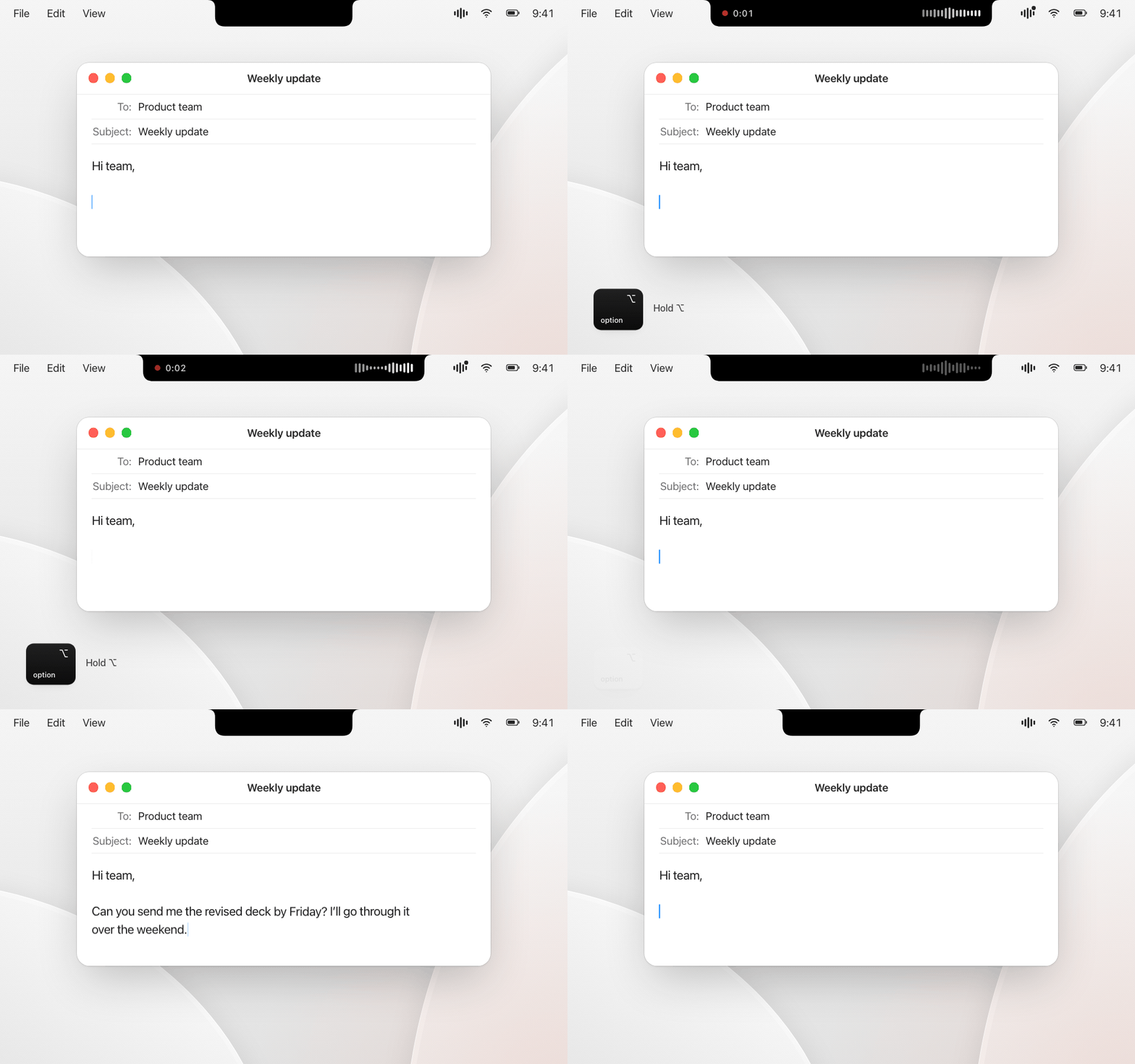
Steno 1.1 – meetings, sending with Return, and a notch that shows up where you are.
New: meetings
- Transcribe a conversation with timestamps: your microphone is "You", the sound of your Mac – Teams, Zoom, the browser – is "Others", renamable per meeting. Either source can be switched off. Spotify and Apple Music are left out, so music doesn't end up in the transcript.
- ⌃⌥N adds a note while the meeting runs. An empty note sets a marker, a leading "!" makes it a task. A screenshot taken with ⌘⌃⇧4 lands in the timeline at that moment.
- Or click the meeting display at the notch: the note field opens right below it, hovering shows buttons for a note and a screenshot.
- Dictating during a meeting – say, a quick reply in another chat – stays out of the transcript.
- Every meeting is a folder on your Mac:
Protokoll.md,meeting.jsonand the images. By default in Steno's own folder, or in any place you choose in the settings. Audio is never saved. - Only record when everyone involved agrees.
New in dictation
- Press Return while you are still recording: Steno pastes the text and sends it – handy for chat apps and AI assistants.
- With two displays, the overlay appears on the screen you are typing on.
Fixes
- The overlay could stay invisible after switching desktops (Spaces) – you only heard the sound. It now always appears on the current desktop.
- The overlay opens before the microphone starts, so it no longer lags behind the sound.
- The microphone opens only while recording. With AirPods as the default microphone, Steno uses the built-in one, so your headphones no longer drop into the low-quality headset mode.
- Changing the microphone could crash Steno. It now records from exactly the device you chose.
- A microphone that fails during a recording is now reported instead of silently producing an empty result.
- A Return pressed at the end of a dictation is never lost and only goes to the app it was meant for.
- Launch at login points at the installed app.
Update
Download Steno.dmg below and drag it to Applications, replacing the old version. Releases are signed with the same certificate, so your permissions stay in place. The first meeting asks once for permission to hear your Mac's sound.
Requires macOS 14.2 or later on Apple silicon (for hearing the Mac's sound in meetings).